Outline ·
[ Standard ] ·
Linear+
Maxis Connect to Maxis using Custom Router!, Guidelines
|
alexander3133
|
 May 4 2017, 03:02 PM May 4 2017, 03:02 PM
|

|
Successfully connect my Netgear R7800 router directly to the TM fibre modem for my Maxis 10 Mbps package, so far so good.
Have to configure VLAN-by-tag in Advanced Settings, and change the VLAN ID to 621, the default was 10.
Also have to supply PPPoE username and password extracted from the original Maxis wireless router.
|
|
|
|
|
|
alexander3133
|
Sep 19 2017, 01:35 PM
|
|
|
|
|
|
|
|
|
alexander3133
|
Sep 21 2017, 05:48 PM
|
|
|
QUOTE(ERiKoChAn @ Sep 21 2017, 04:42 PM) hi all, I relieased my Vlan id for internet is 11, not 621. Know what is the reason? Wow, thanks for the sharing. Been using VLAN ID 621 all the while, and normally I have public address of 121.122.XXX.XXX. After using VLAN ID of 11, I have public address of 14.192.XXX.XXX
Other than IP address change, I am not sure what else is different.Edit: It turns out that I did not applied the settings for modified VLAN ID, using VLAN ID of 11 does not get me connected to internet. This post has been edited by alexander3133: Sep 21 2017, 06:55 PM |
|
|
|
|
|
alexander3133
|
Aug 13 2018, 05:49 PM
|
|
|
Maxis internet VLAN ID still 621?
|
|
|
|
|
|
alexander3133
|
Aug 27 2018, 07:45 AM
|
|
|
QUOTE(menexpert @ Aug 27 2018, 12:02 AM) Hi guys, I'm using bridge now from the Amenia to Asus router, i setup as the posted. I'm able to access to facebook, google and gmail, but not able to access most of the other website. Settings went wrong? Looks like HTTP all cannot use, only HTTPS. Not sure what problem |
|
|
|
|



 Quote
Quote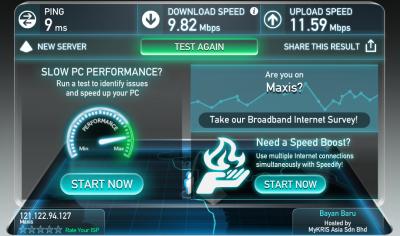


 0.0199sec
 0.66
0.66
 7 queries
 GZIP Disabled