


Anyway any good nvidia driver to suggest

LENOVO Y480/580 feel the need for SPEED, lowest price at higher specs cpu
|
|
 Aug 28 2012, 07:34 PM Aug 28 2012, 07:34 PM
Return to original view | Post
#1
|
 
Junior Member
46 posts Joined: Oct 2011  
|
Yay,new y580 user here!!!! just bought it today
Anyway any good nvidia driver to suggest |
|
|
|
|
|
Aug 28 2012, 09:56 PM
Return to original view | Post
#2
|
|
Junior Member
46 posts Joined: Oct 2011
|
Hi want to ask some question here ,
why my cpuid cant detect my nvidia card temperature and cpu-z just detected im using intel card?  is it the driver problem ? my current driver is 295.93 but planning update the 306.02 soon~ Edit: sorry problem above solved i really a noobie newbie , new problem i playing diablo 3 smooth but got some graphic bug is it this problem can solve with driver update? This post has been edited by blurp2010: Aug 28 2012, 10:03 PM |
|
|
Aug 28 2012, 10:40 PM
Return to original view | Post
#3
|
|
Junior Member
46 posts Joined: Oct 2011
|
QUOTE(sss2sssss @ Aug 28 2012, 10:10 PM) Ur NVIDIA card is inactive default... Ok thx it work!!!! but i will try update driver by tomorrow~U need to open one software which using NVIDIA card render to active it(eg: GPU-Z), then open CPU-Z without close that program, then u can see ur NVIDIA card Added on August 28, 2012, 10:11 pmStrongly recommend update ur NVIDIA driver coz 29X.XX really buggy  |
|
|
Aug 28 2012, 10:49 PM
Return to original view | Post
#4
|
|
Junior Member
46 posts Joined: Oct 2011
|
QUOTE(sss2sssss @ Aug 28 2012, 10:44 PM) Actually I don't like Optimus...... so need to find another intel driver to install?  Make driver become so complicated and need to install two graphic driver....lol  |
|
|
Aug 29 2012, 08:54 AM
Return to original view | Post
#5
|
|
Junior Member
46 posts Joined: Oct 2011
|
Hi guys cant install driver Fxxk!!!!
Why ??? im using y580!!!!! Attached thumbnail(s) 
|
|
|
Aug 29 2012, 05:46 PM
Return to original view | Post
#6
|
|
Junior Member
46 posts Joined: Oct 2011
|
QUOTE(XionCity @ Aug 29 2012, 09:38 AM) dunno, mine work just fine so you guys is uninstall the the old 1st then only install this latest driver? Because i haven uninstall yet the old driver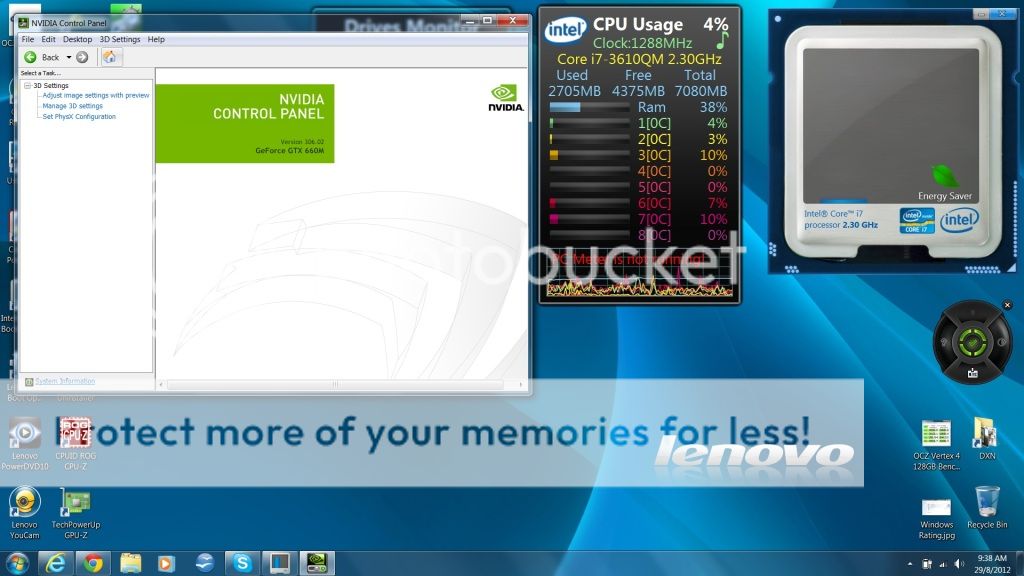  |
|
|
|
|
|
Aug 29 2012, 05:49 PM
Return to original view | Post
#7
|
|
Junior Member
46 posts Joined: Oct 2011
|
QUOTE(XionCity @ Aug 29 2012, 05:48 PM) yes....clear ur old 1, then install new 1 Ok ok wait i try 1st~ |
|
|
Aug 31 2012, 09:56 AM
Return to original view | Post
#8
|
|
Junior Member
46 posts Joined: Oct 2011
|
After install the new driver just improved minor of my graphics bug~306.02
1. Dont use this nvidia search engine http://www.nvidia.com/Download/index.aspx?lang=en-us it give me 32 bit driver instead 64bit ....lol that why i cant install it.....then i use here ones ,only give correct drivers http://www.geforce.com/drivers/beta-legacy 2. Any y580 users having green screen blinking while playing diablo 3 in 1920x1080 resolution? EDIT : My diablo 3 run smooth about 47-60 fps but this green blinking make me headache This post has been edited by blurp2010: Aug 31 2012, 10:08 AM |
|
|
Aug 31 2012, 10:58 AM
Return to original view | Post
#9
|
|
Junior Member
46 posts Joined: Oct 2011
|
QUOTE(kuroneko0509 @ Aug 31 2012, 10:31 AM) not playing diablo 3 It happen when i go go/change difference places eg: from beach change to forest  but lemme check if somehow the green blinking exist on pso2 fhd reso but lemme check if somehow the green blinking exist on pso2 fhd resobtw, is the green blinking happens frequently?  These blinking will happen for about 8-20 min , hard to show need use camera shot.... the "print screen" does not work Added on August 31, 2012, 11:00 am QUOTE(sss2sssss @ Aug 31 2012, 10:24 AM) It can give me the correct driver...lol Maybe the the website anti me lol~This post has been edited by blurp2010: Aug 31 2012, 11:00 AM |
|
|
Aug 31 2012, 03:34 PM
Return to original view | Post
#10
|
|
Junior Member
46 posts Joined: Oct 2011
|
QUOTE(kuroneko0509 @ Aug 31 2012, 03:27 PM) that blinking didn't happen when i'm playing pso2... i guess it's a game specific problem Maybe you are correct ,because just install Sniper Elite V2 smooth like cream   Damn Diablo 3!!!!! Damn Diablo 3!!!!! |
|
|
Sep 8 2012, 04:46 PM
Return to original view | Post
#11
|
|
Junior Member
46 posts Joined: Oct 2011
|
Im using y580 does anyone having same problem same with me while playing diablo 3 as video below ......
http://www.youtube.com/watch?v=GquwuZym_48 This post has been edited by blurp2010: Sep 8 2012, 04:47 PM |
|
|
Sep 8 2012, 05:23 PM
Return to original view | Post
#12
|
|
Junior Member
46 posts Joined: Oct 2011
|
QUOTE(CidBunansa @ Sep 8 2012, 05:07 PM) Maybe you should update your GPU driver. Ya im using latest beta driver 306.02 ~Is it my gpu having problem need to call lenovo for service? |
|
|
Sep 16 2012, 06:54 PM
Return to original view | Post
#13
|
|
Junior Member
46 posts Joined: Oct 2011
|
Hey huys , i just bought this y580 at early this month .....
may i ask you all, do you thinks all the apps that lenovo pre installed are necessary ? such as ee boot, veriface , lenovo telephony, and etc.... Hope ts here start do his job for this thread ,he haven update since 17th of august !!!!! |
|
|
|
|
|
Sep 17 2012, 01:12 PM
Return to original view | Post
#14
|
|
Junior Member
46 posts Joined: Oct 2011
|
QUOTE(kuroneko0509 @ Sep 16 2012, 07:34 PM) some are useful and some can just be uninstalled.... depends then the lenovo welcome and registration can/safe to remove? i think the most important are energy management, onekey stuff, camera, bluetooth, wireless.... as for others, maybe you may keep veriface and ee boot... but the telephony just remove it... uninstall also all other live mesh languages... Added on September 17, 2012, 1:17 pm QUOTE(jammerlee711 @ Sep 17 2012, 10:51 AM) i found a bug on the "Intelligent touchpad" ....you can't scroll down with two fingers when you put your another finger on the left click area...stupid design -- Did anyone here have experience y580 that the whole screen turn to black except the bottom start bar when intelligent touchpad start after laptop startup~ and sometimes it not responding .....  This post has been edited by blurp2010: Sep 17 2012, 01:17 PM |
|
|
Sep 25 2012, 10:33 PM
Return to original view | Post
#15
|
|
Junior Member
46 posts Joined: Oct 2011
|
Any ones here got problems while gaming for y580 ? My problems haven solve after update the driver ......the games i played longest time is diablo 3 ~
Edit: This the temperature after i played it for 1-2 hours ~ My problems is my screen is flickering while playing games ~ the diablo 3 is most horrible screen flickering .Mt will post out screen flickering and settings for it when im free.... This post has been edited by blurp2010: Sep 25 2012, 10:42 PM Attached thumbnail(s) 
|
|
|
Sep 25 2012, 11:45 PM
Return to original view | Post
#16
|
|
Junior Member
46 posts Joined: Oct 2011
|
QUOTE(sss2sssss @ Sep 25 2012, 10:52 PM) Someone got the problem before, I donno is who liao... Ya that someone is me until now also not yet solve ....i posted here before But only D3 got problem only Is it defective of graphic card ? got this problem since the 1st bought this laptop anyone experince it.... My assassin creed also got flickering but not very noticeable at least it can play like normal ,but diablo 3 flickering can make me until headache damn serious man~  This post has been edited by blurp2010: Sep 25 2012, 11:48 PM |
|
|
Sep 26 2012, 05:43 PM
Return to original view | Post
#17
|
|
Junior Member
46 posts Joined: Oct 2011
|
QUOTE(kwcheah @ Sep 26 2012, 09:53 AM) Nope, you don't have to install anything to get the keyboard backlight up. Mine is the 1st assassin creed .....so got problem with diablo 3?By right, you should be able to toggle it on and off even in dos mode. If really not working, I suggest you sent it back for checking and the sooner the better, some distributor will get you 1 to 1 replacement if they have stock within 1 week time.  Added on September 26, 2012, 10:08 am Hey bro, which series of Assassin Creed you are playing? I tried playing with Assassin Creed and Assassin Creed II already, both working fine.  |
|
|
Sep 26 2012, 08:01 PM
Return to original view | Post
#18
|
|
Junior Member
46 posts Joined: Oct 2011
|
This is my diablo 3 ==
http://www.youtube.com/watch?v=sOwOMwFhi24&feature=youtu.be sorry for extremely lousy quality ,take video via handphone This post has been edited by blurp2010: Sep 26 2012, 08:02 PM |
|
|
Sep 27 2012, 10:08 PM
Return to original view | Post
#19
|
|
Junior Member
46 posts Joined: Oct 2011
|
QUOTE(Chaoyinside @ Sep 27 2012, 12:30 AM) mind ask which version of nvidia driver u using ??? Im using the latest ones 306.23~ so what ver are you using now ?my previous laptop also encounter this problem, the time i use the latest driver and plays HoN and the graphic looks exactly the same like what u shown. try to play it with another version of graphic card??? hope can help |
| Change to: |  0.0456sec 0.0456sec
 0.21 0.21
 7 queries 7 queries
 GZIP Disabled GZIP Disabled
Time is now: 3rd December 2025 - 10:50 AM |
 Quote
Quote