

hi, i want the Serial ATA Hard Drive Bay/Caddy + External DVD drive USB Adapter + postage to KL...
for Lenovo Y480.
Ancient [WTS] Dual SATA/IDE HDD Caddy - with green LED |, Add 2nd HDD to your laptop |
Ancient [WTS] Dual SATA/IDE HDD Caddy - with green LED |, Add 2nd HDD to your laptop |
|
|
 Aug 14 2012, 02:36 PM Aug 14 2012, 02:36 PM
Return to original view | Post
#1
|
 
Junior Member
234 posts Joined: Apr 2010 
|
hi, i want the Serial ATA Hard Drive Bay/Caddy + External DVD drive USB Adapter + postage to KL...
for Lenovo Y480. |
|
|
Sep 26 2012, 06:19 PM
Return to original view | Post
#2
|
|
Junior Member
234 posts Joined: Apr 2010
|
hi skycrawler:
Got the caddy and the dvd adapter yesterday, they work!  Thanks.  |
|
|
Dec 1 2012, 01:36 PM
Return to original view | Post
#3
|
|
Junior Member
234 posts Joined: Apr 2010
|
QUOTE(DalphinuS @ Sep 25 2012, 04:12 PM) I have received the goods today around 2:45pm (25.09.2012) despite of the seller told me to dispatch it out yesterday evening. Frankly speaking I'm in such a surprise to got it today, posting from Terengganu to Penang via PosLaju. Kudos to both skycrawler & PosLaju Malaysia! thanks, very informative!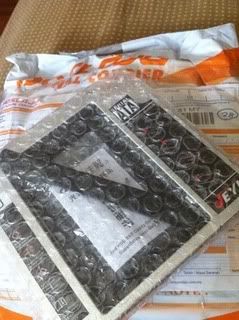 Since skycrawler is actually juz a stranger to me in the forum and I do not know him actually, yet he delivered such superb & trustworthy service to me, I decided to spend some time & do him a favour (I'm doing this on my own, not becuz of his request), by writing this testimonial for him the unbox, and the method on how to make this caddy in becoming your favourite 2'nd hard drive with a nice cover up with your laptop, without being awkward to your laptop. Here goes: What I see after I unwrap the packing, is actually what u see on the monitor. It's like "AS SEEN ON TV"! 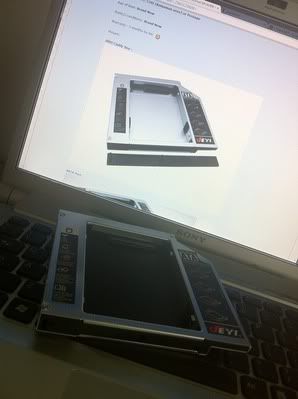 All the goods are in nice shape, all the parts mentioned by the seller are intact, eg screws, screwdrivers, cover... But if u use that cover provided in this packing, it might not be the best cover to match with your laptop. 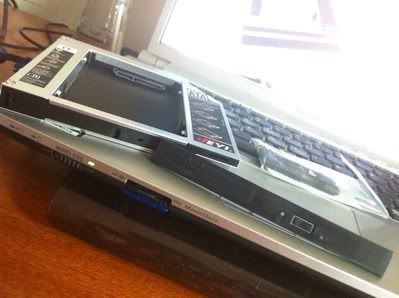 So I decided to use back the original cover on my optical drive which came along from my original VAIO unit. This is what will the caddy looks like once I plug it on. 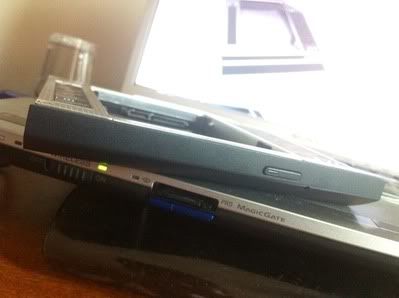 As u can see here, it's almost like the original optical drive, it fit nice & perfectly no matter in what angle. 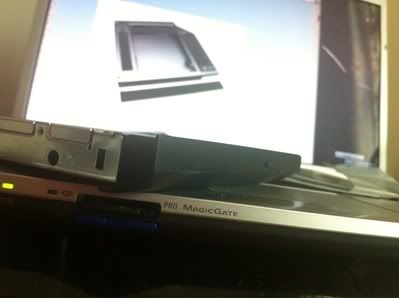 And u slowly push in the caddy with your HDD/SSD on back into your laptop, slow & steady. 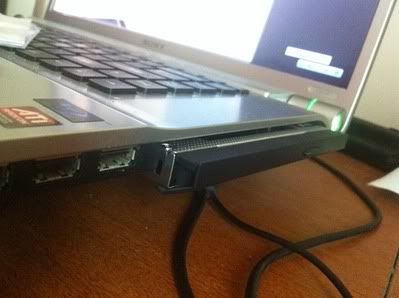 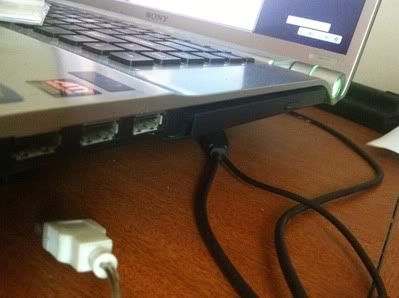 And the final result, viola! It's juz PERFECT! And when u turn on the laptop, it actually comes with green light, and blink in red to tells you your hard drive is standby/running. 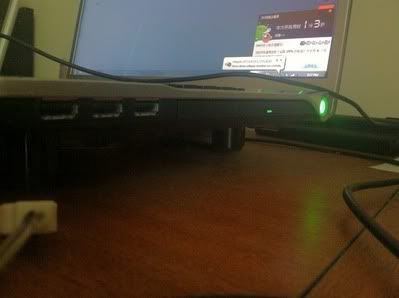 I do hope that this testimonial/write up can help the seller, or the buyers of this item to make it a perfect gadget to your laptop. For more detailed steps in replacing the caddy's cover, pls refer to this URL: HOW TO MAKE A NICE CADDY  |
|
Topic ClosedOptions
|
| Change to: |  0.0270sec 0.0270sec
 0.50 0.50
 7 queries 7 queries
 GZIP Disabled GZIP Disabled
Time is now: 3rd December 2025 - 09:47 PM |
 Quote
Quote