Welcome Guest ( Log In | Register )

Bump Topic Topic Closed RSS Feed

Outline · [ Standard ] · Linear+

 Ivy Bridge Overclocking V1 | 3770K/3570K | Z77, Torture Your CPU, Post It Here!

views
     
huzzLEE_82
post Jun 21 2012, 12:52 PM

MHaF
******
Senior Member
1,301 posts

Joined: Feb 2010
From: FSN9 CenTToll


just join the club..
i5-3570K,Asrock Z77 Professional M,Vengeance 1333MHz 8GB,H70
now using stock only,just set up my rig....
so far temp idle initial cores varies 37~38c only but CPU temp is 52c

i've gone thru 26 pages of this topic..normal isn't it?
wonder if OC 4.6GHz how high will it be?

*ram i revert from 1600 to 1333MHz coz CEX no stock for Vengeance LP 1600MHz
coz my clearance in TJ-08E only 54mm....will it hold me back to OC cpu to 4.6GHz?

This post has been edited by huzzLEE_82: Jun 21 2012, 12:54 PM
huzzLEE_82
post Jul 14 2012, 01:13 PM

MHaF
******
Senior Member
1,301 posts

Joined: Feb 2010
From: FSN9 CenTToll


try OC my i5-3570K with 4.5GHz offset +0.010V (Vcore=1.208-1.216v)
be4 got BSOD with x1A error which is not sufficient dram voltage...
after lurking around find out my ram running 1.585v in default/auto in BIOS/UEFI

then i set up dram voltage=1.585v
everything goes fine untill 1 hour++ prime95 got fatal error in prime...but none BSOD occurs..just 1 core stop working....anybody?


Added on July 14, 2012, 1:16 pmafter stable enuf i'll post my screen shot


This post has been edited by huzzLEE_82: Jul 14 2012, 01:16 PM
huzzLEE_82
post Jul 14 2012, 01:42 PM

MHaF
******
Senior Member
1,301 posts

Joined: Feb 2010
From: FSN9 CenTToll


QUOTE(trisx @ Jul 14 2012, 01:34 PM)
HuzzLEE try increase ur Vcore and run it again
1.2 is quite low for 4.5ghz unless u got a nice chip
*
i think so... acting like i own a golden chip la plak...
i'll bump +0.015v now....
1 thing is it ok 1.5 ram running 1.585v?
stated here scroll down by lingloong this 1333MHz ram easily run 1600MHz,but may b possible with 1.585v
later i'll test after cpu stable...
huzzLEE_82
post Jul 14 2012, 02:28 PM

MHaF
******
Senior Member
1,301 posts

Joined: Feb 2010
From: FSN9 CenTToll


QUOTE(trisx @ Jul 14 2012, 02:15 PM)
Yup, u can even get it run on 1.6v  thumbup.gif
No probs with the vdimm
*
glad to hear that..
u foresee my next question..hahaha
wats the point having it stated 1.5V while it works over tat btw....hehe
huzzLEE_82
post Jul 14 2012, 03:02 PM

MHaF
******
Senior Member
1,301 posts

Joined: Feb 2010
From: FSN9 CenTToll


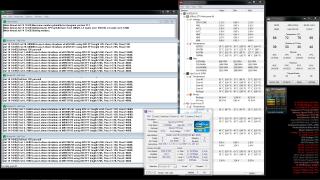
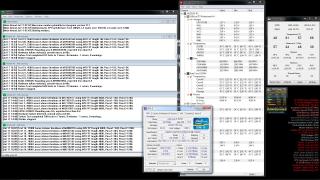
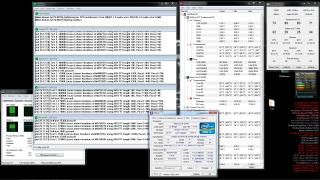
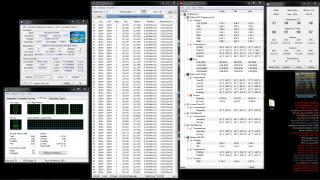
ok after ~1hour+ blend test of prime95
here's the screenshot of CPU-Z,prime95,real temps,AiDA64 temp readings
» Click to show Spoiler - click again to hide... «

btw all temps readings varies..so which one the most accurate?
my references webpage for OC obtained here: (coz here mostly Asus users,me budget user only notworthy.gif )
Ivy Bridge complete OC guide ASRock Edition
ASrock Z77 discussion club

btw owikh last nite whenever i set my dram voltage to 1.5v with default timing 9-9-9 24 1N BSOD occurs
in my board it considers undervolt (with sufficient voltage) coz by default it runs 1.585v
i run memtest86 last nite for 2hours45minutes++ and confirm none of the stick have errors.... doh.gif (waiting memtest finish i can sleep for a while hhahaha)


Added on July 14, 2012, 3:07 pm
QUOTE(owikh84 @ Jul 14 2012, 02:51 PM)
because it is tested stable with 1.5v at rated speed/timing so they label it as 1.5v.
don't be surprise to see a 1600, 1866 or 2133 etc Vengeance having the same ICs as your 1333 kit but they're labeled @ 1.6v & 1.65v  smile.gif
*
means if dare enuf can try OC ram rite..but on own risk... whistling.gif
i'll try 1600MHz later,1866 afraid fry my ram
btw owikh count me in....here my cpu-z screen
» Click to show Spoiler - click again to hide... «


This post has been edited by huzzLEE_82: Jul 14 2012, 03:10 PM

huzzLEE_82
post Jul 14 2012, 03:24 PM

MHaF
******
Senior Member
1,301 posts

Joined: Feb 2010
From: FSN9 CenTToll


erm from here bro;
http://www.overclock.net/t/1198504/sandy-i...-asrock-edition
click on HELP ME then BSOD LIST
1st upper column quote from overclocker23578
bottom column is urs...
dunno can rely on this BSOD list or not
aiyak my bad this code under sandy bridge...erm how a?

This post has been edited by huzzLEE_82: Jul 14 2012, 03:30 PM
huzzLEE_82
post Jul 15 2012, 12:31 AM

MHaF
******
Senior Member
1,301 posts

Joined: Feb 2010
From: FSN9 CenTToll


here my BSOD screenshot, 0x0000001A error when dram=1.5V
Attached Image
never occur when dram=1.585v (guess my ram need 1.585v instead of 1.5v)

btw OC terms in Asus and ASRock i think not similar (dunno,just random guess)
i try bumping ICH voltage & VTT
VCCIO=VTT=QPI=IMC
but for ICH voltage not sure which one? rclxub.gif mr google not helping much
huzzLEE_82
post Jul 15 2012, 03:00 PM

MHaF
******
Senior Member
1,301 posts

Joined: Feb 2010
From: FSN9 CenTToll


QUOTE(owikh84 @ Jul 15 2012, 12:48 AM)
nvm, make it VCCSA
but i think it's just your RAM is sucky  sweat.gif
*
yup +1 my ram the culprit one...most probably
btw i make an adjustment,LLC to level 2 (b4 level 3) cos i think the 50% compensation not doing much encounter with vdroop on Vcore
so ur LLC on which level bro?
from my readings,level 1 will spike Vcore really high during load... shocking.gif
huzzLEE_82
post Jul 17 2012, 05:09 PM

MHaF
******
Senior Member
1,301 posts

Joined: Feb 2010
From: FSN9 CenTToll


sigh 7 hours plus prime95 ends up with 1 worker stop working....(offset +0.055v)
now bump +0.06v but after 40 minutes plus worker no 1 stop working....
anybody knows what indicates this? either than Vcore not suffice....
Attached Image
now i bump offset +0.065v (up to +0.07v now)

This post has been edited by huzzLEE_82: Jul 17 2012, 05:35 PM
huzzLEE_82
post Jul 17 2012, 06:10 PM

MHaF
******
Senior Member
1,301 posts

Joined: Feb 2010
From: FSN9 CenTToll


orait owikh....in prime not using blend test as it test on ram a lot....
i put large FFT....
now running prime 95 with task manager tab....i'll do linX...but need study 1st...
never use b4..tq owikh
Attached Image
huzzLEE_82
post Jul 17 2012, 09:03 PM

MHaF
******
Senior Member
1,301 posts

Joined: Feb 2010
From: FSN9 CenTToll


hmm now revert back to stock speed...stock default BIOS setting...
running LinX (select all tab next to memory column)
after 3 minutes here wat i got:
Attached Image Attached Image
crap with default value still fail....must b my ram stick..but few nite ago i run memtest86 almost 3 hours error is none.... rclxub.gif cry.gif

This post has been edited by huzzLEE_82: Jul 17 2012, 09:04 PM
huzzLEE_82
post Jul 17 2012, 09:55 PM

MHaF
******
Senior Member
1,301 posts

Joined: Feb 2010
From: FSN9 CenTToll


bereh boh...
Attached Image Attached Image
now here's the latest story.....or is it something to do with SSD tweak optimization?
i remember several setting changed up b4...

This post has been edited by huzzLEE_82: Jul 17 2012, 10:08 PM
huzzLEE_82
post Jul 18 2012, 01:35 AM

MHaF
******
Senior Member
1,301 posts

Joined: Feb 2010
From: FSN9 CenTToll


QUOTE(owikh84 @ Jul 17 2012, 10:31 PM)
Prefetch turned OFF? I don't think it will affect the failure.
But you can always revert the settings back to original & test again.
your memtest failed because of either dram timings error, vdimm or VTT etc. Bad stick? i don't think so.
I have never used ASRock mobo before so don't want to say it's bad blindly.  tongue.gif
*
hehehe no offence here...i'm not tat kind of fanboy of any brand...b4 i use Asus...this time budget nipis..so shift to ASRock..
btw seems like i got a stick faulty...might b...
i tested a stick at a time..on the same slot....
that particular bad stick (hopefully "bad") seems kenot stand LinX more than 1 minutes++
also kenot pass memtest 0.2% test...
then i do memtest 86 again ....bad stick got lots of errors....
hopefully i trully capture the culprit....

last time memtest86 done with both sticks attached to respective slots....
tq owikh..kenot imagine if u not here in LYN...tqvm again... notworthy.gif

This post has been edited by huzzLEE_82: Jul 18 2012, 01:47 AM
huzzLEE_82
post Jul 25 2012, 10:58 PM

MHaF
******
Senior Member
1,301 posts

Joined: Feb 2010
From: FSN9 CenTToll


QUOTE(yonghong @ Jul 25 2012, 03:54 PM)
sorry noob here.where is the tutorial to learn how to overclock a processor ya?notworthy.gif
*
Google has a lot of reference website...surf around and do read a lot about OC..then oldtimers here will gladly help u giving tips and advise

btw RMAed my ram before..and i've done with memtest86 and memtest....
later on i do LinX for 100 runs (4 hours 12 minutes 38 seconds) with none errors
Attached Image Attached Image
now doing prime95 blend test.... whistling.gif anyway which 1 is more reliable? prime or linX?

huzzLEE_82
post Jul 26 2012, 06:59 PM

MHaF
******
Senior Member
1,301 posts

Joined: Feb 2010
From: FSN9 CenTToll


QUOTE(spdboyz @ Jul 26 2012, 07:37 AM)
Really envy your 3570K can do 4.5 @ 1.216. I need 1.368v to run at 4.5 stable <- BAD BAD CHIP.
*
ok i think i'm done with stress test
running LinX for 4 hours++..i think suffice enough
btw here's the screenshot (same as before)
Attached Image Attached Image

then i do prime95 for 12 hours....so far well maintained Vcore=1.216v which is very gud i think
here's the screenshot..i think can push higher but i'll keep stagnant at 4.5GHz for now coz no time testing..also very lazy and buzy...
Attached Image Attached Image
thanx to owikh84 for sharing his knowledge.... thumbup.gif
huzzLEE_82
post Jul 27 2012, 08:14 AM

MHaF
******
Senior Member
1,301 posts

Joined: Feb 2010
From: FSN9 CenTToll


QUOTE(owikh84 @ Jul 26 2012, 07:04 PM)
congrats on stability bro  thumbup.gif
i like your initiative  wub.gif
*
tenkiu owikh...but mine is nothing compared with urs notworthy.gif


Added on July 27, 2012, 8:23 am
QUOTE(Maxieos @ Jul 26 2012, 09:03 PM)
how much heat does 3570k produce when OC compare to 2500k ?
since most review are base on europe country temp.OC around 4.2ghz on 2500k vs 3570k on 4.0ghz

Thanks smile.gif
*
i never use i5-2500k before..... sweat.gif
mine 4.5GHz on H70 max is 92c with LinX / 80+c with prime 95
which is for my personel preferences is acceptable since TJmax for Ivybridge is 105c (100c for SandyBridge)
*i replaced my stock 120mm Corsair H70 fans with Artic Cooling 120mm PWM fans thumbup.gif

This post has been edited by huzzLEE_82: Jul 27 2012, 08:26 AM
huzzLEE_82
post Jul 31 2012, 08:34 AM

MHaF
******
Senior Member
1,301 posts

Joined: Feb 2010
From: FSN9 CenTToll


Added on July 31, 2012, 8:44 am
QUOTE(diaBoliQu3 @ Jul 31 2012, 07:18 AM)
What ya mean 2/8 gb RAM stressed? For CPU stress test, use small FFT right? Or should I use In-place Large FFT?


Added on July 31, 2012, 7:45 amAnd based on RealTemp, what's wrong with the different temp. Especially the first core. Is it related to TIM apply method? I'm using the one that provided with CM Cooler and I apply the vertical method as I read at Arctic Cooling.
*
2/8 gb RAM stressed..
he means u just stressed out 2GB out of 8GB ram capacity
ram if possible try 90% or above stress test because we need to test IMC inside CPU.. (this is wat owikh84 told me b4...i just repeat..hehehe)

see post #620 (page 31) by owikh (regarding IMC)
try LinX bro...it really put ur cPU under heavy load which is the temp is around +10c compare to optimus prime95 hehehe...gud luck

This post has been edited by huzzLEE_82: Jul 31 2012, 08:44 AM
huzzLEE_82
post Jul 31 2012, 11:41 PM

MHaF
******
Senior Member
1,301 posts

Joined: Feb 2010
From: FSN9 CenTToll


before i run prime95 7 hours plus untill got error (1 worker stopped working)
with LinX i just need to run it for 3 minutes then got error....
huzzLEE_82
post Aug 1 2012, 08:22 AM

MHaF
******
Senior Member
1,301 posts

Joined: Feb 2010
From: FSN9 CenTToll


QUOTE(gengstapo @ Jul 31 2012, 11:52 PM)
I only run LinX & Futuremark on CPU test.. So far I havent have instability issues smile.gif

The 5120MB when you select "All" for RAM in the LinX option? Im running i7 old family with 6GB RAM. In Diagnostic mode, I can see it would take upto 5.7GB of my RAM when running Linpack
Hmm so is this mean the Linpack better than Prime95?? tongue.gif Only god knows  nod.gif
*
it depends imo...
hmm in my case LinX proven 2b better..after i finished 100 run (4 hours++) of LinX..then i proceed with prime95...
for starting i put offset +0.005v all tested with LinX then up to offset +0.020v
i can see the pattern of failure (longer time taken before LinX got error) 30mins,42mins,1 hour++,.....untill 4 hours plus done for 100 run
then i did prime95 and it can last for 12 hours....till i end it with none error occurs thumbup.gif

in before during i had a faulty stick of ram...i've gone thru 7 hours plus with prime..but LinX detects that error within 3 minutes (as told b4)
i'm not judging linX is better coz i'm no pro..hehehehe notworthy.gif
huzzLEE_82
post Sep 1 2012, 01:04 PM

MHaF
******
Senior Member
1,301 posts

Joined: Feb 2010
From: FSN9 CenTToll


a little update...felt bored during public holiday...
running my 1333MHz ram with 1600MHz...dram voltage 1.5v
test up with LinX for 100 runs...completed with none error... rclxms.gif
Attached Image
(during test screenshot i missed to save coz slept waiting it finished)

try 4.6GHz but 101 error occurs..needs more juice...
later if go better cooling solution i proceed... laugh.gif

This post has been edited by huzzLEE_82: Sep 1 2012, 01:10 PM

2 Pages  1 2 >Top
Topic ClosedOptions
 

Change to:
| Lo-Fi Version
0.0563sec    1.59    7 queries    GZIP Disabled
Time is now: 2nd December 2025 - 03:47 PM