Welcome Guest ( Log In | Register )

Bump Topic Topic Closed RSS Feed
126 Pages « < 33 34 35 36 37 > » Bottom

Outline · [ Standard ] · Linear+

 Ivy Bridge Overclocking V1 | 3770K/3570K | Z77, Torture Your CPU, Post It Here!

views
     
TSowikh84
post Jul 30 2012, 06:22 AM

i7 Clan
Group Icon
Elite
8,711 posts

Joined: Nov 2007
From: Butterworth, PG / Machang, Kelantan


QUOTE(diaBoliQu3 @ Jul 29 2012, 10:26 PM)
CPU on idle.

Intel new user here. So might take time. Few questions:
-BCLK default is 103. Should I change to 100?
-CPU voltage I set to manual but CPU manual voltage is auto. Do I need to set both voltage the same?
-AI Overclock tuner is manual.
-EPU Power saving mode is disabled.

My question is how come cpuz show as above? Shouldn't it show:
-Multiplier x41 as I set.
-Bus speed is 103
However, it is multiplier x41 during stress test. Is it normal like this for Intel cpu to downclock it self during idle?
*

Most chips could do BCLK OC up to 107MHz, so 103 shouldn't give an issue for you.
I always set the vcore manually, don't let the mobo OC for you. You ARE the OCer LOL so OC tuner is not needed.
Multiplier goes down when EIST (speedstep) kicks in when idling. So just disable this feature as well as C1E, C3, C6 in BIOS settings.
i just set the power management to High Performance in windows.

QUOTE(trisx @ Jul 30 2012, 12:57 AM)
Yeah. Im still deciding between AX650 & Seasonic x660w for my build
*

Corsair RMA is superb. We got forumer Legend86 working for CUDO the distro so easy to deal with.
diaBoliQu3
post Jul 30 2012, 07:43 AM

☆ Untitled ☆
*******
Senior Member
5,631 posts

Joined: Aug 2011
From: ☆ Kuching ☆


QUOTE(sidewinderz @ Jul 30 2012, 01:41 AM)
or you could go for seasonic platinum series.. =D like mine!

Somehow, i tend to have a similar liking to corsair...love those black sleeved cables..


Added on July 30, 2012, 1:42 am

If speedstep is enabled, yes...its normal. smile.gif

Bus speed you can leave it as stock...it does not matter as long as you don't exceed 101..should be fine

*
-Don't exceed 101? Mine is 103...

QUOTE(owikh84 @ Jul 30 2012, 06:22 AM)
Most chips could do BCLK OC up to 107MHz, so 103 shouldn't give an issue for you.
I always set the vcore manually, don't let the mobo OC for you. You ARE the OCer LOL so OC tuner is not needed.
Multiplier goes down when EIST (speedstep) kicks in when idling. So just disable this feature as well as C1E, C3, C6 in BIOS settings.
i just set the power management to High Performance in windows.


Corsair RMA is superb. We got forumer Legend86 working for CUDO the distro so easy to deal with.
*
-Should I just leave to 103 or can change to 100?
-So, how do we know how much for the vcore? Or it's try and error?
-Is it okay if I let speedstep on? Or would it affect oc'ing?
-Power management is custom, based on high performance but I surprised somehow Intel can auto downclock.
-AMD ex user so I'm abit slow with Intel. sweat.gif

-Out of topic, Legend86 is superb. The thing that not superb is Airpak are damn late delivering my parcel. doh.gif
TSowikh84
post Jul 30 2012, 10:52 AM

i7 Clan
Group Icon
Elite
8,711 posts

Joined: Nov 2007
From: Butterworth, PG / Machang, Kelantan


QUOTE(diaBoliQu3 @ Jul 30 2012, 07:43 AM)
-Don't exceed 101? Mine is 103...
-Should I just leave to 103 or can change to 100?
-So, how do we know how much for the vcore? Or it's try and error?
-Is it okay if I let speedstep on? Or would it affect oc'ing?
-Power management is custom, based on high performance but I surprised somehow Intel can auto downclock.
-AMD ex user so I'm abit slow with Intel. sweat.gif

-Out of topic, Legend86 is superb. The thing that not superb is Airpak are damn late delivering my parcel. doh.gif
*
QUOTE
Most chips could do BCLK OC up to 107MHz, so 103 shouldn't give an issue for you.

vcore you could try and error to get the lowest stable one.
EIST won't effect OC. It is just a power saving feature to save electricity when your system is in idle state.


stasio
post Jul 30 2012, 11:12 AM

10k Club
********
All Stars
18,503 posts

Joined: Oct 2007
From: P.Jaya
Just got 3770K Costa batch 3220B692..........testing. biggrin.gif
diaBoliQu3
post Jul 30 2012, 11:23 AM

☆ Untitled ☆
*******
Senior Member
5,631 posts

Joined: Aug 2011
From: ☆ Kuching ☆


QUOTE(owikh84 @ Jul 30 2012, 10:52 AM)
vcore you could try and error to get the lowest stable one.
EIST won't effect OC. It is just a power saving feature to save electricity when your system is in idle state.
*
LoL... Thanks for the highlight. Read it but just want to be double sure. laugh.gif notworthy.gif


Added on July 30, 2012, 12:51 pmEyh, for Intel cpu, is the stock voltage is the minimum for the cpu to work or I can reduce the stock voltage for stock clock like I did with AMD?


Added on July 30, 2012, 8:33 pm4.5ghz with 1.168v stable for 1/2 hour. I wish I can test for 24 hour like last time but I'm using electric powered by generator. And will shutdown at 2300. cry.gif cry.gif

This post has been edited by diaBoliQu3: Jul 30 2012, 08:33 PM
diaBoliQu3
post Jul 30 2012, 11:58 PM

☆ Untitled ☆
*******
Senior Member
5,631 posts

Joined: Aug 2011
From: ☆ Kuching ☆


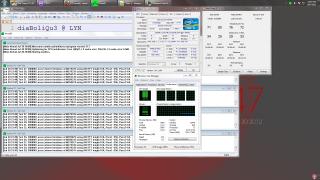
Start at 2000, sreenshot at 2347. 3 hour plus, nearly 4 hour while I post this:
Attached Image

I think enough for tonight. Lazy to try further. Will turn off generator at 0000 later. I'm sure tonight fuel are consume a lot than usual. Will check the temp at daytime because my ambient is high during daytime but cold during night time as I in jungle. Maybe if the temp are acceptable during daytime, I'll try to push further. Personally, I get more than I expected and I'm very happy with it. rclxms.gif

Am I part of the list? laugh.gif


Added on July 31, 2012, 12:06 am4 hour, so far no crash or error... Will stop the stress test now. Gnite oc'er...

This post has been edited by diaBoliQu3: Jul 31 2012, 12:06 AM
TSowikh84
post Jul 31 2012, 06:17 AM

i7 Clan
Group Icon
Elite
8,711 posts

Joined: Nov 2007
From: Butterworth, PG / Machang, Kelantan


QUOTE(stasio @ Jul 30 2012, 11:12 AM)
Just got 3770K Costa batch 3220B692..........testing.  biggrin.gif
*
Congrats on ownership. rclxms.gif

QUOTE(diaBoliQu3 @ Jul 30 2012, 11:23 AM)
LoL... Thanks for the highlight. Read it but just want to be double sure. laugh.gif  notworthy.gif


Added on July 30, 2012, 12:51 pmEyh, for Intel cpu, is the stock voltage is the minimum for the cpu to work or I can reduce the stock voltage for stock clock like I did with AMD?


Added on July 30, 2012, 8:33 pm4.5ghz with 1.168v stable for 1/2 hour. I wish I can test for 24 hour like last time but I'm using electric powered by generator. And will shutdown at 2300. cry.gif  cry.gif
*

stock voltage can be vary, from board to board. Some boards follow CPU VID, others set CPU VID + offset, some just set whatever they wish. Differences in VRM design and BIOS make all the difference. If you want to know your stock vcore enter the bios and see what the vcore is set at when under stock settings. Whatever that value is will be your stock voltage for your setup. VID is another thing.

QUOTE(diaBoliQu3 @ Jul 30 2012, 11:58 PM)
Start at 2000, sreenshot at 2347. 3 hour plus, nearly 4 hour while I post this:

I think enough for tonight. Lazy to try further. Will turn off generator at 0000 later. I'm sure tonight fuel are consume a lot than usual. Will check the temp at daytime because my ambient is high during daytime but cold during night time as I in jungle. Maybe if the temp are acceptable during daytime, I'll try to push further. Personally, I get more than I expected and I'm very happy with it. rclxms.gif

Am I part of the list? laugh.gif


Added on July 31, 2012, 12:06 am4 hour, so far no crash or error... Will stop the stress test now. Gnite oc'er...
*

Welcome to the club.
Well done on half stability, 2/8GB RAM stressed. biggrin.gif

diaBoliQu3
post Jul 31 2012, 07:18 AM

☆ Untitled ☆
*******
Senior Member
5,631 posts

Joined: Aug 2011
From: ☆ Kuching ☆


QUOTE(owikh84 @ Jul 31 2012, 06:17 AM)
Congrats on ownership.  rclxms.gif

stock voltage can be vary, from board to board. Some boards follow CPU VID, others set CPU VID + offset, some just set whatever they wish. Differences in VRM design and BIOS make all the difference. If you want to know your stock vcore enter the bios and see what the vcore is set at when under stock settings. Whatever that value is will be your stock voltage for your setup. VID is another thing.

Welcome to the club.
Well done on half stability, 2/8GB RAM stressed.  biggrin.gif

*
What ya mean 2/8 gb RAM stressed? For CPU stress test, use small FFT right? Or should I use In-place Large FFT?


Added on July 31, 2012, 7:45 amAnd based on RealTemp, what's wrong with the different temp. Especially the first core. Is it related to TIM apply method? I'm using the one that provided with CM Cooler and I apply the vertical method as I read at Arctic Cooling.

This post has been edited by diaBoliQu3: Jul 31 2012, 07:45 AM
huzzLEE_82
post Jul 31 2012, 08:34 AM

MHaF
******
Senior Member
1,301 posts

Joined: Feb 2010
From: FSN9 CenTToll


Added on July 31, 2012, 8:44 am
QUOTE(diaBoliQu3 @ Jul 31 2012, 07:18 AM)
What ya mean 2/8 gb RAM stressed? For CPU stress test, use small FFT right? Or should I use In-place Large FFT?


Added on July 31, 2012, 7:45 amAnd based on RealTemp, what's wrong with the different temp. Especially the first core. Is it related to TIM apply method? I'm using the one that provided with CM Cooler and I apply the vertical method as I read at Arctic Cooling.
*
2/8 gb RAM stressed..
he means u just stressed out 2GB out of 8GB ram capacity
ram if possible try 90% or above stress test because we need to test IMC inside CPU.. (this is wat owikh84 told me b4...i just repeat..hehehe)

see post #620 (page 31) by owikh (regarding IMC)
try LinX bro...it really put ur cPU under heavy load which is the temp is around +10c compare to optimus prime95 hehehe...gud luck

This post has been edited by huzzLEE_82: Jul 31 2012, 08:44 AM
diaBoliQu3
post Jul 31 2012, 10:53 AM

☆ Untitled ☆
*******
Senior Member
5,631 posts

Joined: Aug 2011
From: ☆ Kuching ☆


QUOTE(huzzLEE_82 @ Jul 31 2012, 08:34 AM)

Added on July 31, 2012, 8:44 am

2/8 gb RAM stressed..
he means u just stressed out 2GB out of 8GB ram capacity
ram if possible try 90% or above stress test because we need to test IMC inside CPU.. (this is wat owikh84 told me b4...i just repeat..hehehe)

see post #620 (page 31) by owikh (regarding IMC)
try LinX bro...it really put ur cPU under heavy load which is the temp is around +10c compare to optimus prime95 hehehe...gud luck
*
Okay, aku akan cuba nanti. notworthy.gif
TSowikh84
post Jul 31 2012, 11:05 AM

i7 Clan
Group Icon
Elite
8,711 posts

Joined: Nov 2007
From: Butterworth, PG / Machang, Kelantan


QUOTE(diaBoliQu3 @ Jul 31 2012, 07:18 AM)
And based on RealTemp, what's wrong with the different temp. Especially the first core. Is it related to TIM apply method? I'm using the one that provided with CM Cooler and I apply the vertical method as I read at Arctic Cooling.
*

The temp difference between cores is normal since previous gens.

core temp variation is normal; also, sensors vary - they are not bad but are tiny little things, accurate only when close to the shutoff temp, and we must expect variation.

So, intrinsic variation + sensor variation = variation reported temps.

Also different cores work at different rates, therefore some will normally run a little hotter than others. Coz say Core 1 is working a little harder than core 0, even at idle, that core will be a little bit hotter than Core 0. Just an example.
diaBoliQu3
post Jul 31 2012, 11:21 AM

☆ Untitled ☆
*******
Senior Member
5,631 posts

Joined: Aug 2011
From: ☆ Kuching ☆


QUOTE(owikh84 @ Jul 31 2012, 11:05 AM)
The temp difference between cores is normal since previous gens.

core temp variation is normal; also, sensors vary - they are not bad but are tiny little things, accurate only when close to the shutoff temp, and we must expect variation.

So, intrinsic variation + sensor variation = variation reported temps.

Also different cores work at different rates, therefore some will normally run a little hotter than others. Coz say Core 1 is working a little harder than core 0, even at idle, that core will be a little bit hotter than Core 0. Just an example.
*
For CPU+RAM stress test, is Prime95 large is the best or Linx? Mind to share me what value I need to set for Linx? Linx and IntelBurnTest are the same right?
TSowikh84
post Jul 31 2012, 11:42 AM

i7 Clan
Group Icon
Elite
8,711 posts

Joined: Nov 2007
From: Butterworth, PG / Machang, Kelantan


QUOTE(diaBoliQu3 @ Jul 31 2012, 11:21 AM)
For CPU+RAM stress test, is Prime95 large is the best or Linx? Mind to share me what value I need to set for Linx? Linx and IntelBurnTest are the same right?
*
There's no best stress tool. Both are just great. smile.gif
choose ALL memory for max torture
IBT also using linpack same as LinX so basically they are identical.
diaBoliQu3
post Jul 31 2012, 11:51 AM

☆ Untitled ☆
*******
Senior Member
5,631 posts

Joined: Aug 2011
From: ☆ Kuching ☆


QUOTE(owikh84 @ Jul 31 2012, 11:42 AM)
There's no best stress tool. Both are just great.  smile.gif
choose ALL memory for max torture
IBT also using linpack same as LinX so basically they are identical.
*
If I use Prime, Large or Custom? If custom, how much should I set.
TSowikh84
post Jul 31 2012, 11:58 AM

i7 Clan
Group Icon
Elite
8,711 posts

Joined: Nov 2007
From: Butterworth, PG / Machang, Kelantan


QUOTE(diaBoliQu3 @ Jul 31 2012, 11:51 AM)
If I use Prime, Large or Custom? If custom, how much should I set.
*
custom blend 128k min FFT, 4 threads for your 3570K
amount of mem to stress can be determined in Task Manager -> check for available physical mem
check out Post #1 for youtube.
diaBoliQu3
post Jul 31 2012, 12:18 PM

☆ Untitled ☆
*******
Senior Member
5,631 posts

Joined: Aug 2011
From: ☆ Kuching ☆


QUOTE(owikh84 @ Jul 31 2012, 11:58 AM)
custom blend 128k min FFT, 4 threads for your 3570K
amount of mem to stress can be determined in Task Manager -> check for  available physical mem
check out Post #1 for youtube.
*
My internet are freaking slow. Loading 1 minute if youtube take me nearly half an hour. Sometime bearly an hour. What to expect from satellite internet. sweat.gif Kay, thank you. Will try now. notworthy.gif


Added on July 31, 2012, 12:48 pmWhy I get this with Linx:


Current date/time: Tue Jul 31 12:46:57 2012

CPU frequency: 3.400 GHz
Number of CPUs: 4
Number of threads: 4

Parameters are set to:

Number of tests : 1
Number of equations to solve (problem size) : 28171
Leading dimension of array : 28184
Number of trials to run : 20
Data alignment value (in Kbytes) : 4

No runs is allowed for C:\Program Files (x86)\LinX\linpack_xeon64.exe: not enough memory

I choose all memory, problem size is 28171.

This post has been edited by diaBoliQu3: Jul 31 2012, 12:48 PM
TSowikh84
post Jul 31 2012, 01:37 PM

i7 Clan
Group Icon
Elite
8,711 posts

Joined: Nov 2007
From: Butterworth, PG / Machang, Kelantan


No need to touch the prob size.
I believe you opened other apps Realtime, CPU-z after launching LinX hence these apps consumed some MBs.
Click the ALL button again. Next time open LinX the last.
diaBoliQu3
post Jul 31 2012, 03:13 PM

☆ Untitled ☆
*******
Senior Member
5,631 posts

Joined: Aug 2011
From: ☆ Kuching ☆


QUOTE(owikh84 @ Jul 31 2012, 01:37 PM)
No need to touch the prob size.
I believe you opened other apps Realtime, CPU-z after launching LinX hence these apps consumed some MBs.
Click the ALL button again. Next time open LinX the last.
*
How about this one boss? I can't set above 6000mb for ram though available memory is > 6000mb. Error regarding not enough swap will occur in Prime95. So, I just set to 6000 mb but seems like I'm stressing only 7.1gb of memory. How to max out?
Attached Image
Regarding the Linx, will try back again.


Added on July 31, 2012, 5:37 pmSeems like I misread the Prime95 as I wake up from sleep. Can run with 6500mb memory, and load is 7.58gb of ram... Will continue tonight... Hopefully stable. If yes, the I will push further.

This post has been edited by diaBoliQu3: Jul 31 2012, 05:37 PM
TSowikh84
post Jul 31 2012, 07:54 PM

i7 Clan
Group Icon
Elite
8,711 posts

Joined: Nov 2007
From: Butterworth, PG / Machang, Kelantan


QUOTE(diaBoliQu3 @ Jul 31 2012, 03:13 PM)
How about this one boss? I can't set above 6000mb for ram though available memory is > 6000mb. Error regarding not enough swap will occur in Prime95. So, I just set to 6000 mb but seems like I'm stressing only 7.1gb of memory. How to max out?
Regarding the Linx, will try back again.


Added on July 31, 2012, 5:37 pmSeems like I misread the Prime95 as I wake up from sleep. Can run with 6500mb memory, and load is 7.58gb of ram... Will continue tonight... Hopefully stable. If yes, the I will push further.
*

To save time, run LinX 20+ loops first then only proceed for prime95.
Reason is LinX detects error faster than prime95.
Good luck bro thumbup.gif


diaBoliQu3
post Jul 31 2012, 08:01 PM

☆ Untitled ☆
*******
Senior Member
5,631 posts

Joined: Aug 2011
From: ☆ Kuching ☆


QUOTE(owikh84 @ Jul 31 2012, 07:54 PM)
To save time, run LinX 20+ loops first then only proceed for prime95.
Reason is LinX detects error faster than prime95.
Good luck bro  thumbup.gif
*
But I can't run Linx boss. vmad.gif Same error even though I close other apps. Am I doing Linx wrong or my oc is not good? Now running Prime95 for 2 hour stressing RAM and CPU till I'm unable to use my PC. rclxub.gif Now my memory comeback while I was oc'ing my AMD where during stress test, PC is unusable.

126 Pages « < 33 34 35 36 37 > » Top
Topic ClosedOptions
 

Change to:
| Lo-Fi Version
0.0315sec    0.47    6 queries    GZIP Disabled
Time is now: 2nd December 2025 - 08:04 AM