Welcome Guest ( Log In | Register )

Bump Topic Topic Closed RSS Feed
126 Pages « < 29 30 31 32 33 > » Bottom

Outline · [ Standard ] · Linear+

 Ivy Bridge Overclocking V1 | 3770K/3570K | Z77, Torture Your CPU, Post It Here!

views
     
TSowikh84
post Jul 14 2012, 04:46 PM

i7 Clan
Group Icon
Elite
8,711 posts

Joined: Nov 2007
From: Butterworth, PG / Machang, Kelantan


QUOTE(huzzLEE_82 @ Jul 14 2012, 03:24 PM)
erm from here bro;
http://www.overclock.net/t/1198504/sandy-i...-asrock-edition
click on HELP ME then BSOD LIST
1st upper column quote from overclocker23578
bottom column is urs...
dunno can rely on this BSOD list or not
aiyak my bad this code under sandy bridge...erm how a?
*
QUOTE
0x1A = Memory management error. It usually means a bad stick of Ram. Test with Memtest, try raising your Ram voltage, or south bridge ICH voltage.

alright, not sure if this can be applied to IB.
But as suggested you might wanna try upping the ICH voltage or even the VTT.
Or could be bad RAM timings & bad mobo BIOS settings or RAM compatibility with mobo smile.gif
Anyway I think I have never encountered this x1A code before so uncertain.

This post has been edited by owikh84: Jul 14 2012, 05:20 PM
louislkw
post Jul 14 2012, 04:46 PM

Casual
***
Junior Member
434 posts

Joined: Jul 2010
From: ^Newbie^


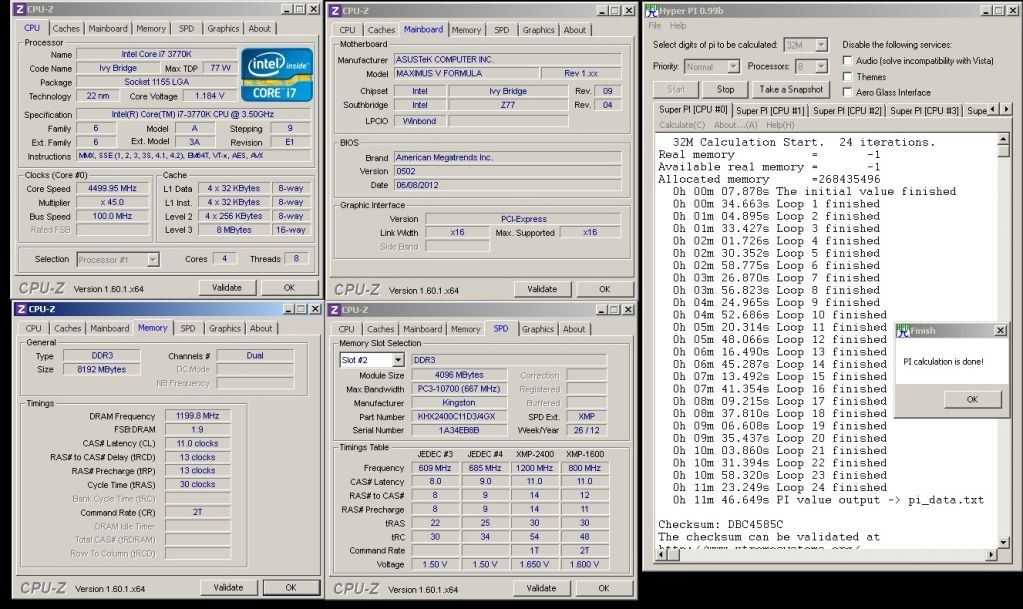
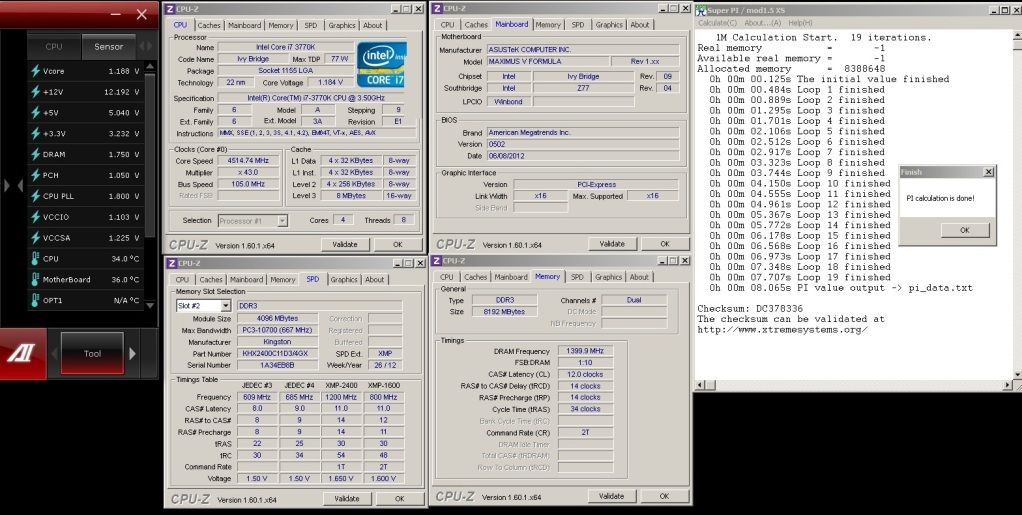
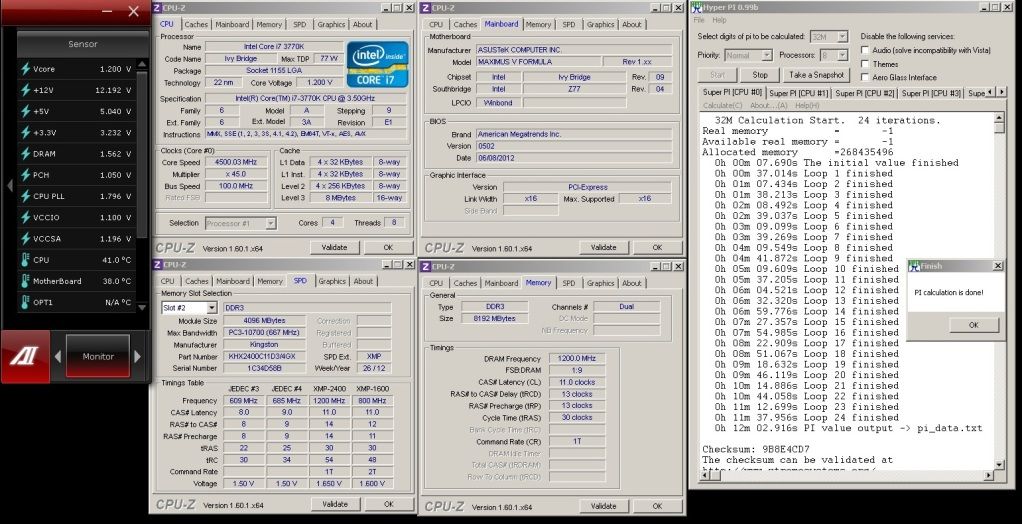
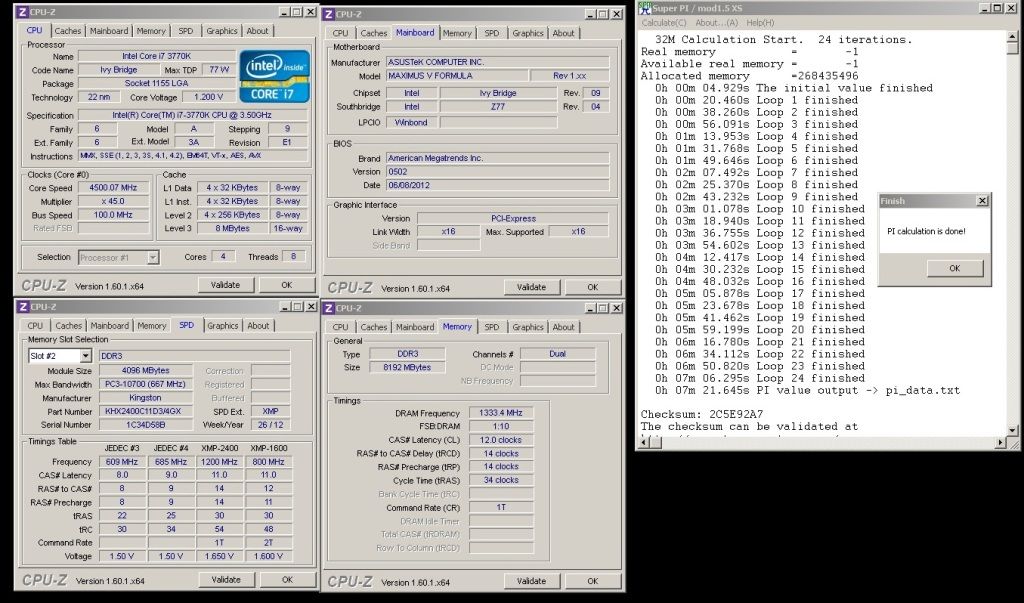
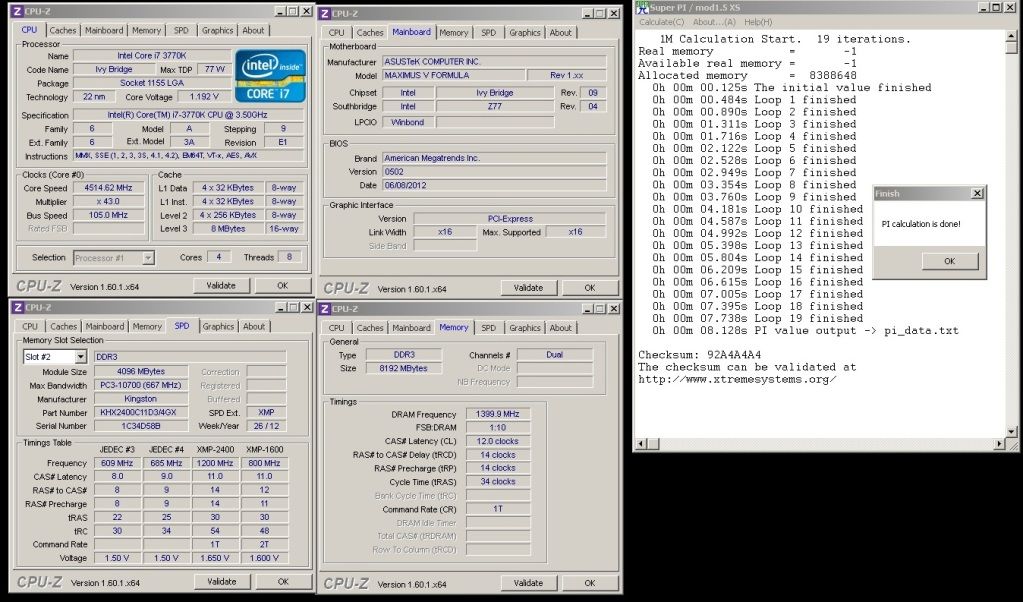
Kingston Hyper-X 2400MHz 2x4GB CL11-13-13-30-2T

user posted image

In ASUS M5F,
user posted image

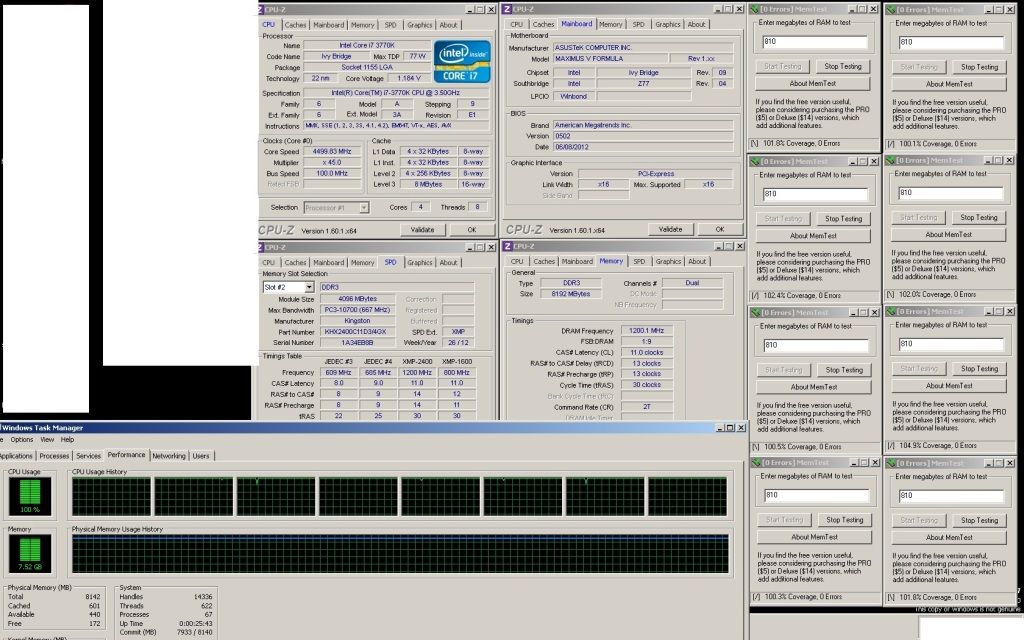
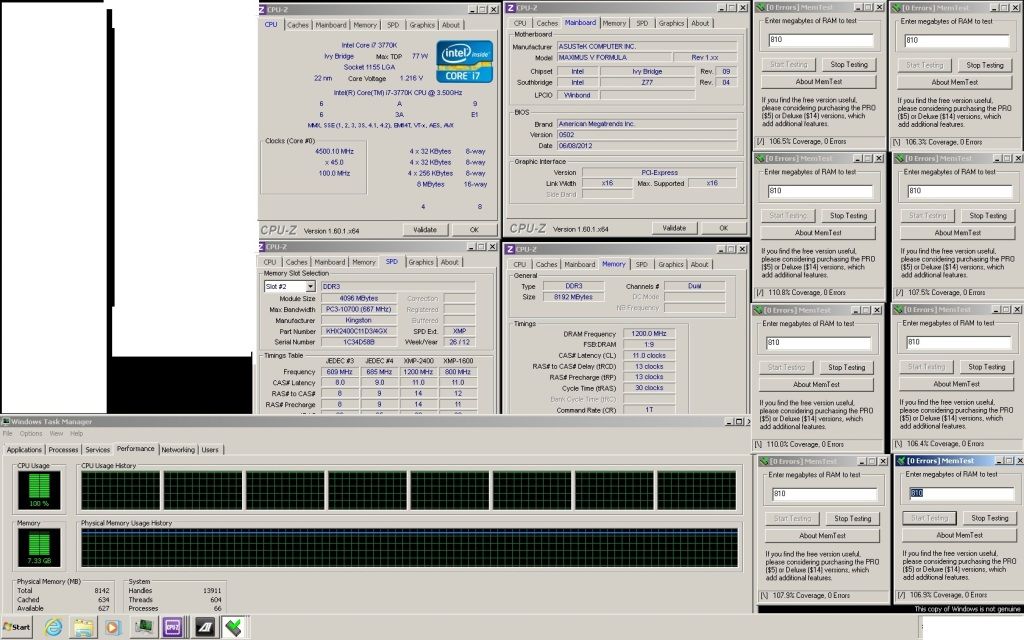
Under-volt to 1.565V 2400mhz @ stock timings
user posted image

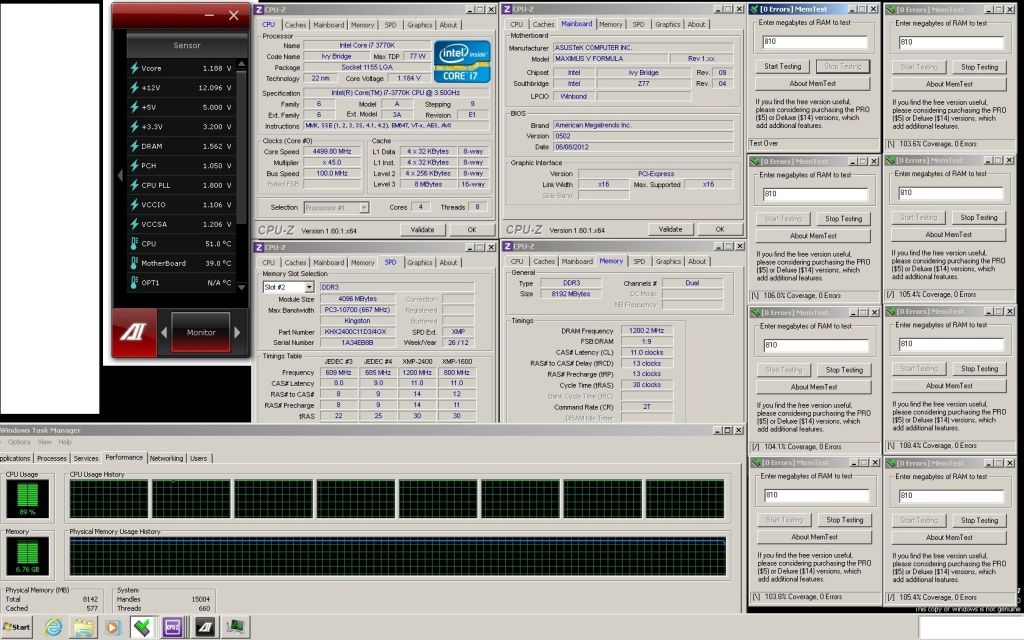
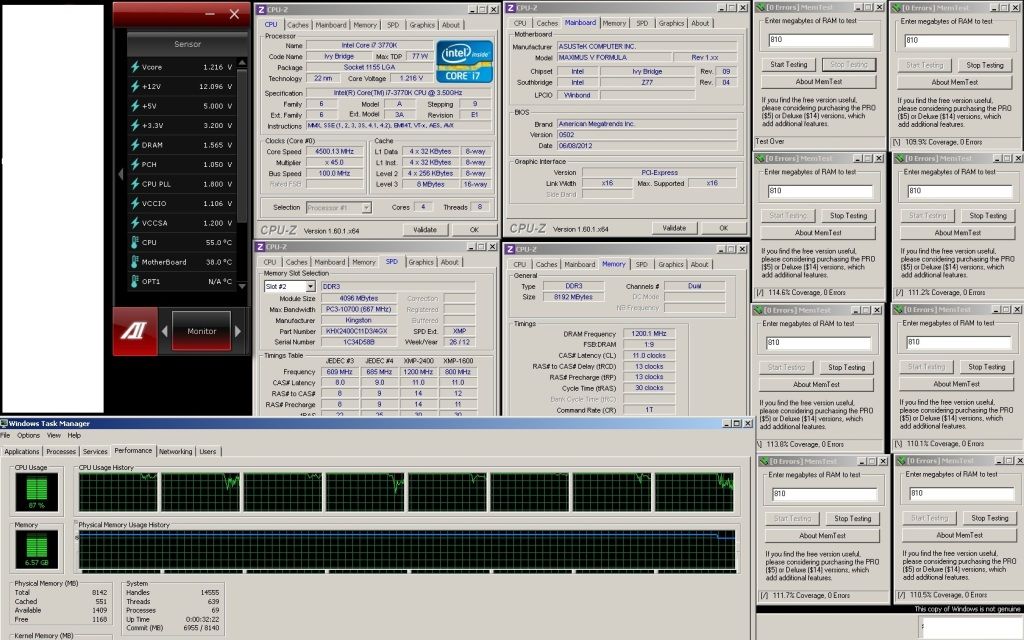
Run at 1.565V on memtest with all memory utilized. The sensor window always disappear when in stress tests.
user posted image

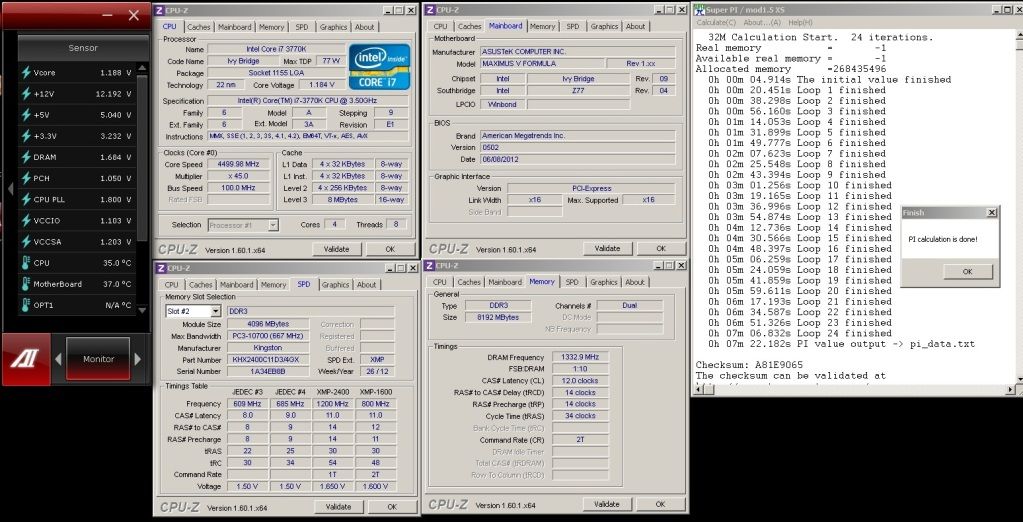
Stopped one memtest, and you will see all the voltages applied. Only test till 100%, the rest till urself. wink.gif
user posted image

2666Mhz,
user posted image

2800Mhz,
user posted image

This post has been edited by louislkw: Jul 14 2012, 05:03 PM
stasio
post Jul 15 2012, 12:15 AM

10k Club
********
All Stars
18,503 posts

Joined: Oct 2007
From: P.Jaya
Nice louislkw,
what about 1T?
huzzLEE_82
post Jul 15 2012, 12:31 AM

MHaF
******
Senior Member
1,301 posts

Joined: Feb 2010
From: FSN9 CenTToll


here my BSOD screenshot, 0x0000001A error when dram=1.5V
Attached Image
never occur when dram=1.585v (guess my ram need 1.585v instead of 1.5v)

btw OC terms in Asus and ASRock i think not similar (dunno,just random guess)
i try bumping ICH voltage & VTT
VCCIO=VTT=QPI=IMC
but for ICH voltage not sure which one? rclxub.gif mr google not helping much
TSowikh84
post Jul 15 2012, 12:48 AM

i7 Clan
Group Icon
Elite
8,711 posts

Joined: Nov 2007
From: Butterworth, PG / Machang, Kelantan


QUOTE(huzzLEE_82 @ Jul 15 2012, 12:31 AM)
here my BSOD screenshot, 0x0000001A error when dram=1.5V
Attached Image
never occur when dram=1.585v (guess my ram need 1.585v instead of 1.5v)

btw OC terms in Asus and ASRock i think not similar (dunno,just random guess)
i try bumping ICH voltage & VTT
VCCIO=VTT=QPI=IMC
but for ICH voltage not sure which one?  rclxub.gif mr google not helping much
*
nvm, make it VCCSA
but i think it's just your RAM is sucky sweat.gif
louislkw
post Jul 15 2012, 12:23 PM

Casual
***
Junior Member
434 posts

Joined: Jul 2010
From: ^Newbie^


QUOTE(stasio @ Jul 15 2012, 12:15 AM)
Nice louislkw,
what about 1T?
*
Same thing but in 1T with no dram voltage change,

1.565V 2400mhz CL11-13-13-30-1T
user posted image

user posted image

user posted image

2666Mhz CL12-14-14-32-1T 32M
user posted image

2800Mhz CL12-14-14-32-1T 1M @ 1.685V moderate voltage
user posted image

This post has been edited by louislkw: Jul 15 2012, 12:24 PM
huzzLEE_82
post Jul 15 2012, 03:00 PM

MHaF
******
Senior Member
1,301 posts

Joined: Feb 2010
From: FSN9 CenTToll


QUOTE(owikh84 @ Jul 15 2012, 12:48 AM)
nvm, make it VCCSA
but i think it's just your RAM is sucky  sweat.gif
*
yup +1 my ram the culprit one...most probably
btw i make an adjustment,LLC to level 2 (b4 level 3) cos i think the 50% compensation not doing much encounter with vdroop on Vcore
so ur LLC on which level bro?
from my readings,level 1 will spike Vcore really high during load... shocking.gif
TSowikh84
post Jul 15 2012, 04:23 PM

i7 Clan
Group Icon
Elite
8,711 posts

Joined: Nov 2007
From: Butterworth, PG / Machang, Kelantan


QUOTE(huzzLEE_82 @ Jul 15 2012, 03:00 PM)
yup +1 my ram the culprit one...most probably
btw i make an adjustment,LLC to level 2 (b4 level 3) cos i think the 50% compensation not doing much encounter with vdroop on Vcore
so ur LLC on which level bro?
from my readings,level 1 will spike Vcore really high during load... shocking.gif
*
Choose the LLC with smaller vdroop, the one doesnt fluctuate so much between load vs idle.
Kar Leong
post Jul 16 2012, 12:25 AM

New Member
*
Junior Member
36 posts

Joined: Mar 2010
From: ๑۩۞۩๑Kinky Kingdom Enterprise๑۩۞۩๑


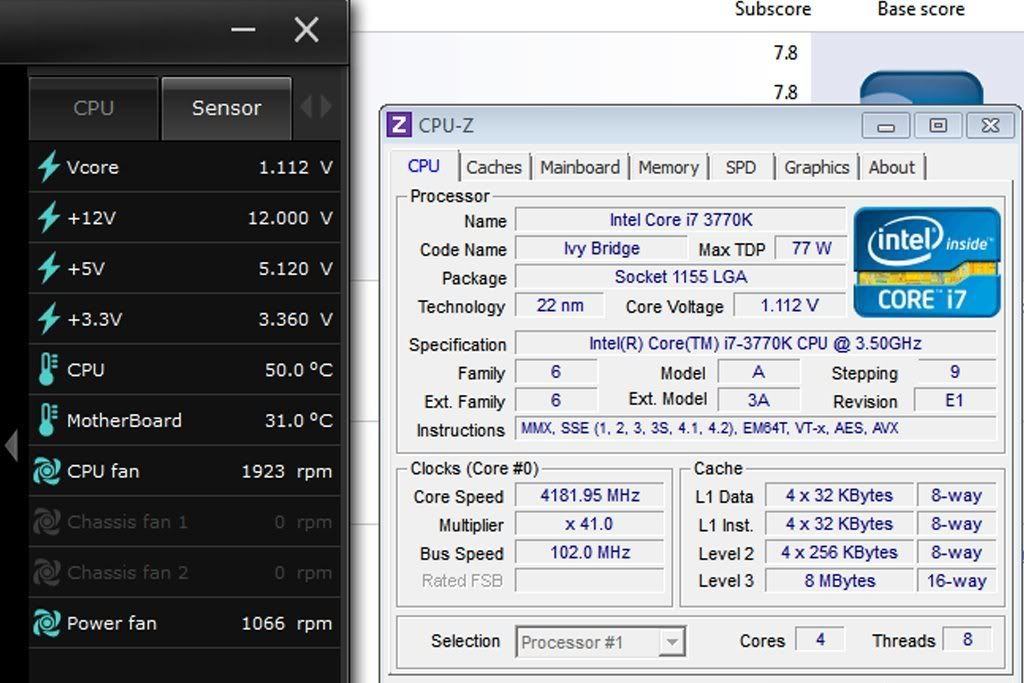
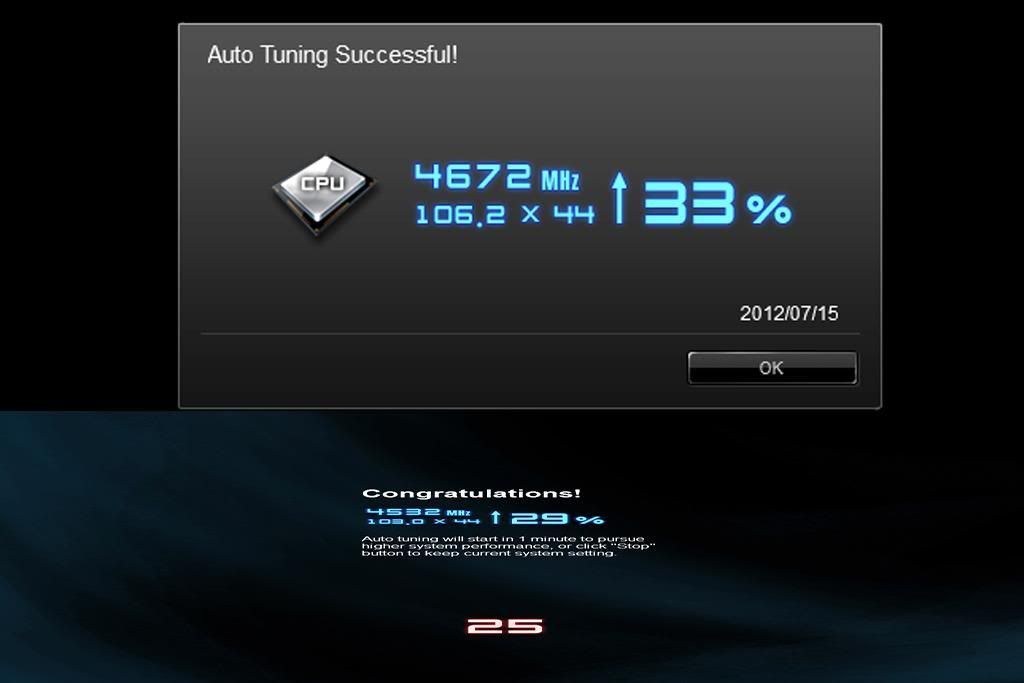
First time overclock mine i7-3770k with AI Suite II (auto tuning), do i need to manual tuning or keep auto tuning ?

with Stock CPU fan (2 day ago)
user posted image

then today got install new heat sink with CM V6GT plus Corsair SSD 240gb Force 3
user posted image

Tomorrow will test again at mine shop there with Stability/Stressing Tools and Benchmark Tools.
TSowikh84
post Jul 16 2012, 12:47 AM

i7 Clan
Group Icon
Elite
8,711 posts

Joined: Nov 2007
From: Butterworth, PG / Machang, Kelantan


QUOTE(Kar Leong @ Jul 16 2012, 12:25 AM)
First time overclock mine i7-3770k with AI Suite II (auto tuning), do i need to manual tuning or keep auto tuning ?

with Stock CPU fan (2 day ago)

then today got install new heat sink with CM V6GT plus Corsair SSD 240gb Force 3

Tomorrow will test again at mine shop there with Stability/Stressing Tools and Benchmark Tools.
*

The Auto tuning will actually write the settings into the bios for you. That is all it does, and doing it manually in the bios is no different, it accomplishes the very same thing. It's helpful for beginner overclocker who doesn't know how to use manual OC.
Somehow I don't think auto tuning will choose the lowest & efficient vcore & other voltages for you.
It will act just like it's having a brain on itself.
OC manually in bios is more fun, I don't wanna let mobo OC for me, but I OC for mobo instead biggrin.gif


Added on July 16, 2012, 10:21 am
QUOTE(owikh84 @ Jul 7 2012, 02:48 PM)
After replacing the TIM now I could run LinX 5.0GHz HT @ 1.416v load.
update:
Finished 20 iterations... so 1.41v BIOS set is the lowest vcore for 5.0GHz HT
» Click to show Spoiler - click again to hide... «

*
need more vcore for 7GB LinX (all RAM amount stressed)

3770K @ 5.0GHz HT 1.44v
user posted image


This post has been edited by owikh84: Jul 16 2012, 10:21 AM
AceCombat
post Jul 16 2012, 09:59 PM


Group Icon
Elite
5,434 posts

Joined: Dec 2006


Kevin, I just finished setup my 3770K, running push pull H50 as intake. Paste with IC7 carat diamond.
I found out that the core temperature offset a lot wor,

Core 0: 32c
Core 1: 39c
Core 2: 33c
Core 3: 32c

So far Core 0 , 2 and 3 got similar temperature while Core 1 is much higher, resitted the cooler and reapply thermalpaste, it makes no different, is it like that?
TSowikh84
post Jul 16 2012, 10:18 PM

i7 Clan
Group Icon
Elite
8,711 posts

Joined: Nov 2007
From: Butterworth, PG / Machang, Kelantan


QUOTE(AceCombat @ Jul 16 2012, 09:59 PM)
Kevin, I just finished setup my 3770K, running push pull H50 as intake. Paste with IC7 carat diamond.
I found out that the core temperature offset a lot wor,

Core 0: 32c
Core 1: 39c
Core 2: 33c
Core 3: 32c

So far Core 0 , 2 and 3 got similar temperature while Core 1 is much higher, resitted the cooler and reapply thermalpaste, it makes no different, is it like that?
*
looks normal i believe all previous gen CPUs were like that also.
core1 (recorded by CoreTemp) tends to be the hottest among the cores
some others have their core2 the hottest one, but very close to core1. core0 is almost the same as core3.
i always set affinity to core1 for SPi benchmark because it runs faster than the rest so this could be the reason.
CyntrixTech
post Jul 16 2012, 10:56 PM

Distributor
*******
Senior Member
2,583 posts

Joined: Sep 2011
From: Kuala Lumpur
There's a new revision? Did they ever resolve the packed cores temperature?
TSowikh84
post Jul 17 2012, 12:09 AM

i7 Clan
Group Icon
Elite
8,711 posts

Joined: Nov 2007
From: Butterworth, PG / Machang, Kelantan


QUOTE(CyntrixTech @ Jul 16 2012, 10:56 PM)
There's a new revision? Did they ever resolve the packed cores temperature?
*

Nope, never heard of new stepping for IB.
I think Intel wants us to delid the CPU & void warranty LOL.
Now keep hunting for a 5GHz @ 1.3v chip this one sure no need to void warranty notworthy.gif
CyntrixTech
post Jul 17 2012, 12:24 AM

Distributor
*******
Senior Member
2,583 posts

Joined: Sep 2011
From: Kuala Lumpur
It's only possible to hit 5ghz on TEC/Phase change sad.gif About 95% of the chips we have ever encountered only runs around 4.6-4.7ghz on Air/Water. Do you have a dual D5/355 single loop setup where you can test to find out if it's possible to keep up with the temp on IB?
TSowikh84
post Jul 17 2012, 06:44 AM

i7 Clan
Group Icon
Elite
8,711 posts

Joined: Nov 2007
From: Butterworth, PG / Machang, Kelantan


QUOTE(CyntrixTech @ Jul 17 2012, 12:24 AM)
It's only possible to hit 5ghz on TEC/Phase change sad.gif About 95% of the chips we have ever encountered only runs around 4.6-4.7ghz on Air/Water. Do you have a dual D5/355 single loop setup where you can test to find out if it's possible to keep up with the temp on IB?
*

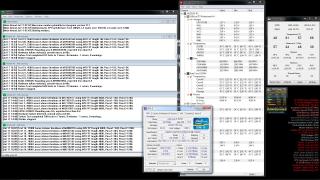
The last two pics of LinX were actually carried out on a regular water loop. No TEC as i have sent it back to the US for a more powerful cooling, the cascade. I am still considering to add another D5 in the loop, if my case still allows it.

Most 3770K's that i used could do 5GHz, mostly need 1.55v+ to get run 3D apps with HT & for sure will throttle down to 4.5-4.7GHz after hitting the TJmax of 105C. So i do agree with you that 4.6-4.7 is the most ideal for regular water. Gotta find a chip like i have currently which can LinX stable at 1.44v or lower for 5GHz. Max multi is 57X on 2 cores. Batch L220B296, but this chip has the weakest integrated mem cotroller (IMC), it is the only chip which can't push my RAM to 2800MHz (max is 2777) thus it's not that perfect.

Extreme overclockers like dblooi, all hunting for batch 3218Xxxx. 5GHz needs 1.46v for 3D benchmarks, 2800 RAM capable. I dont know why maybe this batch scales well under subzero.

This post has been edited by owikh84: Jul 17 2012, 09:19 AM
huzzLEE_82
post Jul 17 2012, 05:09 PM

MHaF
******
Senior Member
1,301 posts

Joined: Feb 2010
From: FSN9 CenTToll


sigh 7 hours plus prime95 ends up with 1 worker stop working....(offset +0.055v)
now bump +0.06v but after 40 minutes plus worker no 1 stop working....
anybody knows what indicates this? either than Vcore not suffice....
Attached Image
now i bump offset +0.065v (up to +0.07v now)

This post has been edited by huzzLEE_82: Jul 17 2012, 05:35 PM
TSowikh84
post Jul 17 2012, 05:55 PM

i7 Clan
Group Icon
Elite
8,711 posts

Joined: Nov 2007
From: Butterworth, PG / Machang, Kelantan


QUOTE(huzzLEE_82 @ Jul 17 2012, 05:09 PM)
sigh 7 hours plus prime95 ends up with 1 worker stop working....(offset +0.055v)
now bump +0.06v but after 40 minutes plus worker no 1 stop working....
anybody knows what indicates this? either than Vcore not suffice....
now i bump offset +0.065v (up to +0.07v now)
*

not only CPU, Prime stesses RAM as well. It will fail if you set wrong RAM timings, insuficient vdimm, VTT aka VCCIO, VCCSA.
Suggest to run LinX at least 20 loops with full amount of RAM first before wasting time for long Priming.
Btw, when doing Prime pls launch win Task Manager performance tab.

This post has been edited by owikh84: Jul 17 2012, 05:57 PM
huzzLEE_82
post Jul 17 2012, 06:10 PM

MHaF
******
Senior Member
1,301 posts

Joined: Feb 2010
From: FSN9 CenTToll


orait owikh....in prime not using blend test as it test on ram a lot....
i put large FFT....
now running prime 95 with task manager tab....i'll do linX...but need study 1st...
never use b4..tq owikh
Attached Image
TSowikh84
post Jul 17 2012, 07:31 PM

i7 Clan
Group Icon
Elite
8,711 posts

Joined: Nov 2007
From: Butterworth, PG / Machang, Kelantan


QUOTE(huzzLEE_82 @ Jul 17 2012, 06:10 PM)
orait owikh....in prime not using blend test as it test on ram a lot....
i put large FFT....
now running prime 95 with task manager tab....i'll do linX...but need study 1st...
never use b4..tq owikh
*

Alright, next time use custom blend, min 128k, full RAM amount or >90%
RAM should be stressed as well since IMC is inside the CPU. If you can see from your pic, large FFT also stresses some RAM & slowly detects RAM errors & vdimm, VTT. So dont skip testing RAM. A good practice is to test RAM using memtest, pass > 300% then only proceed for Prime.

126 Pages « < 29 30 31 32 33 > » Top
Topic ClosedOptions
 

Change to:
| Lo-Fi Version
0.0296sec    0.43    6 queries    GZIP Disabled
Time is now: 2nd December 2025 - 02:51 PM