Welcome Guest ( Log In | Register )

Bump Topic Topic Closed RSS Feed
12 Pages  1 2 3 > » Bottom

Outline · [ Standard ] · Linear+

 SAMSUNG GALAXY NOTE™ | V11, Phone? Tablet? It's Note!!!

views
     
benny888
post Apr 17 2012, 08:21 AM

Gadget Freak
Group Icon
Elite
27,801 posts

Joined: Jun 2007
From: Johor


QUOTE(Duckies @ Apr 17 2012, 06:52 AM)
I got tons of question to ask about Stunner 5.0.

1.How to access the task manager to kill apps?
2.I dont like the music player there...the 1 in Gingerbread can sorts music by folder whereby I couldnt do it in Stunner rom.
3.How to sort apps in the Menu since AppZorter Lite for TouchWiz is not working (Edit:Sort the apps in Apex Launcher settings)
4.How to create a folder in the home screen?

Oh yea...TS u removed Common apps installed on SGN?

EDIT:I can kill apps in Settings but how to access the other task manager as in shown in ICS demo?
*
1. You can install task manager separately if you so wish ; just restore it back from your Titanium Backup - look for the crossed out items. Or you can download the apk from my box
http://www.box.com/s/9992de0cd8d04e857502

2. No idea as I never use default Music player. I only use PowerAmp

3. Apex launcher or Nova launcher will auto sort your apps in alphabetical order . There is no TouchWiz in Stunner and of course Appzorter will not work as it is meant for TWiz

4. Just drag any icons on top of another and you will create folder - you can even decide how you want the folder to look like - check these settings at the apex or nova launcher settings


benny888
post Apr 17 2012, 08:30 AM

Gadget Freak
Group Icon
Elite
27,801 posts

Joined: Jun 2007
From: Johor


And for those users who often switch roms , if you noticed any apps missing first thing you should do is to look for it and restore it from your Titanium backup. Usually you can restore back most apps except those that are Samsung proprietary apps
Example a common app missing after flashing roms is CWM app - here it is from my box for those who has difficulty locating the apk at XDA

http://www.box.com/s/6be098b04c19204e1a34


Added on April 17, 2012, 8:36 amTS - please post these download links in first page as often asked by users and I has been receiving numerous PM asking for download links. I have put it in my box for users convenience and for those who do not know where and how to search for it

LP5 kernel :
http://www.box.com/s/b86a95cc56dd88b0d5b7

LP5 modem:
http://www.box.com/s/5adef4c46400480eff18

LP6 modem :
http://www.box.com/s/c1af1bf5708b26ef2e34

Abyss kernel 3.9 :
http://www.box.com/s/712d80acd6aa23b68667

GMail app :
http://www.box.com/s/84985575d5d7e1d7dda9

MAPS 6.5 apk :
http://www.box.com/s/a582bd01f041b1b4f9a0

SWYPE for ICS :
http://www.box.com/s/1e9989c13120ceadc65b

PLAYSTORE apk :
http://www.box.com/s/c6026498b5cf72a844b8

CWM Manager apk :
http://www.box.com/s/6be098b04c19204e1a34

This post has been edited by benny888: Apr 17 2012, 08:37 AM
benny888
post Apr 17 2012, 08:40 AM

Gadget Freak
Group Icon
Elite
27,801 posts

Joined: Jun 2007
From: Johor


QUOTE(Superman7 @ Apr 17 2012, 08:37 AM)
Uncle, how can I restore my SMS?
*
I remember advising to use SMS Backup & Restore ( a free app ) to backup your SMS - did you do it ? If you did just use this app to restore back. This is a very good app and offers 100 % accurate reliable backup and restore across all Android firmwares from Eclair to Froyo to Gingerbread and ICS
benny888
post Apr 17 2012, 08:47 AM

Gadget Freak
Group Icon
Elite
27,801 posts

Joined: Jun 2007
From: Johor


QUOTE(Superman7 @ Apr 17 2012, 08:43 AM)
No I did not.
Any way to restore via Nandroid or can I use AppExtractor to restore it from nandroid?
*
Try restore DATA only from messaging app - look for the older Messaging app ( not ICS version ) in Titanium Backup. It will be crossed out
Since you know of appextractor ( which I do not even know or heard about it ) - why don't you try it instead of asking ???
Nandroid restore will restore your whole previous rom

benny888
post Apr 17 2012, 08:50 AM

Gadget Freak
Group Icon
Elite
27,801 posts

Joined: Jun 2007
From: Johor


I just check appextractor in playstore. Seems you can restore SMS from your nandroid backup. Give it a try and report back. Looks like a good app to me

AppExtractor is a tool which will allow you to restore individual applications, data, SMS, and MMS messages from your ROM Manager backups.


Added on April 17, 2012, 8:51 am
QUOTE(Superman7 @ Apr 17 2012, 08:49 AM)
I thought you would knew about it that's why I asked first mar..
anyway, I'll give try..
*
I am still learning every day , example now I heard of this appextractor app. How I wish I know everything. But it will never be so

This post has been edited by benny888: Apr 17 2012, 08:55 AM
benny888
post Apr 17 2012, 09:24 AM

Gadget Freak
Group Icon
Elite
27,801 posts

Joined: Jun 2007
From: Johor


QUOTE(Superman7 @ Apr 17 2012, 09:18 AM)
AppExtractor could successfully restore your SMS via nandroid but the ICS messaging app crash when you try to open the SMS.
I restored GO SMS and then try opening the SMS with GO SMS and it works.
Kinda like a workaround in my opinion. But it still crashes with the default ICS messaging app.

I tried sending SMS to myself using the default ICS messaging app. It crashes also but the SMS apparently sent through.
There is a pop up from GO SMS that I receive the SMS I sent to myself.

Now I can only use GO SMS to send SMS sweat.gif
*
Now use SMS backup & restore backup all your SMS
Clear data in ICS messaging - use either Titaniumm Backup or at settings/apps
Restart phone
Restore back all your SMS using the SMS backup & restore app

Test see whether ICS messaging works now ?
I never use GoSMS , so unable to comment on it

benny888
post Apr 17 2012, 09:45 AM

Gadget Freak
Group Icon
Elite
27,801 posts

Joined: Jun 2007
From: Johor


QUOTE(Superman7 @ Apr 17 2012, 09:41 AM)
Doesn't work. It still crashes even after I delete all the SMS or clear the data using Titanium Backup or at Settings/Apps.
Only possible via GoSMS now.
*
That is strange. I never face FC on it at all and similarly other apps too , never faced any FC. Only occasion of FC was after install market closed but that was easily rectified by wiping its data
benny888
post Apr 17 2012, 10:40 AM

Gadget Freak
Group Icon
Elite
27,801 posts

Joined: Jun 2007
From: Johor


QUOTE(fadzero @ Apr 17 2012, 10:36 AM)
i want to ask something, any of you use OTG cable with pendrive ? i'm on stunner 5 , the developer said they encounter no problem  , but when i plug in OTG and pendrive instead the usual USB mounted it came out USB corrupt need to reformat at first i just pull the OTG cable then plug it in but the problem still persist . so sh*t happen and i follow the instruction at the notification saying that "corrupt USB please format disk " then when i format i thought my pendrive is being format , instead my internal SD being format . all gone but my phone and all the app , sms , contact , still intact and still function as per normal . Pls advice .
*
OTG cable works perfectly well with Stunner rom. Just plug inn cable with your thumb drive . It will immediate detect it
Obviously your cable is defective
The OTG cable similarly works well on all other ICS roms I have tested

This post has been edited by benny888: Apr 17 2012, 10:41 AM
benny888
post Apr 17 2012, 11:02 AM

Gadget Freak
Group Icon
Elite
27,801 posts

Joined: Jun 2007
From: Johor


QUOTE(Duckies @ Apr 17 2012, 10:56 AM)
And what are those link provided by Uncle Benny for?

GMail app :
http://www.box.com/s/84985575d5d7e1d7dda9

MAPS 6.5 apk :
http://www.box.com/s/a582bd01f041b1b4f9a0

SWYPE for ICS :
http://www.box.com/s/1e9989c13120ceadc65b

PLAYSTORE apk :
http://www.box.com/s/c6026498b5cf72a844b8

CWM Manager apk :
http://www.box.com/s/6be098b04c19204e1a34

I noticed no Google play.So I have to install from the APK above?
*
These are apps commonly ask for when user when they flash roms, they run into problems running it - most of time unable to launch or force closure
Some apps go missing , eg common ones CWM app and Maps
benny888
post Apr 17 2012, 11:06 AM

Gadget Freak
Group Icon
Elite
27,801 posts

Joined: Jun 2007
From: Johor


Screenshot to show a thumb drive connected through USB OTG cable

Attached Image
benny888
post Apr 17 2012, 11:09 AM

Gadget Freak
Group Icon
Elite
27,801 posts

Joined: Jun 2007
From: Johor


QUOTE(etsongsong @ Apr 17 2012, 11:07 AM)
Navigation cannot work for MAPS 6.5 apk. Anyone know how to enable it?
*
http://forum.xda-developers.com/showthread.php?t=1007132


Added on April 17, 2012, 11:10 am
QUOTE(Fallenangelz @ Apr 17 2012, 11:07 AM)
uncle benny ur pendrive is in wat file format? NTFS? FAT?
*
FAT32

This post has been edited by benny888: Apr 17 2012, 11:10 AM
benny888
post Apr 17 2012, 11:13 AM

Gadget Freak
Group Icon
Elite
27,801 posts

Joined: Jun 2007
From: Johor


QUOTE(Duckies @ Apr 17 2012, 11:10 AM)
Ok,done poweramp is perfect.Gonna explore more and ask if I need help.Thanks everyone!

Oh yea,anyone know where to get the picture to put for the folder icon?
*
You mean Album Art for music folders - try use App Album Art Grabber
In Poweramp - you can set to download album art too in its settings/album art

This post has been edited by benny888: Apr 17 2012, 11:13 AM
benny888
post Apr 17 2012, 11:16 AM

Gadget Freak
Group Icon
Elite
27,801 posts

Joined: Jun 2007
From: Johor


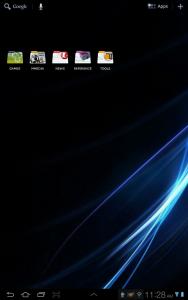
When you are using aopk ICS rom eg Stunner , the external SD card is located at /mnt/emmc. It is not at /mnt/sdcard/external_sd unlike GB roms, ICS Midnote, Alba roms
You need to reset your audio, video files to this path if your stuffs are stored in the external microSD


Added on April 17, 2012, 11:19 am
QUOTE(Duckies @ Apr 17 2012, 11:16 AM)
No no i mean when I put an icon upon an icon it will create a folder at home screen right?I wan to set the picture for the folder,but dunno where to find suitable picture icon
*
You cannot assign any picture . You can only assign how it looks like , eg in NOVA - stack type, fan type, grid type
Apex has similar features too

Attached Image

If you want to assign a picture to a folder than use app Folder Organizer - you can than assign any designs of your own to each folder type . This pic taken from my Tab 7.7. This app works well in ICS too

Attached Image

This post has been edited by benny888: Apr 17 2012, 11:45 AM
benny888
post Apr 17 2012, 11:57 AM

Gadget Freak
Group Icon
Elite
27,801 posts

Joined: Jun 2007
From: Johor


QUOTE(Duckies @ Apr 17 2012, 11:54 AM)
Eh.GB's torch is good.Stunner's torch is so so.Any recommendation for Torch apps?
*
Than restore your GB torch app from your Titanium Backup
benny888
post Apr 17 2012, 01:00 PM

Gadget Freak
Group Icon
Elite
27,801 posts

Joined: Jun 2007
From: Johor


QUOTE(antu_biskut @ Apr 17 2012, 12:58 PM)
but dev said Flash suitable Modem (Optional, recommended ICS LP5 modem)(not included in ROM)..uncle benny also suggest LP5..nvm goin to play around it 1st..hahaha  rclxms.gif
hahaha..come and join us...  rclxm9.gif
*
Infact I recommend flash LP6 modem which is better
benny888
post Apr 17 2012, 04:22 PM

Gadget Freak
Group Icon
Elite
27,801 posts

Joined: Jun 2007
From: Johor


QUOTE(Duckies @ Apr 17 2012, 03:22 PM)
Hey guys how to set ringtone for phone call?Tried putting the mp3 into /sdcard/ringtones but doesnt work.

I manage to set my own notification sound though by putting mp3 into /sdcard/media/audio/notifications.
*
Most effective way copy your ringtone into /system/media/audio/ringtones
Use root explorer to access /system n select ro at top of mini dialog box
Restart phone n your ringtones will appear in selection list

benny888
post Apr 17 2012, 07:01 PM

Gadget Freak
Group Icon
Elite
27,801 posts

Joined: Jun 2007
From: Johor


QUOTE(etsongsong @ Apr 17 2012, 06:27 PM)
Catch Sketch Add On: http://forum.xda-developers.com/attachment...84&d=1334516466

SMemo substitution for ics stunner....
p/s: Require to download Catch Note
*
It is not a proper substitute
You can write notes/edit strokes width and color. Attached pics but cannot do any editing on pics not even resizing and change position
A simple substitute only
benny888
post Apr 17 2012, 08:23 PM

Gadget Freak
Group Icon
Elite
27,801 posts

Joined: Jun 2007
From: Johor


MIDNOTE has now updated his rom to LP6 and is now called Midnote ThaMidTeam 1.0

http://forum.xda-developers.com/showthread.php?t=1604174


Added on April 17, 2012, 8:26 pm
QUOTE(Superman7 @ Apr 17 2012, 07:17 PM)
No I think it's too risky.
Anybody managed to restore Polaris from GB to Stunner 5.0?
*
No big deal . just restore it back from your Titanium Backup - it is crossed out. I always do it and it works perfectly well in Stunner rom
In TB, scroll down the list right to the bottom part you will see all the crossed out apps

This post has been edited by benny888: Apr 17 2012, 08:31 PM
benny888
post Apr 17 2012, 08:42 PM

Gadget Freak
Group Icon
Elite
27,801 posts

Joined: Jun 2007
From: Johor


QUOTE(Superman7 @ Apr 17 2012, 08:35 PM)
Funny.. I can't find my Polaris app on Titanium Backup rclxub.gif
*
Scroll down your list - it is definitely there ; look for it under the tab "Backup/Restore"
benny888
post Apr 17 2012, 08:51 PM

Gadget Freak
Group Icon
Elite
27,801 posts

Joined: Jun 2007
From: Johor


QUOTE(stranger88 @ Apr 17 2012, 08:42 PM)
uncle benny, if i'm on midnote 3.2 to ThaMidTeam 1.0, need clear data? or clear cache partion & dalvik cache will do?
*
Developer always advise to wipe data. You can always try without wiping data and hope you see no FC on apps and if there is , wipe data of apps to see if can solve it. If not , reflash rom and wipe data
I always prefer wipe data ; restoring back apps/data thro Titanium just take extra 15 mins only

12 Pages  1 2 3 > » Top
Topic ClosedOptions
 

Change to:
| Lo-Fi Version
0.0472sec    0.22    7 queries    GZIP Disabled
Time is now: 8th December 2025 - 03:19 AM