Welcome Guest ( Log In | Register )

Bump Topic Topic Closed RSS Feed

Outline · [ Standard ] · Linear+

Wireless Access Point [WTS] Wireless-N Wifi Router Repeater, 802.11N b/g Network Range Expander

views
     
TScasey
post Feb 20 2012, 12:18 AM, updated 12y ago

Getting Started
**
Junior Member
224 posts

Joined: Jan 2006


user posted image

Item Price: RM55.00

Buyer to pay the Shipping and Handling as the following options:

West Malaysia: RM8.00
East Malaysia: RM12.00

*Handling charge for additional unit or combined shipping with other items: RM3.00

user posted image

The following video demonstrate the simple setup procedure of this repeater, if your connection speed allow, we recommend you to select 720p resolution and full screen mode in order to see the details clearly:


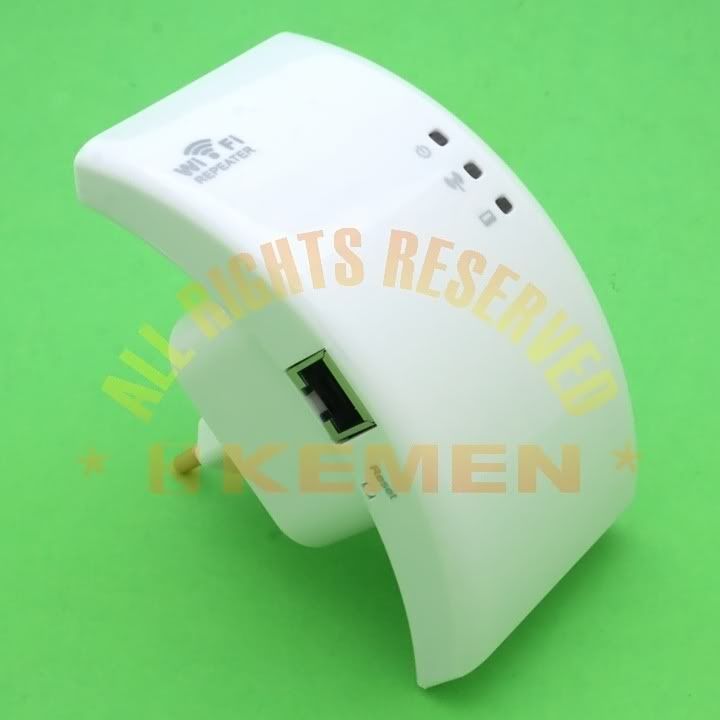
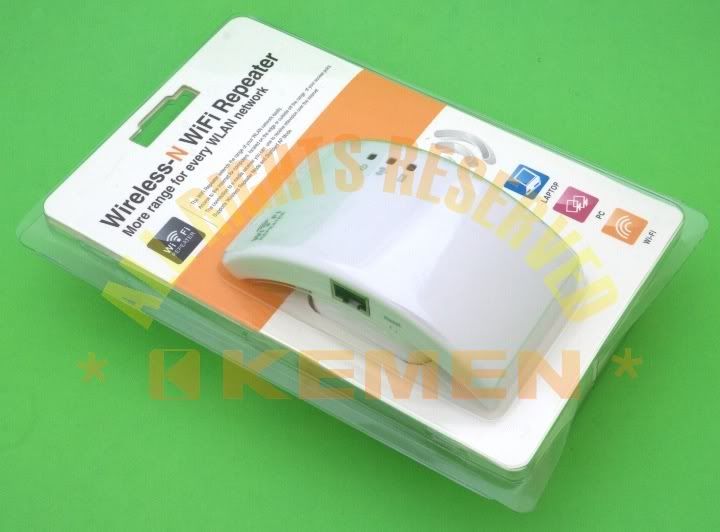
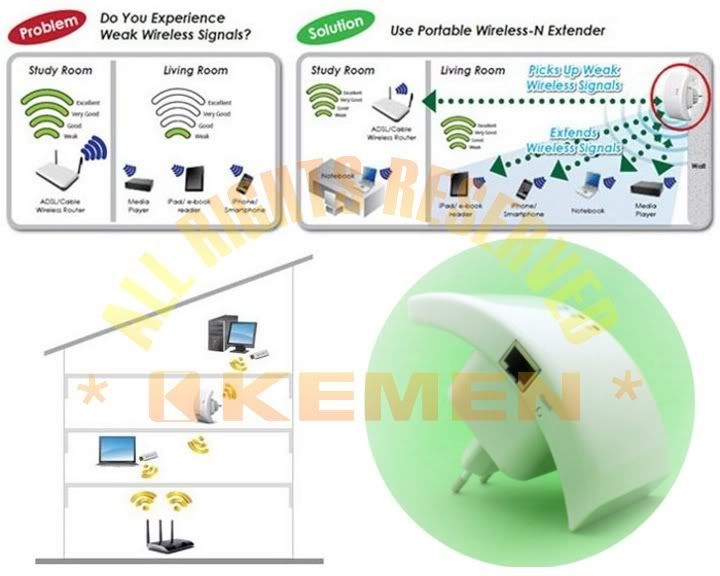
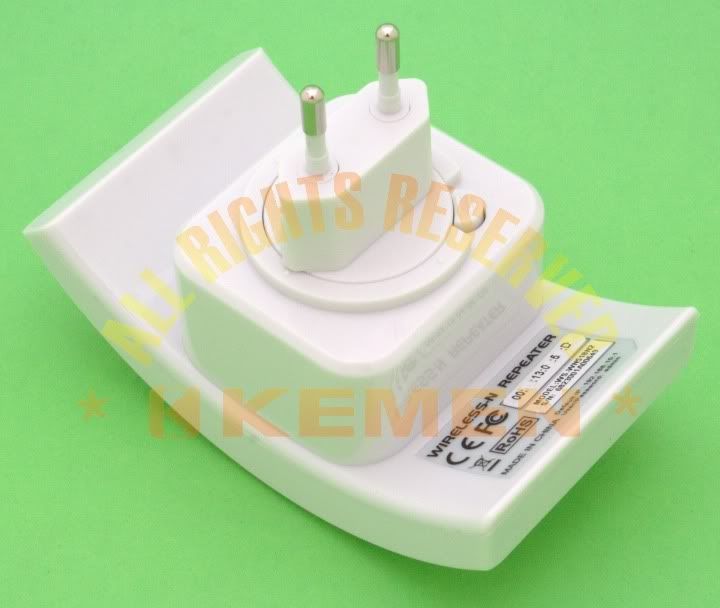
This Wireless-N WiFi Repeater is a network device designed specially for small business, office, and home office netwoking requirements. It allows a wireless network to be expanded using multiple access points without the need for a wired backbone to link them. It also backward compatible and works well with other 11b/g and 11n protocol wireless products.
user posted image

Features:
  • The WIFI Repeater extends the range of your WLAN network easily
  • Improve wireless coverage in all WLAN networks
  • Support the various WIFI shared the longer range
  • Access to the Internet for computers located on the edge or outside oft the range of your access point
  • The connection to a media receiver you can use to receive internet television
  • Integrated antenna with wireless transmission speeds of up to 300M
  • Support Wireless Repeater Mode and Standard AP Mode
  • WLAN 802.11n (Draft 2.0) for wireless high-speed access
  • Backward compatible with 802.11g (54Mbit/s) and 802.11b standard (11Mbit/s)
  • Support 2.4GHz WLAN networks
  • Built-in firewall features IP, MAC, URL filtering
  • Support WLAN security with WPA2, WPA and WEP (128/64)
  • Supports SSID broadcast control and MAC access control list
  • Wireless Auto-channel selection
  • Software wizard for simple setup
user posted image

Package Content:
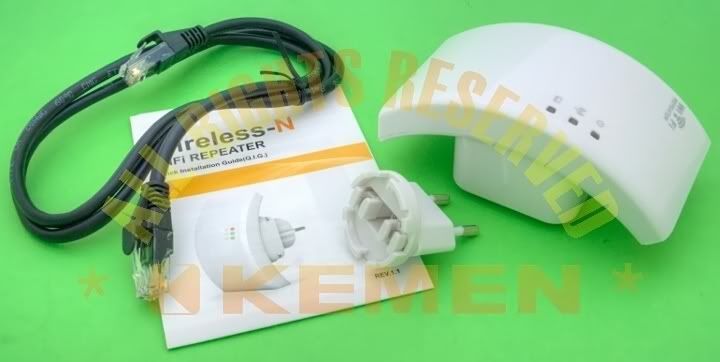
  • 1 x Wireless-N Repeater
  • 1 x RJ-45 Networking Cable
  • 1 x English Qucik Installation Guide
user posted image

This post has been edited by casey: Apr 30 2014, 01:05 PM
lightning
post Apr 9 2012, 02:31 PM

New Member
*
Junior Member
34 posts

Joined: Jan 2003
can the rj45 connect to media player as receiver?

TScasey
post Apr 10 2012, 09:53 PM

Getting Started
**
Junior Member
224 posts

Joined: Jan 2006


QUOTE(lightning @ Apr 9 2012, 02:31 PM)
can the rj45 connect to media player as receiver?
*
No, it cannot.

RJ45 is for connecting to modem if you use the device as wireless router, or when in repeater mode, to access to the repeater setup page, because you cannot access to the repeater's setup page wirelessly once the repeater setup is successful. If ever you want to change anything in repeater setup, you need to use the RJ45.
adriankhoo153
post Apr 16 2012, 08:27 AM

So many star for what?
*******
Senior Member
4,808 posts

Joined: Sep 2006
Can i use this for Yes 4G Huddle?
rognales
post Apr 17 2012, 04:21 PM

Casual
***
Junior Member
442 posts

Joined: Feb 2009


we oni need the cable to configure right. no need to have wired connection to main router right.
TScasey
post Apr 18 2012, 02:43 PM

Getting Started
**
Junior Member
224 posts

Joined: Jan 2006


QUOTE(adriankhoo153 @ Apr 16 2012, 08:27 AM)
Can i use this for Yes 4G Huddle?
*
Hi Bro,

To my understanding, the 4G Huddle also a wireless router right? (means you can use a laptop wifi adapter to connect to it)

If so, should you want to use this repeater to extend the coverage range, yes, it can be used for this purpose.

Regards,
KT


Added on April 18, 2012, 3:01 pm
QUOTE(rognales @ Apr 17 2012, 04:21 PM)
we oni need the cable to configure right. no need to have wired connection to main router right.
*
Depends on what function you want to use:

In Wireless router mode: the RJ45 Lan port is for you to connect to an ADSL modem. (seldom people use it for this purpose nowadays since the 2 in 1 modem-router are very common in the market)

In Repeater mode: Basically you can setup and use it without even bother about the RJ45 port. Except maybe when you want to do the modifications to the setup or troubleshooting after the repeater mode is being applied. This is because when the device is in repeater mode, the repeater wireless functions will be turned into the role of "transporter/agent" for the wireless router, you can no more access the repeater setup page wirelessly (unless you do a hard reset), but you can still access the setup page via RJ45 and LAN cable with manual IP.

Regards,
KT

This post has been edited by casey: Apr 18 2012, 03:01 PM
alonso33
post Jul 9 2012, 06:02 PM

New Member
*
Junior Member
19 posts

Joined: Jun 2012
hi bro, can i use it for maxis home fibre thomson wireless router?
TScasey
post Jul 12 2012, 12:59 PM

Getting Started
**
Junior Member
224 posts

Joined: Jan 2006


QUOTE(alonso33 @ Jul 9 2012, 06:02 PM)
hi bro, can i use it for maxis home fibre thomson wireless router?
*
Hi bro, it can, as long as the router conform to b/g or n standard, doesn't matter which brand or provider.

Regards,
KT
bernardk
post Aug 8 2012, 11:04 PM

New Member
*
Newbie
0 posts

Joined: Nov 2010
Im interested in this. How can I contact to get the item ? smile.gif
s6xs9x
post Aug 13 2012, 05:09 PM

My Stars Not Growing?
*****
Senior Member
904 posts

Joined: Jul 2008
From: KUL (MYS)


If I've already have a LAN line in my room connected to my modem, and router in my study, but wifi does not reach me at all. Can I use this as a wifi if I plug into my cable? Please note that there's totally no wifi coverage in my room.

Please also pm me your dealing method.
TScasey
post Aug 15 2012, 08:35 AM

Getting Started
**
Junior Member
224 posts

Joined: Jan 2006


QUOTE(s6xs9x @ Aug 13 2012, 05:09 PM)
If I've already have a LAN line in my room connected to my modem, and router in my study, but wifi does not reach me at all. Can I use this as a wifi if I plug into my cable? Please note that there's totally no wifi coverage in my room.

Please also pm me your dealing method.
*
Sorry, it is kind of confusing, does your current setup has wifi at all?
paradis3lost
post Sep 1 2012, 02:58 PM

Too leet for avatars
******
Senior Member
1,007 posts

Joined: Dec 2007


Hi, I am very interested in this product. However, can you post some tests done with the repeater?

i. Speed tests with repeater vs with the modem
ii. Ping tests with repeater vs the modem

Thank you.
TScasey
post Sep 4 2012, 12:03 AM

Getting Started
**
Junior Member
224 posts

Joined: Jan 2006


QUOTE(paradis3lost @ Sep 1 2012, 02:58 PM)
Hi, I am very interested in this product. However, can you post some tests done with the repeater?

i. Speed tests with repeater vs with the modem
ii. Ping tests with repeater vs the modem

Thank you.
*
Hi bro, item sold out, sorry.

Regards,
KT

Topic ClosedOptions
 

Change to:
| Lo-Fi Version
0.0202sec    0.61    5 queries    GZIP Disabled
Time is now: 18th December 2025 - 04:04 PM