Outline ·
[ Standard ] ·
Linear+
All About Harddisk Thread V4
|
sI Taufu
|
 Dec 4 2012, 05:38 PM Dec 4 2012, 05:38 PM
|

|
QUOTE(cannavaro @ Dec 4 2012, 04:12 PM) WD BLACK 4TB @ RM959 (viewnet) Anyone wanna be an early adopter?  I'd rather get 3TB x 2 with that price... of course, there's no 5 years warranty and all..  the black 4TB still got 5 years warranty or not? |
|
|
|
|
|
sI Taufu
|
Dec 10 2012, 09:23 PM
|
|
|
QUOTE(BenSow @ Dec 10 2012, 01:52 PM) When a harddisk has problems after warranty period what can I do? Disintegrate it. The magnet inside the HDD can be use to "stick" tiny screws when you are about to fix something. And the "disk" can become mirror too. This post has been edited by sI Taufu: Dec 10 2012, 09:23 PM |
|
|
|
|
|
sI Taufu
|
Dec 10 2012, 09:28 PM
|
|
|
QUOTE(BenSow @ Dec 10 2012, 09:25 PM) What can I do as in, where can I go to get the problem fixed? LOL opps ....HDD cannot be fixed by normal means if it suffer physical damage (IE: shock, dropped to floor etc). You will need a clean room for TRYING to fix that. This post has been edited by sI Taufu: Dec 10 2012, 09:31 PM |
|
|
|
|
|
sI Taufu
|
Dec 20 2012, 06:26 PM
|
|
|
QUOTE(nikridhwan @ Dec 20 2012, 12:55 PM) guys. what are the difference between the harddisk like below. the price ranges from rm200-rm300 but they are 1tb harddisk 1TB SEAGATE 32M 7200 RPM RM220 1TB W.D. BLUE 32M 7200 RPM SATA 6.0 RM210 1TB W.D. CCTV GREEN 64M 7200 RPM RM235 1TB W.D. RED 64M 7200 RPM RM3001TB W.D. BLACK 64M 7200 RPM SATA 6.0 RM2701TB W.D. RAID EDITION 4 32M 7200 RPM RM325 price, warranty, building architecture. WD Black and RAID edition got extra metal block between each "disk" to enhance HDD head servo mechanism (Less disturbance air flow) 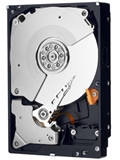 And you sure WD RED is more expensive than WD Black?  This post has been edited by sI Taufu: Dec 20 2012, 06:37 PM This post has been edited by sI Taufu: Dec 20 2012, 06:37 PM |
|
|
|
|
|
sI Taufu
|
Feb 8 2013, 05:37 PM
|
|
|
QUOTE(koh_424 @ Feb 7 2013, 06:45 PM) Here is the photo bro. Due to computer just formatted, currently no internet connection for it at the moment. I bet your windows XP never apply service pack 1. You need to install SP 1 in order to support HDD that is LARGER THAN 137GB. Do install SP1 first. http://support.microsoft.com/kb/303013QUOTE Windows XP SP1 includes 48-bit LBA support for ATAPI disk drives. With this support, you can use hard disks that are larger than the current 137 GB limit. This post has been edited by sI Taufu: Feb 8 2013, 05:42 PM |
|
|
|
|
|
sI Taufu
|
Feb 8 2013, 05:49 PM
|
|
|
QUOTE(everling @ Feb 8 2013, 05:45 PM) Wow. That is old. But why not install XP's SP3? need to install SP 1, then only can install SP2 and then SP3. My old laptop got 60GB HDD only  , never update after applied SP 3 though using OEM windows XP due to *VERY LIMITED* HDD space. This post has been edited by sI Taufu: Feb 8 2013, 05:50 PM |
|
|
|
|
|
sI Taufu
|
Feb 8 2013, 08:07 PM
|
|
|
QUOTE(koh_424 @ Feb 8 2013, 08:04 PM) Ok. Tonite will try format & re-install SP3.  no need format de. you will need to install SP1 before you proceed to SP3 as stated in my previous post........or had you install SP1 oledi? |
|
|
|
|
|
sI Taufu
|
Feb 9 2013, 12:34 AM
|
|
|
QUOTE(koh_424 @ Feb 8 2013, 11:50 PM) Bro, after install the SP1a. Manage to get back ard 290GB storage size. Is tat the max amount can get? Or i need to update to SP3? yup, max volume edi. |
|
|
|
|
|
sI Taufu
|
Feb 9 2013, 04:13 PM
|
|
|
QUOTE(koh_424 @ Feb 9 2013, 04:03 PM) Thanks. I learned tat Window OS also play a trick for the hard ware. Glad to hear that  BTW Happy new year in advance |
|
|
|
|
|
sI Taufu
|
Mar 24 2013, 11:29 AM
|
|
|
sweetmother 14 pending sector count on my WD black gonna RMA it soon. Update: 3 bad sectors detected  Oh great, 16 Pending sectors. This post has been edited by sI Taufu: Mar 24 2013, 09:43 PM |
|
|
|
|
|
sI Taufu
|
Mar 24 2013, 11:46 PM
|
|
|
QUOTE(Nagashiro @ Mar 24 2013, 11:36 PM) Pack it nicely and time to go RMA it hoping you get 2TB when return..xD  sigh......dun know lah. maybe buy another 2TB  kinda sceptical on WD blue and Seagate reliability. |
|
|
|
|
|
sI Taufu
|
Apr 23 2013, 05:30 AM
|
|
|
QUOTE(Holyjolly @ Apr 21 2013, 10:29 AM) Hi, I need some help from sifu-sifu here. My bro mini laptop spoil due to lighting or other unknown reason.it unable to display. Last time I built my PC at Viewnet. The people there help my bro take out his 2.5" HDD from his mini laptop.My Bro bought a 2.5" protector casing to protect the HDD n act as external hard disk. However, it can't be access. It looks like a new HDD after we format PC. it don't have volume bar n shown "NTFS" That HDD contains very important info n precious photo. Can teach me how to recover them out? Is that HDD spoil? Thank you in advance! try to access it using Recuva FREE VersionDO NOT format it if want to keep to data. On the side note, my WD Black die today. apparently BAD HDD will also cause a LONG beep and NO display on monitor. |
|
|
|
|
|
sI Taufu
|
Apr 25 2013, 12:41 AM
|
|
|
QUOTE(Holyjolly @ Apr 25 2013, 12:36 AM) Will try it soon. For his HDD, is used as external HDD that connect through USB. I didnt heard any beep sound except the normal BIOS beep. I tried to boot from it but get a blue screen (very fast disappear, less than 1 second, didn't manage to read the code) then restart PC itself. The recuva is used to recover the data right? system file corrupted. dun boot from it anymore as it is futile. I tried to boot it via safe mode when my laptop had attacked by virus fw years ago but also got the similar BSOD as yours. end up i savage usable data from the laptop HDD to another laptop. Connect it as external HDD and hopefully your PC still recognize it. After that use the recuva to access it. |
|
|
|
|
|
sI Taufu
|
Apr 26 2013, 11:40 PM
|
|
|
QUOTE(super macgyver @ Apr 25 2013, 06:15 PM) my colleague blue wd 500gb just found to be got a few bad sector after 2yr plus of usage. my WD Black 1TB, not yet 2 years got 3 bad sectors oledi last for 3 weeks before it finally die. |
|
|
|
|
|
sI Taufu
|
Apr 28 2013, 09:03 AM
|
|
|
QUOTE(steventan85 @ Apr 28 2013, 08:55 AM) hi , i juz bought 1TB WD element ....tried to safely eject , but unable to do so..googling around and seem no solution... anyone face the same problems? sometime it is due to rundll32.exe process that locked the HDD for unknown reason. Just plug it out if you are very certain that NO FILE TRANSFER/USAGE in between the external HDD and your PC. or wait for few minutes then try again. |
|
|
|
|
|
sI Taufu
|
Apr 28 2013, 10:28 AM
|
|
|
QUOTE(steventan85 @ Apr 28 2013, 10:13 AM) there is no rundll.exe in the background...sigh... going to format it soon....the pc why need to format PC? The rundll32.exe is normal process for windows. This post has been edited by sI Taufu: Apr 28 2013, 10:28 AM |
|
|
|
|
|
sI Taufu
|
Apr 28 2013, 10:43 AM
|
|
|
QUOTE(steventan85 @ Apr 28 2013, 10:38 AM) any solution for that other than format ? becoz i didnt encounter the problems using other pc.... Click the GREEN button on the right side to download it. After install it........ Everytime you had to "safely remove" and failed, just right click on the pendrive/external hard disk and select "unlocker, then you may unlock **almost** any process that had prevent the pendrive/external hard disk to be removed. |
|
|
|
|
|
sI Taufu
|
May 6 2013, 05:07 PM
|
|
|
QUOTE(TristanX @ May 4 2013, 09:38 PM) Just experienced warranty void from Hitachi. I have no idea that this crap would void it. Didn't even notice it when I install this disk. [attachmentid=3424473] I suggest to avoid this brand. They will reject crap like this when that shit is already there after opening the package. This is the first time I get a warranty void of all the RMAs. errrr they rejected it due to extra sicker? |
|
|
|
|
|
sI Taufu
|
May 13 2013, 02:21 AM
|
|
|
QUOTE(michaelyii1988 @ May 12 2013, 03:57 PM) Any hardisk sifu can hv a quick glance at my current hardisk status? hardisk 1 is my laptop ones which runs abt 5years+- d..would like to noe is it stable and still able to use for a period of time or it started to show some sign of dying soon? hardisk 2 is my external 500gb WD hardisk which i bought abt 1-2years back i guess.. the current pending sector thingy i googled around they say should be able to solve it with a format? Thanks a lot.. [attachmentid=3434524][attachmentid=3434525] IMO 1st HDD still ok.........older HDD tend to last longer.  But 2nd HDD........the current pending sector MUST always be ZERO on WD. Better back up data inside it ASAP as it might die in any time. |
|
|
|
|
|
sI Taufu
|
May 13 2013, 10:25 PM
|
|
|
QUOTE(michaelyii1988 @ May 13 2013, 07:45 PM) but the 2nd hdd quite new..hmm.. this kind of problem can send bac claim warranty or rma or wadsoever?  enough to claim warranty edi, since it is well within 3 years after you bought it. QUOTE(G_KeN @ May 13 2013, 08:21 PM) any idea when WD's gonna be releasing 4TB internal HDD? As of now, they are only selling the external version. **cough** WD Black 4TB **cough** |
|
|
|
|



 Quote
Quote
 0.0443sec
 0.75
0.75
 7 queries
 GZIP Disabled