

feel weird, all those game hub n music hub were back on cow's v6..
SΛMSUNG Galaxy W (I8150) Official Thread V4, Be intelligent; read thoroughly.
SΛMSUNG Galaxy W (I8150) Official Thread V4, Be intelligent; read thoroughly.
|
|
 Mar 2 2012, 09:07 PM Mar 2 2012, 09:07 PM
|
 
Junior Member
20 posts Joined: Feb 2012 
|
feel weird, all those game hub n music hub were back on cow's v6..
|
|
|
|
|
|
Mar 2 2012, 09:26 PM
|

Senior Member
9,590 posts Joined: Jan 2008 From: S'wak||KL||SG 
|
QUOTE(Andrewtst @ Mar 2 2012, 10:37 AM) My sister - Samsung Galaxy W (Wonder) NEW Pouch. Not quite nice the design. It makes two layer. Inner one to hold the phone while the flip case is like stitched to the inner later and make it more rectangular. I saw another kind in KL Festival Mall. Only one layer for backcase. Flipping part is connected directly to the back case. If you get what I mean  - Finally found it! - Finally found it!  » Click to show Spoiler - click again to hide... «   QUOTE(Andrewtst @ Mar 2 2012, 04:32 PM) Since I got Galaxy W & Galaxy S II at the moment, decide to did a Small Review Comparison on it. I very agree on the colour part. AMOLED colour is really weird. Too unnnatural.
|
|
|
Mar 2 2012, 09:41 PM
|
|
Junior Member
119 posts Joined: Dec 2009
|
My antutu score using cow bionic rom oc version.
Damm nice and fast...... |
|
|
Mar 2 2012, 09:56 PM
|
|
Junior Member
115 posts Joined: Jan 2012
|
i downloaded cow's bionic rom but get this error during extract 'Unspecified Error'
ps , i just rename it then it work  This post has been edited by changsheng12: Mar 2 2012, 10:37 PM |
|
|
Mar 2 2012, 11:02 PM
|
|
Junior Member
70 posts Joined: Feb 2012
|
QUOTE(changsheng12 @ Mar 2 2012, 09:56 PM) i downloaded cow's bionic rom but get this error during extract 'Unspecified Error' do i need to extract part 1 only or both part 1 and part 2? i have trouble extract part 2. help needed..ps , i just rename it then it work |
|
|
Mar 2 2012, 11:10 PM
|
|
Junior Member
119 posts Joined: Dec 2009
|
QUOTE(nickyap12 @ Mar 2 2012, 11:02 PM) do i need to extract part 1 only or both part 1 and part 2? i have trouble extract part 2. help needed.. Only extract the part 1 then add part 2 into part 1 zip file. After tat u ready to flash the file. |
|
|
|
|
|
Mar 2 2012, 11:47 PM
|
|
Junior Member
70 posts Joined: Feb 2012
|
QUOTE(driots @ Mar 2 2012, 11:10 PM) Only extract the part 1 then add part 2 into part 1 zip file. After tat u ready to flash the file. thanks for input.. ill try it |
|
|
Mar 2 2012, 11:55 PM
|

Junior Member
351 posts Joined: Jun 2011 From: MYS of Asia Pacific
|
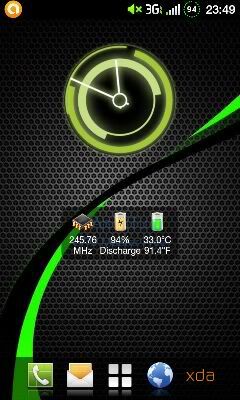
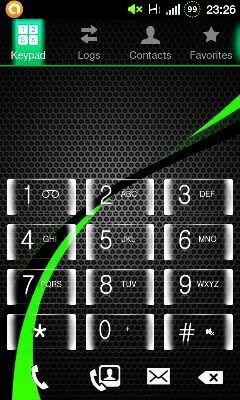
Using CWG ROM V6 + Modded Contacts.apk.......
  This post has been edited by and.inc: Mar 3 2012, 03:43 PM |
|
|
Mar 3 2012, 12:09 AM
|
|
Junior Member
70 posts Joined: Feb 2012
|
QUOTE(and.inc @ Mar 2 2012, 11:55 PM) Using CWG ROM V6 Boot into ClockWorkMod / RZRecovery, backup your current ROM using nandroid (just in case)?how do i do that... phone have been rooted but never try flash rom... thanks in advance |
|
|
Mar 3 2012, 12:11 AM
|
|
Junior Member
351 posts Joined: Jun 2011 From: MYS of Asia Pacific
|
QUOTE(nickyap12 @ Mar 3 2012, 12:09 AM) Boot into ClockWorkMod / RZRecovery, backup your current ROM using nandroid (just in case)? Head over XDA under Dev COW V6how do i do that... phone have been rooted but never try flash rom... thanks in advance This post has been edited by and.inc: Mar 3 2012, 12:13 AM |
|
|
Mar 3 2012, 12:21 AM
|
|
Newbie
4 posts Joined: Jun 2010 
|
Hi all...would like to ask some questions about my Galaxy W...
1. What setting should I do if I want to use my maxis BB in this phone? when i change diff sim card it prompts to choose between maxis 2g and 3g..which one should i choose??something to do with APN?? 2. i already save photo for some of the contacts but how come the photo still not appear beside text messages? 3. sometime the brightness just reduced automatically to the lowest..and i'm sure i didn't mis-press anything..is it normal??? this is my first time using an android phone..need some guidance and help..thanks!! |
|
|
Mar 3 2012, 12:45 AM
|
|
Junior Member
70 posts Joined: Feb 2012
|
QUOTE(and.inc @ Mar 3 2012, 12:11 AM) Head over XDA under Dev COW V6 when i try to install the Rom... it say my device short of space.... what should not be deleted in phone phone memory (to free some space for installation)?This post has been edited by nickyap12: Mar 3 2012, 12:46 AM |
|
|
Mar 3 2012, 12:54 AM
|

Senior Member
8,525 posts Joined: Jan 2003 From: The Jungle Of Pahang
|
Also a new happy so far user of Cow's Bionic ROM
 » Click to show Spoiler - click again to hide... « Homescreen using Sony Xperia Live Wallpaper APK.. It just fits with cow's new theme  This post has been edited by cloudwan: Mar 3 2012, 12:54 AM |
|
|
|
|
|
Mar 3 2012, 01:11 AM
|
|
Junior Member
70 posts Joined: Feb 2012
|
QUOTE(driots @ Mar 2 2012, 11:10 PM) Only extract the part 1 then add part 2 into part 1 zip file. After tat u ready to flash the file. i have done so however when i wanted to install update from sd... it says E: short of /tmp/sideload/package.zip(no space left on device) anyone now what i need to do?? |
|
|
Mar 3 2012, 01:14 AM
|
|
Senior Member
9,590 posts Joined: Jan 2008 From: S'wak||KL||SG
|
QUOTE(mushpepper @ Mar 3 2012, 12:21 AM) Hi all...would like to ask some questions about my Galaxy W... 1. No idea. I use digi and it comes everything set up nicely(sign digi plan mah~~)1. What setting should I do if I want to use my maxis BB in this phone? when i change diff sim card it prompts to choose between maxis 2g and 3g..which one should i choose??something to do with APN?? 2. i already save photo for some of the contacts but how come the photo still not appear beside text messages? 3. sometime the brightness just reduced automatically to the lowest..and i'm sure i didn't mis-press anything..is it normal??? this is my first time using an android phone..need some guidance and help..thanks!! 2. Mine no prob. 3. Possibly you mis press. Touch Wiz have the feature that you can slide the Notification Bar (top bar) to change brightness. Try to put your hand at that area. When you see it expand by a little(maybe double the line) you slide left and right. Brightness will change! So sometimes if you press near that area, it will change. |
|
|
Mar 3 2012, 01:16 AM
|
|
Senior Member
8,525 posts Joined: Jan 2003 From: The Jungle Of Pahang
|
QUOTE(nickyap12 @ Mar 3 2012, 01:11 AM) i have done so however when i wanted to install update from sd... it says Ur 1st time trying custom rom?E: short of /tmp/sideload/package.zip(no space left on device) anyone now what i need to do?? Whats ur freespace for the int SD? Have u try to copy all ur pics video music into ur PC 1st, then retry?.. BTW ur using RZRecovery instead of stock recovery right? |
|
|
Mar 3 2012, 01:21 AM
|
|
Junior Member
70 posts Joined: Feb 2012
|
QUOTE(cloudwan @ Mar 3 2012, 01:16 AM) Ur 1st time trying custom rom? first time flashingWhats ur freespace for the int SD? Have u try to copy all ur pics video music into ur PC 1st, then retry?.. BTW ur using RZRecovery instead of stock recovery right? i have deleted all the files on int SD. so my phone and sd are empty.. i am not sure bout RZRecovery instead of stock recovery right? the one i am using is power button+ volume up + home This post has been edited by nickyap12: Mar 3 2012, 01:21 AM |
|
|
Mar 3 2012, 01:38 AM
|
|
Senior Member
9,590 posts Joined: Jan 2008 From: S'wak||KL||SG
|
QUOTE(nickyap12 @ Mar 3 2012, 01:21 AM) first time flashing You can't use Stock Recovery to flash Cow's ROM. Get Clockwork Mod Recovery (CWM). I think cow linked it inside his thread for his rom. If you never use Odin to flash something to your phone, that means you never change your stock recovery. Their method of activating recovery is still the same as mentioned by you. Stock recovery menu only have few item(5 or 6...) while custom one has a lot more than that.i have deleted all the files on int SD. so my phone and sd are empty.. i am not sure bout RZRecovery instead of stock recovery right? the one i am using is power button+ volume up + home Added on March 3, 2012, 1:42 amhttp://forum.xda-developers.com/showthread.php?t=1446593 This post has been edited by IwanAGP: Mar 3 2012, 01:42 AM |
|
|
Mar 3 2012, 09:18 AM
|
|
Junior Member
115 posts Joined: Jan 2012
|
QUOTE(and.inc @ Mar 2 2012, 11:55 PM) Using CWG ROM V6 what is the app for the symbol on top left ? and what app u using to show ur processor spd , battery percent & temp? (that one in the middle of homescreen)  |
|
|
Mar 3 2012, 09:25 AM
|
|
Junior Member
70 posts Joined: Feb 2012
|
i have succesfully flash V6.. thanks to all the advice..
i face some minor problem, my phone is set english language but somehow my apps name are in bahasa melayu. any way i can change it?? just the name is bahasa melayu , when using the apps is english. ex: clock become jam, contact become kenalan  Added on March 3, 2012, 9:33 am QUOTE(nickyap12 @ Mar 3 2012, 09:25 AM) i have succesfully flash V6.. thanks to all the advice.. im good now.... reflash and all back to normal i face some minor problem, my phone is set english language but somehow my apps name are in bahasa melayu. any way i can change it?? just the name is bahasa melayu , when using the apps is english. ex: clock become jam, contact become kenalan This post has been edited by nickyap12: Mar 3 2012, 09:33 AM |
|
Topic ClosedOptions
|
| Change to: |  0.0213sec 0.0213sec
 0.43 0.43
 6 queries 6 queries
 GZIP Disabled GZIP Disabled
Time is now: 10th December 2025 - 04:22 AM |
 Quote
Quote


