Hye guys, the Vita has the ability for you to customize your LiveArea (or backgrounds) with any wallpaper of your choosing. Maybe you've found an awesome wallpaper to put as your Vita background and would like to share it with other Vita owners? Or have you discovered an absolutely mouth-watering wallpaper you simply must have for your Vita? (I know I have

) . This thread is for you to share and request as you please.
Quick-start guides
PSVita Wallpaper Size and Resolutions (Because nobody wants to see a picture with Batman's head cut off)
» Click to show Spoiler - click again to hide... «
The maximum size is 960 x 544 pixels. Can support near 720p wallpaper resolution.
Source (to change wallpaper and re-arrange icons as you please)
» Click to show Spoiler - click again to hide... «
1)Press and hold any area of your screen for 2 - 4 seconds.
2)Boxes with outlines will appear.
3)Here you can choose to add a new page, change the background theme and rearrange icons.
4)When your done, just press the "return" button located on the bottom left of the screen.
PSVita supported file formats» Click to show Spoiler - click again to hide... «
Audio : MP3, AAC, WAV
Video : MP4/H.264
Image : JPEG, TIFF, BMP, GIF, PNG
How to take screenshots» Click to show Spoiler - click again to hide... «
Press the PS button AND the Start button at the same time.
You may take screenshots of anything and at anytime. ( Surfing the web, using applications, playing games,etc).
Note : Only some games allow screenshot taking. Currently Ultimate MArvel vs Capcom 3 does not allow you to take screenshotsExample : 2 screenshots of my Uncharted : Golden Abyss


» Click to show Spoiler - click again to hide... «
1)You will need to download Content Manager Assistant located at :
http://community.us.playstation.com/thread...tart=0&tstart=02)Install and hook up your USB cable from your Vita to your PC.
Note : Remember,ALL transferring of items is done on your Vita.» Click to show Spoiler - click again to hide... «
Anime related wallpapers ( thx to wapplew ) -
http://psv-kabegami.com/ (Slightly
NSFW )
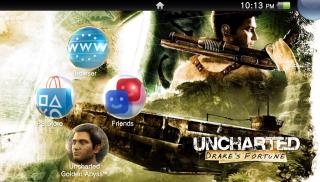
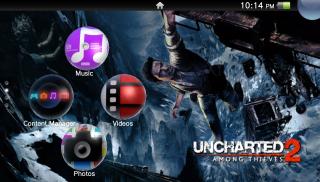
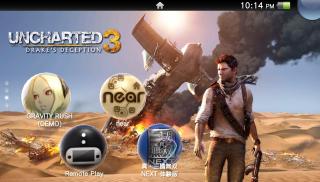
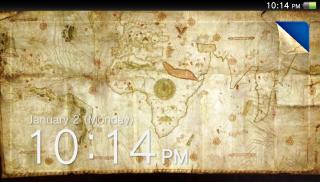
Some of my screenshots to start the ball rolling


 This post has been edited by emperor_kiva: Jan 4 2012, 10:43 PM

 Jan 2 2012, 11:22 PM, updated 14y ago


 Quote
Quote


 . Unless you mean you want to change the wallpaper of your lock screen. That requires you to open up "Photos" and choose the bottom right icon that looks like an Album.


 Normal wallpaper or not doesnt matter. Can i request wallpaper for the 1st, 3rd and 4th wallpaper please? ^^
















 0.0253sec
 0.95
0.95
 6 queries
 GZIP Disabled