


2012 "Post Your Desktop" Thread. [IMAGE HEAVY]
|
|
 Apr 14 2012, 04:19 PM Apr 14 2012, 04:19 PM
|
 
Senior Member
1,010 posts Joined: Jan 2011 From: Stranded 
|
Here's my first try
|
|
|
|
|
|
Apr 14 2012, 06:13 PM
|

Junior Member
206 posts Joined: Aug 2010  
|
Nice wallpaper
 |
|
|
Apr 14 2012, 11:10 PM
|

Senior Member
4,224 posts Joined: Apr 2007 
|
QUOTE(markypcs @ Apr 12 2012, 03:28 PM) Wow, I really like your desktop. Simple. Yeah. I see most of the users here prefer futuristic and widget bound instead. I did that and got bored. Everything is on my taskbar anyway. What did you do to your desktop? Did you use rainmeter? Anyone know how I can change my Recycle bin and taskbar to like above?  VS: jhp ICONS: Token & OSX Trash icon (search it & manually change icon) CD Art Display: shane_2_0_update_by_milano 88-d4rfiej |
|
|
Apr 14 2012, 11:32 PM
|

Senior Member
574 posts Joined: Jun 2010
|
QUOTE(Chyan @ Apr 14 2012, 11:10 PM) Yeah. I see most of the users here prefer futuristic and widget bound instead. I did that and got bored. Everything is on my taskbar anyway. Sorry, but I am not well versed with customizing my desktop. Could you tell me what I should do after downloading for deviantart?VS: jhp ICONS: Token & OSX Trash icon (search it & manually change icon) CD Art Display: shane_2_0_update_by_milano 88-d4rfiej |
|
|
Apr 15 2012, 02:00 AM
|
Senior Member
1,241 posts Joined: Mar 2005
|
Here's mine
I like moody dark backgrounds (pref cityscapes) and this is my latest fav wallpaper. Essential meters and feeds from rainmeter. This post has been edited by phoenixxx: Apr 15 2012, 02:01 AM |
|
|
Apr 15 2012, 10:59 AM
|

Junior Member
120 posts Joined: Mar 2009
|
QUOTE(spybug @ Apr 13 2012, 02:31 PM)  Can you teach me how to do that too. Thanks  |
|
|
|
|
|
Apr 15 2012, 06:00 PM
|

Junior Member
4 posts Joined: Jul 2009
|
hi guys.
this is my first try. do comment.  This post has been edited by slydejinx: Apr 15 2012, 06:03 PM |
|
|
Apr 15 2012, 06:12 PM
|

Junior Member
12 posts Joined: Apr 2012
|
QUOTE(slydejinx @ Apr 15 2012, 07:00 PM) hi guys. Hmmm. 2 different fonts, 2 clocks, 2 dates, recycle bin is kinda out of place. this is my first try. do comment. You should either just hide the bin or replace it with a rainmeter skin. Icons in dock are kinda messy as in you might wanna get a set of similar styled icons. Either choose to pin stuff to your taskbar or just use the dock. Not bad for your first. Much better than what i first did. |
|
|
Apr 15 2012, 10:20 PM
|

Junior Member
396 posts Joined: Sep 2006 From: Le Bedroom desk ♍👽
|
QUOTE(spybug @ Apr 13 2012, 02:31 PM) Can you teach me how to do that too. Thanks QUOTE(sws @ Apr 15 2012, 10:59 AM) Anyone know how to get this? pm already |
|
|
Apr 15 2012, 10:35 PM
|

Senior Member
704 posts Joined: Apr 2012 From: Chinatown 
|
QUOTE(bobohead1988 @ Jan 4 2012, 11:06 AM)  RocketDock + Rainmeter can link me ? |
|
|
Apr 17 2012, 10:29 AM
|
|
Senior Member
574 posts Joined: Jun 2010
|
Hey guys,
Are the .dll files in System32 and SysWOW64 same? For example, imageres.dll, batmeter.dll, ExplorerFrame.dll. I edited those files, backed up System32's core dll files but I did not back up SysWOW64. So currently, my System32's dll files are the same before the change but my SysWOW64 files are different. So what I am asking is are the files the same? Can I copy paste imageres.dll from System32 to SysWOW64? |
|
|
Apr 17 2012, 04:19 PM
|

Senior Member
560 posts Joined: Oct 2008 From: On my portable dude
|
Decided to cut on the bling blings (including wallpaper) and concentrate on a more work-friendly workspace, I hope...
 |
|
|
Apr 18 2012, 09:37 PM
|
|
Senior Member
4,224 posts Joined: Apr 2007
|
QUOTE(markypcs @ Apr 14 2012, 11:32 PM) Sorry, but I am not well versed with customizing my desktop. Could you tell me what I should do after downloading for deviantart? Un-rar it and read the .pdf he'd supplied for you. |
|
|
|
|
|
Apr 19 2012, 09:40 AM
|

Senior Member
655 posts Joined: Jun 2010 From: Kota Bharu
|
QUOTE(BenSow @ Apr 11 2012, 09:59 PM) BTW Anyone know how to print screen ctrl+alt+del screen? just press the button.. open Paint.. then Ctrl + V.. then save file.. |
|
|
Apr 19 2012, 06:48 PM
|

Senior Member
544 posts Joined: Jun 2009
|
improvement idea? thanks » Click to show Spoiler - click again to hide... «
|
|
|
Apr 19 2012, 06:50 PM
|

Junior Member
248 posts Joined: Oct 2009 From: Los Klangeles
|
QUOTE(satoshi.mifune @ Apr 19 2012, 06:48 PM) improvement idea? thanks
» Click to show Spoiler - click again to hide... « if i had that i'd pray everyday i dont see some ghost walking on that road towards me in the screen. |
|
|
Apr 19 2012, 10:59 PM
|

Senior Member
2,716 posts Joined: Aug 2009 From: The Womb
|
QUOTE(shah93 @ Apr 19 2012, 09:40 AM) you mean Screen shot? there is a button for print screen.. right next to F12.. That's for normal.. I wanted to print screen the Ctrl+Alit+Del screenjust press the button.. open Paint.. then Ctrl + V.. then save file.. |
|
|
Apr 19 2012, 11:36 PM
|
|
Junior Member
396 posts Joined: Sep 2006 From: Le Bedroom desk ♍👽
|
QUOTE(BenSow @ Apr 19 2012, 10:59 PM) That's for normal.. I wanted to print screen the Ctrl+Alit+Del screen found on google link |
|
|
Apr 20 2012, 07:08 AM
|

Junior Member
210 posts Joined: Feb 2009 From: Selangor
|
hi guys. can kindly brief me on how you get the winamp player on the desktop? been looking around but cant find it. can point me in the right direction? thank you in advance XD
|
|
|
Apr 21 2012, 07:00 AM
|

Junior Member
471 posts Joined: Oct 2008 From: 404 error.
|
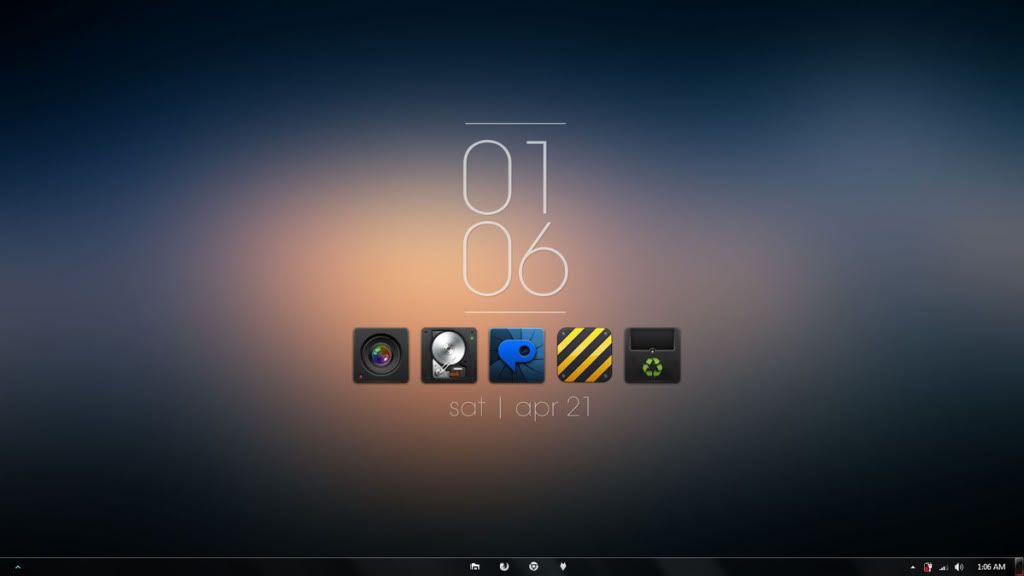 Minimal. |
|
Topic ClosedOptions
|
| Change to: |  0.0271sec 0.0271sec
 0.69 0.69
 6 queries 6 queries
 GZIP Disabled GZIP Disabled
Time is now: 21st December 2025 - 11:16 AM |
 Quote
Quote
