

 Dec 28 2011, 04:55 PM, updated 14y ago


First go to registry editor.
to run registry editor . GOto start - run - and type regedit .
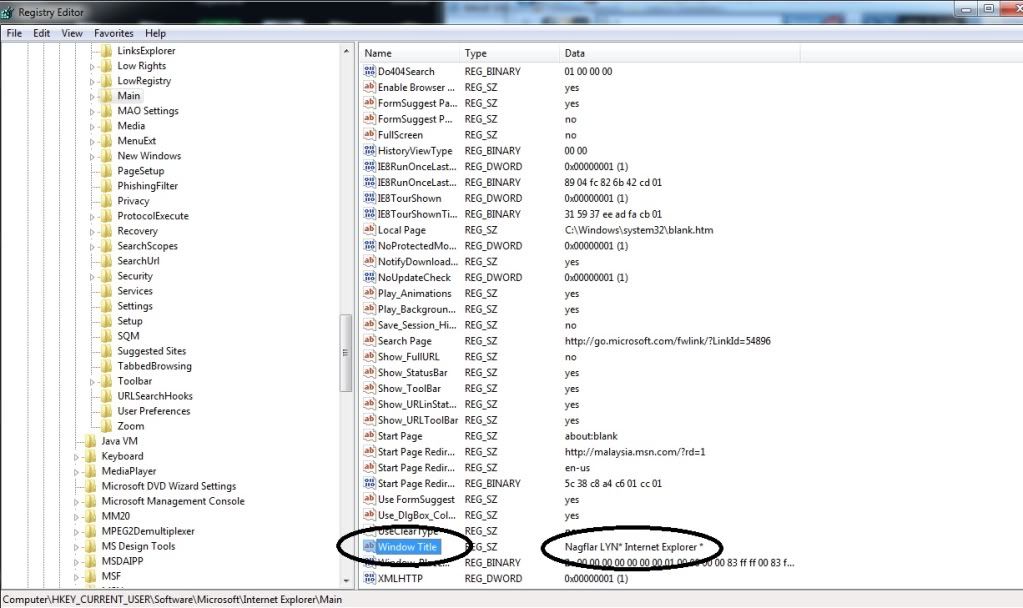
goto the value HKEY_CURRENT_USER - SOFTWARE - MICROSOFT - INTERNET EXPLORER - MAIN
double click edit the Windows Title value there. and put the name u want to change .
press F5 to refresh it and restart your IE

thx and enjoy
This post has been edited by nagflar: Dec 29 2011, 01:50 PM
 Quote
Quote
 0.0179sec
 0.76
0.76
 7 queries
 GZIP Disabled