Welcome Guest ( Log In | Register )

Bump Topic Topic Closed RSS Feed

Outline · [ Standard ] · Linear+

 Coolermaster League V2.0, - Pimp ur CM rig.Make sure u read post 1

views
     
AoiNatsume
post Nov 30 2007, 08:16 PM

Certified Noob
******
Senior Member
1,051 posts

Joined: Feb 2005
From: Somewhere Out There


no i cant, thats where the cutting comes in. First you have to cut off all the plastic grills inside, then cut off the mesh grills to bend it to shape and allow the fans to be placed. Its just nice, =)
AoiNatsume
post Nov 30 2007, 08:57 PM

Certified Noob
******
Senior Member
1,051 posts

Joined: Feb 2005
From: Somewhere Out There


woah.. i love the lumina, slr was pretty good too...
AoiNatsume
post Dec 1 2007, 02:20 AM

Certified Noob
******
Senior Member
1,051 posts

Joined: Feb 2005
From: Somewhere Out There


@Ryo
If you'd look at my tubes properly, i think its not hard to figure out that tube is it laugh.gif

Indeed its the gas tubes, economical and it does the job =)

@bryanyeo
ahaha, the poison is too sweet to "not" swallow lolx
still waiting for the rest of my stuff.. damm, "fat mou" liao.

btw, i need to do some minor cutting oso la, i think the rad is gonna be placed on top, which means switched with the fans in my current setup, fan on top not very effective la sweat.gif, need to remove the grill as well... affecting the airflow quite badly. Ill need your help again bryan in some cutting tongue.gif

This post has been edited by AoiNatsume: Dec 1 2007, 02:21 AM
AoiNatsume
post Dec 2 2007, 12:26 AM

Certified Noob
******
Senior Member
1,051 posts

Joined: Feb 2005
From: Somewhere Out There


QUOTE(Ryo @ Dec 2 2007, 12:16 AM)
awesome! definitely cut the costs down thumbup.gif does the gas tubes come in different sizes also?
*
Well.. thats the problem actually, for 3/8 size, most hardware shop sells them beautifully transparent. As for 1/2", its hard to find any transparent ones.. the only ones which are 1/2" are most likely these gas tubes.

QUOTE(hafiez @ Dec 2 2007, 12:20 AM)
@licyetan
the grey color is the card board?
*
Its a neat trick which i did years ago to hide my cacings, looks pretty cool as well thumbup.gif
AoiNatsume
post Dec 4 2007, 02:17 AM

Certified Noob
******
Senior Member
1,051 posts

Joined: Feb 2005
From: Somewhere Out There


QUOTE(zzloo @ Dec 3 2007, 10:41 PM)
hey i guys.. need some idea to mod my case.. ~.~
*
What case are ya using right now?

QUOTE(Xonius @ Dec 4 2007, 02:06 AM)
hi guys, just bought the CM690 from moderno, its kinda nice but the power LED button just doesn't fit on my mobo's Q-Connector so i had to resort in bending some pins. Cable management on CM690 is just horrible when using a Silverstone Zeus PSU <.<
*
I find that cable management on CM690 is rather easy compared to other CM ranges. There are so many holes here n there that you could dig around.
AoiNatsume
post Dec 8 2007, 07:02 PM

Certified Noob
******
Senior Member
1,051 posts

Joined: Feb 2005
From: Somewhere Out There


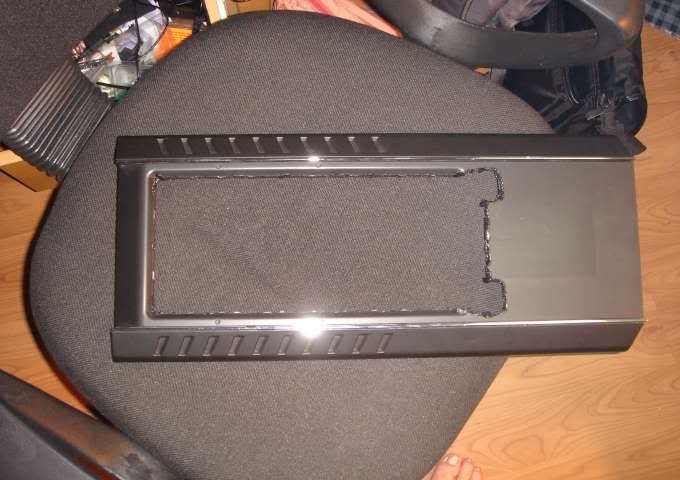
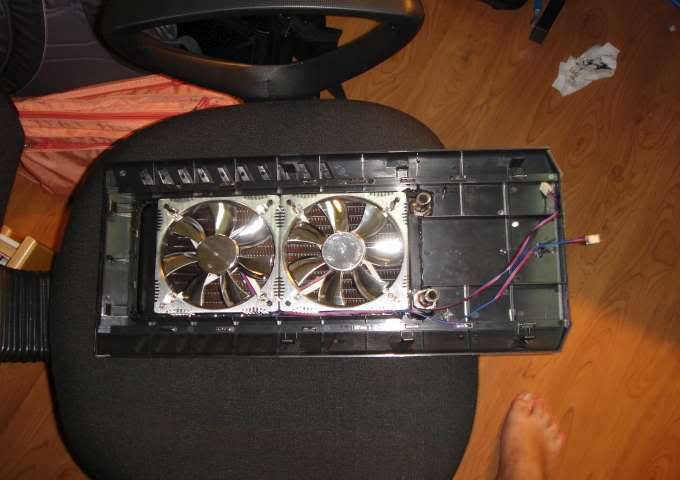
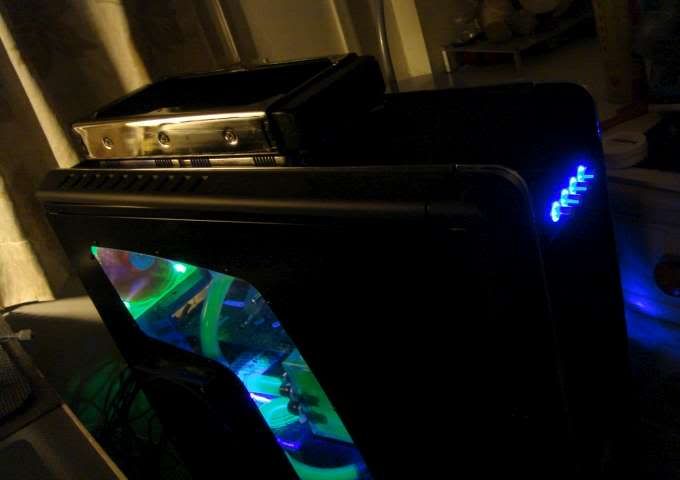
a lil update on my CM690. With dual rad mounted on top.

Unfortunately, im very very short of tools and ill just make do with some china made RM5 soldering tool and melt down the plastic top panel. Got a dremel tool from moderno.. but malfunctioned = =

The cutting on the metal top part of my cm690 isnt well done due to not having proper tools... though it cant be seen when the top panel is covered so it isnt really an issue for now.

user posted image
The whole top is fully solder/cut sweat.gif

user posted image
Fits perfectly!!! what a relief after some rough measurement is done.

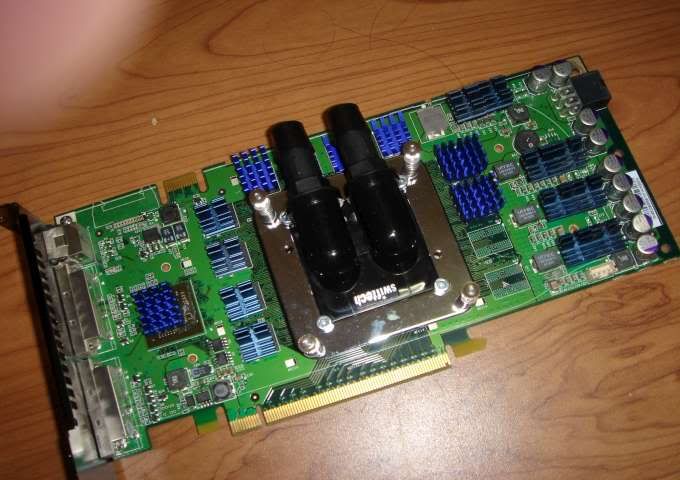
user posted image
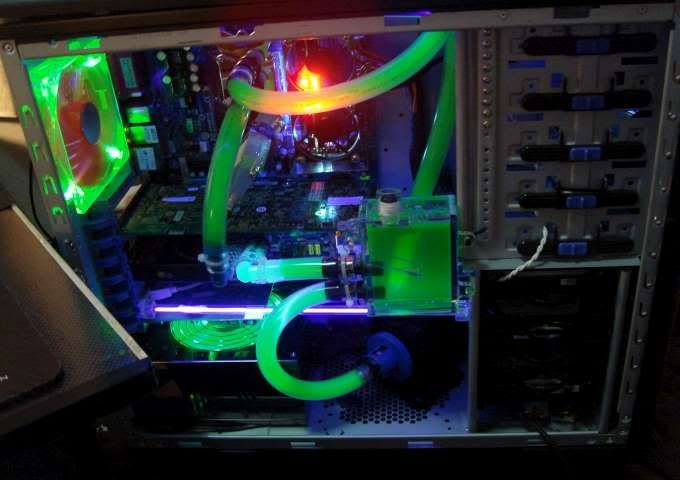
GPU waterblock is fitted and little heatsinks(mixed of zalmans/CM). Ready go to !!

user posted image
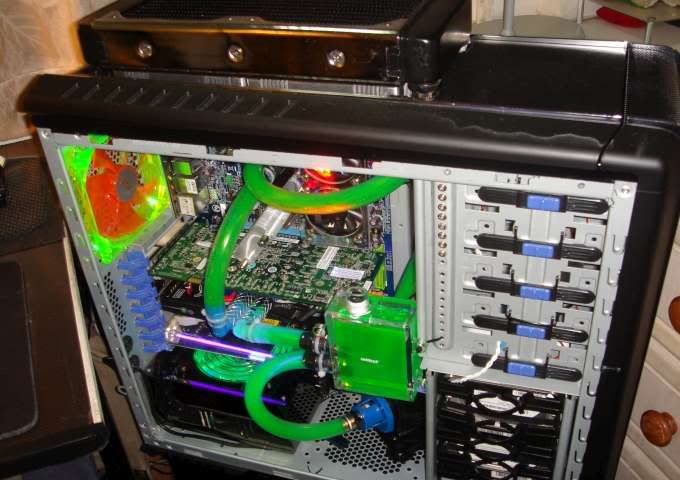
Completed Internals
Yup... you didnt see wrong, the GPU short tubes are the gas tubes. DIdnt have enough clearflex for it, though i think the extra hard gas tubes actually serves its purpose well there.

user posted image
Uv-fied/Bling-fied

user posted image
Everything up and running ~

user posted image
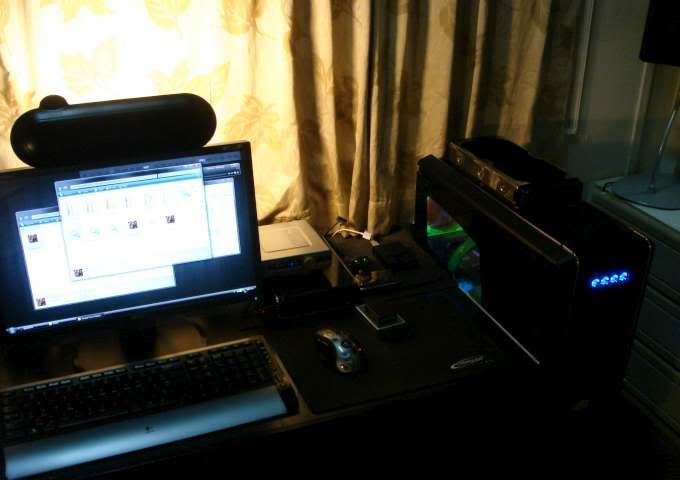
Overall Workstation view.

Expect some updates soon to fully touch up all the bad parts after my new hardwares arrives thumbup.gif
AoiNatsume
post Dec 17 2007, 02:14 AM

Certified Noob
******
Senior Member
1,051 posts

Joined: Feb 2005
From: Somewhere Out There


hmm... is it just me or is there anyone else that think that the front panel on CM690 is super fugly? sweat.gif

Id rather sacrifice the front I/O than using it... really destroyed the look laugh.gif
AoiNatsume
post Dec 20 2007, 10:47 PM

Certified Noob
******
Senior Member
1,051 posts

Joined: Feb 2005
From: Somewhere Out There


yea, that is one of the CM690 downside, the sidepanel are PITA, but once you get used to it or once seasoned.. it slides in well =)
AoiNatsume
post Jan 16 2008, 02:02 AM

Certified Noob
******
Senior Member
1,051 posts

Joined: Feb 2005
From: Somewhere Out There


QUOTE(zamree7 @ Jan 16 2008, 01:55 AM)
you can try hide all the wires beside the hdd drive rack to ur right side-panel...can help a bit  laugh.gif
*
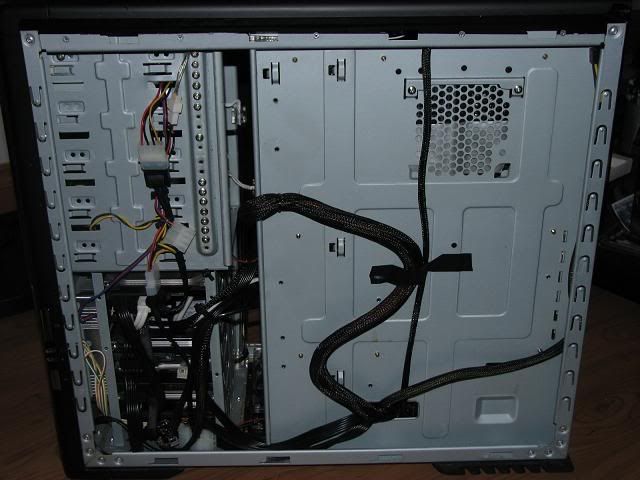
haha... thats actually where most cables are hidden in any cable management. Its possible to bend the sata cable and slip it under ur mobo tray as well. As for the PSU cable, route it to the back of the 5.25" bays then route them to appear on the bottom. If you really have the patient, you can remove the molex, slip the cable in through the HDD bays then put back the molex so that they can be well hidden there laugh.gif
AoiNatsume
post Jan 17 2008, 12:55 PM

Certified Noob
******
Senior Member
1,051 posts

Joined: Feb 2005
From: Somewhere Out There


you dont have to, the front panel are all using meshed fibres. The whole front panel is actually a filter already lol.
AoiNatsume
post Jan 23 2008, 01:22 AM

Certified Noob
******
Senior Member
1,051 posts

Joined: Feb 2005
From: Somewhere Out There


QUOTE(iman_210 @ Jan 22 2008, 10:19 AM)
any more pics of pimped cm690 users?
*
here ya go rclxm9.gif
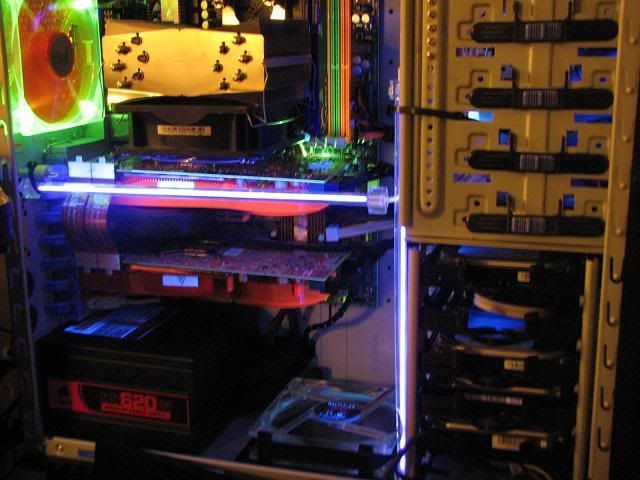
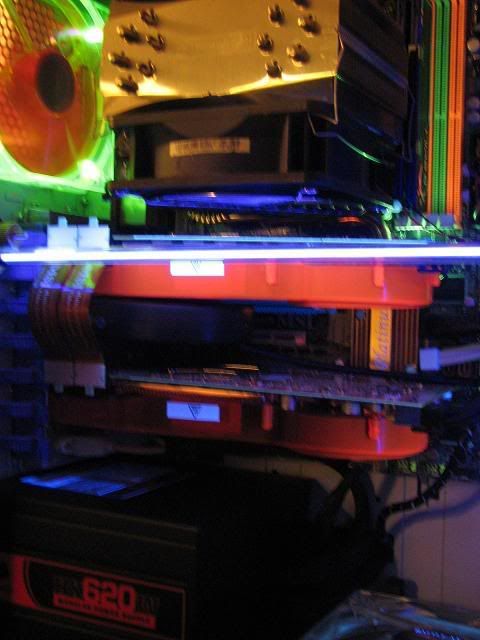
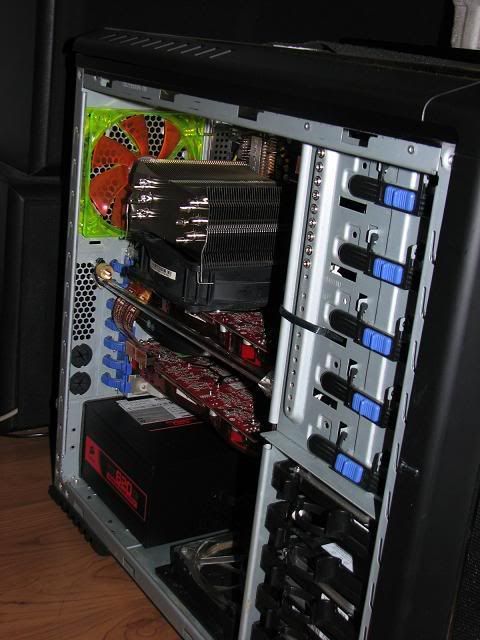
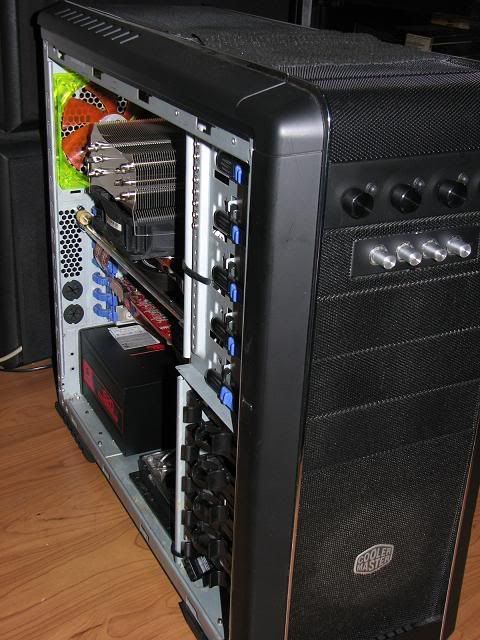
a little change in hardware, and no more watercooling for now tongue.gif
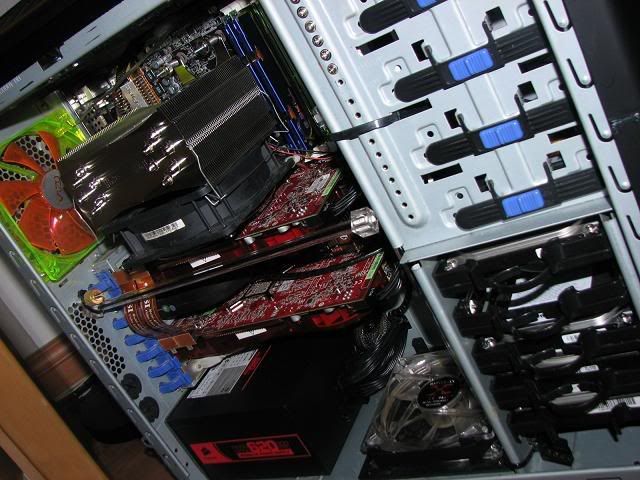
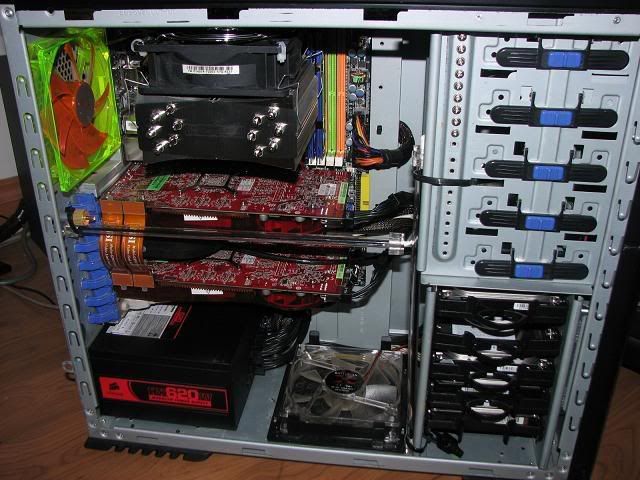
Btw, do trust me...cable management 4 HDD aint easy to handle sweat.gif

user posted image

user posted image

user posted image

user posted image

user posted image

user posted image

user posted image
AoiNatsume
post Jan 23 2008, 05:22 PM

Certified Noob
******
Senior Member
1,051 posts

Joined: Feb 2005
From: Somewhere Out There


yes, got it from my shop laugh.gif
too bad i dont like the blue LEDS and i ripped them off, prefer it to be without LEDS laugh.gif
AoiNatsume
post Jan 23 2008, 07:19 PM

Certified Noob
******
Senior Member
1,051 posts

Joined: Feb 2005
From: Somewhere Out There


yes.. ive thought of that before, even on my current cf, i cannot use the stock bridge due to the gap between the 2 slot. Need to use the special bridge provided with my motherboard for it.


AoiNatsume
post Jan 24 2008, 12:11 AM

Certified Noob
******
Senior Member
1,051 posts

Joined: Feb 2005
From: Somewhere Out There


QUOTE(Doom @ Jan 23 2008, 07:22 PM)
hmm.. you mobo also provide a crossfire bridge ...

I really wonder how to get it works with stock bridge ...
*
yup, but the card distance is nothing to do with the casing, its the mobo laugh.gif
which explains why they provided the bridges.

QUOTE(sukhoi37 @ Jan 23 2008, 08:17 PM)
your cpu cooler is sucking hot air from your gc.
the airflow there is really bad with so little gap between the fan and the gc pcb.  sweat.gif
cannot change it to face to the rear?
*
QUOTE(Doom @ Jan 23 2008, 08:48 PM)
If not mistaken due to the layout of the mobo and size of the cooler .. it can't be done ..

only AoiNatsume could clarify ...
*
Ive tested all possible combo at the moment, fan on the top/btm, push/pull and this is the current best position.. im starting to miss my WC kit now laugh.gif
Then again, the back of the GFX isnt very hot, even the stock cooler does its job pretty well @ 65%, anything more than 65 i can start hearing it already... So.. im just bearing with it at the moment till S1/HR-03GT is here, which IS already here today rclxm9.gif

QUOTE(tomatos @ Jan 23 2008, 10:38 PM)
It's an AM2 board. The Ultra 120EX can only be mounted that way.
*
Yes thats right, but not for long, new S retention kit is already available starting today rclxm9.gif
will grab 1 within this week and cant mount it the other way round.

AoiNatsume
post Jan 24 2008, 07:56 AM

Certified Noob
******
Senior Member
1,051 posts

Joined: Feb 2005
From: Somewhere Out There


QUOTE(nles @ Jan 24 2008, 04:48 AM)
I search through the web and saw some1 crossfire with both card installed AC S1.

1 of them move the S1 a bit towards the other end to allow the bridge and

1 more guy bend the find to let the bridge go through it, then later bend the fin back.
*
ahh... i like the second one. CF bridge goes right through ~!
im actually imagining it now.. lol its pretty cool laugh.gif
AoiNatsume
post Jan 25 2008, 07:07 PM

Certified Noob
******
Senior Member
1,051 posts

Joined: Feb 2005
From: Somewhere Out There


QUOTE(LExus65 @ Jan 25 2008, 11:12 AM)
very nice setup there aoinatsume........ ur southbridge have uv led fan izzit? looks very sedutive to get a peek there.....

i think i should mod my sapphire too hehe...... jealous seeing the clock speed. BTW any significant improve on gaming with crossfire setup on 24"? i was still thinking whether go for it or not..... stick to my good old faithful p965 with CF or get a maximus and CF... headache decision.

Hyde`fK , fast fast get picture....... i tot u always run ur setup naked 1? why suddenly interested to get a casing hehe......
*
hmm.. theres no LED in my case, i never like LEDs... the green/white LED is from the mobo itself. Oh.. if you were referring to the Orange coloured glow, its the start/reset switch on the board, they react to the UV.

As for the crossfire, it definately improve on high reso, something very weird that i notice is, on 3dmark06 CF, my scores are terribly low, approx 12k++

surprised by that.. then,... i tried to crank up the 3dm06 reso to the max (1920x1200) and crack up the AA/AF too. And guess what... the score reduced only to approx 10-11k !!!

Thats bloody awesome if you ask me, 11k 3dmark with 1920x1200 reso also with AA/AF.
AoiNatsume
post Jan 27 2008, 04:15 AM

Certified Noob
******
Senior Member
1,051 posts

Joined: Feb 2005
From: Somewhere Out There


1 tips , noticed the 2 fan controllers on my case there? its controlling a total of 7 fans, but.. where are the cables?

This is the trick, its a little troublesome, but end result are satisfying, first, you have to remove your cable/fan's molex, put it through the hole on the side of the 5.25" bay, then reconnect the molex from inside.

Topic ClosedOptions
 

Change to:
| Lo-Fi Version
0.0407sec    0.48    7 queries    GZIP Disabled
Time is now: 11th December 2025 - 05:07 PM