QUOTE(andrewleewaikeong @ Dec 2 2011, 12:27 AM)
Added on December 2, 2011, 12:30 amconnecting to my home unifi is also a problem , can connect but no date , seems like dead~~
what can i do ? read something change dns thingy ?
anyone experience wifi problem ?
For me, no hissing problem on the charger.. and no lagg..
i tried to change the DNS setting in my router to Goggle dns 8.8.8.8 or 8.8.4.4. channel 11.. I asked Samsung "Is the exclusion of channels 12 and 13 from the range of possible Wi-Fi channels due to Samsung hardware limitation, or Google Android 2.3.4 limitation?"
The reply from Samsung was "Unfortunately it is the limitation of the Android 2.3 . "
it works but it seems slower than 3G and sekejap ok sekejap K.O.. why ar???? heres a one by one with pic how to change.
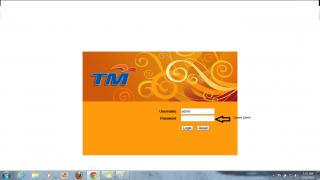
First you need to connect a lan cable rj45 to ur laptop or pc lan connector. Locate ur ip address for your wireless router. Open a browser and type your Ip. Router's IP can be found in the instruction manual given in the routers box given by UnIFI.
If successful you will see this page:
step2:
go to ADVANCE tab>DNS>DNS config.

step3:
go WIRELESS tab and change channel to 11.
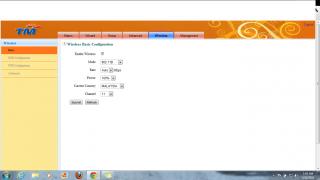 This post has been edited by nabil321: Dec 2 2011, 02:24 AM

 Dec 1 2011, 10:42 AM


 Quote
Quote

 0.0375sec
 0.16
0.16
 7 queries
 GZIP Disabled