Outline ·
[ Standard ] ·
Linear+
SAMSUNG GALAXY S II Official thread V20, NEW Users be SMARTuser - PLS read Page 1
|
r33_abflug
|
 Nov 27 2011, 05:12 PM Nov 27 2011, 05:12 PM
|
Getting Started


|
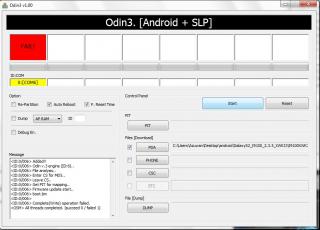
Hi all, While updating my hp to Gingerbread 2.3.5 Firmware got error message saying failed.Then I disconnected the phone even on the hp saying its downloading mode. Now when I try to restart back the phone it won’t.Just black screen with phone and pc icon showing ‘!’ as per pic.Also I've disconnected the battery and redo the process again but still error. What should I do now? Please advise.. Attached thumbnail(s)
|
|
|
|
|
|
r33_abflug
|
Nov 27 2011, 05:52 PM
|
Getting Started
|
not able to go download mode anymore..
Added on November 27, 2011, 5:55 pmQUOTE(benny888 @ Nov 27 2011, 05:45 PM) Switch off phone
Boot to download mode ( vol down+power+home)
Connect to PC
Launch Odin and flash back your stock rom or any rom you have on hand
the main prob now is im not able to go download mode anymore..sighh This post has been edited by r33_abflug: Nov 27 2011, 05:55 PM |
|
|
|
|
|
r33_abflug
|
Nov 27 2011, 06:07 PM
|
Getting Started
|
QUOTE(JayceOoi @ Nov 27 2011, 05:56 PM) yes..G model. Do u have blog as well?Because I think I'm checking your blog for answer now.. Pls help.. |
|
|
|
|
|
r33_abflug
|
Nov 27 2011, 07:17 PM
|
Getting Started
|
QUOTE(bebeq @ Nov 27 2011, 06:28 PM) seems liqe urphone is G version ? if yes then flash back to ori firmware..so ll back to normal.. not serious issue to worry can i re-flash back to ori version even i cannot go to download mode? |
|
|
|
|



 Quote
Quote

 0.0431sec
 0.63
0.63
 7 queries
 GZIP Disabled