

QUOTE(lee_what2004 @ Dec 17 2011, 06:24 PM)
pastebin.com

lol. exceed limit for "pro" user. =.=HP Pavillion DV6-6XXX series Owners Lounge V4, -162 owners. Y U NO INTEL + AMD CFX!!
|
|
 Dec 17 2011, 05:40 PM Dec 17 2011, 05:40 PM
Return to original view | Post
#61
|
 
Junior Member
137 posts Joined: May 2009 
|
QUOTE(lee_what2004 @ Dec 17 2011, 06:24 PM) pastebin.com lol. exceed limit for "pro" user. =.= |
|
|
|
|
|
Dec 17 2011, 05:58 PM
Return to original view | Post
#62
|
|
Junior Member
137 posts Joined: May 2009
|
|
|
|
Dec 17 2011, 08:12 PM
Return to original view | Post
#63
|
|
Junior Member
137 posts Joined: May 2009
|
what can i disable?? i feel like so many things is running. =.=
Attached thumbnail(s) 
|
|
|
Dec 17 2011, 08:22 PM
Return to original view | Post
#64
|
|
Junior Member
137 posts Joined: May 2009
|
QUOTE(ngkhanmein @ Dec 17 2011, 09:19 PM) disable CCC & end process on MOM.exe! disable msiafterburn! u sure those razer things can disabled?? i have some setting. i use msiafter burn for fps and monitoring temp, ccc is useless??disable plugin & those razer. type msconfig (run as admin) >> disable the stuff u wish. |
|
|
Dec 17 2011, 09:43 PM
Return to original view | Post
#65
|
|
Junior Member
137 posts Joined: May 2009
|
QUOTE(ngkhanmein @ Dec 17 2011, 10:00 PM) http://kuyadoconcept.blogspot.com/2011/08/...e-explorer.html u sure the disable game explorer will be safe??http://kuyadoconcept.blogspot.com/2011/08/...er-feature.html READ this 2 thread. to kill rundll32.exe permanently follow this link http://kuyadoconcept.blogspot.com/p/store.html update the latest bios. it solve some issue. the temp quite normal ya. disable wlcomm.exe EDITED:: zzz i disable te wlcomm.exe and it sign me out from wlm. This post has been edited by chahupping: Dec 17 2011, 09:46 PM |
|
|
Dec 17 2011, 10:31 PM
Return to original view | Post
#66
|
|
Junior Member
137 posts Joined: May 2009
|
QUOTE(Acid_RuleZz @ Dec 17 2011, 11:11 PM) ^ what is the problem actually? no problem, just feel many things running. |
|
|
|
|
|
Dec 18 2011, 08:53 PM
Return to original view | Post
#67
|
|
Junior Member
137 posts Joined: May 2009
|
sifu lee! bsod again.
Attached thumbnail(s) 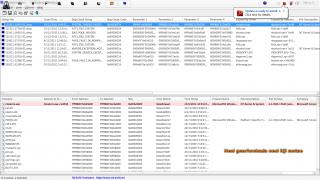
|
|
|
Dec 20 2011, 10:34 PM
Return to original view | Post
#68
|
|
Junior Member
137 posts Joined: May 2009
|
how to remove the details in the video??
Attached thumbnail(s) 
|
|
|
Dec 20 2011, 11:01 PM
Return to original view | Post
#69
|
|
Junior Member
137 posts Joined: May 2009
|
QUOTE(Acid_RuleZz @ Dec 20 2011, 11:49 PM) ^ Ctrl + J thanks acid! :claps:Added on December 20, 2011, 10:51 pm^ Ctrl + J |
|
|
Dec 20 2011, 11:26 PM
Return to original view | Post
#70
|
|
Junior Member
137 posts Joined: May 2009
|
QUOTE(lee_what2004 @ Dec 21 2011, 12:13 AM) Quite a lot frame drop @@ what u mean?? oh ya, wanted to ask u something, after i install madvr, when i tab into a fullscreen thing, and tab back to the video, the video will lag in window mode but nt in fullscreen mode, also happen if i put my computer to sleep opening my video. |
|
|
Dec 20 2011, 11:53 PM
Return to original view | Post
#71
|
|
Junior Member
137 posts Joined: May 2009
|
QUOTE(lee_what2004 @ Dec 21 2011, 12:31 AM) Happen with all type of video or? After tab to fullscreen, if you close the video and open it again, also still lag? if i close the video and open back then normal back. im always on amd, err i dl the one u gave the link last time. dunno wat version is that.madVR is quite GPU intensive.. You mean, you put the computer to sleep, then start it, then open video, it lags ? You use Intel HD or AMD HD6770M? Using latest madVR? version 0.80 ? |
|
Topic ClosedOptions
|
| Change to: |  0.0202sec 0.0202sec
 0.33 0.33
 7 queries 7 queries
 GZIP Disabled GZIP Disabled
Time is now: 3rd December 2025 - 10:29 AM |
 Quote
Quote
