

The HP Quick Launch is what? O.O
HP Pavillion DV6-6XXX series Owners Lounge V4, -162 owners. Y U NO INTEL + AMD CFX!!
HP Pavillion DV6-6XXX series Owners Lounge V4, -162 owners. Y U NO INTEL + AMD CFX!!
|
|
 Nov 8 2011, 10:19 AM Nov 8 2011, 10:19 AM
Return to original view | Post
#21
|
 
Senior Member
1,183 posts Joined: Dec 2009 From: Behind You   
|
The HP Quick Launch is what? O.O
|
|
|
|
|
|
Nov 8 2011, 10:21 AM
Return to original view | Post
#22
|
|
Senior Member
1,183 posts Joined: Dec 2009 From: Behind You
|
Eh? What shortcut keys do I have? I don't see any. XD
|
|
|
Nov 8 2011, 10:27 AM
Return to original view | Post
#23
|
|
Senior Member
1,183 posts Joined: Dec 2009 From: Behind You
|
Uhhh....is it the play, pause, volume up, volume down button on the F1-F12 keys? O.O
|
|
|
Nov 8 2011, 10:41 AM
Return to original view | Post
#24
|
|
Senior Member
1,183 posts Joined: Dec 2009 From: Behind You
|
Every key is usable. O.O
|
|
|
Nov 8 2011, 10:50 AM
Return to original view | Post
#25
|
|
Senior Member
1,183 posts Joined: Dec 2009 From: Behind You
|
Ok now how do I check the boot time? I used boottimer....it restarts...but when window comes up....nothing happens.
|
|
|
Nov 8 2011, 04:07 PM
Return to original view | Post
#26
|
|
Senior Member
1,183 posts Joined: Dec 2009 From: Behind You
|
QUOTE(lee_what2004 @ Nov 8 2011, 10:54 AM) Disable UAC first. UAC? O.O |
|
|
|
|
|
Nov 8 2011, 04:20 PM
Return to original view | Post
#27
|
|
Senior Member
1,183 posts Joined: Dec 2009 From: Behind You
|
47.829 seconds....FFFUUUUUU!!!!!
|
|
|
Nov 8 2011, 05:16 PM
Return to original view | Post
#28
|
|
Senior Member
1,183 posts Joined: Dec 2009 From: Behind You
|
QUOTE(Acid_RuleZz @ Nov 8 2011, 05:08 PM) Tried TS 4.0. The new features just limiting the TurboBoost to specific speed. after. yours?Before or after?  |
|
|
Nov 8 2011, 11:14 PM
Return to original view | Post
#29
|
|
Senior Member
1,183 posts Joined: Dec 2009 From: Behind You
|
QUOTE(Acid_RuleZz @ Nov 8 2011, 05:25 PM) after "xbootmgr -trace boot -prepSystem -verboseReadyBoot" = 47secs? Okay after I did this, it f***s up and my boot time is now 66 seconds. Mine currently around 30secs. When i don't have alot program/files in my HDD its a little over 20secs.   |
|
|
Nov 8 2011, 11:28 PM
Return to original view | Post
#30
|
|
Senior Member
1,183 posts Joined: Dec 2009 From: Behind You
|
QUOTE(Acid_RuleZz @ Nov 8 2011, 11:27 PM) lol? did you wait until it finish? shld take almost 1 hour for the 6 boots optimization. Yeah. I went out to class to let it do the 6 boots. And theres like....15 weird files in Documents. |
|
|
Nov 8 2011, 11:33 PM
Return to original view | Post
#31
|
|
Senior Member
1,183 posts Joined: Dec 2009 From: Behind You
|
Yeah....lots of em I think.....LOL
I deleted them. Looks a mess. Now defragging and doing disk cleanups.  |
|
|
Nov 8 2011, 11:37 PM
Return to original view | Post
#32
|
|
Senior Member
1,183 posts Joined: Dec 2009 From: Behind You
|
QUOTE(Acid_RuleZz @ Nov 8 2011, 11:35 PM) fuuuuuuu... need them to identify which process is slowing down your boot up time. Okay I'll redo everything again.  Is it normal to have 15 of em? O.O |
|
|
Nov 8 2011, 11:43 PM
Return to original view | Post
#33
|
|
Senior Member
1,183 posts Joined: Dec 2009 From: Behind You
|
QUOTE(Acid_RuleZz @ Nov 8 2011, 11:39 PM) uh.. can't really remember. i think around 13-14 only. btw u can double click the .etl file to check the boot up graph and which process took too much time. Orly? Alright will try it again soon. Hey how do I open a cfg file? I wanna do the editing for MSIafterburner |
|
|
|
|
|
Nov 9 2011, 12:08 AM
Return to original view | Post
#34
|
|
Senior Member
1,183 posts Joined: Dec 2009 From: Behind You
|
Okay got it. Setting it to max wouldn't hurt it too much would it?
My temp before overclock is around 55C max. That's normal yes? What temp is considered dangerous? |
|
|
Nov 9 2011, 08:34 AM
Return to original view | Post
#35
|
|
Senior Member
1,183 posts Joined: Dec 2009 From: Behind You
|
Okay. Gooding. Now I got 22seconds
 AWESOMEZZZ |
|
|
Nov 9 2011, 09:37 AM
Return to original view | Post
#36
|
|
Senior Member
1,183 posts Joined: Dec 2009 From: Behind You
|
Is this temp normal after 1 hour of Batman: Arkham Asylum??
Attached thumbnail(s) 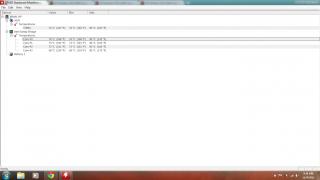
|
|
|
Nov 9 2011, 01:58 PM
Return to original view | Post
#37
|
|
Senior Member
1,183 posts Joined: Dec 2009 From: Behind You
|
QUOTE(Acid_RuleZz @ Nov 9 2011, 12:28 PM) >95c for CPU Yeah, with Cooler Master X2. >80c-85c for GPU Nope.. i plugged my mouse gamepad into 3.0. Cool.  With cooler pad? Disable TurboBoost by setting CoolSense to Coolest. QUOTE(chewkl @ Nov 9 2011, 01:36 PM) I have done about 5 sessions of 2 hour Crysis 2 sessions. In all sessions, my temperature hit 94C max on 2 cores and package, regardless of which setting of CoolSense I use. GPU never exceed 80C. No overclocks at all as I don't feel there is a need for it. Hmmm....94 is pretty crazy lol |
|
|
Nov 9 2011, 02:19 PM
Return to original view | Post
#38
|
|
Senior Member
1,183 posts Joined: Dec 2009 From: Behind You
|
QUOTE(Acid_RuleZz @ Nov 9 2011, 02:12 PM) does the port still usable with other devices? hmm.. Woah....that's nuts. LOL.Use OpenHardwareMonitor and check if the core clocks go over 2.0ghz when u use Coolest setting.. Crysis 2 is pretty crazy on both CPU and GPU, similar to BF3 multiplayer. BF3 beta Multiplayer with TurboBoost ON. » Click to show Spoiler - click again to hide... « Mine heats up pretty quickly. Which is kind of....crazy. I jelly I no have BF3 |
|
|
Nov 9 2011, 03:11 PM
Return to original view | Post
#39
|
|
Senior Member
1,183 posts Joined: Dec 2009 From: Behind You
|
Man....I'm beat trying to use this Rainmeter...it's so complicated. ARGHH
|
|
|
Nov 9 2011, 06:24 PM
Return to original view | Post
#40
|
|
Senior Member
1,183 posts Joined: Dec 2009 From: Behind You
|
Hey acid, I'm here with another laptop to shave some startup time. Which startup can I disable?
Yes HKCU:Run BatteryCare C:\Program Files (x86)\BatteryCare\BatteryCare.exe No HKCU:Run Google Update "C:\Users\Ezwan\AppData\Local\Google\Update\GoogleUpdate.exe" /c No HKCU:Run KiesPDLR C:\Program Files (x86)\Samsung\Kies\External\FirmwareUpdate\KiesPDLR.exe No HKCU:Run msnmsgr "C:\Program Files (x86)\Windows Live\Messenger\msnmsgr.exe" /background No HKCU:Run ooVoo.exe C:\Program Files (x86)\ooVoo\oovoo.exe /minimized No HKCU:Run uTorrent "C:\Program Files (x86)\uTorrent\uTorrent.exe" Yes HKLM:Run TWebCamera "C:\Program Files (x86)\TOSHIBA\TOSHIBA Web Camera Application\TWebCamera.exe" autorun Yes HKLM:Run TSleepSrv %ProgramFiles(x86)%\TOSHIBA\TOSHIBA Sleep Utility\TSleepSrv.exe Yes HKLM:Run TRCMan C:\Program Files (x86)\TOSHIBA\TRCMan\TRCMan.exe Yes HKLM:Run ToshibaServiceStation "C:\Program Files (x86)\TOSHIBA\TOSHIBA Service Station\ToshibaServiceStation.exe" /hide:60 Yes HKLM:Run SVPWUTIL C:\Program Files (x86)\TOSHIBA\Utilities\SVPWUTIL.exe SVPwUTIL Yes HKLM:Run SunJavaUpdateSched "C:\Program Files (x86)\Common Files\Java\Java Update\jusched.exe" Yes HKLM:Run KeNotify C:\Program Files (x86)\TOSHIBA\Utilities\KeNotify.exe Yes HKLM:Run HWSetup C:\Program Files\TOSHIBA\Utilities\HWSetup.exe hwSetUP Yes HKLM:Run APSDaemon "C:\Program Files (x86)\Common Files\Apple\Apple Application Support\APSDaemon.exe" Yes HKLM:Run Adobe ARM "C:\Program Files (x86)\Common Files\Adobe\ARM\1.0\AdobeARM.exe" Yes HKLM:Run TPwrMain %ProgramFiles%\TOSHIBA\Power Saver\TPwrMain.EXE Yes HKLM:Run TosWaitSrv %ProgramFiles%\TOSHIBA\TPHM\TosWaitSrv.exe Yes HKLM:Run TosVolRegulator C:\Program Files\TOSHIBA\TosVolRegulator\TosVolRegulator.exe Yes HKLM:Run TosSENotify C:\Program Files\TOSHIBA\TOSHIBA HDD SSD Alert\TosWaitSrv.exe Yes HKLM:Run TosReelTimeMonitor %ProgramFiles%\TOSHIBA\ReelTime\TosReelTimeMonitor.exe Yes HKLM:Run TosNC %ProgramFiles%\Toshiba\BulletinBoard\TosNcCore.exe Yes HKLM:Run ThpSrv C:\windows\system32\thpsrv /logon Yes HKLM:Run TFPUService C:\Program Files\TOSHIBA\TFPU\TFPUTaskMonitor.exe /start Yes HKLM:Run TFPUPWDBankService C:\Program Files\TOSHIBA\TFPU\TFPUPWDBank.exe /start Yes HKLM:Run Teco "%ProgramFiles%\TOSHIBA\TECO\Teco.exe" /r Yes HKLM:Run SynTPEnh %ProgramFiles%\Synaptics\SynTP\SynTPEnh.exe Yes HKLM:Run SmoothView %ProgramFiles%\Toshiba\SmoothView\SmoothView.exe Yes HKLM:Run SmartFaceVWatcher %ProgramFiles%\Toshiba\SmartFaceV\SmartFaceVWatcher.exe Yes HKLM:Run RtHDVCpl C:\Program Files\Realtek\Audio\HDA\RAVCpl64.exe -s Yes HKLM:Run RtHDVBg C:\Program Files\Realtek\Audio\HDA\RAVBg64.exe /FORPCEE3 Yes HKLM:Run IntelTBRunOnce wscript.exe //b //nologo "C:\Program Files\Intel\TurboBoost\RunTBGadgetOnce.vbs" Yes HKLM:Run HSON %ProgramFiles%\TOSHIBA\TBS\HSON.exe Yes HKLM:Run 00TCrdMain %ProgramFiles%\TOSHIBA\FlashCards\TCrdMain.exe No HKLM:Run AppleSyncNotifier C:\Program Files (x86)\Common Files\Apple\Mobile Device Support\AppleSyncNotifier.exe No HKLM:Run iTunesHelper "C:\Program Files (x86)\iTunes\iTunesHelper.exe" No HKLM:Run KiesHelper C:\Program Files (x86)\Samsung\Kies\KiesHelper.exe /s No HKLM:Run KiesTrayAgent C:\Program Files (x86)\Samsung\Kies\KiesTrayAgent.exe No HKLM:Run RIMBBLaunchAgent.exe C:\Program Files (x86)\Common Files\Research In Motion\USB Drivers\RIMBBLaunchAgent.exe No HKLM:Run Xerox PanelMgr C:\windows\Xerox\PanelMgr\SSMMgr.exe /autorun Yes Startup Common Bluetooth Manager.lnk C:\Program Files (x86)\Toshiba\Bluetooth Toshiba Stack\TosBtMng.exe |
|
Topic ClosedOptions
|
| Change to: |  0.0385sec 0.0385sec
 0.22 0.22
 7 queries 7 queries
 GZIP Disabled GZIP Disabled
Time is now: 5th December 2025 - 05:31 AM |
 Quote
Quote
