

i luv that casing.
what's it's brand again? akasa? or something?
Picture of nice cable management.., - Post ur pics. No cacings pls
Picture of nice cable management.., - Post ur pics. No cacings pls
|
|
 Sep 23 2005, 11:14 PM Sep 23 2005, 11:14 PM
Return to original view | Post
#1
|
 
VIP
9,495 posts Joined: Dec 2004 
|
i luv that casing.
what's it's brand again? akasa? or something? |
|
|
|
|
|
Sep 27 2005, 03:22 PM
Return to original view | Post
#2
|
|
VIP
9,495 posts Joined: Dec 2004
|
semilang, you think you could perhaps let us know where you got those pics from?
a link to the source perhaps |
|
|
Sep 28 2005, 07:50 AM
Return to original view | Post
#3
|
|
VIP
9,495 posts Joined: Dec 2004
|
QUOTE(otherwise @ Sep 28 2005, 03:39 AM) OFFTOPIC: 2 red ccfl without any LED fans to keep to the concept of black/red'ishness.Im planning to put ccfl in my casing.But before that i need your oppinion and suggestion. My casing colour is black and red. Which option you guys prefer me to choose? Option A : 2 white ccfl + 1 red neon fan or Option B : 2 red ccfl + 1 white led fan thank you  Third colours=beng rig. QUOTE(storm721984 @ Sep 28 2005, 05:16 AM) Sadly~ this is the best i can do with on my cable management on my casing as its not easy for me to arrange 2 SATA HDD, 1 PATA HDD, 1 DVD Burner, 9 Fans 9 fans?!?? Who in the world, what in the world? 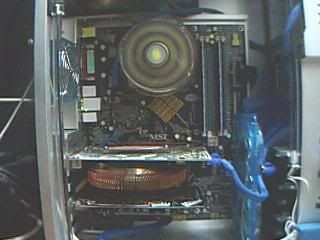 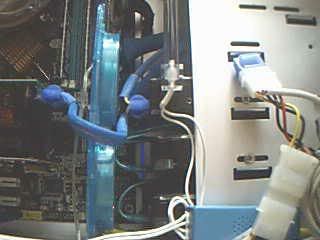 OMG!! 9 FANS?!! U only need 3 fans if you had good airflow management. 9 fans are more over extreme hardcore overclockers dude |
|
|
Oct 4 2005, 10:07 PM
Return to original view | Post
#4
|
|
VIP
9,495 posts Joined: Dec 2004
|
Wy not do like what I suggested to deadlock?
 strip those cables, cable tie em. |
|
|
Oct 9 2005, 09:51 PM
Return to original view | Post
#5
|
|
VIP
9,495 posts Joined: Dec 2004
|
QUOTE(wtm0325 @ Oct 9 2005, 07:22 PM) g]http://www.geocities.com/wtm0325/MyPC/PC5-11.JP i see a lil PSU fan there. this is my latest mod, will update more pic later in my sig  save costs. and for pete's sakes remove those DFI cables and go with normal IDE cables slice them up and cable tie them. |
|
|
Nov 13 2005, 01:13 AM
Return to original view | Post
#6
|
|
VIP
9,495 posts Joined: Dec 2004
|
QUOTE(pengurabin @ Nov 13 2005, 12:44 AM) these IDE cables looks great 2. Spam and Kopitiam style one liners like "Wah..nice casing"," Great cable management"..etc are deemed as spamming. Spammer newbie, bad newbie! Bad! *SpanK!* Welcome to LYN! Sorry sniper, but to back my butt ... here's a great way to route your 24 pin psu cable  |
|
|
|
|
|
Nov 17 2005, 08:33 PM
Return to original view | Post
#7
|
|
VIP
9,495 posts Joined: Dec 2004
|
Neat, very much neater.
Stock heatsink? Not noisy meH? |
|
|
Apr 12 2006, 03:13 PM
Return to original view | Post
#8
|
|
VIP
9,495 posts Joined: Dec 2004
|
Neat. Very neat I must say.
As soon be pointed out by 3/4 the members of LYN, the curly spaghetti sata needs to be readjusted. Either use a shorter SATA cable or throw the hardisk into a reverse position. THat way you can get the sata cables to come from the back. |
|
|
Apr 15 2006, 04:31 PM
Return to original view | Post
#9
|
|
VIP
9,495 posts Joined: Dec 2004
|
help d'fler resize
Attached thumbnail(s) 
|
|
|
Apr 27 2006, 10:03 PM
Return to original view | Post
#10
|
|
VIP
9,495 posts Joined: Dec 2004
|
Cut a hole behind your mobo tray.
Push as many cables as possible to the back of the case. Fold the IDE cables and push it under your hardrive. Else, slice them up and cable tie them. Then pull it to the edge of your case. The cables, can also be pushed into the 5.25" slots if you refuse to cut a hole on your case. |
|
Topic ClosedOptions
|
| Change to: |  0.0206sec 0.0206sec
 0.42 0.42
 7 queries 7 queries
 GZIP Disabled GZIP Disabled
Time is now: 9th December 2025 - 03:34 AM |
 Quote
Quote