Outline ·
[ Standard ] ·
Linear+
Picture of nice cable management.., - Post ur pics. No cacings pls
|
RahXeph0n
|
 Mar 20 2008, 10:42 PM Mar 20 2008, 10:42 PM
|
Getting Started


|
I've more than an hour searching these forums  Can someone point me to a place where I can buy 3 pin -> molex converters? Otherwise, Is it okay for me to combine the cables of 4 or more fans and then stick them into one molex plug? Assuming I have to DIY. Also, would increasing the length of my fan cables affect anything? Bought the CM "economic solution" pack of fans, but they all don't have connectors. LOL. And I'm guessing 30cm cable won't be enough for the coming cm690 |
|
|
|
|
|
RahXeph0n
|
Mar 24 2008, 11:41 PM
|
Getting Started
|
I like it. Makes me want to spray the insides of my case too. haha.
|
|
|
|
|
|
RahXeph0n
|
Mar 31 2008, 03:03 PM
|
Getting Started
|
QUOTE(rainingzero @ Mar 31 2008, 02:27 PM) yeah, zeus 750watt got longer PSU casing...no other choice, either route the wires normally (through in front of the mobo), or have to punch other new hole for the cables... Just a thought. If going to punch the mobo tray to hid wiring, why not punch the PSU instead? HAHA. then the wiring instead of coming out from the back, come out from the side straight to the mobo tray hole.  Won't work if it's a modular PSU though. And i wonder if the inner components of the PSU will allow that. |
|
|
|
|
|
RahXeph0n
|
Mar 31 2008, 03:54 PM
|
Getting Started
|
Ahhh. haha.  Do PSU's fail? haha. but yeah, a 750W PSU ain't gonna be cheap. LOL. But it;s will be mighty neat. no cable visible at all near the PSU. |
|
|
|
|
|
RahXeph0n
|
Apr 1 2008, 12:54 AM
|
Getting Started
|
QUOTE(Doom @ Mar 31 2008, 07:18 PM) That really need luck on the orientation of component with the PSU to make such mod .. sometimes the heatsink within PSU might get int the way to make a clear opening for cables to go through on the other side .. but that most likely to happen on cheapo PSU coz it has minimal components .. those high end PSU are really compact ... big big component packed within small housing .. You mean most UN-likely to happen for cheapo PSU? haha  |
|
|
|
|
|
RahXeph0n
|
Apr 2 2008, 10:14 PM
|
Getting Started
|
QUOTE(vixxiee @ Apr 2 2008, 10:12 PM) just start changing to my new mobo yesterday..n try to oc to 3ghz 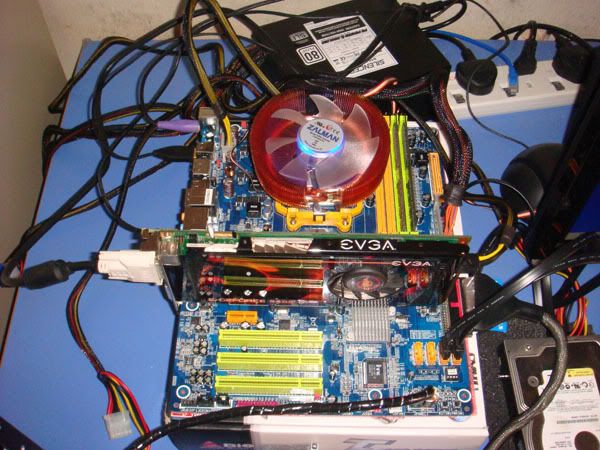 cant do cable management..will but back in the case Was that suppsoed to be an example of cable UN-management? hahaha |
|
|
|
|
|
RahXeph0n
|
Apr 7 2008, 02:22 AM
|
Getting Started
|
QUOTE(hypermax @ Apr 7 2008, 01:43 AM) Thanks for the compliment.  What you said is true. Here is a proper pic of my cable management. The cables are all kept out from the direction of air flow. This is actually the best i can do for this case, as it is quite small.  Btw, do you guys think that i should put some chrome sticker on the PSU so that a silver theme can be achieved?  Yeah.. the casin is indeed small. Can see the graphic cards are already eating into the HDD rack space. haha. Well, it's still neat to me now that you show the cables. ( = Unless you have a side window showing the red PSU, i don't think it's necessary to colour it silver, but of course, some really like to colour match everything. ( = |
|
|
|
|
|
RahXeph0n
|
Apr 8 2008, 10:08 PM
|
Getting Started
|
QUOTE(zubai @ Apr 7 2008, 10:27 PM) [attachmentid=436863] My latest cable management. Hehe.. The psu cable and dvd drive cable really spoiling the view la (but I'm too malas to sleeve  ). The white usb cable really sticking out like a sore thumb dont u think? I humbly seek all suggestions from all the gurus here . I'll say it look pretty neat. I'll take that as a refference for my CM690. I was thinking of spraying my insides black too, but it looks like a lot of work...  This post has been edited by RahXeph0n: Apr 8 2008, 10:10 PM This post has been edited by RahXeph0n: Apr 8 2008, 10:10 PM |
|
|
|
|
|
RahXeph0n
|
Apr 10 2008, 02:37 AM
|
Getting Started
|
 Passed my casing to a friend while waiting for delivery of the CM690. So for a few days, extreme cacing.  Finished work. Not very great, but I'm happy. Especially after I managed to get the 4pin ATX power plugged in. not visible in this picture becuase it's blocked by the Hyper 212. The cable was barely long enough and it was a really tight squeeze to route from back to top.  IDE DVD-RW makes things a little tough.  Making use of the extra little holes like this...  And this....  |
|
|
|
|
|
RahXeph0n
|
Apr 10 2008, 02:55 AM
|
Getting Started
|
QUOTE(m2n-e @ Apr 10 2008, 02:48 AM) cool rig + nice cable management! bro rahxephon  u could sleeve up the wire on 4th pics, 5th pics and sata cable  get belkin sata cable la bro. Thanks ( = I already spent too much time doing this. haha. Not going to get into any sleeving. Belkin sata cables? Why? QUOTE(vixxiee @ Apr 10 2008, 02:53 AM) @RahXeph0n, same as me like last time but your is much proper  Haha... well, It would be soooo much better with a black background and niver looking cables. But thanks for the compliments ( = This post has been edited by RahXeph0n: Apr 10 2008, 02:56 AM |
|
|
|
|
|
RahXeph0n
|
Apr 15 2008, 02:39 AM
|
Getting Started
|
QUOTE(mfcm @ Apr 14 2008, 11:50 PM) nice bro..but if the front I/O, usb cable longer wud b more nicer..coz its seem hanging there No way to hide those cables at the back and route them from the lower front? |
|
|
|
|
|
RahXeph0n
|
May 1 2008, 12:05 PM
|
Getting Started
|
I managed to squeeze and route all my cables through the back of my CM690, bu I'm using a CM real power pro PSU so maybe that's why. same company hahaha.
|
|
|
|
|
|
RahXeph0n
|
May 5 2008, 02:25 AM
|
Getting Started
|
Yeah... why no bottom intake fan?
Edit:
Can't see clearly, but if you didn't the two top exhaust fans would really help too. especially to help cool the RAM.
This post has been edited by RahXeph0n: May 5 2008, 02:26 AM
|
|
|
|
|
|
RahXeph0n
|
May 7 2008, 08:06 PM
|
Getting Started
|
pulled my 4-pin atx all the way to the back, out the tup and then to the mobo. It's do-able with my CM real power pro. But ngam ngam only. Oh yeah, the 4-pin is totally invisible. LOL. that's because it's blovked by the cpu cooler. But it's there, way up at the top. This post has been edited by RahXeph0n: May 7 2008, 08:23 PM |
|
|
|
|
|
RahXeph0n
|
May 8 2008, 02:23 AM
|
Getting Started
|
QUOTE(hermit23 @ May 7 2008, 08:38 PM) @RahXeph0n Ur cables are really organised  .Ur cpu power pin is just below the hole above right, the problem wit my mobo is the pin is far left from the hole . . . haha . Guess ill try mfcm way 1st. Mmm... actually, judgeing from your picture it's nearly the same place. But my CPU cooler is just so damn huge. LOL. The 4pin on my mobo is on the left of my cooler.  There it is. Was very very hard to plug in, because the Hyper212 must be attached to mobo before the mobo is mounted on the casing, and once the mobo mounted on the casing with the cooler, sooooo hard to get that 4pin cable through, but it was worth it ( = Thanks for the compliments guys ( = This post has been edited by RahXeph0n: May 8 2008, 02:25 AM |
|
|
|
|



 Quote
Quote


 0.0479sec
 0.74
0.74
 7 queries
 GZIP Disabled