Outline ·
[ Standard ] ·
Linear+
SAMSUNG GALAXY S II Official thread V12, NEW Users be SMARTuser - PLS read Page 1
|
maks_pain
|
 Aug 25 2011, 09:57 AM Aug 25 2011, 09:57 AM
|

|
QUOTE(Slekerz @ Aug 24 2011, 10:13 PM) i don' get why apple want to ban galaxy phones in europe because sammy copy apple patent unlock phones using slides, this is ridiculous because apple should sue google not samsung and this method to unlock phones using slides not only in android but other mobile os platform.   bcoz - SGS2 is the top & best selling Android phone right now.. - Samsung is the 2nd biggest smartphone manufacturer in the world.. I hope all Google partner & Google can sit together and compile all the patent and sue them back..then all iphone kena ban worldwide..padan muka..haha |
|
|
|
|
|
maks_pain
|
Aug 26 2011, 08:43 AM
|
|
|
QUOTE(koshimae @ Aug 26 2011, 07:55 AM) Can I know the best software for office use.. word,excel,PDF etc.. And also where can I get it... fyi I preffer free edition only... tq Aiyoo..U definitely haven't explore all default app in SGS2.. check Polaris Office..no need to download & but.. Otherwise, u can buy Documents To Go, QuickOffice.. |
|
|
|
|
|
maks_pain
|
Aug 26 2011, 08:46 AM
|
|
|
deleted
This post has been edited by maks_pain: Aug 26 2011, 08:48 AM
|
|
|
|
|
|
maks_pain
|
Aug 26 2011, 08:59 AM
|
|
|
QUOTE(Eiraku @ Aug 25 2011, 08:50 PM) I'm using Tasker to do the same thing: data off when screen off, data on and autosync every 20 minutes. It's faster and lighter, and unlike JD it doesn't drain as much as it saves lol. Only drawback is, tasker can't suspend data off if you have streaming apps using data in the bg (they get cut off too). Only app I'm using for streaming is DI Radio anyway, so I get by with an ugly, ugly hack involving the headphone jack (data off is suspended if the hp jack is used, with other ugly hacks for internal music apps). But ultimately, this isn't optimal. Also, tasker is a PITA to set up lol. But, no matter what I try, I'm always drawn back to my tasker configs for data management purposes. Prolly because I'm also using it for other things (set diff screen timeout when on charger, WIFI on by my home cell ID, wierd stuff like that). Hey Eiraku or anyone, Can teach me how to set my wifi off after 10-15 min screen off? I'm using Tasker also.. |
|
|
|
|
|
maks_pain
|
Aug 26 2011, 09:37 AM
|
|
|
QUOTE(Eiraku @ Aug 26 2011, 09:32 AM) @maks_pain: 1) Make a new profile: 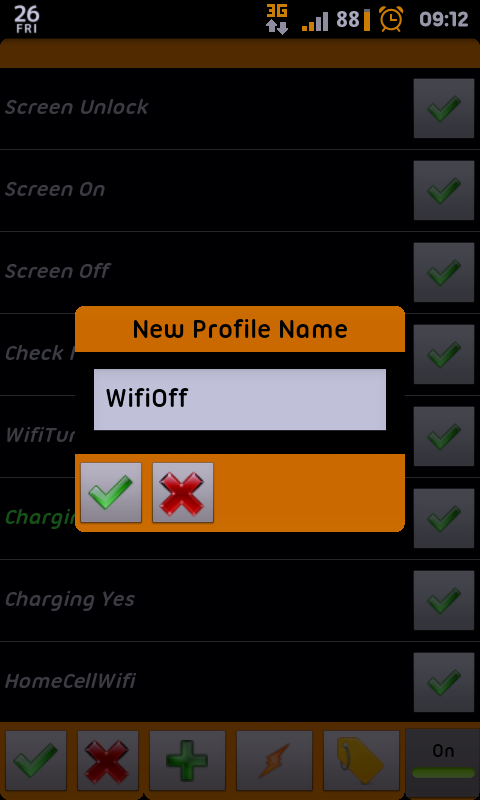 2) For the context, select event -> display -> display off 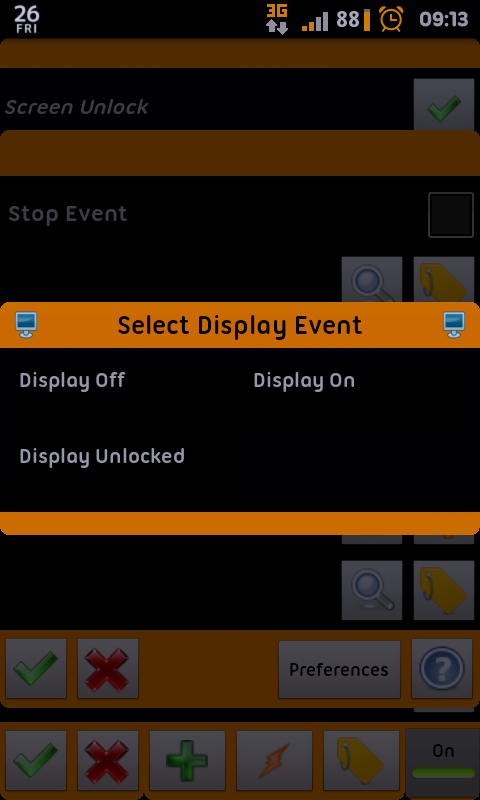 3) Create a new task. Name it if you want. 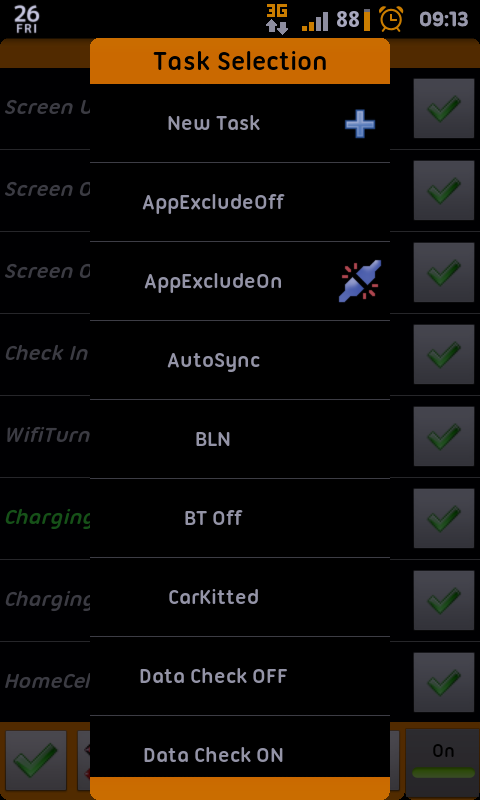 4) Set up as below: 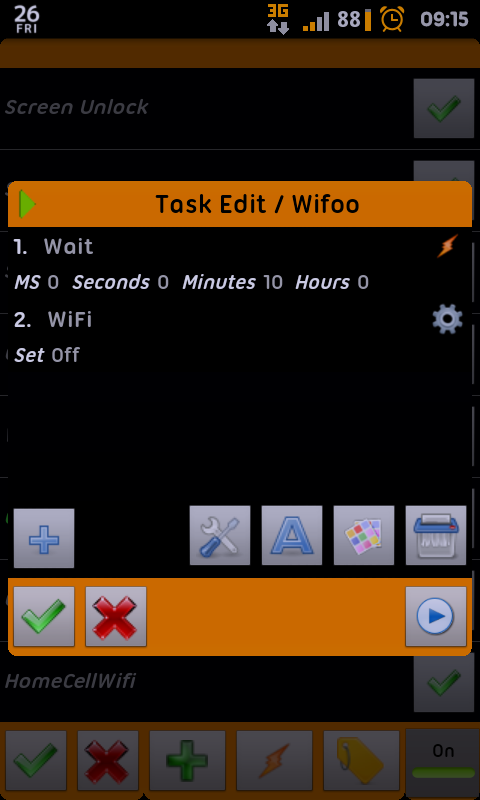 Wait is under "Tasker" and wifi control is under "Net". To make it auto on IF you've used it before turning off the screen is gonna be more complex though. thanks  |
|
|
|
|



 Quote
Quote
 0.0475sec
 0.52
0.52
 7 queries
 GZIP Disabled