Outline ·
[ Standard ] ·
Linear+
HP Pavillion DV6-6XXX series Owners Lounge V3, -130 owners. Refreshed! Aww Yeah!!
|
Immortal_Clan
|
 Aug 13 2011, 10:44 PM Aug 13 2011, 10:44 PM
|
New Member


|
Hey guys, Just got my 1st laptop in my life - dv6-6001tx. Bought at JB, PC shop.
RM2999, comes with bag and mouse, upgraded to 8gb ram, 3years hp care pack.
Wonder what the 1st step to do optimazation in this laptop. I mean what driver hv to update?what s/w hv to install? and so on. thks
alway be yours club
|
|
|
|
|
|
Immortal_Clan
|
Aug 13 2011, 11:08 PM
|
New Member
|
QUOTE(Zhao @ Aug 13 2011, 11:02 PM) Always refers to 1st page on the optimization. sifu sifu will angry o. WOkie WOkie  If anything no clear just asking for help. thks dude |
|
|
|
|
|
Immortal_Clan
|
Aug 14 2011, 10:46 PM
|
New Member
|
DO i need to uninstall ATI Catalyst Install Manager 1st b4 install amd_catalyst_11.5b_hotfix_8.85.6rc5_win7_may25?
|
|
|
|
|
|
Immortal_Clan
|
Aug 14 2011, 10:51 PM
|
New Member
|
QUOTE(lee_what2004 @ Aug 14 2011, 10:48 PM) By right, no need to uninstall. wokie ~thks dude  |
|
|
|
|
|
Immortal_Clan
|
Aug 14 2011, 11:29 PM
|
New Member
|
Urgent! After i install OSK LION for window 7, when restart, it keep reboot. HOw to solve it?
|
|
|
|
|
|
Immortal_Clan
|
Aug 14 2011, 11:52 PM
|
New Member
|
ok now, uninstall it in safe mode.BTW thks.
May i know the Mac OSK lion for window 7 can install without any problem?
|
|
|
|
|
|
Immortal_Clan
|
Aug 16 2011, 12:51 AM
|
New Member
|
HOw to check directx version?
|
|
|
|
|
|
Immortal_Clan
|
Aug 16 2011, 01:10 AM
|
New Member
|
Is that normal if processor 90++ when log in to window ? just run nexus and IE. Attached thumbnail(s)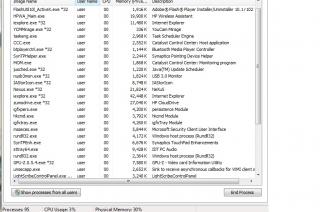
|
|
|
|
|
|
Immortal_Clan
|
Aug 16 2011, 01:21 AM
|
New Member
|
err... mobility modded link at muka depan. Try to get it around 60+/70+  [/quote] How to reduce to 60/70+? |
|
|
|
|
|
Immortal_Clan
|
Aug 16 2011, 10:05 PM
|
New Member
|
Guys, hv u faced the problem cannot completely uninstall HP games?how to uninstall all wild tangent games and just leave miscorsoft games?
|
|
|
|
|
|
Immortal_Clan
|
Aug 16 2011, 10:44 PM
|
New Member
|
In games folder got alot of wild tangent games, how to completely uninstall it? Can i uninstall HP games under Programs and Features\unistall or change program?
This post has been edited by Immortal_Clan: Aug 16 2011, 10:45 PM
|
|
|
|
|
|
Immortal_Clan
|
Aug 17 2011, 05:35 PM
|
New Member
|
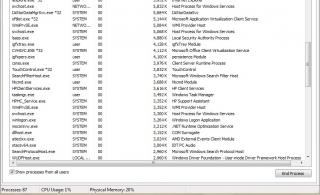
How to reduce processes on window task manager? Even thought i had disable unused program for startup, but it will increse back to 90++?
B4 disable unused program for startup - processes 96-99
after disable unused program - processes 60++ (but after few minutes it will back to 90++).
Run CCleaner alreday. but same problem.
|
|
|
|
|
|
Immortal_Clan
|
Aug 17 2011, 06:03 PM
|
New Member
|
QUOTE(lee_what2004 @ Aug 17 2011, 05:41 PM) You mean after login into Windows, at first its 60+ then letting it idle for few minutes (no program open), it jump to 90+ ? Yes. Is it the window system cause this problem, because i noticed the system "eat" lot of Mem usage n cpu. Should i disable the window updated. I guess after window updated, lot of system program running when start up. |
|
|
|
|
|
Immortal_Clan
|
Aug 17 2011, 09:41 PM
|
New Member
|
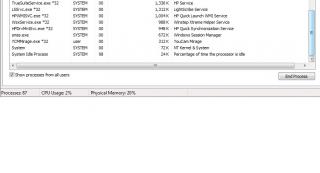
QUOTE(lee_what2004 @ Aug 17 2011, 06:04 PM) Can you give screenshot of the processes list ? here the processes list, when startup ,just open IE only. Attached thumbnail(s)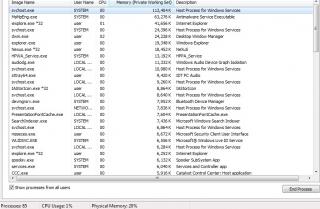

|
|
|
|
|
|
Immortal_Clan
|
Aug 19 2011, 01:38 AM
|
New Member
|
help, is it rundll32.exe missing, some of the program cannot open? i cannot uninstall, it no response! cannot open program , windows cannot find!!! Attached thumbnail(s)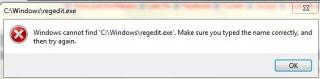
|
|
|
|
|
|
Immortal_Clan
|
Aug 19 2011, 01:46 AM
|
New Member
|
QUOTE(lee_what2004 @ Aug 19 2011, 01:41 AM) Looks like kena virus... If you go to C:\Windows\, got regedit.exe ? If double click it, can open ? yes. even system restore also cannot |
|
|
|
|
|
Immortal_Clan
|
Aug 19 2011, 02:02 AM
|
New Member
|
QUOTE(lee_what2004 @ Aug 19 2011, 01:51 AM) ehm, you mean can open regedit or cannot open regedit ? or it wil display the previous error message ? Can you open command prompt ? cannot |
|
|
|
|
|
Immortal_Clan
|
Aug 19 2011, 02:09 AM
|
New Member
|
QUOTE(lee_what2004 @ Aug 19 2011, 02:04 AM) Try this. Extract the attachment, double click it, merge. Then try again to open the apps. cannot open also. or can u teach me how to recovery. my recovery at d drive. |
|
|
|
|
|
Immortal_Clan
|
Aug 19 2011, 02:16 AM
|
New Member
|
QUOTE(lee_what2004 @ Aug 19 2011, 02:13 AM) Cannot extract or cannot merge ? As for the recovery, should be by pressing Esc durin boot, then F11 for recovery.. cannot merge. thks |
|
|
|
|



 Quote
Quote

 0.0242sec
 0.73
0.73
 7 queries
 GZIP Disabled