


 Sep 4 2005, 01:11 AM, updated 21y ago


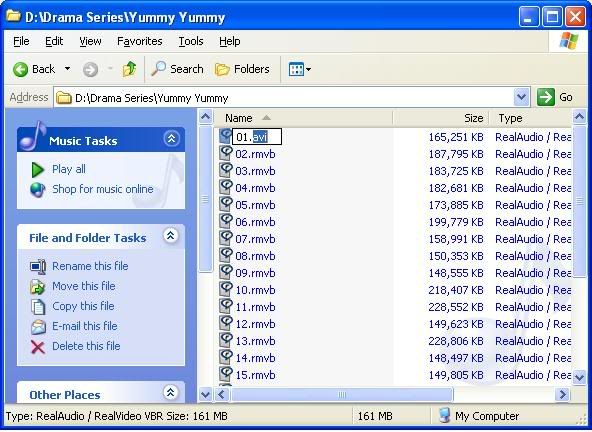
1. Rename your rmvb extension to avi. (01.rmvb to 01.avi)
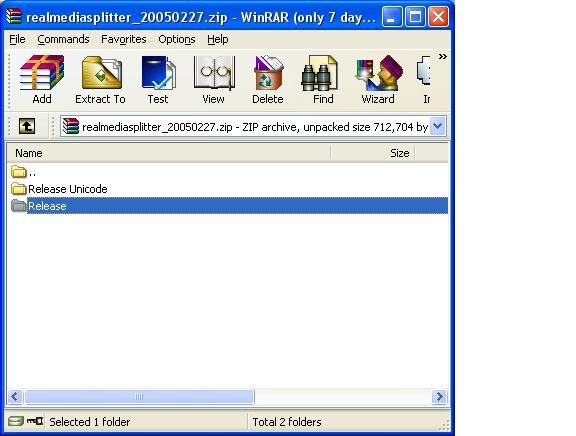
2. Download the latest RealMediaSplitter plugin from http://sourceforge.net/project/showfiles.p...ackage_id=87719
3. After download, extract the RealMediaSplitter.ax to c:\windows\system32\ (make sure is from Release Folder)
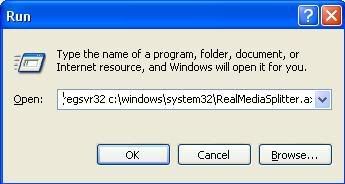
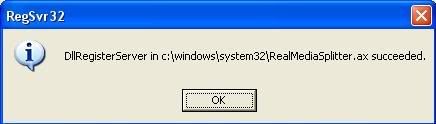
4. Run regsvr32 c:\windows\system32\RealMediaSplitter.ax and make sure is successful.
5. Launch your Nero Express and select burn VCD option.

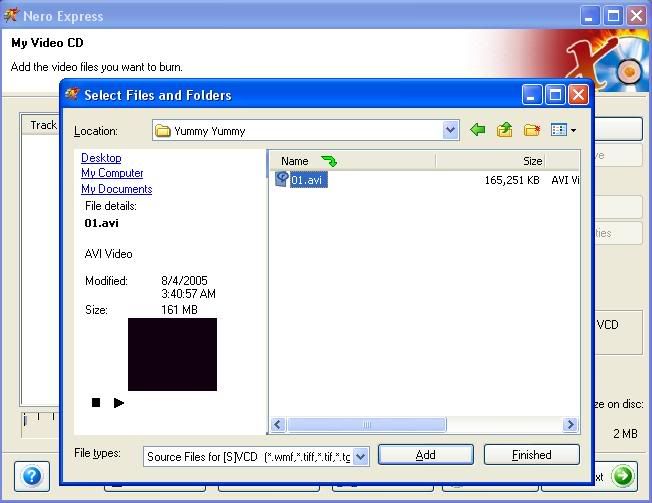
6. Add the avi file that you have renamed just now. (if you got error here regarding unsupported format, close Nero completely, repeat from step 4 to 6 again)
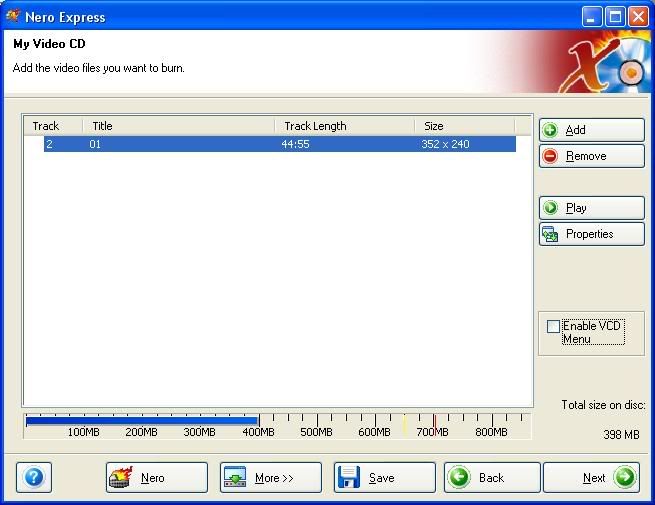
7. After that just click Next and burn the avi file to VCD as normal. (if you got another error here regarding unable to start encoder, close Nero completely, repeat from step 4 to 7 again)
Happy converting !!!!
This post has been edited by philipcs: Sep 4 2005, 01:14 AM
 Quote
Quote
 0.0155sec
 0.89
0.89
 5 queries
 GZIP Disabled