

Then oni I found this thread... hahaha
I also gasak the macro lens coz I like to shoot closeups...


Looking forward to pointers from sifus here...

The SONY NEX Discussion Thread V2, Sony NEX 5N & NEX7 Unveil
|
|
 Dec 28 2011, 06:48 PM Dec 28 2011, 06:48 PM
Return to original view | Post
#1
|
 
Junior Member
315 posts Joined: Apr 2009 From: Land Below The Wind  
|
Just bought the nex-5nd today.
Then oni I found this thread... hahaha I also gasak the macro lens coz I like to shoot closeups... Looking forward to pointers from sifus here... |
|
|
|
|
|
Dec 28 2011, 06:55 PM
Return to original view | Post
#2
|
|
Junior Member
315 posts Joined: Apr 2009 From: Land Below The Wind
|
I just got the set today... planning to take some closeups when my kids are in bed... will share them here...
Just a word of caution though... I am a noob on photography... dun laugh at my pics k later? |
|
|
Dec 28 2011, 08:17 PM
Return to original view | Post
#3
|
|
Junior Member
315 posts Joined: Apr 2009 From: Land Below The Wind
|
I just took a couple of photographs using my nex-5n coupled with the 30 macro lens.
The 1st problem that I encountered is the camera does not seem to focus on what I want... sometimes, when the autofocus is adjusting, it will focus to the reflection on the sapphire crystal... which is my wall paper... wierd... Anyway, even if it focuses of the details, it only seems to focus at one tiny area... Some samples. Do keep in mind that I am a noob in photography... and I do mean "noob"... still playing around with the settings to see if it can get any better. Be gentle yeah guys... 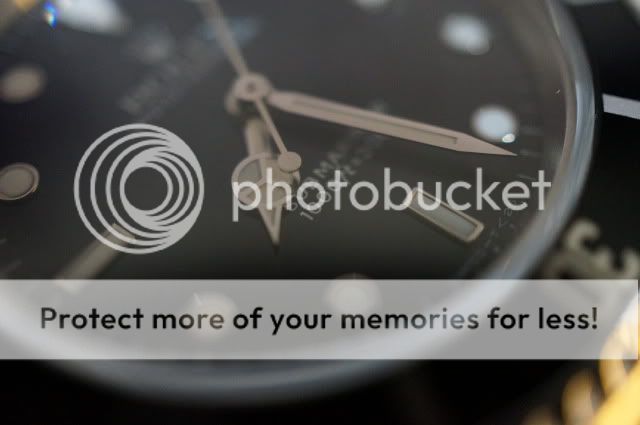 For this picture, I actually wanted to focus on the Submariner words but the camera seems to focus on the hands... tried different angles but still same. Is there a way to change the focus area instead on just letting the camera decide? 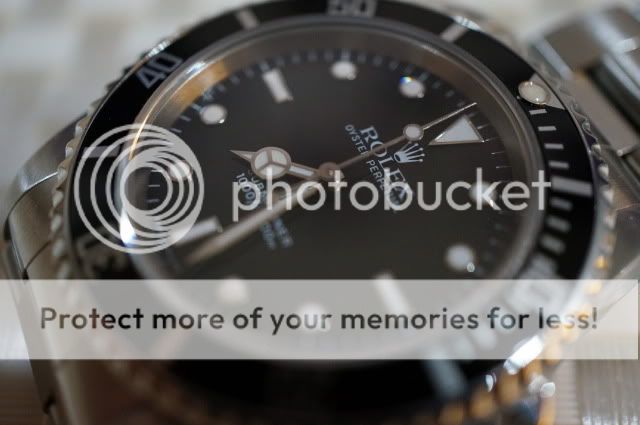 For this one, it seems like only the middle part of the picture is sharp... all other area seems blurry. Is this because the camera detects this picture not as one watch but rather different parts and depths so it only focuses on a certain area? 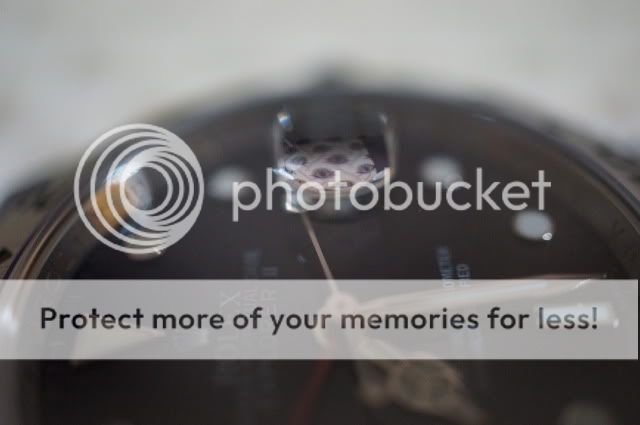 This picture shows that the camera actually focuses on the cyclops and the reflection of my wallpaper. Why ar? 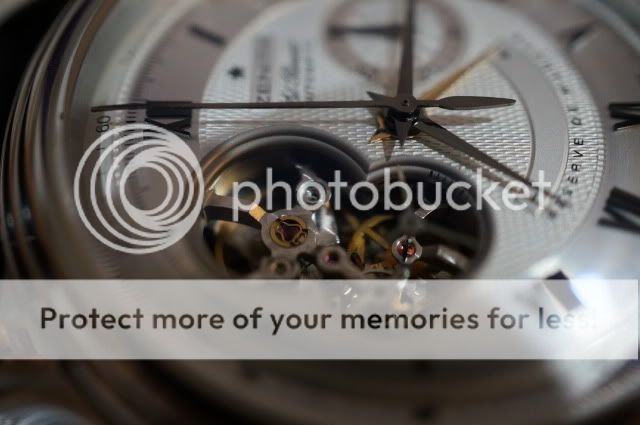 Tried to focus the entire Open mechanism on the chronomaster but as you can see... a part of it is in focus... blurry on the others. 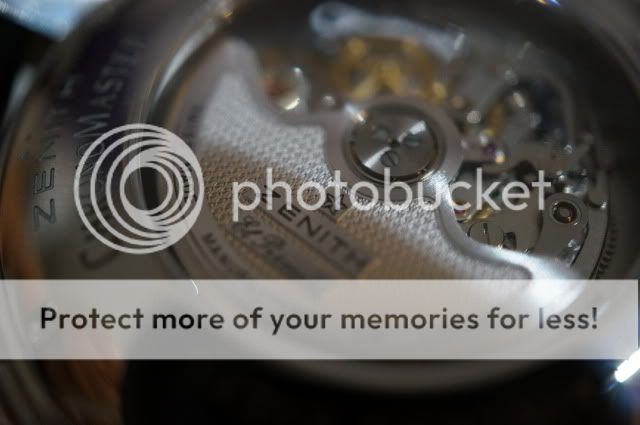  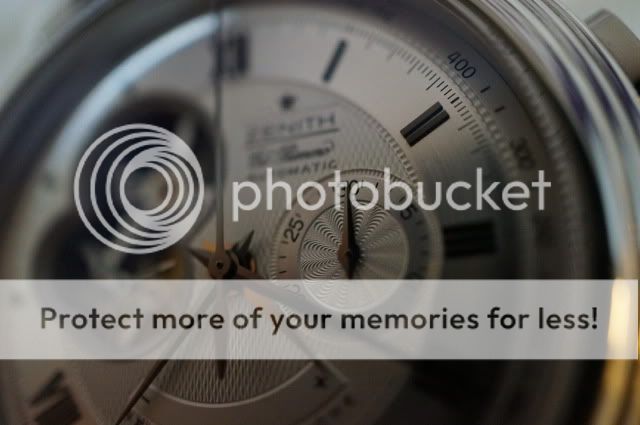 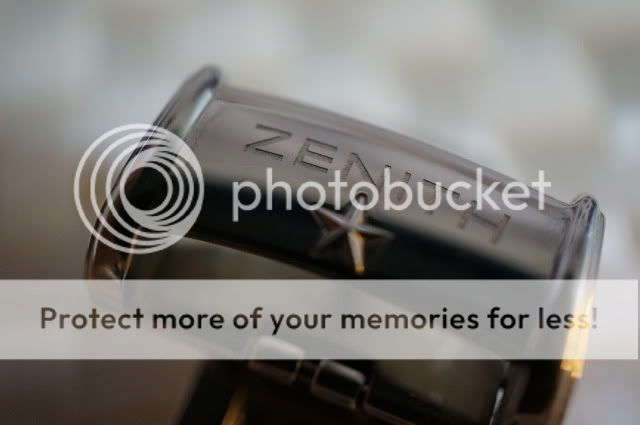 This picture show the Zenith word being in focus and not the star. If I get the star in focus, the Zenith word will be out of focus. Can't I get both in focus? Well... still learning the ropes... This post has been edited by hanz079: Dec 28 2011, 08:19 PM |
|
|
Dec 29 2011, 07:49 AM
Return to original view | Post
#4
|
|
Junior Member
315 posts Joined: Apr 2009 From: Land Below The Wind
|
QUOTE(axii @ Dec 29 2011, 12:31 AM) Hello hanz, Axii,When it comes to Macro photography, it's very normal to use Manual Focus instead of AF. With AF at such close distances, it is very difficult to focus exactly on the point that you want, which you have already discovered. It'll be hit and miss. Switch to Manual, or better, DMF mode, and from there, adjust it. Menu > Camera > AF/MF Select > DMF or MF With DMF selected, the camera will attempt to AF first; when it has focus confirmation, you can then turn the focus ring to adjust your focus, while still holding half-shutter. Once you have decided on your focus, full depress the shutter. On your issues with the small and thin depth of field (only center is in focus, rest blurry), this is a common factor in macrography. The closer you are to the subject, the less depth of field there is, hence creating the slice of sharpness across the center. To overcome this, you will need to use a larger Aperture setting. I presume you have shot all of this pictures with the Aperture wide open (3.5). Try going beyond F8, till F13 to get better results. The larger the aperture number, the more depth of field you will get. To easily control the Aperture, switch to Aperture Priority Mode. With this mode, you can manually adjust the Aperture size, while the camera determines the Shutter Speed. Menu > Mode > Aperture Priority Do note, that with a larger Aperture, you will need more available light. If there is not enough light, the camera will compensate by increasing the ISO or slowing the Shutter Speed, hence making it harder to hand-hold and shoot your objects. I recommend a Tripod, to keep your camera still while the camera dials in a long, slow shutter speed. The flash will not help here, as being this close to your subject, the lens itself will obscure the path of light from the flash. So in short: More Depth of Field = Larger Aperture = Higher ISO / Slower Shutter Speed Another thing to keep in mind: The NEX prefers to up ISO levels first before increasing anything else. If your ISO is set to Auto, more likely than not that the camera will increase it all the way to 3200, before actually decreasing shutter speed. Hope I helped.  Thanks for taking the time to type out such a long reply for me. I really appreciate it. What you wrote sounds easy to understand for a noob like me. I will try again today with the settings you mentioned to see if the results get any better. Thanks again. |
|
|
Jan 1 2012, 10:21 AM
Return to original view | Post
#5
|
|
Junior Member
315 posts Joined: Apr 2009 From: Land Below The Wind
|
Does every nice picture that gets posted is after touch up using photoshop or imagesuite or are they in their original form?
|
|
Topic ClosedOptions
|
| Change to: |  0.0473sec 0.0473sec
 0.41 0.41
 7 queries 7 queries
 GZIP Disabled GZIP Disabled
Time is now: 18th December 2025 - 09:04 PM |
 Quote
Quote