


HP Pavillion DV6-6XXX series Owners Lounge V2, - 91 owners!! FUUUUUUUUUUUUU!!
|
|
 Jul 1 2011, 07:06 PM Jul 1 2011, 07:06 PM
Return to original view | Post
#1
|
 
Senior Member
2,588 posts Joined: Jan 2003 From: KL-Skudai  
|
At last, my dv6-6001 arrived.. better late than never..
|
|
|
|
|
|
Jul 1 2011, 09:12 PM
Return to original view | Post
#2
|
|
Senior Member
2,588 posts Joined: Jan 2003 From: KL-Skudai
|
QUOTE(aPityGuy @ Jul 1 2011, 08:41 PM) Wow, your SSD looks tempting. Bro, could you please do us a favor by trying to use the DVD recovery that you created with your DV6 default HDD, and try to use it to format with your new SSD and see whether it works or not, thank you. sure.. that's i'm planning to do.. else i have to do clean install windows..   btw, can suggest any good hdd benchmark software? want to see the gap difference between stock hdd vs ssd.. |
|
|
Jul 2 2011, 01:10 PM
Return to original view | Post
#3
|
|
Senior Member
2,588 posts Joined: Jan 2003 From: KL-Skudai
|
QUOTE(reevephon @ Jul 1 2011, 10:07 PM) I think you should PM kevinsim, since his DV6 had already replaced with the Intel SSD, I think he might has some knowledge on SSD. By the way, really looking forward from you whether the DVD recovery can format with the new SSD with all the drivers and application installed like what it had in the default HDD. Alright, will ask him later. Thanks for info..Acid: please add me to owner list. thanks.  btw, i'm planning to uninstall all bloatware.. what software i shouldnt remove? coolsense and beats audio? |
|
|
Jul 2 2011, 03:50 PM
Return to original view | Post
#4
|
|
Senior Member
2,588 posts Joined: Jan 2003 From: KL-Skudai
|
i'm having problem changing the hdd.. i cant open the hdd cover because it has no screw at all..
 |
|
|
Jul 2 2011, 04:22 PM
Return to original view | Post
#5
|
|
Senior Member
2,588 posts Joined: Jan 2003 From: KL-Skudai
|
QUOTE(Acid_RuleZz @ Jul 2 2011, 04:05 PM) U see the battery slider? Slide that to the right and slowly remove the backpanel. Remove the battery first tho. yeah, i already removed the battery and switch the latch to right side to open the cover but the cover can't be lift up.. so tight.. i afraid to force too much else it will break..  Btw, yours is 6114TX online promotion?  nope, mine is 6001tx.. ordered 1 month ago but just received few days ago.. Added on July 2, 2011, 4:25 pmcan someone post a vid on how to open the service cover? maybe there's a latch on the cover i need to release upon opening it up.. This post has been edited by mfa333: Jul 2 2011, 04:25 PM |
|
|
Jul 2 2011, 04:35 PM
Return to original view | Post
#6
|
|
Senior Member
2,588 posts Joined: Jan 2003 From: KL-Skudai
|
QUOTE(RiverDrifte @ Jul 2 2011, 04:32 PM) u pretty pretty sure there is no screw? cause my got screw at bottom.. 6114TX thou.. yup, no screw at all.. the cover is locked using clips only.. mine is 6001tx..update: managed to open the cover using small flat screwdriver to release the clips..  |
|
|
|
|
|
Jul 3 2011, 08:12 PM
Return to original view | Post
#7
|
|
Senior Member
2,588 posts Joined: Jan 2003 From: KL-Skudai
|
QUOTE(reevephon @ Jul 2 2011, 04:40 PM) Good, waiting the news from you whether the DVD recovery works with the the SSD with all the drivers and applications installed. Sorry for late reply. I totally forgot to update about this.Yes, recovery DVD works on new HDD/SSD. I changed my stock HDD to 160gb intel SSD, ran recovery dvd and choose factory reset. The recovery completely formatted my ssd and installed everything including made a partition for recovery on the new ssd. The laptop is as newly bought dv6 after the process.. With ssd, everything seems instantaneous when i do anything.. Post-recovery pictar.. 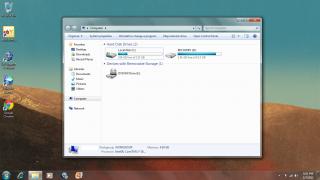
|
|
|
Jul 3 2011, 09:07 PM
Return to original view | Post
#8
|
|
Senior Member
2,588 posts Joined: Jan 2003 From: KL-Skudai
|
QUOTE(Dackson @ Jul 3 2011, 08:28 PM) Congratulation ^.^ So, window ill auto detect driver and replay it? in other word, bios will let those software know that this my hardware. You should know how to do it, recovery software ^.^ Recovery software will ask SSD from Mr.BIOS, oh~ you hving 160Gb, can borrow me 10Gb to me ? hahaha yup, it seems that way.. i'm not sure the actual price because i bundle everything and let my uni pay..  how much is 160Gb SSD ?? want to sell ur HDD ??  sorry, not selling the original hdd.. just in case the laptop need to be send for warranty, i have to switch back to original hdd.. QUOTE(xXBraskaXx @ Jul 3 2011, 08:49 PM) Mind to share your Windows Experience Index (WEI) score? i don't think it will affect wei much.. but i will do it later.. right now i have to install lots of software for my research purpose..QUOTE(bbs3322 @ Jul 3 2011, 08:54 PM) Hi! mfa333 yes it will completely format the whole hdd. but i think if recovery partition already existed in your hdd, you can choose the 2nd option on the recovery menu.So factory reset will reformat the whole drive. Is there other option in the recovery dvd which only reformat the system drive but not the data drive we created ourself. Added on July 3, 2011, 9:08 pmoh ya.. how to change hdd mode to AHCI? and what is the shortkey to enable/disable beats audio? This post has been edited by mfa333: Jul 3 2011, 09:08 PM |
|
|
Jul 3 2011, 10:15 PM
Return to original view | Post
#9
|
|
Senior Member
2,588 posts Joined: Jan 2003 From: KL-Skudai
|
QUOTE(bbs3322 @ Jul 3 2011, 09:31 PM) Thanks for u reply, mfa333, ohh that's good, so we can keep personal file safely when we format. . i'm not sure about hybrid usb/esata port.. need to ask sifus in this thread.. i'm still new with this laptop.. but the transfer speed btw my dv6 and usb3.0 external hdd(where i put my works and entertainment) is already good enough.. One more thing, i would like to double confirm, for 6001tx model, do they have a usb2/esata hydrid port. Now almost all laptop come with this option, it would be weird if it does not have. USB3 speed still not as good as esata when transferring many gigs of files. |
|
|
Jul 4 2011, 02:50 AM
Return to original view | Post
#10
|
|
Senior Member
2,588 posts Joined: Jan 2003 From: KL-Skudai
|
QUOTE(reevephon @ Jul 3 2011, 10:30 PM) Mind to share the boot up time for your laptop? 30sec measured using Soluto.What HP bloatware can i disable on startup? maybe i can shave abit more boot time..  |
|
|
Jul 5 2011, 02:22 AM
Return to original view | Post
#11
|
|
Senior Member
2,588 posts Joined: Jan 2003 From: KL-Skudai
|
QUOTE(reevephon @ Jul 4 2011, 07:37 AM) You should have use the BootTimer to get a more accurate boot up time. BootTimer? |
|
|
Jul 5 2011, 12:01 PM
Return to original view | Post
#12
|
|
Senior Member
2,588 posts Joined: Jan 2003 From: KL-Skudai
|
QUOTE(reevephon @ Jul 5 2011, 07:46 AM) Yes, another software that allows you to calculate your boot up time and provides much more accurate result, you may download it from the link below, i see.. will try it.. normal dv6 measured by this software is usually around how many second?BootTimer |
|
Topic ClosedOptions
|
| Change to: |  0.0451sec 0.0451sec
 0.79 0.79
 7 queries 7 queries
 GZIP Disabled GZIP Disabled
Time is now: 4th December 2025 - 05:27 PM |
 Quote
Quote