Welcome Guest ( Log In | Register )

6 Pages « < 3 4 5 6 >Bottom

Outline · [ Standard ] · Linear+

 Huawei Ideos X5 - Official Thread, Stunning, Fast, Affordable!

views
     
waseken2
post Jul 5 2011, 10:10 PM

Getting Started
**
Junior Member
174 posts

Joined: Sep 2008
QUOTE(ShengHow @ Jul 5 2011, 09:54 PM)
but how to move the apps to there?
btw
i wanna ask
if phone like galaxy S, 2GB rom, 16GB internal SD
can it do repartition?
if it done with repartition,
what's the capacity will it be after repartition?
*
galaxy s i dun,t know, last time i got share 1 apk dun,t know which page liao, it can install app to internal sd..
but y dun,t make a partition for it?
waseken2
post Jul 5 2011, 10:19 PM

Getting Started
**
Junior Member
174 posts

Joined: Sep 2008
QUOTE(ShengHow @ Jul 5 2011, 10:15 PM)
u mean partition for x5?
yea mine has done
just scared 1 day later my rom might be insufficient XD
*
haha, should be enough kua...
waseken2
post Jul 6 2011, 03:29 PM

Getting Started
**
Junior Member
174 posts

Joined: Sep 2008
flash to miui just now...
sweet!
waseken2
post Jul 6 2011, 05:40 PM

Getting Started
**
Junior Member
174 posts

Joined: Sep 2008
QUOTE(ShengHow @ Jul 6 2011, 04:05 PM)
miui is what?
new rom?
*
yupe..
try google n u know
waseken2
post Jul 6 2011, 07:54 PM

Getting Started
**
Junior Member
174 posts

Joined: Sep 2008
QUOTE(ShengHow @ Jul 6 2011, 05:54 PM)
googled  rclxms.gif
then what's the difference between this and the one u guys always mentioned
something like B107 or what
not very clear about rom
psps x.x
*
well, miui is more like ios interface, which allow u to customise ur ui, boot screen and much more...
plus, it using cm7 base..
but still a bug version, camera not working..


Added on July 6, 2011, 7:57 pm
QUOTE(bryanjs @ Jul 6 2011, 05:55 PM)
yaya.....try to say some more here^^ tq
me <-- newbie of android.


Added on July 6, 2011, 7:17 pm

hmmm....actually i am not so sure that did i install B160 custom rom. as i stated on the last post, i left my phone to boot over 10 hours.....then i did wat u suggest to remove battery and switch on and it can boot into system....so....anyway to check is it the B160 custom rom installed in my X5?


Added on July 6, 2011, 7:28 pmhmmm....just wan to noe, did setcpu with adjust voltage function?
*
after reading ur post, i believe u just root ur phone, if u using super one click to root, u can,t using setcpu, but root bring advantage
for ur to del some system app which came by manufacture like the demo game and etc..

This post has been edited by waseken2: Jul 6 2011, 07:57 PM

waseken2
post Jul 6 2011, 11:02 PM

Getting Started
**
Junior Member
174 posts

Joined: Sep 2008
QUOTE(bryanjs @ Jul 6 2011, 08:23 PM)
erm.....i already install the setcpu and clock my phone to 1.2ghz. is it mean i already instal B160 custom rom?
*
hmm... that weird, u can check under setting>about phone, this will tell u which version u are using.. smile.gif
waseken2
post Jul 8 2011, 08:21 PM

Getting Started
**
Junior Member
174 posts

Joined: Sep 2008
QUOTE(jon89 @ Jul 8 2011, 07:51 PM)
I'm kinda keen on installing void #cygnus rom on my X5. But I always have the same question coming up, if I wanna revert back to the original B136 rom, what should I do...? Do I download the original rom and flash it in CWM..? unsure.gif
*
if u already download official b136, will u unzip it, it contain a folder "dload", just copy to ur root sd and boot to bootloader, (the purple screen) and it will auto
flash back to b136
waseken2
post Jul 8 2011, 10:40 PM

Getting Started
**
Junior Member
174 posts

Joined: Sep 2008
QUOTE(bryanjs @ Jul 8 2011, 10:19 PM)
huh~~finally back from the damn JAM!!!!!!!!!!
wan to start flash to void.cygnus~~~~
wish me good luck ya~~~
*
just flash to void.cygnus.. so far so good smile.gif


guy, check this out, now u can mod ur theme easily

http://uot.dakra.lt/kitchen/
waseken2
post Jul 8 2011, 10:54 PM

Getting Started
**
Junior Member
174 posts

Joined: Sep 2008
QUOTE(bryanjs @ Jul 8 2011, 10:51 PM)
when deploying, it ask me dun f***ing move...........
after finish, it saod, you can breqatch now...swt
so....after all these, reboot the system??
do i nid to install the update.zip?
*
Just reboot will do..
waseken2
post Jul 8 2011, 11:01 PM

Getting Started
**
Junior Member
174 posts

Joined: Sep 2008
QUOTE(bryanjs @ Jul 8 2011, 10:58 PM)
hmmm....do ur phone boot until half then screen become black and vibrate. and the ideos logo come out again??
*
no.. after rebooting system, the idoes logo came out, then the animation and load into os liao
waseken2
post Jul 8 2011, 11:21 PM

Getting Started
**
Junior Member
174 posts

Joined: Sep 2008
QUOTE(bryanjs @ Jul 8 2011, 11:20 PM)
i use b to the main menu and select reboot system....i install the void.cygnus also quite fast...about 15 to 20 sec.....swt
*
now still keep on restart?
u wipe data/cache and dev before flash?
waseken2
post Jul 8 2011, 11:27 PM

Getting Started
**
Junior Member
174 posts

Joined: Sep 2008
QUOTE(bryanjs @ Jul 8 2011, 11:22 PM)
yup. i wipe both 2. 2 option there and i select both of them to wipe
*
weird.. ok, did u update your recovery clockworkmod to 4.xxx?
if u not, go xda and download the latest mod, update it, and flash again...


waseken2
post Jul 8 2011, 11:31 PM

Getting Started
**
Junior Member
174 posts

Joined: Sep 2008
QUOTE(bryanjs @ Jul 8 2011, 11:29 PM)
nope....it is version 3.xxxx...do i nid to wipe cache partition? just now i wiped it
*
cause this rom using ext 4 system which required cmw 4.0xx
just download the it from xda and replace it in bootloader mod.. (purple screen)
and flash the void again.
waseken2
post Jul 8 2011, 11:43 PM

Getting Started
**
Junior Member
174 posts

Joined: Sep 2008
QUOTE(bryanjs @ Jul 8 2011, 11:32 PM)
eh.....i 4get how to replace it in bootloader mod.....can teach me here or send me a links??
i am performing the restoration now....it seem running now....hope everthing is fine
*
after u download recovery.zip, unzip it.
power off ur phone.
hold power and vol + and - together. the screen will turn into purple color.
plug usb cable, ur pc will pop up 1 new window, open image folder and copy recovery and replace it.
done.

waseken2
post Jul 9 2011, 12:05 AM

Getting Started
**
Junior Member
174 posts

Joined: Sep 2008
QUOTE(bryanjs @ Jul 9 2011, 12:04 AM)
yayaya!! thanks alot really!!!!!
*
haha.. congrats bro!
waseken2
post Jul 9 2011, 02:21 AM

Getting Started
**
Junior Member
174 posts

Joined: Sep 2008
QUOTE(jon89 @ Jul 9 2011, 01:54 AM)
Just finished playing with my homescreen. Guess I'll stick to my stock rom a lil bit longer. tongue.gif
» Click to show Spoiler - click again to hide... «

*
this is nice....
what launcher do u use?
i also flash back... dun,t know why, when play angry bird got abit lag... rclxub.gif
waseken2
post Jul 9 2011, 02:28 PM

Getting Started
**
Junior Member
174 posts

Joined: Sep 2008
QUOTE(azimlatip @ Jul 9 2011, 01:51 PM)
Use 'Tasker' to save battery more better brows.gif
*
Tasker is damn powerful, can share ur profile?

waseken2
post Jul 9 2011, 05:40 PM

Getting Started
**
Junior Member
174 posts

Joined: Sep 2008
QUOTE(azimlatip @ Jul 9 2011, 03:26 PM)
Yep it is damnnn powerful!

For now, I only have two profile.

- Off AutoSync from 12am - 7am (sleep time and save battery)
- Only turns on GPS when I'm using the app listed in the profile. (meaning, it turns off all the time and will only turn on when I use facebook/google maps etc)

Still thinking what to add. Maybe you have any idea/profile to share? tongue.gif
*
haha, still studying using tasker...
i had auto reply sms when driving... but sometime not working... still have to tweak abit..
waseken2
post Jul 10 2011, 12:45 AM

Getting Started
**
Junior Member
174 posts

Joined: Sep 2008
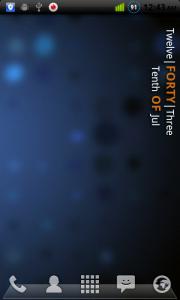
ha.....
make my clen main screen

Attached Image
waseken2
post Jul 12 2011, 07:07 PM

Getting Started
**
Junior Member
174 posts

Joined: Sep 2008
QUOTE(kkkw80 @ Jul 12 2011, 03:48 PM)
problem is now how do i change the old version to the new version since the pink screen doens't load up anyone?


Added on July 12, 2011, 4:17 pmanyone else experience this problem when you download CWM and it can't mount ya SD card??! I'm stuck at stage 2!! arrrgghhhh...
*
Power off u phone, and press power, vol + and vol - together to boatloader/purple screen.
if u flash b160, which provide at the first page, it can be done by ur old recovery cwm, which is version 3.xxxx

as for mounting, try to read write at ur phone after when into android os or try read write by pc through card reader..
anyway, u can also try backup ur app using titanium backup.

hope this is helping


6 Pages « < 3 4 5 6 >Top
 

Change to:
| Lo-Fi Version
0.0519sec    0.36    7 queries    GZIP Disabled
Time is now: 10th December 2025 - 04:51 AM