Welcome Guest ( Log In | Register )

Bump Topic Topic Closed RSS Feed
5 Pages < 1 2 3 4 > » Bottom

Outline · [ Standard ] · Linear+

 HP Pavillion DV6-6XXX series Owners Lounge, ~thou shall read 1st post or get troll.

views
     
sendoh_7
post Apr 30 2011, 10:36 PM

On my way
****
Senior Member
520 posts

Joined: Apr 2006
QUOTE(ThisIsBoletaria @ Apr 30 2011, 10:15 PM)
Yeah, I noticed.  So I don't know what's so different or unique about my system that I don't get any HDD temp readout while everyone else does.  It's not mission-critical because I don't feel any heat near the HDD area anyway, but it's just annoying.
*
bro..my hwm also do not detect hdd temp..which hdd brand you have?mine is toshiba hmm.gif
sendoh_7
post May 2 2011, 09:51 PM

On my way
****
Senior Member
520 posts

Joined: Apr 2006
hello..do you guys know what does 'intel RST' program do?
i uninstall mine. i have issues with it..it slow my system considerably..
after uninstall, so far so good.

and i may have a faulty #2 ram slot..tomorrow going to hp centre for verification
sendoh_7
post May 2 2011, 10:28 PM

On my way
****
Senior Member
520 posts

Joined: Apr 2006
^thru windows update


Added on May 2, 2011, 10:30 pm
QUOTE(Acid_RuleZz @ May 2 2011, 10:07 PM)
Laptop with 8GB or more can disable the pagefile. nod.gif
according to Intel website, it give longer batter life with a single disk system.
http://www.intel.com/support/chipsets/imsm/sb/CS-020784.htm

How u know its faulty? Mind sharing?

basically cannot boot up when i put in ram to that slot..


This post has been edited by sendoh_7: May 2 2011, 10:30 PM
sendoh_7
post May 2 2011, 10:37 PM

On my way
****
Senior Member
520 posts

Joined: Apr 2006
^nope..thats y i made the conclusion that the #2slot got problem
sendoh_7
post May 2 2011, 10:45 PM

On my way
****
Senior Member
520 posts

Joined: Apr 2006
QUOTE(Acid_RuleZz @ May 2 2011, 10:39 PM)
I see. Hope my slot is ok, planning to upgrade to 8GB next month.  sweat.gif
*
this kind of issue will evantually happen to somebody right tongue.gif
im just the unlucky one. cry.gif
hopefully i will have a good experience at hp center tomorrow wink.gif
sendoh_7
post May 2 2011, 10:47 PM

On my way
****
Senior Member
520 posts

Joined: Apr 2006
^bukit damansara, not kota d'sara smile.gif
sendoh_7
post May 2 2011, 10:52 PM

On my way
****
Senior Member
520 posts

Joined: Apr 2006
QUOTE(LazyChildren @ May 2 2011, 10:23 PM)
wondering soething, the series number is above 108, but in device manager, shows the affected driver..

so do we really ignore it??
i quote from the site:

Click the plus sign (+) to expand the System devices entry.

If the chipset name in Device Manager is not in the “Intel® 6 Series/C200 Series Chipset Family”, your HP notebook does not have the affected chipset. No further action is necessary.
If the chipset name in Device Manager is in the “Intel® 6 Series/C200 Series Chipset Family”, your HP notebook may have the affected chipset. See Figure 3.

above statement is not clear. it says " If the chipset name in Device Manager is not in the “Intel® 6 Series/C200 Series Chipset Family”...
is not 'in'? i dont quite understand this.. rclxub.gif


Added on May 2, 2011, 10:53 pm^ free milo?hahahaha..hows the queue like?long?
do the techi guys pro enuf?what problem does your gf lappie has?

This post has been edited by sendoh_7: May 2 2011, 10:53 PM

sendoh_7
post May 2 2011, 11:09 PM

On my way
****
Senior Member
520 posts

Joined: Apr 2006
^ i use avast..so far so good..

............"virus database has been updated"............
sendoh_7
post May 3 2011, 09:24 AM

On my way
****
Senior Member
520 posts

Joined: Apr 2006
^ i did the installation myself..not difficult, but you have to know the trick on how to slot and snap it in place..


Added on May 3, 2011, 9:27 amhmm..after a while using the headphone, i think i would prefer in-ear phones..headphones make my ears hurt and sweaty sweat.gif

This post has been edited by sendoh_7: May 3 2011, 09:27 AM
sendoh_7
post May 3 2011, 10:21 AM

On my way
****
Senior Member
520 posts

Joined: Apr 2006
i wear specs..even worse sweat.gif
sendoh_7
post May 3 2011, 01:33 PM

On my way
****
Senior Member
520 posts

Joined: Apr 2006
QUOTE(Vox @ May 3 2011, 12:54 PM)
so how was your visit to service centre?

ya agree with you. its quite painful for my ears if i wear it long time.
wink.gif
*
pleasant xp i guess..
they was helpful enough..and the queue is not long..
the techician (they call them engineers tongue.gif) able to prove that my extra ram is the faulty one..

ah..have to send back to the seller..the troublesome of online shopping yawn.gif

sendoh_7
post May 3 2011, 04:55 PM

On my way
****
Senior Member
520 posts

Joined: Apr 2006
team elite..taiwan brand
sendoh_7
post May 3 2011, 05:31 PM

On my way
****
Senior Member
520 posts

Joined: Apr 2006
^ yup..our lappie still maintain their reputation..haha

ermm..but i still dunno why the intel RST is not working well for me..
even after d/load the latest one..
is it because i did windows clean install? hp software installed only hp assistant (for coolsense) and hp hddprotect (or something like that)..

and anybody knows how to combine 2 partitions?
i mistakenly left about 100mb of unused space in my hdd..no biggie, but annoying..biggrin.gif
sendoh_7
post May 4 2011, 08:59 AM

On my way
****
Senior Member
520 posts

Joined: Apr 2006
those who cant run games must try the benchmarks to confirm whether your hardware/driver really got problem or the game itself..


Added on May 4, 2011, 9:19 amis it only me here that did windows clean install?


Added on May 4, 2011, 9:24 am
QUOTE(Vox @ May 3 2011, 11:38 PM)
Guys really a bit fed up on this laptop de. my street fighter still have the same problem. my friend now is using his 5750g acer to install this game

if his computer doesnt have any problem then i really can suicide de.
*
possible that nvidia can run this game better then radeon..dont you think?
thats why when you tweak certain settings only you can play smoothly

This post has been edited by sendoh_7: May 4 2011, 09:24 AM
sendoh_7
post May 4 2011, 04:04 PM

On my way
****
Senior Member
520 posts

Joined: Apr 2006
QUOTE(Vox @ May 4 2011, 03:55 PM)
you mean ur old laptop can run Street Fighter IV smoothly? Did you set the FPS to Fixed and Turn off the Vsync?

omgggg.
*
i did not say must be because of radeon/nvidia compatibility issue..just a maybe..
sendoh_7
post May 4 2011, 04:11 PM

On my way
****
Senior Member
520 posts

Joined: Apr 2006
QUOTE(Vox @ May 4 2011, 02:58 PM)
thats  why it was weird you know my laptop runs abit lag whenever i close some windows.
i did benchmark yesterday on final fantasy its only get 2500+, did 2 times around the same result.

bro you seriously update everything? the list on my windows update got 3 optional and 8 important. if update all will be around few hundred MB.
izit possible i skip those internet explorer updates?


Added on May 4, 2011, 2:58 pm

same with me i also keep on suspect on the game itself also cos i bought mine pirated.  rclxub.gif


Added on May 4, 2011, 3:00 pm

ok thanks for your advice! i'm going to download the AVG free and uninstall this stupid NORTON.
omg i'm installing AVG free now, 145.1MB wtf? Free also so big file ke?  sad.gif


Added on May 4, 2011, 3:01 pm
Nvidia run this game smoother? you experience the same thing?

anyone playing Street Fighter IV smoothly here? while the setting was Variable and Vsync On let me know. So that i know it wasnt the game problem and it was my laptop problem.  unsure.gif It sounds impossible for a laptop that cost rm3199 cannot play a Street Fighter game. omg.
*
skip optional first..install the important ones first..
but the graphic driver update is in the optional section..better look out for it..

145mb only take like <20mins only for streamyx 1mb..dont complain la laugh.gif

if really in doubt, clean install windows..err but for more xp user la..

using boottimer i can get 25sec of boot time thumbup.gif

sendoh_7
post May 4 2011, 04:53 PM

On my way
****
Senior Member
520 posts

Joined: Apr 2006
^ yes..i see this one too...but you cannot update this one..just leave it
sendoh_7
post May 4 2011, 09:13 PM

On my way
****
Senior Member
520 posts

Joined: Apr 2006
QUOTE(mfa333 @ May 4 2011, 06:47 PM)
you clean install using windows cd not from recovery cd? is it hard to get the drivers and others to get it fully working?
*
use cd..my bro has it..
so basically my lappie is not really a hp laptop..in terms of software installed tongue.gif
sendoh_7
post May 4 2011, 09:15 PM

On my way
****
Senior Member
520 posts

Joined: Apr 2006
QUOTE(reevephon @ May 4 2011, 08:52 PM)
But I have run a test in between these two modes, for the coolest mode I can get about 5 Celcius cooler, that's why I really like it and would like to make it as default, so no need to set it everytime I log-on to Windows.
so this is your secret of getting <80°c even when playing crysis2 rclxms.gif


Added on May 4, 2011, 9:16 pm
QUOTE(kenhirai83 @ May 4 2011, 09:10 PM)
Hi guys,

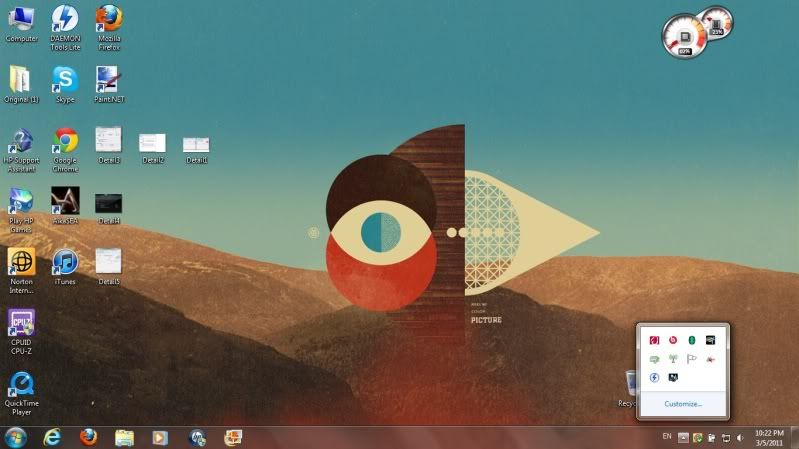
when you all switch into ATI graphic mode, does the Intel HD graphic icon will appear like picture below ??

» Click to show Spoiler - click again to hide... «

*
i have it.. hmm.gif

This post has been edited by sendoh_7: May 4 2011, 09:16 PM
sendoh_7
post May 4 2011, 09:19 PM

On my way
****
Senior Member
520 posts

Joined: Apr 2006
hmm...while talking about the coolsense..this sw never runs in background, so how do we know it is working..where actually this sw store the action info?bios?ask windows to do?

5 Pages < 1 2 3 4 > » Top
Topic ClosedOptions
 

Change to:
| Lo-Fi Version
0.0388sec    0.35    7 queries    GZIP Disabled
Time is now: 5th December 2025 - 04:52 AM