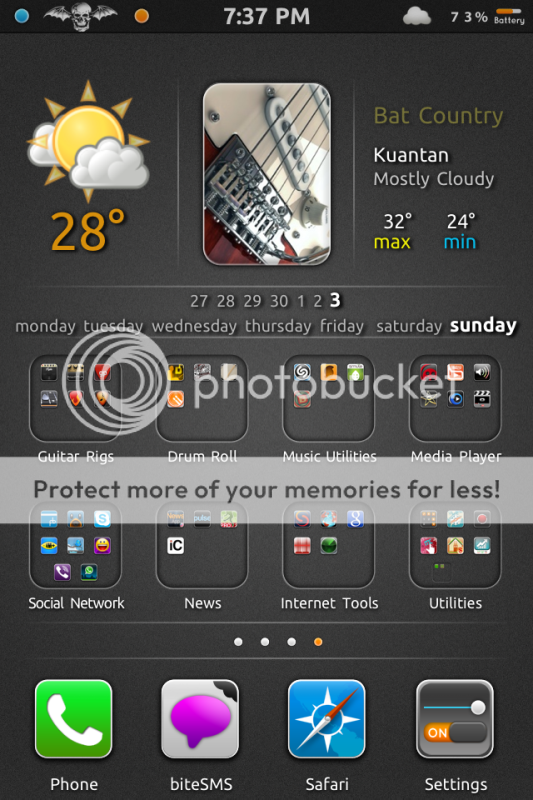
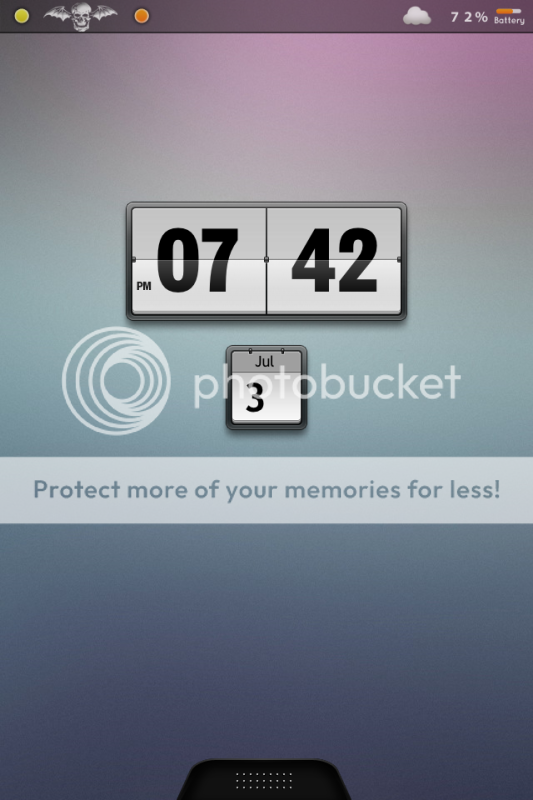
Btw, how u change the carrier logo into that grand army head?
iOS Screenshot & Modding Theme Thread, READ:STRICTLY X PIRACY ICON SCREENSHOT!
iOS Screenshot & Modding Theme Thread, READ:STRICTLY X PIRACY ICON SCREENSHOT!
|
|
 Apr 7 2011, 02:10 PM Apr 7 2011, 02:10 PM
Return to original view | Post
#1
|
 
Junior Member
282 posts Joined: Jan 2008 From: Ayer Keroh, Melaka  
|
Btw, how u change the carrier logo into that grand army head?
|
|
|
|
|
|
Apr 11 2011, 08:59 AM
Return to original view | Post
#2
|
|
Junior Member
282 posts Joined: Jan 2008 From: Ayer Keroh, Melaka
|
QUOTE(cocooh @ Apr 11 2011, 03:57 AM) ive forgotten whats my mbex theme @@ Cocooh using Dman mbex theme. coz im using the same theme i didn mod my keyboard to prestige  lockscreen , u nid to edit the weather script inside the theme folder for it weather code for kl is MYXX0008  Wa cocooh, i already terkena u punya racun. Most of my theme were referring to u Wa cocooh, i already terkena u punya racun. Most of my theme were referring to u  |
|
|
Apr 11 2011, 06:18 PM
Return to original view | Post
#3
|
|
Junior Member
282 posts Joined: Jan 2008 From: Ayer Keroh, Melaka
|
QUOTE(iPod30gb @ Apr 11 2011, 05:30 PM) hey bro can give more info on how to change the weather script? which folder? Ya. Im still didnt find the script file to edit. The one i found is in the prestige weather widget themes, which i didnt used itAdded on April 11, 2011, 6:22 pmThis mine. The combination idea from other forumer's post.  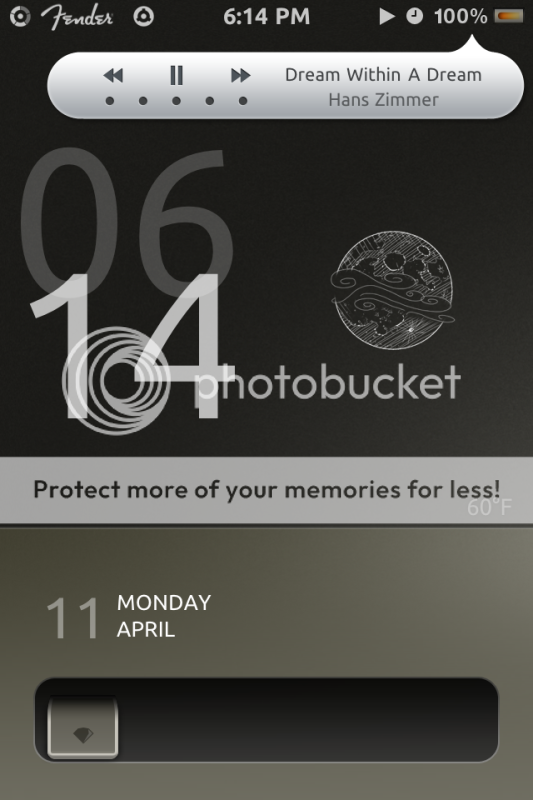  Thx to cocooh and others for the great themes. The only probs is the weather This post has been edited by latworx: Apr 11 2011, 06:23 PM |
|
|
Apr 11 2011, 07:20 PM
Return to original view | Post
#4
|
|
Junior Member
282 posts Joined: Jan 2008 From: Ayer Keroh, Melaka
|
QUOTE(cocooh @ Apr 11 2011, 06:25 PM)  Gonna try modding again once i get my iPad XD Gonna try modding again once i get my iPad XDAnyways , i can see alot of ppl is addicted with Prestige Theme Pack  can u help me on the weather prob? Cant find the script file in the themes folder. can u help me on the weather prob? Cant find the script file in the themes folder. |
|
|
Apr 12 2011, 02:05 AM
Return to original view | Post
#5
|
|
Junior Member
282 posts Joined: Jan 2008 From: Ayer Keroh, Melaka
|
Done with editting the html file for weather. Pening coz temp use celcius but the lable still 'F'. Now changed to 'C'.
|
|
|
Apr 24 2011, 06:36 AM
Return to original view | Post
#6
|
|
Junior Member
282 posts Joined: Jan 2008 From: Ayer Keroh, Melaka
|
QUOTE(saster_182 @ Apr 24 2011, 04:48 AM) same goes to me. i bought FolderEnhancer for 2USD from cydia, it help a lot. otherwise, change wallpaper.png Its seems FolderEnhancer will work as i want too! Working good with the iconoclasm! But cydia still got the amazon prob.. Need to wait until prob solved... |
|
|
|
|
|
May 20 2011, 04:49 AM
Return to original view | Post
#7
|
|
Junior Member
282 posts Joined: Jan 2008 From: Ayer Keroh, Melaka
|
Yup. U can u used the one in the itunes folder. No need to redownload
|
|
|
Jun 3 2011, 08:59 AM
Return to original view | Post
#8
|
|
Junior Member
282 posts Joined: Jan 2008 From: Ayer Keroh, Melaka
|
Changed to the new themes
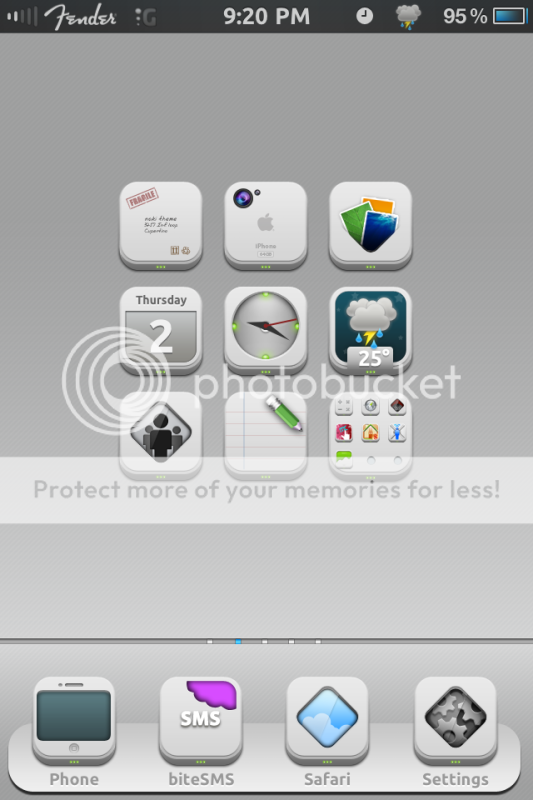 Just wanna share the fender carrier logo (see attachment). Need to be rename back, if not a celcom user. I've made logo for TAMA too. Anyone interested just let me know. Attached image(s)   |
|
|
Jun 3 2011, 12:22 PM
Return to original view | Post
#9
|
|
Junior Member
282 posts Joined: Jan 2008 From: Ayer Keroh, Melaka
|
Its noki-hd. Bought from themeitapp.com for $3. Installed together with the LiveCLock, and WeatherIcon. Created by the Prestige artist, fif7y.
|
|
|
Jun 19 2011, 04:07 PM
Return to original view | Post
#10
|
|
Junior Member
282 posts Joined: Jan 2008 From: Ayer Keroh, Melaka
|
QUOTE(RaplaJingga @ Jun 19 2011, 06:55 AM) Hi, care to share how to display the weather icon at notification area ? i manage to change the LS location for Noki-SD. Its come together with Wheater Icon. U need to install it first, from Cydia. After that, u r able to install extra themes special for noki, for free, under ThemeIt app. Unless u r using the unofficial Noki, u know what i mean. This post has been edited by latworx: Jun 19 2011, 04:09 PM |
|
|
Jun 19 2011, 10:59 PM
Return to original view | Post
#11
|
|
Junior Member
282 posts Joined: Jan 2008 From: Ayer Keroh, Melaka
|
QUOTE(KoYuKii @ Jun 19 2011, 09:37 PM) the carrier logo thingy still dun work for me coz im using 4.3.1. may i know wad firmware are u using? I use the same ways on changing the carrier logo since 4.2 if im not mistaken. the usual way to refresh the carrier logo is, just switch ON the Airplane mode and turn it OFF after several seconds. Yup, make sure the folder name and the logo name is correct. Otherwise, it'll not work.Btw, just wanna share some of logo that i've use. Most of them were edited by myself. So, the quality were not really good, but should be ok Fender:   TAMA:   A7X: (Black logo look sucks, so i'm using the white logo, edit a little, still not looking good, but better)   SS for A7X:  Just rename and ready to go. Added on June 19, 2011, 11:25 pm QUOTE(FaezFarhan @ Jun 18 2011, 11:11 AM) Can you share the wallpaper and dock? Almost forgot. here:» Click to show Spoiler - click again to hide... « This post has been edited by latworx: Jun 19 2011, 11:27 PM |
|
|
Jun 20 2011, 11:15 AM
Return to original view | Post
#12
|
|
Junior Member
282 posts Joined: Jan 2008 From: Ayer Keroh, Melaka
|
QUOTE(RaplaJingga @ Jun 20 2011, 09:44 AM) hi again bro, can teach me how to use the fender logo. thru ifile can? Sure. What i always do is, just rename the logo (eg. For white, use FSO_CARRIER_Celcom@2x.png For black, use DEFAULT_CARRIER_Celcom@2x.png), and paste into /system/library/carrier bundles/celcom_my.bundleThose are for celcom, if others, u can find the carrier folder at the same location I rarely use winterboard method, as the logo somehow will be overide by the system at certain apps. If u want activate the logo through wnterboard, just copy the carrier folder into themes folder. |
|
|
Jun 22 2011, 10:14 PM
Return to original view | Post
#13
|
|
Junior Member
282 posts Joined: Jan 2008 From: Ayer Keroh, Melaka
|
QUOTE(PhilHellmuth @ Jun 22 2011, 02:03 PM) hey man .. i did as u told. My advice is, never replace the original files. U need to rename them as i told, which means dont forget the @2x at the back of the name. Try ur luck by rename back the files. If still got prob, u need to find back the original files. Maybe anyone here can get it for u. I'll try upload mine once i got time.save the images of the carrier logo i wanted. rename both of the images to FSO_CARRIER_DiGi.png and Default_CARRIER_DiGi.png paste both of it and replace the existing digi logo in the folder digi_my.bundle respring my phone and went into airplane mode and non airplane mode the digi logo still stays. any steps i missed ? |
|
|
|
|
|
Jun 23 2011, 11:08 AM
Return to original view | Post
#14
|
|
Junior Member
282 posts Joined: Jan 2008 From: Ayer Keroh, Melaka
|
QUOTE(PhilHellmuth @ Jun 23 2011, 11:02 AM) hey man ..thanks for pointing out the @2x.. somehow i missed that out. Attached. Good luckBtw - i need the original file for digi logo .. anyone have it ? Attached File(s)  DiGi_my.zip ( 4.71k )
Number of downloads: 17
DiGi_my.zip ( 4.71k )
Number of downloads: 17 |
|
|
Jun 27 2011, 09:14 AM
Return to original view | Post
#15
|
|
Junior Member
282 posts Joined: Jan 2008 From: Ayer Keroh, Melaka
|
QUOTE(yezhacolic @ Jun 25 2011, 08:06 AM) Noki HD theme is good. Where you got it from? Any source? All icons are available or just certain only? Most of the popular icon are available. But dont worry, as Noki use the icon mask, so all the icon will be masked,become similar icon shape. |
|
|
Jun 28 2011, 08:07 AM
Return to original view | Post
#16
|
|
Junior Member
282 posts Joined: Jan 2008 From: Ayer Keroh, Melaka
|
QUOTE(zaxwin @ Jun 27 2011, 09:36 PM) is this Noki HD can be found in cydia? Its purchasable in themeit apps for usd3. U can google on how to install themeit app from cydia.But if u ask me the 'other' way, sorry, cant help u. Added on June 28, 2011, 8:12 am QUOTE(beckhowen @ Jun 27 2011, 08:57 PM) guys...how to change the weather from Fahrenheit to celcius?thx If u familiar altering files using ifile, just go to the theme's folder, open up the html file using text viewer, search for the option such as: var isCelcius and set it TRUE.This post has been edited by latworx: Jun 28 2011, 08:12 AM |
|
|
Jul 4 2011, 09:37 PM
Return to original view | Post
#17
|
|
Junior Member
282 posts Joined: Jan 2008 From: Ayer Keroh, Melaka
|
My new themes. Love to share
» Click to show Spoiler - click again to hide... « |
|
|
Jul 11 2011, 06:34 PM
Return to original view | Post
#18
|
|
Junior Member
282 posts Joined: Jan 2008 From: Ayer Keroh, Melaka
|
QUOTE(PhilHellmuth @ Jul 11 2011, 06:22 PM) how come there are themes with weather but doesnt contain the widget.html file? just open the selected themes files via ifile, and try open any .html files. and search : locale. u should find the var locale line, ready to be edit. but some themes put the coding into java files, such as Config.js. just try explore and open, search for the suitable variablehow do i change the city then ? QUOTE(azraeil @ Jul 11 2011, 06:25 PM) Sorry, noob question. Where can we find this widget.html file (using iFile) and what code are we talking here? I've gone to the weather.com and managed to find my city but I don't see any code. for the weather code, if use the weather.com, u can find the code at the site address. For instance: QUOTE http://www.weather.com/weather/today/Kuantan+Malaysia+MYXX0010 The bolded is the code. Anyhow, some themes use different type of weather. Shoot. typo This post has been edited by latworx: Jul 11 2011, 06:39 PM |
|
|
Jul 11 2011, 07:20 PM
Return to original view | Post
#19
|
|
Junior Member
282 posts Joined: Jan 2008 From: Ayer Keroh, Melaka
|
QUOTE(azraeil @ Jul 11 2011, 06:44 PM) I luv LYN ... you guys are awesome helpful woo.. 20 sec? sure drain ur batt much faster lo Added on July 11, 2011, 7:05 pmWohoo ... this theme/lockscreen customisation is awesome ... managed to install a couple of tweaks to get a nice Tron lockscreen display 1. Installed LS HTC HD (that's the Tron Lockscreen) 2. Clear Lockscreen to remove the slide to unlock 3. Lockscreen Clock Hide - To hide the clock since the Lockscreen already has a good time/date 4. 20 second lockscreen so I can look at my lockscreen a lot longer heh heh heh  share ur SS. share ur SS. |
|
|
Jul 11 2011, 09:53 PM
Return to original view | Post
#20
|
|
Junior Member
282 posts Joined: Jan 2008 From: Ayer Keroh, Melaka
|
QUOTE(azraeil @ Jul 11 2011, 07:36 PM) Will probably disable the 20 second lockscreen soon, just wanted to "admire" heh heh heh nice lo. thats a lot of works man. after u done, repack for me la. mau copy. malas nk customize Springboard Screen is still under construction. Wanted the Teknologik theme and I think will have a lot of work that needs to be done (GridLock, PerPageHtml, wallpaper etc etc). I might need to download the individual file and do the Whitoken Theme style construction so give me a couple of days. The family is not around so I get a lot of time on my hands for this month.  |
| Change to: |  0.0497sec 0.0497sec
 0.35 0.35
 7 queries 7 queries
 GZIP Disabled GZIP Disabled
Time is now: 3rd December 2025 - 02:39 AM |
 Quote
Quote