Welcome Guest ( Log In | Register )

Outline · [ Standard ] · Linear+

 Popcorn Hour - Full HD Networked Media Player, A-410 - ESS Technology Sabre 24-bit DAC

views
     
alucard89
post Jul 12 2011, 08:02 PM

Look at all my stars!!
*******
Senior Member
4,454 posts

Joined: Apr 2006
QUOTE(xpilon @ Jul 10 2011, 11:32 PM)
Hi,

Pls. help! I face a problems installing NMT Apps.

I'm installing the NMT from the Maintenance screen. I select "Media Setup" becasue my HDD already have the contents. Then i choose NMT media destination then quickly the "NMT setup done. Rebooting ..." message appear. After reboot, no NMT was installed. Any solutions?

Thanks.
*
How about installing it on USB device?
That worked for me.
alucard89
post Jul 14 2011, 08:31 PM

Look at all my stars!!
*******
Senior Member
4,454 posts

Joined: Apr 2006
QUOTE(xpilon @ Jul 12 2011, 10:25 PM)
Any others way beside installing in USB device?


Added on July 12, 2011, 10:28 pm
I'm using 1TB WD caviar green HDD with NTFS formatted.
*
I just did a clean install for it, haven't tried with HDD
If you wanna install on hdd and have csi/ipkg on the same drive , check this thread

http://networkedmediatank.com/showthread.php?tid=50955

This post has been edited by alucard89: Jul 14 2011, 08:31 PM
alucard89
post Jul 15 2011, 12:23 AM

Look at all my stars!!
*******
Senior Member
4,454 posts

Joined: Apr 2006
QUOTE(xpilon @ Jul 14 2011, 10:38 PM)
Well bro, you are so expert. Thanks for the infor. I'll try it when got time. Look like not easy and worry to do that.
Anyway you try it before?
*
I don't think it's that difficult
Basically you just need to make ex3 partition(for Csi/ipkg) and NTFS for your data.
Like I said I haven't tried it with HDD since I'm too lazy to format my existing hdd
Which is why I prefer USB device.
Be sure to follow the instructions for 200 series and not the 100 series.
Here's a wiki page with more detailed instruction and pics

http://www.networkedmediatank.com/wiki/ind...t_a_HDD_to_Ext3

Have you tried installing any app from NMT Community Software Installer?

This post has been edited by alucard89: Jul 15 2011, 12:24 AM
alucard89
post Jul 15 2011, 10:14 PM

Look at all my stars!!
*******
Senior Member
4,454 posts

Joined: Apr 2006
QUOTE(xpilon @ Jul 15 2011, 10:08 PM)
Thank you so much, sifu for the above links.
Would it be formated my HDD? How about I would like to retain my contents? I just want to install NMT with my contents together.
For the NMT I heard it before but never try yet.
*
Obviously you're gonna need to backup those media files first if you want to create partition for both ext3 and ntfs since it basically formats your hdd.
alucard89
post Jul 16 2011, 07:03 AM

Look at all my stars!!
*******
Senior Member
4,454 posts

Joined: Apr 2006
QUOTE(xpilon @ Jul 15 2011, 10:42 PM)
I got almost 1TB of contents, left only a few GBs.
*
And that's why I prefer installing NMT apps on a USB drive
Easiest solution for you
alucard89
post Jul 18 2011, 10:48 PM

Look at all my stars!!
*******
Senior Member
4,454 posts

Joined: Apr 2006
QUOTE(xpilon @ Jul 18 2011, 09:35 PM)
If the is the case then I may follow what you recomend but at the same time am oso looking for more solutions. Actually may be I can re-partition my HDD but need to find out more. Thanks anyway.
*
How about this method?

http://www.networkedmediatank.com/wiki/ind...ernal_hard_disk

You should be able to install NMT apps without formatting it

alucard89
post Jul 19 2011, 01:36 AM

Look at all my stars!!
*******
Senior Member
4,454 posts

Joined: Apr 2006
QUOTE(Kiding @ Jul 18 2011, 11:19 PM)
I got the popcorn A210 to replace my not-so-good xtreamer few weeks ago.

After a week of usage, I'm pretty satisfy the A210 performance, although the first one get faulty but quickly replaced with a new unit from the supplier.

Overall, the features and performance of A210 is pretty much better than xtreamer. of course it is not fair to compare it with xtreamer as the A210 price is 75% more expensive, but at least popcorn is able to delivery it, unlike xtreamer, telling you they have the features but couldn't deliver it or having problem to deliver.

The popcorn has the following features which I think are much better than xtreamer
1. YAMJ jukebox support
2. Bluray interactive menu support
3. High bitrate Full HD BDISO and BDMV playback via 100Mbps wired network
4. Beautiful GUI
5. MKV simple menu support
6. MKV PGS subtitles support
Yeah, a little expensive but definitely worth money.
Not to mention community support.
I just thought the navigation with eversion skin was a little bit sluggish though
I mean even scrolling thru movies NMJ was a lot faster than that
Then again eversion displays each movie info once highlighted

So far I'm still sticking with Aeon skin for YAMJ
NMJ still a lot of room for improvement

How exactly was it streaming BDISO files? Any stuttering?

alucard89
post Jul 21 2011, 05:38 PM

Look at all my stars!!
*******
Senior Member
4,454 posts

Joined: Apr 2006
QUOTE(Kiding @ Jul 19 2011, 06:47 PM)
The eversion is bit sluggish, I might change to AEON skin.

The BDISO playback is perfect, no stuttering at all. For Full HD movies playback via network, pause and resume during movie are instantaneous. In xtreamer case, once you pause, the sound keep going to play for at least 3 seconds, and when resume playing, it will like fast forward to catch up the sound. doh.gif
   
Yeah, I got the wireless dongle already. thx
*
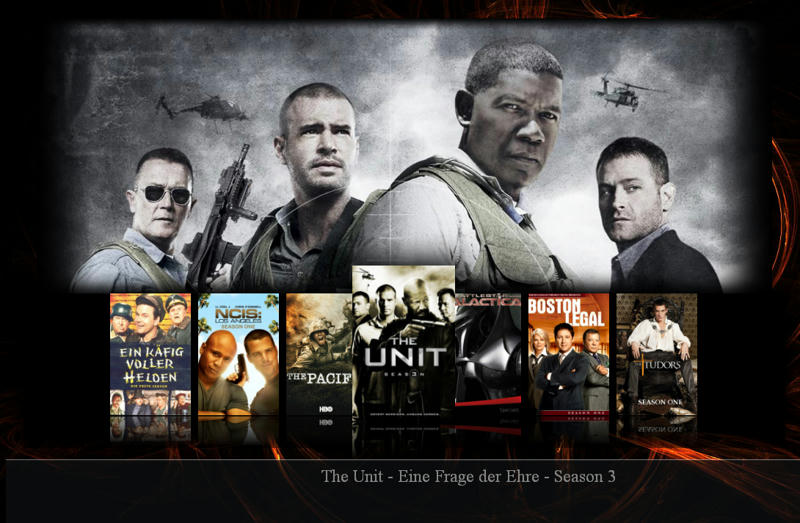
You could also try SabishGT skin, it's basically a pimped up version of Aeon
With other features borrowed from other skins
Also comes with an optional index page, looks nice biggrin.gif

user posted image


alucard89
post Jul 22 2011, 06:59 PM

Look at all my stars!!
*******
Senior Member
4,454 posts

Joined: Apr 2006
QUOTE(go4pch @ Jul 21 2011, 11:37 PM)
Hi All,

Tips on Removing USB Device!

->Goto Main Menu
->Point to USB Device
->Press "File Mode" from the remote control
->Select "Remove USB Device" press enter
->A message prompted "Are you sure you want to remove the USN device?"
->Just select "OK" and press enter
->A message showing "USB Device Media Disconnected"
->Done
*
Thanks for the tip biggrin.gif
Even I didn't find this info on the NMT forum.
alucard89
post Jul 25 2011, 10:05 AM

Look at all my stars!!
*******
Senior Member
4,454 posts

Joined: Apr 2006
QUOTE(xpilon @ Jul 24 2011, 09:20 PM)

hi bro,

How about you want? Look interesting. Can advised as well?
Popcorn Hour really deliver a very nice and stable products. thumbup.gif (thumb up).

Thanks in advanced, bro.
*
The really simple guide:

Get YAMJ(obviously)

Download your preferred skin and place in the skin folder.
Aeon

Download mediainfo cli and place it in the mediainfo folder in yamj.

Set up your movie/series location using YAMJ GUI Config
This needs to be placed in yamj folder.

Here's a video tutorial to help you with that


user posted image

Click My_YAMJ.cmd.

It should generate jukebox folder and index.htm file

Navigate and click index.htm to access your jukebox.

Done

Here's how it should look like

user posted image

user posted image

user posted image

user posted image

To make it easier for you, here's a pre configured YAMJ with Aeon skin

http://www.mediafire.com/?sastyq3ub41y0qc

But you'll still have to configure the path for your movies folder

If you need to use other skin like Eversion, just place it in the skin folder and rename it to 'default'
There's another way where you can specify the name of the skin to be used
but I won't delve into that since renaming it to default is the easiest method.

Now, do you play your movies from network share or HDD attached to PCH?

alucard89
post Jul 25 2011, 11:18 PM

Look at all my stars!!
*******
Senior Member
4,454 posts

Joined: Apr 2006
QUOTE(well @ Jul 25 2011, 10:32 PM)
if i place my computer that contain mkv in my bedroom, and place popcorn hour in living with my tv, how can i playing mkv movie ?
ya i think not to put hdd into popcorn hour, issit possible?
*
You still can access your movies from network share without having to install hdd.
alucard89
post Jul 25 2011, 11:38 PM

Look at all my stars!!
*******
Senior Member
4,454 posts

Joined: Apr 2006
QUOTE(well @ Jul 25 2011, 11:22 PM)
ya i mean what equipment i need still?homeplug?wifi adapter?is popcorn hour support wifi?
*
Yes it does, you get the free wifi dongle anyway
Although homeplug might be a better choice
For me I just use LAN cable since my PC isn't that far from the TV.
alucard89
post Jul 31 2011, 11:42 PM

Look at all my stars!!
*******
Senior Member
4,454 posts

Joined: Apr 2006
QUOTE(xpilon @ Jul 31 2011, 10:02 PM)
I play directly from 1TB HDD. Above look interesting but need time to figure it out.
Thank you so much.
*
Like I said, just grab the mediafire link and configure the path to your HDD and you're done
Although you might need to install NMT apps and enable Samba share so you can access the HDD from your network
Unless you connect the A210 directly to your PC.


Added on July 31, 2011, 11:46 pm
QUOTE(johnlimsk @ Jul 29 2011, 05:54 PM)
Heard about the homeplug before. Wonder how the speed like? Able to stream HD movies? Look very convenient to install.


Added on July 29, 2011, 5:55 pm
Very nice movie jukebox. Well done brother.
*
I haven't tried using homeplug, from what I read it's pretty reliable but it depends on your internal wiring.

This post has been edited by alucard89: Jul 31 2011, 11:46 PM
alucard89
post Aug 17 2011, 12:58 PM

Look at all my stars!!
*******
Senior Member
4,454 posts

Joined: Apr 2006
QUOTE(davidwee1987 @ Aug 16 2011, 11:36 PM)
Hi. I'm enjoying popcorn hour so far. May I have the guide to setup torrents download


Added on August 16, 2011, 11:39 pmHi. I'm enjoying popcorn hour so far. May I have the guide to setup torrents download model c200
*
You'll need to get Transmission 2.21
Install it by using CSI, reboot your nmt and you can access the webend at http://yournmtadress:9091/transmission/web/


user posted image

user posted image

I can't guarantee you'll get full speed with torrent
I only use download manager app for my A210
alucard89
post Aug 22 2011, 02:25 PM

Look at all my stars!!
*******
Senior Member
4,454 posts

Joined: Apr 2006
QUOTE(pusswuss @ Aug 22 2011, 10:57 AM)
hi popcorn sifus,
just got my pch-a210. YAMJ can only be enabled if i am 'online' rite? cant be installed into PCH HDD? sorry noob here....
*
Not necessarily, you only need to go online to update information for your movie jukebox
What YAMJ does is that it generates the jukebox files that can be placed anywhere you want(index.htm and jukebox folder) on PCH HDD or PC HDD
You'll need to configure the path for your jukebox files with YAMJ GUI Config first.
Already posted my simple guide to use YAMJ in the previous post

http://forum.lowyat.net/index.php?showtopi...post&p=44091951

Another alternative to YAMJ is UMC

http://www.umc-project.de/

It's simpler to use with a GUI and comes with Revamp skin
It's a flash skin and you'll have some option not available on YAMJ like actor's bio/filmography
movie views that can be changed on the fly and random backdrops displayed on the main menu.
Still has a few bugs that needs fixing.

user posted image

user posted image

user posted image

user posted image

user posted image
alucard89
post Dec 22 2011, 02:25 AM

Look at all my stars!!
*******
Senior Member
4,454 posts

Joined: Apr 2006
QUOTE(styloh @ Dec 22 2011, 01:21 AM)
just received my A-210 from go4pch!

guys, i'm having a lil trouble here playing 720 bluray videos (.mkv) over my wireless connectivity (PC to PCH). i've setup myiHome, so I'm getting all my videos and music on my PC wirelessly. playing .avi movies is a no problemo. but when it comes to 720 .mkv files, i'm getting stuttering pictures (some may call it jerky)

anyone here is having the same setup as i am? can i know how do you solve it?
using usb dongle or homeplug? (not keen on running wired as it will mess up the floor  tongue.gif)
my setup: i'm using Popcorn Hour Wifi Dongle (WN-150) and on my PC is the netgear WG111v2 54Gb (http://support.netgear.com/app/products/model/a_id/2557)

also, i tried hooking up my portable hdd straight to PCH, but PCH doesnt seem to be picking up my hdd. PCH pops up on the top right corner that it has found a usb disk and the disk/CD/DVD icon on PCH enabled. but there is nothing i can do with it. am i missing something here?

thanks in adv


Added on December 22, 2011, 1:29 amgo4pch, received the package in a good condition. nicely wrap like xmas present haha biggrin.gif

btw, the remote control that came with it was a little fault. the right button is too sensitive and there is no "click" feel & sound when i press it
*
Maybe you could use samba share instead of using myihome?
Last time I tried using wireless connection, I think I got 720p files playing smoothly but not so much for 1080p..
Not so sure about your hdd not getting detected, mine works just fine.
Try updating to the latest firmware.
alucard89
post Dec 22 2011, 12:15 PM

Look at all my stars!!
*******
Senior Member
4,454 posts

Joined: Apr 2006
QUOTE(styloh @ Dec 22 2011, 12:01 PM)
bro, what connection are you using now? homeplug or network cable?
*
Network cable and using TP Link WR1043nd router


Change to:
| Lo-Fi Version
0.0278sec    0.50    6 queries    GZIP Disabled
Time is now: 15th December 2025 - 01:58 PM