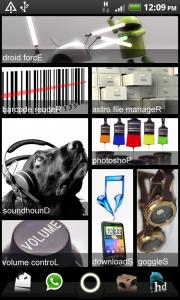
guys, would a near-full (62mb left) SD card be affecting the system overall smoothness?
*** HTC Desire HD (DHD) Official Thread V9 ***, Moving Fast & Faster....Here We Go
*** HTC Desire HD (DHD) Official Thread V9 ***, Moving Fast & Faster....Here We Go
|
|
 Feb 21 2011, 10:10 AM Feb 21 2011, 10:10 AM
Return to original view | Post
#1
|
 
Senior Member
3,849 posts Joined: Oct 2006 From: Your Location  
|
guys, would a near-full (62mb left) SD card be affecting the system overall smoothness?
|
|
|
|
|
|
Feb 21 2011, 10:27 AM
Return to original view | Post
#2
|
|
Senior Member
3,849 posts Joined: Oct 2006 From: Your Location
|
QUOTE(monza84 @ Feb 21 2011, 09:08 AM) Where got 2.0.14 or wont be affected? ..its 2.0.13...anyway, no need to format your SD Card before flashing..all you need to do is WIPE the system data/cache...all your data won't intact ..its 2.0.13...anyway, no need to format your SD Card before flashing..all you need to do is WIPE the system data/cache...all your data won't intact   |
|
|
Feb 21 2011, 11:06 AM
Return to original view | Post
#3
|
|
Senior Member
3,849 posts Joined: Oct 2006 From: Your Location
|
hey guys what do you usually backup in Titanium ar? So many unknown stuff in the list -.-
BATCH > Backup all user apps + system data?  This post has been edited by GameFr3ak: Feb 21 2011, 11:13 AM |
|
|
Feb 21 2011, 11:43 AM
Return to original view | Post
#4
|
|
Senior Member
3,849 posts Joined: Oct 2006 From: Your Location
|
QUOTE(allenultra @ Feb 21 2011, 11:20 AM) I would recommend you to use MyBackup Root/Pro instead, the UI is more user friendly. does it backup game's save file as well ? or those modded themes leh ? Root version is free, Pro is paid version. QUOTE(hypermount @ Feb 21 2011, 11:22 AM) Yes I'm using MyBackup Root also - easier..but need to redownload everytime after flash. wah redownload every apps  ? ? |
|
|
Feb 21 2011, 12:34 PM
Return to original view | Post
#5
|
|
Senior Member
3,849 posts Joined: Oct 2006 From: Your Location
|
QUOTE(monza84 @ Feb 21 2011, 09:08 AM) Where got 2.0.14 Is it ..its 2.0.13...anyway, no need to format your SD Card before flashing..all you need to do is WIPE the system data/cache...all your data won't intact - wipe data/factory reset - wipe cache partition ? Is it these 2? And which should I pick when I wanna do a FULL wipe for a new rom installation ar? This post has been edited by GameFr3ak: Feb 21 2011, 12:36 PM |
|
|
Feb 21 2011, 03:33 PM
Return to original view | Post
#6
|
|
Senior Member
3,849 posts Joined: Oct 2006 From: Your Location
|
Alrite, did a FULL wipe and flashed 2.0.13 revo HD... now restoring all the stuff one by one
 |
|
|
|
|
|
Feb 21 2011, 04:28 PM
Return to original view | Post
#7
|
|
Senior Member
3,849 posts Joined: Oct 2006 From: Your Location
|
QUOTE(wim1983 @ Feb 21 2011, 03:37 PM) lol no need do full wipe mah, can directly flash No la I felt quite jerky previously .. and it's been a while since I last did a full wipe.. so ma wipe lor   |
|
|
Feb 21 2011, 07:03 PM
Return to original view | Post
#8
|
|
Senior Member
3,849 posts Joined: Oct 2006 From: Your Location
|
QUOTE(WindChaseR @ Feb 21 2011, 06:49 PM) hehe, my DHD is breaking record alrdy, unplugged 34hours stil left 52%.. although im on GSM only mode, minor surfing, minor gaming, seldom use these 2 days.. what profile do you use in SetCPU? Im on screen on (performance + max core) & screen off (Conservative lowest core). But I use my phone a lot hence makan a lot and fast too anyway, for those who like to compare, here are some links that might help u: SLCD VS AMOLED (both on HTC Desire) http://blog.gsmarena.com/htc-desire-with-s...o-head-to-head/ and DHD VS SGS http://www.phonearena.com/reviews/HTC-Desi...Galaxy-S_id2586 enjoy ur comparison, maybe TS can pin it to first page.  |
|
|
Feb 22 2011, 02:02 PM
Return to original view | Post
#9
|
|
Senior Member
3,849 posts Joined: Oct 2006 From: Your Location
|
» Click to show Spoiler - click again to hide... « My entry Apps :- - Desktop Visualizer - Minimalistic text This post has been edited by GameFr3ak: Feb 22 2011, 02:03 PM |
|
|
Feb 22 2011, 04:21 PM
Return to original view | Post
#10
|
|
Senior Member
3,849 posts Joined: Oct 2006 From: Your Location
|
QUOTE(Ahkwang @ Feb 22 2011, 02:48 PM) eh - that's windows 7 !!!  hahaha hahahanice screen - very different -  
haha....no la its android but i know u're joking kaka |
|
|
Feb 22 2011, 06:19 PM
Return to original view | Post
#11
|
|
Senior Member
3,849 posts Joined: Oct 2006 From: Your Location
|
QUOTE(monza84 @ Feb 22 2011, 05:45 PM) @soonlee Wah @soonlee, do you even touch your phone or you left it there for the sake of 2d 3h up time is  ..just want to ask, did you on your WiFi 24/7 or you OFF is sometime?? ..just want to ask, did you on your WiFi 24/7 or you OFF is sometime??  |
|
|
Feb 22 2011, 07:25 PM
Return to original view | Post
#12
|
|
Senior Member
3,849 posts Joined: Oct 2006 From: Your Location
|
QUOTE(napoli26 @ Feb 22 2011, 07:23 PM) gt a dhd member wanna swap dhd with ip4 in garage sales, reason: wanna try ip4 speechless from [__________________________] exchange into [_________________] + the damn restricted OS  This post has been edited by GameFr3ak: Feb 22 2011, 07:26 PM |
|
|
Feb 23 2011, 10:43 AM
Return to original view | Post
#13
|
|
Senior Member
3,849 posts Joined: Oct 2006 From: Your Location
|
Strange. I tried to tap "Backup Current Rom" with Rom Manager, but nothing happens.......
Any known cure for this ? |
|
|
|
|
|
Feb 23 2011, 11:17 AM
Return to original view | Post
#14
|
|
Senior Member
3,849 posts Joined: Oct 2006 From: Your Location
|
QUOTE(Calex @ Feb 23 2011, 10:44 AM) Go to recovery and do the backup there instead. And make sure you have at least 1.5GB of free space in your SDCard before you do so. QUOTE(monza84 @ Feb 23 2011, 10:45 AM) Try reinstall RM and see how...but usually i do backup from RecoveryMode menu QUOTE(WindChaseR @ Feb 23 2011, 10:53 AM) but hor, duno is bcos of older CWM version anot, the function of reboot into recovery in latest version of RM not working.. At first "reboot into recovery" or "backup current ROM" wont work. Then I reinstalled as per advised, and tapped "Reboot into Recovery" boom now its backing up everything...I thought I need to tap "backup current ROM" but it automatically start backing up when I merely tapped "reboot into recovery".... |
|
|
Feb 23 2011, 11:31 AM
Return to original view | Post
#15
|
|
Senior Member
3,849 posts Joined: Oct 2006 From: Your Location
|
QUOTE(terry3386 @ Feb 23 2011, 11:28 AM) anyone had problem with camera? only notice it recently when saving back to pc and view.. somehow the left corner is always blurry that area is dark ? or do you mean noise? camera got finger print? dirt? debris? |
|
|
Feb 23 2011, 05:20 PM
Return to original view | Post
#16
|
|
Senior Member
3,849 posts Joined: Oct 2006 From: Your Location
|
QUOTE(Atsutane-Shirane @ Feb 23 2011, 05:02 PM) I dont think the culprit is cpu freq but more to memory issue... setcpu is known as memory hogger... especially the widget part... I removed mine on I saw your entry lolQUOTE(mushashi87 @ Feb 23 2011, 05:04 PM) Anyone know which task killer is the best?? The power button + tap on "restart"& try googling why is it not recommended to use task killers for android.... |
|
Topic ClosedOptions
|
| Change to: |  0.0464sec 0.0464sec
 0.59 0.59
 7 queries 7 queries
 GZIP Disabled GZIP Disabled
Time is now: 5th December 2025 - 08:15 AM |
 Quote
Quote