Woot... V7...!
*** HTC Desire HD Official Thread V7 ***, HTC Flagship Android Machine!!!
*** HTC Desire HD Official Thread V7 ***, HTC Flagship Android Machine!!!
|
|
 Jan 22 2011, 12:11 AM Jan 22 2011, 12:11 AM
Return to original view | Post
#1
|
 
Senior Member
1,458 posts Joined: Nov 2006 From: Selangor  
|
Woot... V7...!
|
|
|
|
|
|
Jan 22 2011, 08:41 AM
Return to original view | Post
#2
|
|
Senior Member
1,458 posts Joined: Nov 2006 From: Selangor
|
QUOTE(Cynox @ Jan 22 2011, 02:47 AM) I have "downgraded" from Desire's Amoled to Desire HD's TFT. I will never look back to my Desire again. Lol... u from the same ship as me... Amoled Desire to TFT DHD...  Seriously the sheer size of the DHD really make up for the loss of higher saturated AMOLED. Once you get used the new screen, trust me, you won't want anything smaller ever after, no matter what AMOLED lah... Super AMOLED lah... unless it is 4.3" AMOLED or SuperAMOLED....lol...   |
|
|
Jan 22 2011, 11:18 AM
Return to original view | Post
#3
|
|
Senior Member
1,458 posts Joined: Nov 2006 From: Selangor
|
QUOTE(Cynox @ Jan 22 2011, 10:32 AM) I remember you Yeah!... Glad you remember me...  coz I think you join my previous bulk of the Android pouch for Desire and phone strap. I recognize your avatar. coz I think you join my previous bulk of the Android pouch for Desire and phone strap. I recognize your avatar.  |
|
|
Jan 22 2011, 12:00 PM
Return to original view | Post
#4
|
|
Senior Member
1,458 posts Joined: Nov 2006 From: Selangor
|
QUOTE(DJFoo000 @ Jan 22 2011, 11:39 AM) lol only in DHD thread there're so many politics going on. You should not ask root or not... you should ask custom rom or stock rom... Wanna ask anyone who weren't rooted had an OTA update already? btw nope... no OTA for stock rom yet... |
|
|
Jan 22 2011, 06:48 PM
Return to original view | Post
#5
|
|
Senior Member
1,458 posts Joined: Nov 2006 From: Selangor
|
omai god... only 6 hours and the page go from 3 to 8..?
Added on January 22, 2011, 6:49 pm QUOTE(koinibler @ Jan 22 2011, 06:46 PM) I'm really pity on your DHD, it master really mean You can find your nandroid backup inside CWM folder in your sd card... inside there got sub-folder showing date and time of the backup... with lithium life cycle around 500 times, it mean that you need to change the battery less than a year. i've read about nanroid backup before, but not sure where or what it is, but already backup through cmw I wonder if its enough. I tried to find in in sd, but only found recovery-clockwork-2.5.1.3-ace.img file inside recovery folder which is 4MB. does my stock rom just small like that  now already succesfull installing hboot and S -off. every apps start giving eroor and had to force closed. bad timing, i need to go out. can i let it stay without reboot now? This post has been edited by Atsutane-Shirane: Jan 22 2011, 06:49 PM |
|
|
Jan 22 2011, 07:45 PM
Return to original view | Post
#6
|
|
Senior Member
1,458 posts Joined: Nov 2006 From: Selangor
|
QUOTE(koinibler @ Jan 22 2011, 06:59 PM) does the {recovery-clockwork-2.5.1.3-ace.img} is the backup? but its only 4MB. Nope... that not the backup... that the recovery image download by rom manager...that the biggest file in there. so, it sokay to just leave it at that right. need to go out and maybe make some call too. continue later in the night. Added on January 22, 2011, 7:47 pm QUOTE(tt187 @ Jan 22 2011, 07:42 PM) Does DHD comes with stock recovery mode (vol. down + Power Button) or is it only enabled once DHD has been rooted? Vol down + Power do not bring you to the recovery mode... it will only bring you to the bootloader... Only from there you have an option to choose recovery mode...I have a friend who mentioned that all stock androids that comes out of the factory should be able to do stock recovery (method above). If not, the set is no good. I would like to know if the above is true? I tried on mine but it doesn't not happen. Thanks in advance for your guys advice... This post has been edited by Atsutane-Shirane: Jan 22 2011, 07:47 PM |
|
|
|
|
|
Jan 23 2011, 08:23 AM
Return to original view | Post
#7
|
|
Senior Member
1,458 posts Joined: Nov 2006 From: Selangor
|
QUOTE(hypermount @ Jan 23 2011, 02:27 AM) Is it the way to backup our stock ROM first after perm root our phone? what tool recommended for full backup. If you just wanna backup apps and data you can always use titanium backup... But if you want to backup your whole system, you need to root, S-Off and install custom recovery...Added on January 23, 2011, 8:24 amOh yeah... Titanium backup also required root if i not mistaken.. This post has been edited by Atsutane-Shirane: Jan 23 2011, 08:24 AM |
|
|
Jan 23 2011, 11:12 PM
Return to original view | Post
#8
|
|
Senior Member
1,458 posts Joined: Nov 2006 From: Selangor
|
QUOTE(napoli26 @ Jan 23 2011, 09:50 PM) my new splash screen I think the 1st much nicer... but bios splash screen still win.. [attachmentid=2011564][attachmentid=2011577] which 1 better?  |
|
|
Jan 23 2011, 11:27 PM
Return to original view | Post
#9
|
|
Senior Member
1,458 posts Joined: Nov 2006 From: Selangor
|
QUOTE(napoli26 @ Jan 23 2011, 11:25 PM) my dhd will show my custom splash screen after tat turn into bios boot animation with something like robot sound lol... why not use classic boot sound..? |
|
|
Jan 23 2011, 11:42 PM
Return to original view | Post
#10
|
|
Senior Member
1,458 posts Joined: Nov 2006 From: Selangor
|
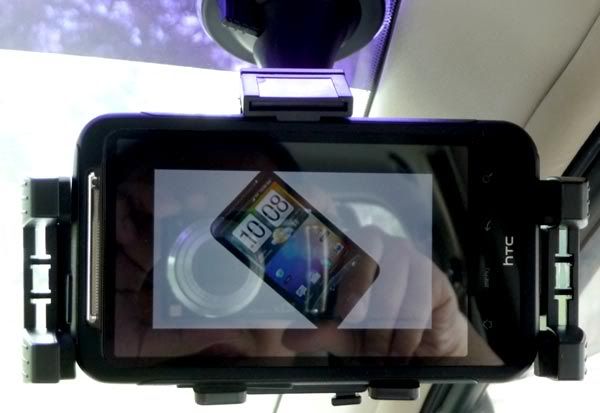
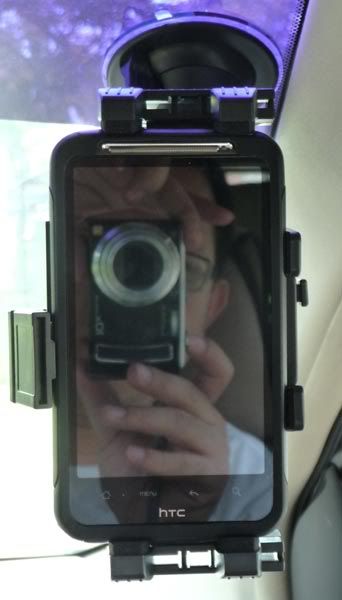
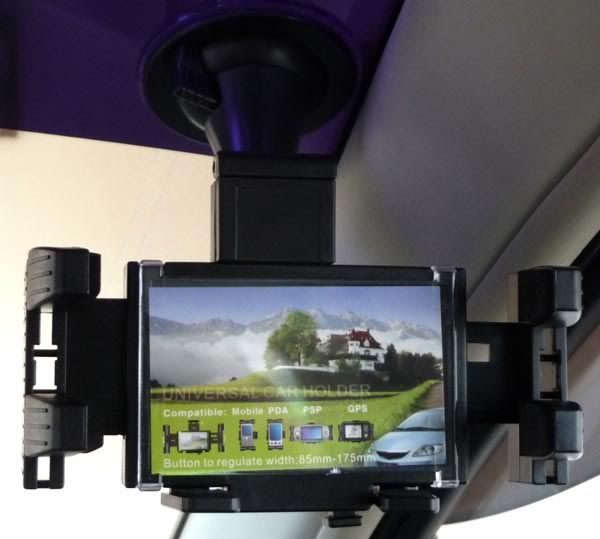
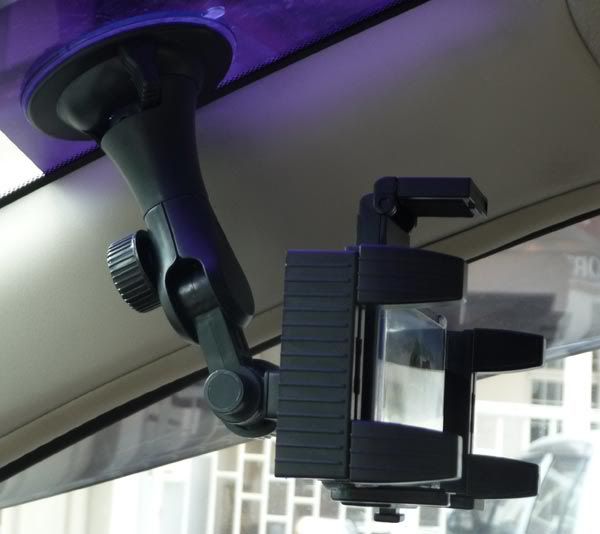
QUOTE(Cynox @ Jan 23 2011, 11:33 AM) finally got my in-car phone holder after weeks of delay. It is universal generic type but I think it is not bad. Hold my Desire HD firmly on the windscreen - tried pull it with my hand with some force but it hold on to the windscreen tightly. Bro can share the packaging picture or name of the universal holder... Trying to find only by the look quite hard la... Some pictures to share: 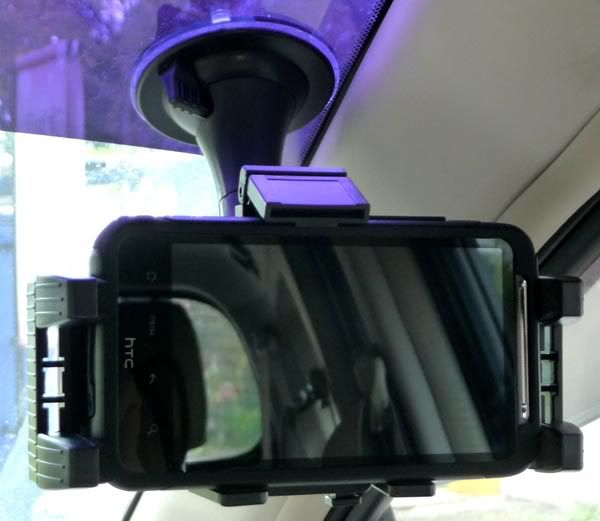 More pictures in the spoiler: » Click to show Spoiler - click again to hide... « |
|
|
Jan 24 2011, 12:10 AM
Return to original view | Post
#11
|
|
Senior Member
1,458 posts Joined: Nov 2006 From: Selangor
|
QUOTE(koinibler @ Jan 24 2011, 12:08 AM) seem that my pc were unable to install the android 1.0 thus can't detect my DHD on bootloader. This should help u install the HBoot driver... http://unrevoked.com/rootwiki/doku.php/pub..._driver_installflash radio also failed. anyone has any idea where it might be wrong? sdk installed, htc sync installed, tried to flash radio which mike recommend. seem failed to flash radio today! |
|
|
Jan 24 2011, 12:36 AM
Return to original view | Post
#12
|
|
Senior Member
1,458 posts Joined: Nov 2006 From: Selangor
|
QUOTE(koinibler @ Jan 24 2011, 12:29 AM) thanks that really works. Lol... that never happen to me...now android 1.0 is already installed, but going to continue tomorrow as its not good to do it in rush while half asleep. clockwork mod recovery really irritate me. every time i power off the phone, cmw bootloader that come up  Added on January 24, 2011, 12:38 am QUOTE(hypermount @ Jan 24 2011, 12:27 AM) How to proceeed from "ACE PVT SHIP S-OFF"...After installing ROM Manager - Flash ClockWorkMod Recovery - then not sure what to do next? To install custom ROM. Next download custom rom... Put inside SD card... boot into recovery... backup stock rom using nandroid... wipe clean all system... flash custom rom... This post has been edited by Atsutane-Shirane: Jan 24 2011, 12:38 AM |
|
|
Jan 24 2011, 11:39 PM
Return to original view | Post
#13
|
|
Senior Member
1,458 posts Joined: Nov 2006 From: Selangor
|
QUOTE(piring @ Jan 24 2011, 11:35 PM) not that..its showing on my screen with the background is black n there's a black phone in the middle of the screen with a triangle sign red coloured on the right top corner of the black phone~ can picture it ka? Why dont you boot into recovery mode and make a backup using Clockworkmod nandroid backup... |
|
|
|
|
|
Jan 24 2011, 11:42 PM
Return to original view | Post
#14
|
|
Senior Member
1,458 posts Joined: Nov 2006 From: Selangor
|
QUOTE(Kyros90 @ Jan 24 2011, 11:39 PM) the setting you mention above already did it earlier.. can connect to laptop..but no internet access.. Try in advance->lan setting... the DHCP is check... last time i connect to wifi but cant use internet because the DHCP is uncheck...so weird.. my friend using my wifi hotspot via her nokia phone and she can online... I use 2 different laptops..but cant online...haizzz |
|
|
Jan 24 2011, 11:44 PM
Return to original view | Post
#15
|
|
Senior Member
1,458 posts Joined: Nov 2006 From: Selangor
|
QUOTE(WindChaseR @ Jan 24 2011, 11:42 PM) No no, his problem is, he havent S-OFF, confirmed by some1 here alrdy, after root must s-off den only can backup.. LOL... no S-Off meaning no CWM... no CWM meaning Rom Manager is useless... |
|
|
Jan 24 2011, 11:50 PM
Return to original view | Post
#16
|
|
Senior Member
1,458 posts Joined: Nov 2006 From: Selangor
|
QUOTE(WindChaseR @ Jan 24 2011, 11:46 PM) no ah, after root, cwm can install thru rom manager ma, but by tat time oso stil havent s-off ma..not meh? Well i don't know if without S-Off can flash recovery or not... if can you sure can boot into green recovery mode... But according to instruction on S-Off...Added on January 24, 2011, 11:46 pmlike mine, i can boot into recovery page now, but stil wil meet the red triangle page, havent got time to do s-off..@@ QUOTE So, in detail, the Root & S-OFF process goes like this: S-Off -> Rom Manager -> CWM...Install Visionary Open Visionary and tap temproot, then attempt permroot now. Your device will reboot. Connect your phone to a computer (make sure you have USB Debugging enabled. Connect charge only!) Open my "Desire HD easy radio tool.exe", choose the first option, click "Do it"! There may be a SuperUser request on your phone, allow it. Done. But you might want to continue if you are a new user: If you want to flash a radio (to improve signal and battery life) some day, do ENG S-OFF To flash a custom rom: Get Rom manager from the market, which will install a ClockWorkMod recovery for you. Just open it up and tap "Flash ClockworkMod recovery" Download a custom ROM, put it to your SD, and flash it using Rom manager or ClockworkMod itself But i maybe wrong here... Added on January 24, 2011, 11:52 pm QUOTE(WindChaseR @ Jan 24 2011, 11:50 PM) like wat i did, temproot den permroot by visionary, den rom manager install CWM, still wont b able to backup 1, will meet the red triangle page, nid to s-off from here.. Well like i say... S-Off to unlock your bootloader to install CWM... without unlock bootloader no custom recovery...confirmed by some sifus here..  This post has been edited by Atsutane-Shirane: Jan 24 2011, 11:52 PM |
|
|
Jan 24 2011, 11:55 PM
Return to original view | Post
#17
|
|
Senior Member
1,458 posts Joined: Nov 2006 From: Selangor
|
QUOTE(GreenSamurai @ Jan 24 2011, 11:53 PM) Guys is there any app that can unlock the screen without pressing the power button? There is one locker apps that can assign key to wake up your phone... But i cant remember what... Widgetlocker maybe..? |
|
|
Jan 25 2011, 12:00 AM
Return to original view | Post
#18
|
|
Senior Member
1,458 posts Joined: Nov 2006 From: Selangor
|
QUOTE(piring @ Jan 24 2011, 11:57 PM) err...i think i stated a while ago in this forum as well, as i cannot use terminal emulator ~ dunno why~ n, as i read in forum, (xda-dev) they said to do S-OFF, u nid terminal emulator~ There is no need for terminal, linux, CLI or anything... There S-Off program is build for windows... It just you need to make sure you have Android SDK driver...http://forum.xda-developers.com/showthread.php?t=857537 |
|
|
Jan 25 2011, 12:04 AM
Return to original view | Post
#19
|
|
Senior Member
1,458 posts Joined: Nov 2006 From: Selangor
|
QUOTE(Kyros90 @ Jan 25 2011, 12:01 AM) DHCP checked but cant also..wat about the wifi channel? set auto? Well my wifi channel is auto and i can share my connection to anyone... Can u use your mobile data on your phone to browse internet..? if can there should be no problem... |
|
|
Jan 25 2011, 08:22 AM
Return to original view | Post
#20
|
|
Senior Member
1,458 posts Joined: Nov 2006 From: Selangor
|
QUOTE(hypermount @ Jan 25 2011, 07:59 AM) Anyone having problems with Core Droid ROM?..after flash - seems the phone not working perfectly - like the mobile internet not functioning properly etc..did a clean wipe though with the one-click wipe zip from the recovery. Now revert to stock ROM. Did you key-in the APN setting normally..? |
|
Topic ClosedOptions
|
| Change to: |  0.0462sec 0.0462sec
 0.37 0.37
 7 queries 7 queries
 GZIP Disabled GZIP Disabled
Time is now: 11th December 2025 - 04:38 PM |
 Quote
Quote