*** HTC Desire HD Official Thread V7 ***, HTC Flagship Android Machine!!!
*** HTC Desire HD Official Thread V7 ***, HTC Flagship Android Machine!!!
|
|
 Jan 23 2011, 09:16 AM Jan 23 2011, 09:16 AM
|
 
Senior Member
2,059 posts Joined: Jan 2010 
|
Yup, Titanium & MyBackup both need root before installation can do
|
|
|
|
|
|
Jan 23 2011, 09:43 AM
|

Senior Member
546 posts Joined: Nov 2007 From: ҝίЯ⍺βџζụ  
|
QUOTE(velma @ Jan 23 2011, 04:16 AM) reporting in late. Sunwyay pyramid, i think area giant, g floor, opposite gmp, there's 1 Japanese shop... u buy any item at 5 ringgit..velma - senQ sis warranty - the mocha gang btw, thanks for the battery calibration. its really work. good jobs. cant really find any case for my phone, now naked. anyone care to sell me some case for low price? budget from rm10 - rm25  The one that u looking for its there..so many sizes I also bought there This post has been edited by Ghostblind: Jan 23 2011, 09:44 AM |
|
|
Jan 23 2011, 09:58 AM
|

Junior Member
36 posts Joined: Jan 2011 
|
anyone know how to disable the charging function when we connect to pc using mini usb cable?
|
|
|
Jan 23 2011, 10:00 AM
|

Senior Member
5,362 posts Joined: Jan 2003 From: Johor Bahru
|
QUOTE(MichaelLTR @ Jan 23 2011, 09:58 AM) anyone know how to disable the charging function when we connect to pc using mini usb cable? cannot disable. |
|
|
Jan 23 2011, 10:05 AM
|
|
Junior Member
36 posts Joined: Jan 2011
|
QUOTE(Cynox @ Jan 23 2011, 10:00 AM) cannot disable. o...so when we connect pc disconnect its always charge and uncharge..like not so good to batery...  |
|
|
Jan 23 2011, 10:08 AM
|

Junior Member
47 posts Joined: Jan 2003
|
Here's something I find very useful for newbie like me. How to sync android phone contacts to online gmail account. http://www.google.co.uk/support/forum/p/gm...f562bbb28&hl=en
Cut and paste excerpts below: CODE Think of phone contacts and google contacts as two databases that your "Contact" or "People" apps access seamlessly. But, although it presents you with all contacts on the same interface doesn"t mean you can pass contacts over the "frontier" from one DB to the other. As with any DB, exchange of data involves an export/import process. To answer johnp58's initial request, here's how to extract the phone DB and import it in the google DB on an HTC Desire with the "People" app (all these contacts will then be synced on your google account). NB: all actions are done from the first app tab called "All" ## Exporting phone DB - press "Menu" and tap "View" - you must activate the view of the contacts DB you want to export (here it's Phone) so check only "Phone" and tap "Done" - you're back in the "All" tab and all the names that you see now are from your phone contacts DB - press "Menu" again and tap "Import/Export" - choose "Export to SD card" on the popup that rise - then choose "Phone" on the new popup - the next popup then shows you the place and name of the VCF file that will be written, tap "OK" - once the export is finished, you're back to the "All" tab ## Importing to google DB - press "Menu" again and tap "Import/Export" - now choose "Import from SD card" on the popup - choose "Google" on the new popup - android then find your previously created VCF file and imports it or guides you to chosing a particular VCF file if you already had some on your SD card (choose import a single vCard file) ## Sticking to google contacts - press "Menu" and tap "View" - now to activate only google contacts view (check "Google" and uncheck "Phone") - also uncheck "Show auto Gmail contacts" or you will keep seeing all people Gmail can find in the addressees of every single email you have in your account (namely the content of the "All Contacts" group in the Google contacts web interface), then tap "Done" From now on, all you see in the "All" tab are google contacts, that are synced with your google account. However, next time you create a contact entry from the phone, BE CAREFUL to select "Google" for entry's type or you'd have to do all that export/import thing again just for a few accounts created in the phone DB by mistake (plus it would bring up duplicate entries of your first import, which is really tedious and unpleasant to fix). When the next created account is set as a google one, "People" app normally keeps presenting you with this type of account by default for all future creation. |
|
|
|
|
|
Jan 23 2011, 10:38 AM
|
|
Senior Member
5,362 posts Joined: Jan 2003 From: Johor Bahru
|
Nice find. I will put it up at first posts.
QUOTE(Balitong @ Jan 23 2011, 10:08 AM) Here's something I find very useful for newbie like me. How to sync android phone contacts to online gmail account. http://www.google.co.uk/support/forum/p/gm...f562bbb28&hl=en Cut and paste excerpts below: CODE Think of phone contacts and google contacts as two databases that your "Contact" or "People" apps access seamlessly. But, although it presents you with all contacts on the same interface doesn"t mean you can pass contacts over the "frontier" from one DB to the other. As with any DB, exchange of data involves an export/import process. To answer johnp58's initial request, here's how to extract the phone DB and import it in the google DB on an HTC Desire with the "People" app (all these contacts will then be synced on your google account). NB: all actions are done from the first app tab called "All" ## Exporting phone DB - press "Menu" and tap "View" - you must activate the view of the contacts DB you want to export (here it's Phone) so check only "Phone" and tap "Done" - you're back in the "All" tab and all the names that you see now are from your phone contacts DB - press "Menu" again and tap "Import/Export" - choose "Export to SD card" on the popup that rise - then choose "Phone" on the new popup - the next popup then shows you the place and name of the VCF file that will be written, tap "OK" - once the export is finished, you're back to the "All" tab ## Importing to google DB - press "Menu" again and tap "Import/Export" - now choose "Import from SD card" on the popup - choose "Google" on the new popup - android then find your previously created VCF file and imports it or guides you to chosing a particular VCF file if you already had some on your SD card (choose import a single vCard file) ## Sticking to google contacts - press "Menu" and tap "View" - now to activate only google contacts view (check "Google" and uncheck "Phone") - also uncheck "Show auto Gmail contacts" or you will keep seeing all people Gmail can find in the addressees of every single email you have in your account (namely the content of the "All Contacts" group in the Google contacts web interface), then tap "Done" From now on, all you see in the "All" tab are google contacts, that are synced with your google account. However, next time you create a contact entry from the phone, BE CAREFUL to select "Google" for entry's type or you'd have to do all that export/import thing again just for a few accounts created in the phone DB by mistake (plus it would bring up duplicate entries of your first import, which is really tedious and unpleasant to fix). When the next created account is set as a google one, "People" app normally keeps presenting you with this type of account by default for all future creation. |
|
|
Jan 23 2011, 10:56 AM
|

Junior Member
121 posts Joined: Jan 2009
|
Anyone has installed skype for their android? I cant find it in android market...
|
|
|
Jan 23 2011, 11:12 AM
|

Junior Member
187 posts Joined: Jan 2009
|
QUOTE(blue_winter @ Jan 23 2011, 10:56 AM) Anyone has installed skype for their android? I cant find it in android market... I cant remember where i got it.but i have skype installled in my phone.never try it.haha btw anyone know how to change market id? Want to use a dupe if i have to give some negetive comment |
|
|
Jan 23 2011, 11:13 AM
|
|
Junior Member
7 posts Joined: Oct 2009
|
may i ask if inside my box dont have the nagication code how how ???
|
|
|
Jan 23 2011, 11:15 AM
|

Junior Member
205 posts Joined: Feb 2008
|
QUOTE(sadforever @ Jan 23 2011, 12:13 PM) may i ask if inside my box dont have the nagication code how how ??? Impossible... its a piece of small paper there only... Writing what PREMIUM NAVIGATION.. If really don't have..then you have to go back to the place you bought your phone and COMPLAINT..  Added on January 23, 2011, 11:16 am QUOTE(blue_winter @ Jan 23 2011, 11:56 AM) Anyone has installed skype for their android? I cant find it in android market... http://www.skype.com/intl/en-us/get-skype/...pe-for-android/This post has been edited by MacgyverWong: Jan 23 2011, 11:16 AM |
|
|
Jan 23 2011, 11:23 AM
|
|
Junior Member
121 posts Joined: Jan 2009
|
I went into skype.com/m wif my phone and tried to download it, but it says the page you have requested could not be found...has anyone successfully installed it?
|
|
|
Jan 23 2011, 11:25 AM
|
|
Senior Member
2,059 posts Joined: Jan 2010
|
^ Try download Market Enabler from Market...
This post has been edited by monza84: Jan 23 2011, 11:29 AM |
|
|
|
|
|
Jan 23 2011, 11:33 AM
|
|
Senior Member
5,362 posts Joined: Jan 2003 From: Johor Bahru
|
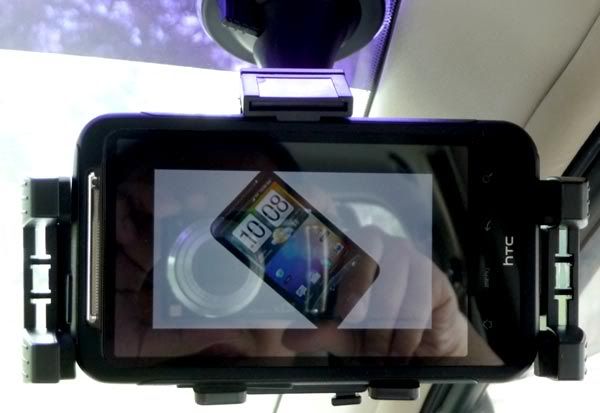
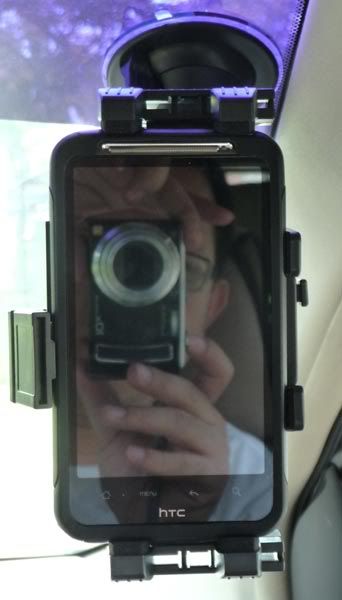
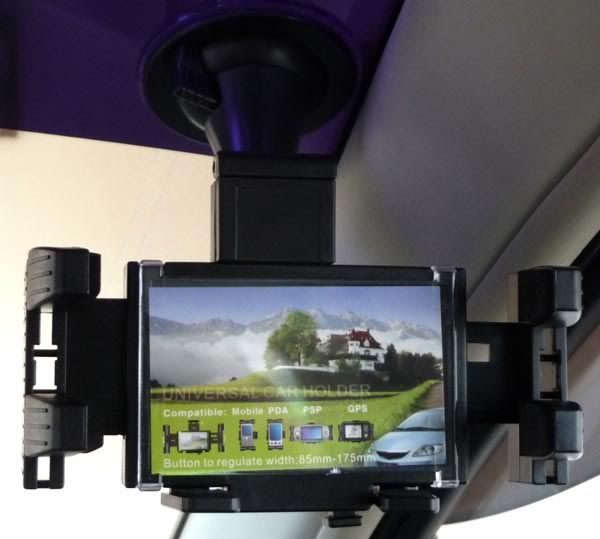
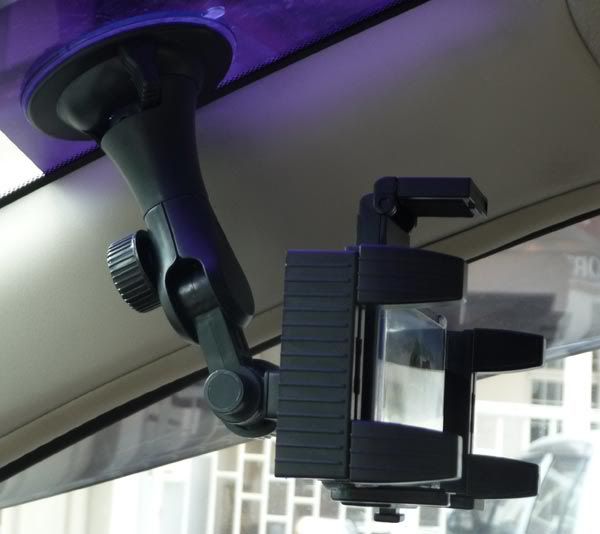
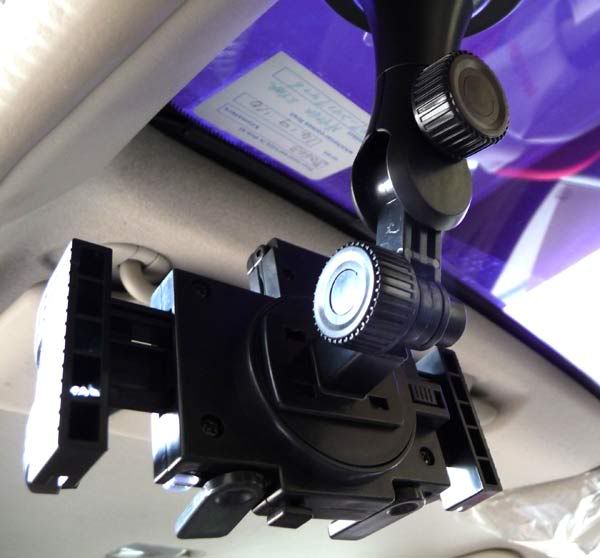
finally got my in-car phone holder after weeks of delay. It is universal generic type but I think it is not bad. Hold my Desire HD firmly on the windscreen - tried pull it with my hand with some force but it hold on to the windscreen tightly.
Some pictures to share: 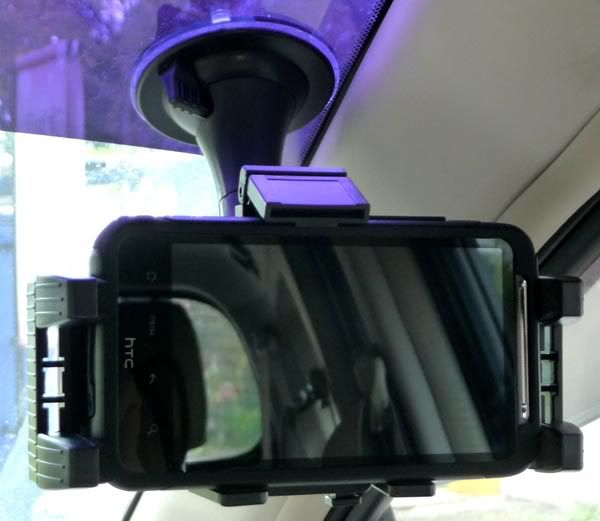 More pictures in the spoiler: » Click to show Spoiler - click again to hide... « |
|
|
Jan 23 2011, 11:37 AM
|
|
Senior Member
2,059 posts Joined: Jan 2010
|
 ...that one really nice dear bro Cynox..and seems to me that its perfectly fit with DHD ... ...that one really nice dear bro Cynox..and seems to me that its perfectly fit with DHD ... |
|
|
Jan 23 2011, 11:40 AM
|

Senior Member
3,849 posts Joined: Oct 2006 From: Your Location
|
damn still cant seem to find a great substitute of FriendStream for ADW Launcher
|
|
|
Jan 23 2011, 11:43 AM
|

Senior Member
2,301 posts Joined: Oct 2008 From: android#[me@linuxbox me]$ my_location
|
QUOTE(sadforever @ Jan 23 2011, 11:13 AM) may i ask if inside my box dont have the nagication code how how ??? kena curi? wer u bought ur dhd? |
|
|
Jan 23 2011, 11:44 AM
|
|
Junior Member
356 posts Joined: Oct 2006
|
QUOTE(Cynox @ Jan 23 2011, 11:33 AM) finally got my in-car phone holder after weeks of delay. It is universal generic type but I think it is not bad. Hold my Desire HD firmly on the windscreen - tried pull it with my hand with some force but it hold on to the windscreen tightly. haha bro Cynox, u are Latio hatchback owner rite Some pictures to share: More pictures in the spoiler: » Click to show Spoiler - click again to hide... «  |
|
|
Jan 23 2011, 11:44 AM
|

Senior Member
934 posts Joined: Jan 2007
|
QUOTE(blue_winter @ Jan 23 2011, 10:56 AM) Anyone has installed skype for their android? I cant find it in android market... i got it from newspaper ( it's a barcode )skype offical web not able to download. use your phone browser to download and install. http://www.qwerty.com.my/android/com.skype.raider-1.apk then install it from your phone, my skype working on my DHD. |
|
|
Jan 23 2011, 11:44 AM
|

Junior Member
442 posts Joined: Oct 2005
|
QUOTE(Cynox @ Jan 23 2011, 11:33 AM) finally got my in-car phone holder after weeks of delay. It is universal generic type but I think it is not bad. Hold my Desire HD firmly on the windscreen - tried pull it with my hand with some force but it hold on to the windscreen tightly. try with some force ok de... dun try TOO HARD!!Some pictures to share: More pictures in the spoiler: » Click to show Spoiler - click again to hide... « i broke mine car holder bcoz of itchy hand and trying too hard to pull it, and now have to order one car holder online...  |
|
Topic ClosedOptions
|
| Change to: |  0.0297sec 0.0297sec
 0.38 0.38
 6 queries 6 queries
 GZIP Disabled GZIP Disabled
Time is now: 7th December 2025 - 05:14 PM |
 Quote
Quote