

 Jan 14 2011, 01:01 AM, updated 15y ago


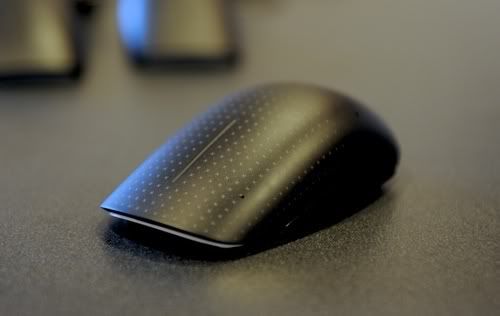
It's the best touch experience on Windows yet. No surprise, 'cause Microsoft's designed the Touch Mouse's drivers and software, which is what really ties everything together. The ergonomics are quite solid too—unlike the Magic Mouse, which is passable, but not great. As you can guess, the hatches dotted all over the mouse mark the touch area.
The list of gestures is quite familiar:
• One finger scrolls in any direction inside of a window
• Swiping your thumb up and down acts like the back and forward buttons common on Windows mice
• Two fingers to the left or right activates Aero Snap, pinning the selected window to the side; two fingers up or down minimizes or opens minimized windows
• Three fingers—wait for it—activates a Mac OS X Expose-like view, showing all of your windows in a neat grid.
Why, oh why, can we only get these gestures with the Touch Mouse and not natively? (To boot, the Touch Mouse is for Windows 7 only.) An Expose ripoff is the one thing that's been missing from Windows 7's Aero interface, but right now it's only part of the Intellimouse software package that comes with the Touch Mouse. The Touch Mouse shows exactly how touch should work in Windows, but all too often doesn't, like in HP's Envy.
It's a little pricey at $80 when it comes out in June, but for a taste of what touch should be like in Windows, it could be worth it. [Microsoft] – Gizmodo
My Webpage
 Quote
Quote


 0.0137sec
 0.36
0.36
 5 queries
 GZIP Disabled