

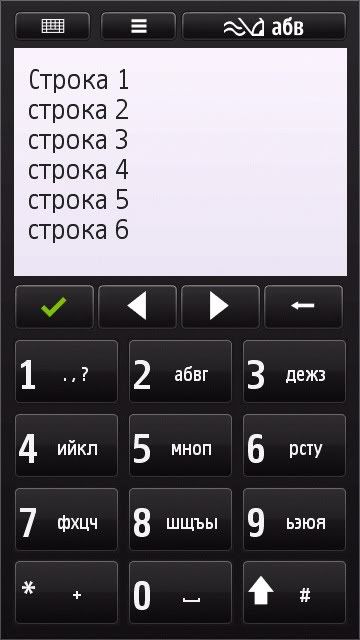
more detail HERE
Nokia 5800 XpressMusic a.k.a "TUBE" v.30
|
|
 Apr 23 2011, 06:58 PM Apr 23 2011, 06:58 PM
|
 
Senior Member
3,836 posts Joined: Oct 2009 From: Cheras, Selangor  
|
|
|
|
|
|
|
Apr 23 2011, 08:29 PM
|

Senior Member
2,746 posts Joined: Jun 2006 From: LYN Database
|
QUOTE(boonwuilow @ Apr 23 2011, 06:58 PM) I like this layout more  |
|
|
Apr 23 2011, 09:55 PM
|
|
Senior Member
3,836 posts Joined: Oct 2009 From: Cheras, Selangor
|
QUOTE(more2teayap @ Apr 23 2011, 08:29 PM) I like this layout more But it will make the centered text dissapear |
|
|
Apr 23 2011, 11:44 PM
|

Senior Member
887 posts Joined: Oct 2009
|
QUOTE(more2teayap @ Apr 23 2011, 08:29 PM) I like this layout more maybe is new thing and fresh, we bored of old thing  |
|
|
Apr 23 2011, 11:54 PM
|

Senior Member
7,247 posts Joined: Nov 2008 From: SINGAPORE💃
|
Flashing Monologue into my C6-00
 will it brick? will it brick?  |
|
|
Apr 24 2011, 12:02 AM
|
|
Senior Member
3,836 posts Joined: Oct 2009 From: Cheras, Selangor
|
QUOTE(Xploit Machine @ Apr 23 2011, 11:54 PM) Flashing Monologue into my C6-00 hmm... What will the phone detect ? will it brick? |
|
|
|
|
|
Apr 24 2011, 12:03 AM
|
|
Senior Member
7,247 posts Joined: Nov 2008 From: SINGAPORE💃
|
QUOTE(Xploit Machine @ Apr 23 2011, 11:54 PM) Flashing Monologue into my C6-00 Opppppsssssssssss ... bricked will it brick?  .. started but the monologue intro screen terbalik, then rainbow colours .. pop disappeared .. started but the monologue intro screen terbalik, then rainbow colours .. pop disappeared  |
|
|
Apr 24 2011, 12:09 AM
|

Junior Member
433 posts Joined: Jan 2008 From: Penang, Malaysia 
|
What earphones you guys using with 5800 ?
|
|
|
Apr 24 2011, 06:26 AM
|

Junior Member
505 posts Joined: Mar 2009
|
QUOTE(~Mew~ @ Apr 24 2011, 12:09 AM) What earphones you guys using with 5800 ?  Nokia Bluetooth Headphone BH-503 [FONT=Times]  |
|
|
Apr 24 2011, 10:23 AM
|
|
Senior Member
3,657 posts Joined: Aug 2009
|
QUOTE(~Mew~ @ Apr 24 2011, 12:09 AM) What earphones you guys using with 5800 ? The original unique earbuds come with 5800XM when i bought it or Edifier coolware bud 180 (free gift)  |
|
|
Apr 24 2011, 10:38 AM
|
|
Senior Member
5,289 posts Joined: Sep 2010 
|
QUOTE(~Mew~ @ Apr 24 2011, 12:09 AM) What earphones you guys using with 5800 ? I got couple of the Nokia 5800 earphones with me. Their sound quality is not bad. Really love those Xpress Music original earphone. |
|
|
Apr 24 2011, 10:43 AM
|
|
Senior Member
3,657 posts Joined: Aug 2009
|
QUOTE(Quantum_thinking @ Apr 24 2011, 10:38 AM) I got couple of the Nokia 5800 earphones with me. Their sound quality is not bad. Really love those Xpress Music original earphone. 5800XM original speaker can even beat down iPhone 4 and others.  This post has been edited by Xiia0Ban: Apr 24 2011, 10:43 AM |
|
|
Apr 24 2011, 02:46 PM
|
|
Senior Member
7,247 posts Joined: Nov 2008 From: SINGAPORE💃
|
Phoenix Service Suite Dead Phone USB Flashing (This is the FINAL recovery method without "BOX", since Phoenix is official Nokia's service suite) This method should be used in the following cases: - The phone to be flashed is not responding any more (e.g. The phone completely dead / Doesn't switch ON). - The phone to be flashed starts but contains MCU SW version older than version 3.65. Important: In this case, be aware that all the user settings will be lost during the flashing. When flashing a phone that kind of phone, do not switch on the phone before the flashing starts. 1. Setting up the connection - To allow the flashing of a dead phone, the used connection must be set to ‘NO CONNECTION’. - To do this, go to File -> Manage Connection In the window ‘Manage Connection’, highlight the ‘NO CONNECTIONS’ bar and set it at the first place of the priority list. - Press ‘Apply’ button and then close the ‘Manage Connection’ window. 2. Setting the product name - Open the product ‘RM-78’ using the menu File -> Open Product 3. Flashing the phone to perform the flashing, proceed as follows - Choose menu ‘Flashing -> Firmware update’. - Activate button ‘Dead Phone USB flashing’. - Choose the variant to be flashed, press ‘Start’ button and the flashing starts. - After a few seconds the message ‘CMT -> Waiting USB device (1 of 30). Press phone’s power button’ appears. - Press the phone’s power button. The flashing will be performed. When the recovery process is fine, then carry out firmware update: 1. Setting up the connection - To allow the flashing of a dead phone, the used connection must be set to ‘USB’. - To do this, go to: File -> Manage Connection. In the window ‘Manage Connection’, highlight the ‘USB’ bar and set it at the first place on the priority list. - Press ‘Apply’ button and then close the ‘Manage Connection’ window. 2. Scan the product and start the flashing - Unplug the USB cable, if it has been plugged in before - Power on the phone with the USB cable unplugged - Plug the USB cable - Scan the product by using Crtl-R key combination or going to ‘File -> Scan Product’ - After successful scanning of the product, go to ‘Flashing -> Firmware Update’ - Choose between ‘Restore User Product’ or ‘Phone As Manufactured / Refurbish’ and press ‘Start’ button After a couple of seconds the message ‘Mode change’ appears on the ‘Firmware Update’ window. In the meanwhile, the message ‘Start up phone without SIM card?’ appears on the mobile phone’s display. On the mobile phone side, press on the ‘Accept’ button to confirm the phone’s start. The flashing goes on. After a while the flashing is finished. Screenshot:  » Click to show Spoiler - click again to hide... «
|
|
|
|
|
|
Apr 24 2011, 02:57 PM
|
|
Senior Member
3,836 posts Joined: Oct 2009 From: Cheras, Selangor
|
u purposely brick your phone?
|
|
|
Apr 24 2011, 03:08 PM
|
|
Senior Member
7,247 posts Joined: Nov 2008 From: SINGAPORE💃
|
QUOTE(boonwuilow @ Apr 24 2011, 02:57 PM) u purposely brick your phone? when i flashed the RM559 (aka Monologue)  |
|
|
Apr 24 2011, 03:13 PM
|
|
Senior Member
3,836 posts Joined: Oct 2009 From: Cheras, Selangor
|
QUOTE(Xploit Machine @ Apr 24 2011, 03:08 PM) when i flashed the RM559 (aka Monologue) Wa u so dare to do this  Btw, congratz for successfully revive back your phone. and when the phone is brick, when press the power button phone will vibrate? |
|
|
Apr 24 2011, 03:34 PM
|
|
Senior Member
7,247 posts Joined: Nov 2008 From: SINGAPORE💃
|
QUOTE(boonwuilow @ Apr 24 2011, 03:13 PM) Wa u so dare to do this yes, it can start Btw, congratz for successfully revive back your phone. and when the phone is brick, when press the power button phone will vibrate? but flashing original firmware via JAF again makes the fone not to vibrate (totally dead) .. only Phoenix can recover this  |
|
|
Apr 24 2011, 04:03 PM
|

Senior Member
3,532 posts Joined: May 2008
|
now im back to vortex 1.5. i found major bugs in monologue.
it cant detect all my MP3 (803files +- 4.1GB ) when i refresh it detect wrongly... somtimes only 90songs, sometimes 203, 326,76.... already reflash and format MMC. then move MP3 to different folder like E:/music, E:/sound/music also not solve the problem.... minor bug: screen rotation a bit lag if compare to vortex... and need to turn fon completely 90degree before it rotate compare to vortex 60degree already rotate the screen... lastly back to vortex!... |
|
|
Apr 24 2011, 04:09 PM
|

Senior Member
1,420 posts Joined: Sep 2009
|
i still got green light when i charging..how to solve this? im using monologue cfw
This post has been edited by ChaosSixth: Apr 24 2011, 04:13 PM |
|
|
Apr 24 2011, 04:22 PM
|
|
Senior Member
3,532 posts Joined: May 2008
|
i think monologue like that one... while charging green light turn on! when full, it will turn off...
|
|
Topic ClosedOptions
|
| Change to: |  0.0214sec 0.0214sec
 0.59 0.59
 6 queries 6 queries
 GZIP Disabled GZIP Disabled
Time is now: 2nd December 2025 - 05:16 PM |
 Quote
Quote