Outline ·
[ Standard ] ·
Linear+
Samsung Galaxy S I9000 Official Thread V10, Please read FAQ at 1st page!
|
flawless_333
|
 Dec 14 2010, 11:38 AM Dec 14 2010, 11:38 AM
|
Getting Started


|
Hi guys, new SGS user here..just cod the phone with seller jez now…claimed it was maxis set and I do get the full box and read his previous maxis bill..he bought the phone last month and decided to sell coz urgently need money..checked the phone and all gallery,video,camera, sound, call and sms are working well..can’t checked the gps because the seller didn’t install it..and the phone full with his data and apps..
So I need to do factory reset to get the phone like totally new right?..im new in android and have read the xda-developers forum..so if I want to delete everything n install darky rom, I need to do clean install right? Would previous owner data and apps will still be in my phone after clean install?
Im 1st time using android, 1st time with odin,CWM, and installing ROM…
What I understand is > in order to get the phone like totally new n install darky’s rom;
1. I don’t need kies.
2. I don’t need to do any backup because I want it all fresh in my new setup.
3. Just checked the phone and got the red clockmodwork.
4. Checked the voodoo in CWM > voodoo lagfix =disable, next reboot = disable (so no need to disable voodoo and create ‘disable voodoo folder’ right?)
5. Download Odin_1.3 and extract it.
6. Download I9000XXJPU (266.89MB) and extract it with samfirmware.com password
Do I need to do factory reset as im installing back the stock ROM? if no need then am I good to go and flash the I9000XXJPU (266.89MB) with odin 1.3 right now?
TQ.
|
|
|
|
|
|
flawless_333
|
Dec 14 2010, 11:45 AM
|
Getting Started
|
QUOTE(| K e e | @ Dec 14 2010, 11:42 AM) actuall u no need factory reset b4 flash .. if u flash to stock xxjpu using odin ... coz its will wipe all ur data after u flash ... thanx k e e...so i no need to worry about factory reset and voodoo now, i can start flashing the stock ROM with odin right now? * i manage to go into CWM, so thats mean i do have 3br/recovery/download right? This post has been edited by flawless_333: Dec 14 2010, 11:47 AM |
|
|
|
|
|
flawless_333
|
Dec 14 2010, 12:04 PM
|
Getting Started
|
QUOTE(| K e e | @ Dec 14 2010, 11:59 AM) yes !.. ur 3br is working .... ok..to use cf-root as pda, i have download the CF-Root-XX_OXA_JPU-v1.3-BusyBox-1.17.1 zip file, do i need to extract it or leave it in zip? (i need to use the downloaded zip file as PDA or the zImage(extracted file) as PDA?) update zip should named update.zip right, not update.zip.zip.. This post has been edited by flawless_333: Dec 14 2010, 12:07 PM |
|
|
|
|
|
flawless_333
|
Dec 14 2010, 12:21 PM
|
Getting Started
|
ok..to use cf-root as pda, i have download the CF-Root-XX_OXA_JPU-v1.3-BusyBox-1.17.1 zip file, do i need to extract it or leave it in zip? (i need to use the downloaded zip file as PDA or the zImage(extracted file) as PDA?)
update zip should named update.zip right, not update.zip.zip..
anyone?
|
|
|
|
|
|
flawless_333
|
Dec 14 2010, 02:10 PM
|
Getting Started
|
ive done untill step 12 with no problem..for step 13, " install Root Explorer and go to your internal sdcard and delete the "Voodoo" folder"
where can i get the root explorer?
|
|
|
|
|
|
flawless_333
|
Dec 14 2010, 02:18 PM
|
Getting Started
|
QUOTE(| K e e | @ Dec 14 2010, 11:42 AM) actuall u no need factory reset b4 flash .. if u flash to stock xxjpu using odin ...
coz its will wipe all ur data after u flash ... u told me no need to factory reset becoz im gonna flash to stock xxjpu using odin n it will wipe all data inside my phone, but why in my internal sd still got the apps folder from previous owner eg. justpictures, launcherpro_backup, gameloft, windowsphone7_icons?  |
|
|
|
|
|
flawless_333
|
Dec 14 2010, 02:27 PM
|
Getting Started
|
QUOTE(| K e e | @ Dec 14 2010, 02:22 PM) tat one is internal SD card ... .... u hav to format ur SD card ....
even factory reset wont delete those files ...
factory reset will only afffect ur systems + data , like those calender, sms , dial log & so on ... not folder created in internal SD owh ok kee..so, i just continue to step 14 > "now boot into recovery(2e) and apply update.zip to start CWM. You will need to do this twice for CWM to load" or format my SD card first? becoz if i format my SD card then the update.zip file will be erased too right and i cant apply update.zip in recovery(2e)? ***correct me if i wrong.. This post has been edited by flawless_333: Dec 14 2010, 02:36 PM |
|
|
|
|
|
flawless_333
|
Dec 14 2010, 03:32 PM
|
Getting Started
|
anyone who knows how to set APN...
what should i choose & delete in APN,
1. maxis 2G int or maxis 3G int?
2. maxis 2G mms or maxis 3G mms?
3 Network mode > GSM/WCDMA or GSM only or WCDMA only?
i want to send and receive mms, but i want to control my data plan (so i can on & off when i need because i always use wifi)...
thanx in advance..
This post has been edited by flawless_333: Dec 14 2010, 03:32 PM
|
|
|
|
|
|
flawless_333
|
Dec 14 2010, 03:47 PM
|
Getting Started
|
@crossover...very2 appreciate ur feedback..thanks..  how about this? 3. Network mode > GSM/WCDMA or GSM only or WCDMA only? This post has been edited by flawless_333: Dec 14 2010, 03:52 PM |
|
|
|
|
|
flawless_333
|
Dec 14 2010, 04:06 PM
|
Getting Started
|
QUOTE(jujx @ Dec 14 2010, 03:56 PM) If set GSM ONLY -> you can only get G or E WCDMA -> 3G or H GSM/WCDMA -> Depending on what signal you can get. thanx jujx..i guess ill set it to GSM only for the moment (and still can send and receive MMS right)..and when i need 3g ill switch to WCDMA... |
|
|
|
|
|
flawless_333
|
Dec 14 2010, 04:14 PM
|
Getting Started
|
QUOTE(| K e e | @ Dec 14 2010, 04:13 PM) on GSM only ... u also can online , sure can get MMS .... noted and thanx!! |
|
|
|
|
|
flawless_333
|
Dec 14 2010, 04:51 PM
|
Getting Started
|
QUOTE(| K e e | @ Dec 14 2010, 04:34 PM) deactivate DATA canot get MMS ... 100% sure about this? so if we dont switch 3G, we cant get any MMS? *noob question > so how come my maxis prepaid without data plan can send/receive MMS?but with SGS, have to on data 24hours for MMS? |
|
|
|
|
|
flawless_333
|
Dec 14 2010, 10:13 PM
|
Getting Started
|
anyone knows any app to change the lockscreen wallpaper other than widget locker?
|
|
|
|
|
|
flawless_333
|
Dec 14 2010, 10:24 PM
|
Getting Started
|
QUOTE(hihihehe @ Dec 14 2010, 10:15 PM) there was an option on JPU but i getting FC when i try to change it ya me too..hmm..got any suggestion for lockscreen wallpaper? |
|
|
|
|
|
flawless_333
|
Dec 15 2010, 11:51 AM
|
Getting Started
|
there is only one link to download darkys 5.4 and the link is the non-wipe version right?
|
|
|
|
|
|
flawless_333
|
Dec 15 2010, 12:02 PM
|
Getting Started
|
QUOTE(one81 @ Dec 15 2010, 11:55 AM) just scroll down the page and u can see another 5 more links.. i prefer hotfile link coz i can download it around 15 minutes just now.. you mean got wipe version and non-wipe version for v5.4? |
|
|
|
|
|
flawless_333
|
Dec 15 2010, 12:06 PM
|
Getting Started
|
QUOTE(| K e e | @ Dec 15 2010, 12:03 PM) only none wipe .... & yes ... thats the correct link .... thanx kee..  |
|
|
|
|
|
flawless_333
|
Dec 15 2010, 12:34 PM
|
Getting Started
|
hhmm...no launcher pro(have to manually install), barcode scanner FC, pc cant detect extenal sd, CamScan FC, Business Card scanner FC...those are there problem with 5.4..
|
|
|
|
|
|
flawless_333
|
Dec 15 2010, 01:53 PM
|
Getting Started
|
QUOTE(legolego @ Dec 15 2010, 01:47 PM) I just get SGS second hand unit from my friend, reading thru the threads to start flashing hehe. Sorry if I'm asking some noob questions here: In Darky's thread --> Clean guide to flash 13. install Root Explorer and go to your internal sdcard and delete the "Voodoo" folder. --> How to said to install Root Explorer in sgs? 14. now boot into recovery(2e) and apply update.zip to start CWM. You will need to do this twice for CWM to load. --> Means we reboot in sgs and then select recovery with browsing to update.zip? 13. no need to install the root explorer..just browse with 'my files' app, n delete the voodoo folder in ur internal sd.. 14. u need to reboot with 3br button..then select update.zip..it will reboot itself..then select update.zip again..then u'll be in CWM mode..then continue step 15.. This post has been edited by flawless_333: Dec 15 2010, 01:54 PM |
|
|
|
|
|
flawless_333
|
Dec 15 2010, 02:09 PM
|
Getting Started
|
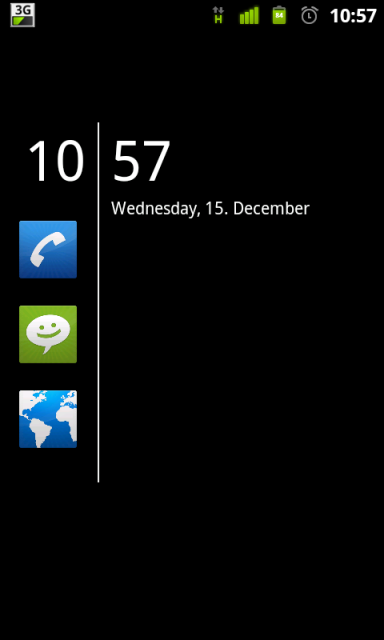
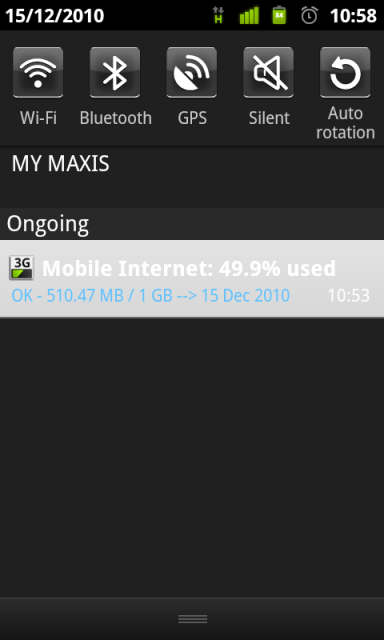
QUOTE(| K e e | @ Dec 15 2010, 11:03 AM) Darky V5.4 , new battery with % » Click to show Spoiler - click again to hide... « kee, the mobile internet app on the second image, that is your data management for maxis 3g? is it 100% accurate? |
|
|
|
|



 Quote
Quote

 0.0417sec
 0.56
0.56
 7 queries
 GZIP Disabled