Outline ·
[ Standard ] ·
Linear+
How do you clean your casing?
|
TSncys1
|
 Dec 3 2010, 05:51 PM, updated 16y ago Dec 3 2010, 05:51 PM, updated 16y ago
|
Getting Started


|
How do you get to all those nooks and cracks? Like for example my Elite 310 casing has tons of dust in the front panel portion where the front access USB board is at, how do you get those pesky dust bunnies out?
|
|
|
|
|
|
k3lvinng007
|
Dec 3 2010, 06:30 PM
|
|
|
take all the hardware out and bath together with ur casing...xD
other hardware just clean with soft brush is ok i think...
|
|
|
|
|
|
fiedozs
|
Dec 3 2010, 06:39 PM
|
Getting Started
|
QUOTE(k3lvinng007 @ Dec 3 2010, 06:30 PM) take all the hardware out and bath together with ur casing...xD other hardware just clean with soft brush is ok i think... haha~ i've done before  then buy fan filter to avoid dust again  |
|
|
|
|
|
TSncys1
|
Dec 3 2010, 06:39 PM
|
Getting Started
|
QUOTE(k3lvinng007 @ Dec 3 2010, 06:30 PM) take all the hardware out and bath together with ur casing...xD other hardware just clean with soft brush is ok i think... Sarcasm makes the world go round.  But seriously, do you guys use some tricks or just use compressed air? |
|
|
|
|
|
k3lvinng007
|
Dec 3 2010, 06:45 PM
|
|
|
QUOTE(ncys1 @ Dec 3 2010, 06:39 PM) Sarcasm makes the world go round. But seriously, do you guys use some tricks or just use compressed air? haha wash the casing i mean...xD btw i heard ppl say better dun use those air compressor... forgot wat the reason... |
|
|
|
|
|
fiedozs
|
Dec 3 2010, 06:50 PM
|
Getting Started
|
juz don be like this!!!!  really lol  |
|
|
|
|
|
TSncys1
|
Dec 3 2010, 07:14 PM
|
Getting Started
|
I guess I'll use pincers to get those thick dust bunnies out since they clump together very nicely and I'll use a RM1 brush lol... Still can't get to the front access panel board portion...
|
|
|
|
|
|
fiedozs
|
Dec 3 2010, 07:51 PM
|
Getting Started
|
QUOTE(ncys1 @ Dec 3 2010, 07:14 PM) I guess I'll use pincers to get those thick dust bunnies out since they clump together very nicely and I'll use a RM1 brush lol... Still can't get to the front access panel board portion... normally front panel case can be remove easily.. how ur casing? will be easy for cleaning if u can remove front panel casing.. » Click to show Spoiler - click again to hide... « |
|
|
|
|
|
k3lvinng007
|
Dec 3 2010, 08:22 PM
|
|
|
QUOTE(fiedozs @ Dec 3 2010, 06:50 PM) juz don be like this!!!! really lol this is reali lol... |
|
|
|
|
|
TSncys1
|
Dec 3 2010, 08:32 PM
|
Getting Started
|
Have you seen the video on hacking a computer before? Hacking with an axe
|
|
|
|
|
|
SUSXiia0Ban
|
Dec 3 2010, 11:29 PM
|
|
|
QUOTE(ncys1 @ Dec 3 2010, 08:32 PM) Have you seen the video on hacking a computer before? Hacking with an axe Out topic?  I do use wet cotton bud to clean the fan blade if i lazy to dismantle it from the casing. |
|
|
|
|
|
TSncys1
|
Dec 4 2010, 10:18 AM
|
Getting Started
|
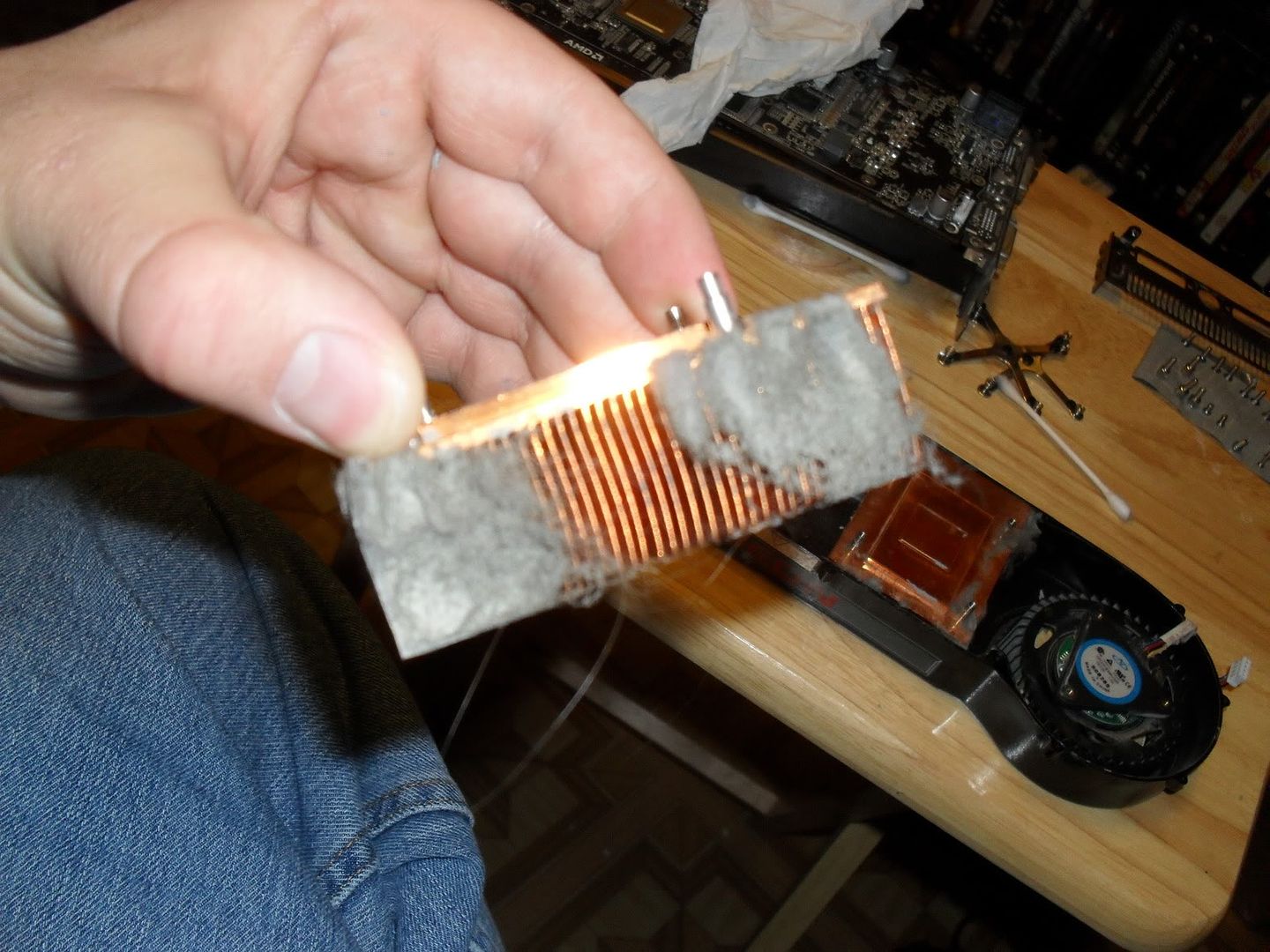
What about those company coolers on Graphic cards?
|
|
|
|
|
|
fiedozs
|
Dec 4 2010, 01:25 PM
|
Getting Started
|
QUOTE(ncys1 @ Dec 4 2010, 10:18 AM) What about those company coolers on Graphic cards? QUOTE(Mr.CoMoT @ Dec 4 2010, 12:15 PM) i tiup je..comfirm habuk gone. if u want total clean, gpu cooler can be removed also.. juz using screw driver.. » Click to show Spoiler - click again to hide... « This post has been edited by fiedozs: Dec 4 2010, 01:27 PM |
|
|
|
|
|
RiCHBoyZ
|
Dec 4 2010, 04:11 PM
|
|
|
QUOTE(fiedozs @ Dec 3 2010, 06:50 PM) juz don be like this!!!! really lol Hmmm......... maybe the computer still working after he dried for 24 hours... I remember my case back in 2003 of something.... heavy rain that day cause my building roof top water drain clog with rubbish and the water fill up entire roof; unluckily my house at the top (3rd) and all the water just overflow into my house bathing/wetting everything including my monitor. Luckily my CPU under the table not affect much but still got water all over it. So i bought hair dry to dried up them all and put them directly under volume 5 ceiling fan for 24 hours. (just to make sure it completely dry. My afford pay off, my monitor work perfectly and so my CPU......  |
|
|
|
|
|
fiedozs
|
Dec 4 2010, 09:57 PM
|
Getting Started
|
QUOTE(RiCHBoyZ @ Dec 4 2010, 04:11 PM) Hmmm......... maybe the computer still working after he dried for 24 hours... I remember my case back in 2003 of something.... heavy rain that day cause my building roof top water drain clog with rubbish and the water fill up entire roof; unluckily my house at the top (3rd) and all the water just overflow into my house bathing/wetting everything including my monitor. Luckily my CPU under the table not affect much but still got water all over it. So i bought hair dry to dried up them all and put them directly under volume 5 ceiling fan for 24 hours. (just to make sure it completely dry. My afford pay off, my monitor work perfectly and so my CPU...... so lucky juz dont switch on ur pc if water around.. make sure u dried enough.. other electronic device like hp also like dat |
|
|
|
|
|
blurminded
|
Dec 7 2010, 01:58 AM
|
New Member
|
QUOTE(fiedozs @ Dec 3 2010, 06:50 PM) juz don be like this!!!! really lol really..really dumb man...campak laut lg bagos.. |
|
|
|
|



 Quote
Quote







 0.0207sec
 0.75
0.75
 5 queries
 GZIP Disabled