Welcome Guest ( Log In | Register )

Bump Topic Topic Closed RSS Feed
5 Pages  1 2 3 > » Bottom

Outline · [ Standard ] · Linear+

 Nokia N900 V8 (More than 160 owners), All Maemo-ians check in!

views
     
one1002
post Nov 4 2010, 01:47 AM

On my way
****
Senior Member
617 posts

Joined: Jun 2009


gila lah..sudah v8..hahahaha..

V8 engine..


Added on November 4, 2010, 1:49 am
QUOTE(gold_urban @ Nov 4 2010, 01:13 AM)
hello ...wan 2 ask...can we increase the length of sms alert ringtone

My ringtone is about 30 second only.. Not satisfied with it ..
*
try a full mp3 file?

btw, even having 5secs already bothers me... =P the standard nokia ringtone is sufficient for me...

This post has been edited by one1002: Nov 4 2010, 01:49 AM
one1002
post Nov 4 2010, 01:51 AM

On my way
****
Senior Member
617 posts

Joined: Jun 2009


QUOTE(aspire2oo6 @ Nov 4 2010, 01:49 AM)
u think tis is gila haha? should see nokia N8 thread 20 days since the phone out already V10


Added on November 4, 2010, 1:49 am

did u check is it your telco ringing limit? or the phone limit?
*
because they're all godlike lah..hahahaha
one1002
post Nov 4 2010, 04:45 PM

On my way
****
Senior Member
617 posts

Joined: Jun 2009


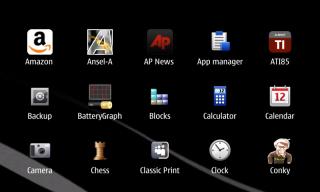
hmm..thinking of changing all the icons...but i need help..

where are the icons folder located for MENU SHORTCUT? is it in /hicolor/?which size folder?48x48?

Attached Image

where are the icons folder located for DESKTOP SHORTCUT? hicolor too?which size folder?

Attached Image

how do i add icons at POWER BUTTON SHORTCUT?


Attached Image


one1002
post Nov 5 2010, 08:40 PM

On my way
****
Senior Member
617 posts

Joined: Jun 2009


i have sent my n900 for warranty..need to change the whole circuit board..will take around a week or two due to no stock....it's because of the wifi connection..luckily still under warranty..sent it to one utama NCC..great service by the customer service there..i'd recommend any of you guys to go there..

QUOTE(dasonyeoh @ Nov 5 2010, 09:28 AM)
Dear sifu out there,

if i partition some space allocated for NeoPwn in my 8gb memory card will it affect my Nitdroid partition installed in the memory card?
Formatting using this code

CODE
mkfs -t ext3 /dev/mmcblk1p1


Thanks
*
it shouldn't effect your partition if u had already created partitions..NITDroid autoinstaller will take partition 2 AFAIK..i myself partitioned my 16GB into 4partitions..

First : for apps/musics/photos.. (FAT32 - 6GB)
Second : NITDroid (ext3-2GB)
Third : NeoPwn (ext3-4GB)
Fourth : Extra space for ubuntu 10.10 (ext3 - 4GB)

but u need to edit the /opt/neopwn/control-panel-ui/etc/conf.py and change the line that says
"-t ext3 /dev/mmcblkXpX /.neopwn -o noatime"
to the partition number of your emmc, so mine should be mmcblk1p3..

neopwn is running perfectly on my phone..edit..was...haha..

now my phone is with NCC..need to change the board
one1002
post Nov 5 2010, 09:32 PM

On my way
****
Senior Member
617 posts

Joined: Jun 2009


QUOTE(Daniel89 @ Nov 5 2010, 09:20 PM)
Hi I use this app as well with window XP but sometime I will get error that something like not accessible The network name cannot be found sometime its working though =/

[attachmentid=1870193]

Edit:Provide screenshot since this problem occur quite sometime already
*
try restarting both the host and the client...it did occured to me once..restarting fixed..

but now i'm more used to winscp + openssh
one1002
post Nov 5 2010, 10:00 PM

On my way
****
Senior Member
617 posts

Joined: Jun 2009


QUOTE(hengguowei @ Nov 5 2010, 09:57 PM)
wow...pro...4 partition...nice laugh.gif
*
it's actually very easy given that u have ubuntu os installed in ur pc/laptop..i have one..just download it from ubuntu.com and create a live cd, and install alongside with your windows xp/vista/or 7..

i created partitions using GParted..it's very easy...u dont have to be linux user though..but, learning using the linux terminal does saves u alot..it's like 2 in 1.. =)
one1002
post Nov 5 2010, 10:55 PM

On my way
****
Senior Member
617 posts

Joined: Jun 2009


QUOTE(hengguowei @ Nov 5 2010, 10:04 PM)
user posted image


Added on November 5, 2010, 10:05 pm
I have liveCD for Ubuntu and I thought u have livecd don't need to install just boot from disc? smile.gif right?
*
i have both Gparted live CD and ubuntu 10.10 live cd..yes i can boot into ubunto without installing it..but i straight away install without "TRY UBUNTU FIRST"..
one1002
post Nov 5 2010, 11:48 PM

On my way
****
Senior Member
617 posts

Joined: Jun 2009


QUOTE(dasonyeoh @ Nov 5 2010, 11:17 PM)
i remember my nitdroid i installed using this mmcblk1p1 (manual installation).

So if install NeoPwn should be mmcblk?p? rclxub.gif  rclxub.gif
*
anywhere you want..what is your nitdroid partition?

the easiest way is to partition your sd card..

the question is which partition do u want it to be?it can be mmcblk1p1, mmcblk1p2, p3, p4 and so on depending on your sd card..

mind you that the neopwn needs atleast 4GB partition..

afaik, the nitdroid autoinstaller will take 2nd partition..i don't know about this as i havent try installing it..last time i installed it was 3months ago..which was still in early development, which at that time, there was no auto installer..everything is manual..

if u have sfdisk installed, try to type this:

umount /media/mmc1
sfdisk -l /dev/mmcblk1 ((this will list the partitions on this device. If the device argument is omitted, then all partitions on the sd card are listed.)

p1,p2,p3 stands for partition1, partition2, partition3 respectively..


Added on November 5, 2010, 11:51 pm
QUOTE(ahtiven @ Nov 5 2010, 11:43 PM)
whenever i try this code
it gives me error "couldn't find package preenv"

what's up? need extras devel to be installed?
*
extra-devel doesnt even need to be installed..you have to add the URL,distribution, etc2..

to add extra devel, go into app manager, add catalogues, then new

name : extra-devel
url : http://repository.maemo.org/extras-devel
distribution : fremantle
free non-free

PLS NOTE THAT THE DISTRIBUTION IS FREMANTLE (with single "e") and not FREEMANTLE (double "e")

This post has been edited by one1002: Nov 5 2010, 11:51 PM
one1002
post Nov 5 2010, 11:57 PM

On my way
****
Senior Member
617 posts

Joined: Jun 2009


well i'd suggest u wait for the final release of neopwn..if you do not know how to install it, might as well stay out of it..i'll prepare the neopwn installation tutorial in a while


one1002
post Nov 6 2010, 12:15 AM

On my way
****
Senior Member
617 posts

Joined: Jun 2009


NEOPWN V2 INSTALLATION GUIDE

i have modified some of the guide from
Phonesfera

N900 Pentesting
to be noob friendly..


» Click to show Spoiler - click again to hide... «


This post has been edited by one1002: Nov 6 2010, 12:39 AM
one1002
post Nov 6 2010, 01:36 AM

On my way
****
Senior Member
617 posts

Joined: Jun 2009


QUOTE(lupe @ Nov 6 2010, 01:21 AM)
i got one n900 for sale..rm950..hit me if interested..thanks
*
be a bit more specific my fren...the condition..warranty from..how long have u been using it...
one1002
post Nov 6 2010, 06:34 PM

On my way
****
Senior Member
617 posts

Joined: Jun 2009


QUOTE(qwerty79 @ Nov 6 2010, 04:10 PM)
I'm looking for N8 at one shopping mall then I saw N900 2nd sell at RM900 with warranty end April 2011. I played a bit with the phone and really like with its hardware keyboard and OS.

I wonder, should I get this or aim for E7? Suddenly, I'm to attract with hw keyboard.

Most of the time, I use my 5800 for (other than calling and sms):
1. Wifi
2. Movies
3. Camera

Picture taken by sifu hengguowei, really poison me lor.
*
better go with N8..can support HDMI output tv..camera is as good as N900 FCam if not better..games are abundant in N8..

u see N900 is an internet tablet-cum-phone..so phone functionality is limited to calling and texting..N900 doesnt have video call..N900 doesnt have mms on default..u need to download 3rd party app..and it'll charge u depending on the size of the mms (not the flat rate 50sen per mms)..

but on the other hand..N900 is pack with multimedia functions..plus..hacking the system really makes it a top notch and a favourite phone for advanced users to change anything they like on the phone since most of it are open source..

if u are willing to learn the curves on the N900..then u are welcome to do so..for me..at first i got the N900..the learning curve of N900 is above average..not that easy mind you especially if u don't have any knowledge on linux commands..

N900 is based on linux..if u are linux literate user..then by all means..getting the N900 will be something you wont regret..there's so much u can do with it..it's just depends whether you are brave enuff to do it...
one1002
post Nov 7 2010, 02:22 PM

On my way
****
Senior Member
617 posts

Joined: Jun 2009


QUOTE(Augus7 @ Nov 7 2010, 01:32 PM)
for the fcam, can anyone guide me on how to interpret the graph?
*
it's called histogram..google for photography histogram and you'll understand it..

btw, where is everyone?suddenly N900 thread became so quiet... rclxub.gif rclxub.gif rclxub.gif
one1002
post Nov 8 2010, 02:12 AM

On my way
****
Senior Member
617 posts

Joined: Jun 2009


tutup buku.. cool2.gif smile.gif

This post has been edited by one1002: Nov 8 2010, 02:49 AM
one1002
post Nov 8 2010, 02:47 AM

On my way
****
Senior Member
617 posts

Joined: Jun 2009


QUOTE(super_evil_alien @ Nov 8 2010, 02:25 AM)
Seriously I'll say this,those who are not willing to learn even the simple reflashing should not use/own N900 or any other NITs.
I don't expect everyone to be pro's at linux but it's a simple steps plus it's also fun learning something new.

As long as I'm TS I won't add this at FP or suggest this either.
*
and i'm not expecting this to be added on the FP either.. smile.gif

it's not i'm demotivating people to stop learning though..but i was just sharing it.. =)

i myself had some hard times learning linux..thus when i got the N900..i have some quite of a knowledge about linux commands too.. so no biggie for me..

it's just that (not pointing finger to anyone) there are some users who are really afraid of doing one of the basic stuff in N900..and that is MANUAL FLASHING..

1. "i don't trust manual flashing" - it's not manual flashing u didn't trust..it was yourself who u didn't trust..
2. "i'm afraid of flashing..afraid of doing something wrong" - this is obviously the most lame excuse to shout out about..MISTAKES IN FLASHING DOESN'T KILL YOUR PHONE..
3.. "aiya..OTA upgrade is easier than manual lehh" - do you know that u can't flash the same firmware using OTA?meaning if u are currently in PR1.3, u can't OTA to PR1.3..only if you are in PR1.2, then only u can OTA to PR1.3...

and guess what, all of these happen AFTER using/owning the N900.. blush.gif

now this you can add above the FLASHING PART on the FP to motivate N900 users to learn to manually flash their phone

sorry super_evil_alien if my post doesn't help..i'll edit it..

This post has been edited by one1002: Nov 8 2010, 02:51 AM
one1002
post Nov 8 2010, 03:25 AM

On my way
****
Senior Member
617 posts

Joined: Jun 2009


QUOTE(jananan @ Nov 8 2010, 03:04 AM)
its not a bad post at all...

just we encourage learning instead of spoonfeeding...

imho, those kind of programs can cause more issues sometimes...

its just a script written in ms script or dos batch, that does things automatically for you.

but its sure to run into problems when your machine is not 100% equal to the computer that it was developed on.

things like which folder you're running from, or spelling of certain filenames and folders, even the drive that you installed your windows on can be an issue.

just a simple glitch could cause issues to your computer as well. (some ms script codes, if not all, are considered threat by most anti virus programs)

it is easy to flash manually, the script still requires you to reboot your phone, press U key and do all that stuff.

it just automates typing this in your command prompt  'flasher-3.5 -f xxxfiascoxxx.bin -F -R'

if you can download the script files, unzip it and set up the folder and copy all the necessary files in the right folder with the right names, i am sure you can type that command in too.

(by you, i dont mean you one1002, i mean generically)
*
your point is good..

that's y ASPIRE and SUPER_EVIL_ALIEN created the front page guide..it's full of basic informations..

nonetheless, there are still some users who come in, click on the last page, start asking questions which had already been answered on the FP..

we all know that reading the whole thread is a pain in the a.ss..but spend just a moment on the front page..thread starters created the FP for a reason..not just to be displayed..

so the reason i posted the link in my previous post were meant for those who i describe in my previous posts too..

but i forgot to add some sentence below the link which is "learning to flash manually doesn't cost u a single thing, except making u smarter and understanding the way N900 behaves"..


Added on November 8, 2010, 3:29 amowh yeah..super_evil_alien..i wonder if you could edit the first post on the front page to add "NEW-COMERS, PLEASE READ THE FRONT PAGE BEFORE ASKING QUESTIONS ABOUT SOMETHING THAT OBVIOUSLY ARE INCLUDED ON THE FIRST PAGE. FAILING TO DO SO WILL RESULT YOUR QUESTIONS WILL BE IGNORED" whistling.gif

bahahahahhahaa....that'll goes well with your nickname, hence super evil.. =P drool.gif

just kidding.. tongue.gif tongue.gif tongue.gif

This post has been edited by one1002: Nov 8 2010, 03:29 AM
one1002
post Nov 8 2010, 01:54 PM

On my way
****
Senior Member
617 posts

Joined: Jun 2009


it's true..i've seen 4 N8 users simultaneously in one utama NCC last friday..i was there to send my N900..one of them said that there's a problem with the display..and one of em said about speakers..

owh super_evil_alien..i read the FP about flashing method..i thought we shouldn't boot in between flashing firmware and emmc?if u want to flash both, the flashing firmware part shouldn't include the -R,eg: flasher-3.5.exe -F firmware.bin -f (enter)

then only include the -R at the end of emmc flashing command : eg - flasher-3.5.exe -F emmc.bin -f -R
one1002
post Nov 9 2010, 12:45 AM

On my way
****
Senior Member
617 posts

Joined: Jun 2009


wow..16GB class 10 for RM150 is really a good bargain..but yes, i doubt the quality as well coz there's still no local review about it..if there's any current user who are using Kingmax, kindly give your review about it..huhu..

but if bulk prchase should get cheaper right?
one1002
post Nov 9 2010, 01:48 AM

On my way
****
Senior Member
617 posts

Joined: Jun 2009


QUOTE(super_evil_alien @ Nov 9 2010, 01:27 AM)
Notebook type hard disk.

Anyway the FP manual flashing method is updated.Blame the forum's image limitation for the lack of pictures in "Manual Update B"
Do check whether I typed correctly.
*
hi super_evil_alien..i think it should be more noob friendly if you could add

MANUAL FLASHING METHOD A - FLASHING THE FIRMWARE(FIASCO) ONLY

and

MANUAL FLASHING METHOD B - FLASHING BOTH THE FIRMWARE(FIASCO) AND INTERNAL MEMORY/EMMC 32GB(vanilla)

this is to avoid confusing among new-comers on which one to choose..if they intend to flash only the firmware, afraid they'll chose method b..which will wipe away the internal memory too.. brows.gif brows.gif


Added on November 9, 2010, 1:51 amahh.sorry, u've typed that already..missed it..sorry..

This post has been edited by one1002: Nov 9 2010, 01:51 AM
one1002
post Nov 9 2010, 08:48 PM

On my way
****
Senior Member
617 posts

Joined: Jun 2009


QUOTE(Augus7 @ Nov 9 2010, 07:26 PM)
k, dont forget to include me in since im not sure when my stupid dorm wifi will be down again T_T
anyways,the fcam, the pictures where is it saved to? fcamera folder or somewhere else? cause the one in fcamera folder i cant open it. its in some sort of weird format
*
download and install raw viewer from FAPman

5 Pages  1 2 3 > » Top
Topic ClosedOptions
 

Change to:
| Lo-Fi Version
0.0447sec    0.14    7 queries    GZIP Disabled
Time is now: 5th December 2025 - 05:30 AM