Welcome Guest ( Log In | Register )

Bump Topic Topic Closed RSS Feed
6 Pages  1 2 3 > » Bottom

Outline · [ Standard ] · Linear+

 MSI Gaming Notebook, Check out Post #3! Gathering time!

views
     
Eiraku
post Jul 15 2013, 09:37 PM

Geeking since 1985!
*******
Senior Member
7,037 posts

Joined: Apr 2006


Hey there guys. Thinking of getting the GE40 by end of the week. Thought about the W230ST too but in the end it looks like it's gonna be a pain to carry around (it's thicker... Plus it's more exp) so the GE40 won over.

So, anything to watch out for when I get the lappy? Planning to get from Avaxx in LYP.

Also wondering if the LYP MSI service center will layan me if I got up there with a 8GB stick of extra ram and a tube of AS5 and tell them to put it the RAM in and repaste the mofo.

I mean I'd do it myself if they didn't have that stupid sticker on the bottom.

This post has been edited by Eiraku: Jul 15 2013, 09:42 PM
Eiraku
post Jul 15 2013, 10:17 PM

Geeking since 1985!
*******
Senior Member
7,037 posts

Joined: Apr 2006


QUOTE(-kytz- @ Jul 15 2013, 09:47 PM)
The MSI GE40 and GE60 gaming series laptops are warm sweat.gif  I mean the keyboard and touchpad area. Very uncomfy!
*
No worries. My current laptop is a long suffering XPS M1210 - it gets hot enough under load to fry the mobo and GC lol (and it HAS, twice already).

Prolly why I'm planning to repaste the GE40 and use it with a cooler most of the time. Not gonna make much difference but oh well. Price to pay for making it so slim I guess. Plus while it's archaic, the optical drive HAS it's uses. I'll prolly dump it for a HDD caddy along the way but it's a good backup to have in store.

The W230ST is simply out of my budget to begin with (and I don't really fancy squinting at a 13' 1080p screen), though if Illegear starts their Raya promotions early it might be worth a shot.

Or if they come up with a cheaper non-Pro version with the low power 9702 + 900p screen. Oh yum.

My other option WAS the Y410P, but the fact that the local variant doesn't have then 900p screen option (plus it's heavy, thick and it runs hot ANYWAY) means it's off the list.

It's a crying shame Gigabyte isn't bringing the P34G into Malaysia. That would have been the ideal lappy in my book.

This post has been edited by Eiraku: Jul 15 2013, 10:57 PM
Eiraku
post Jul 16 2013, 03:13 AM

Geeking since 1985!
*******
Senior Member
7,037 posts

Joined: Apr 2006


QUOTE(raymondtong94 @ Jul 16 2013, 01:55 AM)
what do you expect for whole brushed aluminium casing laptops? laugh.gif
if you want to reduce the heat, use it in air conditioned rooms.
*
Well, it's not ENTIRELY aluminium. The bottom is STILL plastic. IINM the palmrest and lid back is the only aluminium parts.

Not sure if it'll be any better heatwise if it WAS entirely aluminium. Remember the old "can cook eggs" issue with the unibody 15' MBP a few years back? The ones with the Radeon x1600s.

Having a metal casing, even if not unibody, is quite the boon durability wise though. My aluminium cased M1210 can probably survive a Nuclear Holocaust - even if mobo gets fried from its own heat (again) long before then.

This post has been edited by Eiraku: Jul 16 2013, 04:10 AM
Eiraku
post Jul 16 2013, 11:22 AM

Geeking since 1985!
*******
Senior Member
7,037 posts

Joined: Apr 2006


QUOTE(-kytz- @ Jul 16 2013, 10:35 AM)
That's not a good excuse when the MSI GE40 and GE60 are both marketed as GAMING LAPTOPS!
2 main criteria for a gaming laptop: Gaming performance and cooling performance.
But honestly, I don't care whether it is made of aluminium or plastic, cooling performance should not be compromised in any way... That's why most gaming laptops are thick laugh.gif
*
Not sure about the GE60, but the GE40 seems to me is marketed more as a "gaming ultrabook wannabe" rather than a proper "gaming laptop" (most of the time anyway).

MSI makes big on the fact that it's less than 1 inch h thin, weighs less than 2kg and has a battery that lasts 8 hours. Not stuff you'd focus on if you really wanna sell a "gaming laptop".

But yeah, they should have focused more on marketing it as a "a thin and light that can game SOMETIMES" and drop the focus on "GAMING" altogether. It's simply too thin for proper cooling lol - but credit must be given that the GE40 SHOULD NEVER get hot enough that it has to throttle down too much - unless you get a lemon with a bad paste job / faulty fans or sinks.

If you want real "GAMING", stick with Clevo/Sager/Illegear. You'll pay the price in portability though, but you already know that, right?

P. S. The 14inch Blade gets AS hot (sometimes even hotter). Not sure about the upcoming Gigabyte ultrablade 14 inch and Acer's Haswell V7 - but looking at how thin they are...

This post has been edited by Eiraku: Jul 16 2013, 05:01 PM
Eiraku
post Jul 16 2013, 08:58 PM

Geeking since 1985!
*******
Senior Member
7,037 posts

Joined: Apr 2006


Anandtech finally finished their review of the GE40: http://bit.ly/148QyOX

Tl;dr:
- It gets warm, but never really throttles down.
- Nvidia drivers throttles under battery.
- Screen is shit.
- Battery life pushes 7+ hours max.

So, nothing surprising so far. And they seem to like the GE40 besides the screen being shit (the Razer Blade 14 had a shit screen too).

Considering the last lappy I was looking at (the Vaio S13) had good specs and a shitty screen too, I'm thinking I'm never gonna find a good, thin-ish lappy with good specs below 4k WITH a not so shitty screen for at least another 3 generations.

This post has been edited by Eiraku: Jul 16 2013, 09:03 PM
Eiraku
post Jul 17 2013, 12:44 AM

Geeking since 1985!
*******
Senior Member
7,037 posts

Joined: Apr 2006


QUOTE(BAlm @ Jul 16 2013, 10:40 PM)
Yea nothing surprising. Tradeoff of gaming-ultrabook. Wait till i have a chance to view the real unit, very interested to know how shitty the screen is.
*
Same here, planning to check it out this weekend. If it's beyond help shitty I'll prolly be waiting for the Acer's V7-482PG http://bit.ly/18lCuVc to come over (if it even comes to begin with) and check that out.

If the V7 is also too much of a compromise (throttling issues is a REAL possibility, knowing Acer), time to wait for Illegear's raya promos then. Or wait for a cheaper non-pro Illegear RS13 (with a 900p screen oh please God).

FYI the Polish review from over here: http://bit.ly/18lBYXf mentions that the GE40 also suffers from a shitty webcam mike, not that I Skype with a lappy anyway. But the Poles also seem to like the 40 too, despite the shortcomings.

This post has been edited by Eiraku: Jul 17 2013, 12:53 AM
Eiraku
post Jul 17 2013, 12:44 PM

Geeking since 1985!
*******
Senior Member
7,037 posts

Joined: Apr 2006


QUOTE(Zakov @ Jul 17 2013, 08:56 AM)
Here's what MSI-MY told me regarding the warranty sticker issue:
QUOTE(MSI-MY)
Hi Zakov,

Checked with my colleague. It will not void the warranty as when you send in warranty, they will check if the sticker was being removed on what purposes.
If HDD or Ram was changed, then it's entitle for the warranty.

Hopefully this will be able to clarify your question.

Feel free to contact us if there's any enquiry.

Thank you.


So the bottom line is, the sticker serves more as warning that changing the components other than RAM/HDD result in voiding the warranty.

Hope it helps.
*
Niceeee. Hopefully that includes being able to put in my own thermal paste, the GE40's gonna need all the help it can get to cool down.

Will check with MSI SC in LYP before I buy just to confirm though.

This post has been edited by Eiraku: Jul 17 2013, 06:04 PM
Eiraku
post Jul 17 2013, 06:26 PM

Geeking since 1985!
*******
Senior Member
7,037 posts

Joined: Apr 2006


QUOTE(Amal @ Jul 17 2013, 04:04 PM)
A review of the Deviltech DT14(MSI GE40) :
http://www.notebookcheck.com/Test-DevilTec...ok.97307.0.html

Bad review on the heat & temperature.
*
Yep. It's been consistent throughout most reviews so far. Hence the thermal paste comment.

For me all that's left is to check the actual GE40 out in person. If it's as bad as they say, I'll prolly jump ship to the RE13Pro.

Oh and a new BIOS update for the GE40 is already out (for a week+ already) and it seems to lower temps by a bit. FYI anyway.

This post has been edited by Eiraku: Jul 17 2013, 07:20 PM
Eiraku
post Jul 19 2013, 12:18 AM

Geeking since 1985!
*******
Senior Member
7,037 posts

Joined: Apr 2006


Initial W230ST real user impressions are up on NBR, and surprisingly (or rather, considering the W230ST uses single pipe sinks as well, NOT surprisingly) the thermals aren't THAT much better compared to the Blade and the GE40: 90c CPU and 80c GPU on load average.

However, probably because they aren't as thin, keyboard temps are better though.

One notable incident though: A guy in SG played BF3 on battery with his W230ST for a while and it BSODed on him after breaching 100c.

Not good signs for the future of gaming sublappies.

This post has been edited by Eiraku: Jul 19 2013, 12:21 AM
Eiraku
post Jul 19 2013, 01:54 AM

Geeking since 1985!
*******
Senior Member
7,037 posts

Joined: Apr 2006


QUOTE(Areas Elysian @ Jul 19 2013, 12:51 AM)
Just to update you on this though. With my GE40, I did a fresh installation of Windows 8 Pro on a new 256GB Plextor M5M mSATA SSD, swapped out the 750GB HDD for a 1TB HDD as well as swapped out the 1 x 8GB ADATA stick for 2 x 8GB Team Elite.

My average power consumption is at around 18W.. which gives it only about 2+ hrs battery life..

I have been trying my best to get it lower, disabling my graphics etc.. no luck..

This weekend I will reinsert all the stock parts to see if it's any different.. 2+ hrs is very disappointing for me. I wasn't expecting to be able to go to 8 hours.. but at least give me 5hrs+ on light browsing man.. or enough to watch 1 movie and a few series..
*
Woah, that can't be right. Most reviews report AT LEAST 5 hours on battery for light usage (check out Anandtech). Some even 6-7. Maybe the 760 is turning itself on randomly? Or some rogue app eating cycles in the background.

The Anandtech 5 hour usage is with the screen at 80% too.

This post has been edited by Eiraku: Jul 19 2013, 02:00 AM
Eiraku
post Jul 19 2013, 02:58 PM

Geeking since 1985!
*******
Senior Member
7,037 posts

Joined: Apr 2006


QUOTE(Amal @ Jul 19 2013, 12:17 PM)
Yeah, not a good sign at all.

Btw, the guy who got 90c CPU and 80c GPU is on 4800MQ, while the guy that BSODed is on 4700MQ.
The guy who got BSODed is actually playing games on a not so good spot(something soft), thus bad ventilation.

Previously it was reported(tested by an early owner) that the 4702MQ gave much lower temp than a 4700MQ and 4800MQ.

Since the Razer blade and GE40 uses 4702MQ, means that we will have to wait for more review on the CPU for the W230ST.

Still, since it is much thicker than the Razer and GE40, it should by right be able to handle 4800MQ without issue.
Quite disappointed though.
*
What would you expect from a single shared copper pipe + single fan cooling solution. IMHO, I think the copper based design of the W230ST heat piping is backfiring, heat is being conducted TOO WELL from the GC to the CPU and vice versa - meaning both gets hot when one gets hot.

They should have also used a 2 fan system, as we all already know that Haswell runs blistering hot.

But personally I think the W230ST, specced with a 4702 is still a good buy, barebones anyway. Problem is, Illegear is quoting early to mid-Aug for availability of the 4702. I WANT a lappy NOW!

Anyway, back on topic, I just molested a GE40 in LYP. Truthfully speaking, it feels as well built as the Lenovo Y series (which is to say, not really THAT good). It kinda reminds me of the old Compaq V3000s really. The GE60 feels MILES better built.

Keyboard flex on the right side is disturbing, though it ironically flexes at the same place my M1210 flexes lol.

But at least it's comfortably light (again, reminds me of the V3000) and the plastic outer frame feels ooooookay.

Oh and I have gotten a verbal confirmation from the MSI distributor HQ that it's okay to break the warranty seal to add RAM (at least. The person on the line wasn't so sure about HDD but I don't think it matters). Like it was reported before, the FIRST thing the SC checks when they see a broken seal is the RAM. There IS a caveat though: EVERYTHING ELSE must look as it was before, no parts broken, no screws missing, etc etc.

Oh, and the GE60 running close by was doing the COH2 demo constantly, thus giving me a good taste of the MSI signature keyboard "warmth". Yeah it was WARMMMMMMM, makes you kinda understand why MSI used so much plastic for the chassis.

But it wasn't running on a cooler so ya lah (though it has the LYP air conditioning to cool it down).

So, TLDR;

The GE40 = A super souped up Compaq V3000.

Seriously.

Eiraku
post Jul 19 2013, 06:02 PM

Geeking since 1985!
*******
Senior Member
7,037 posts

Joined: Apr 2006


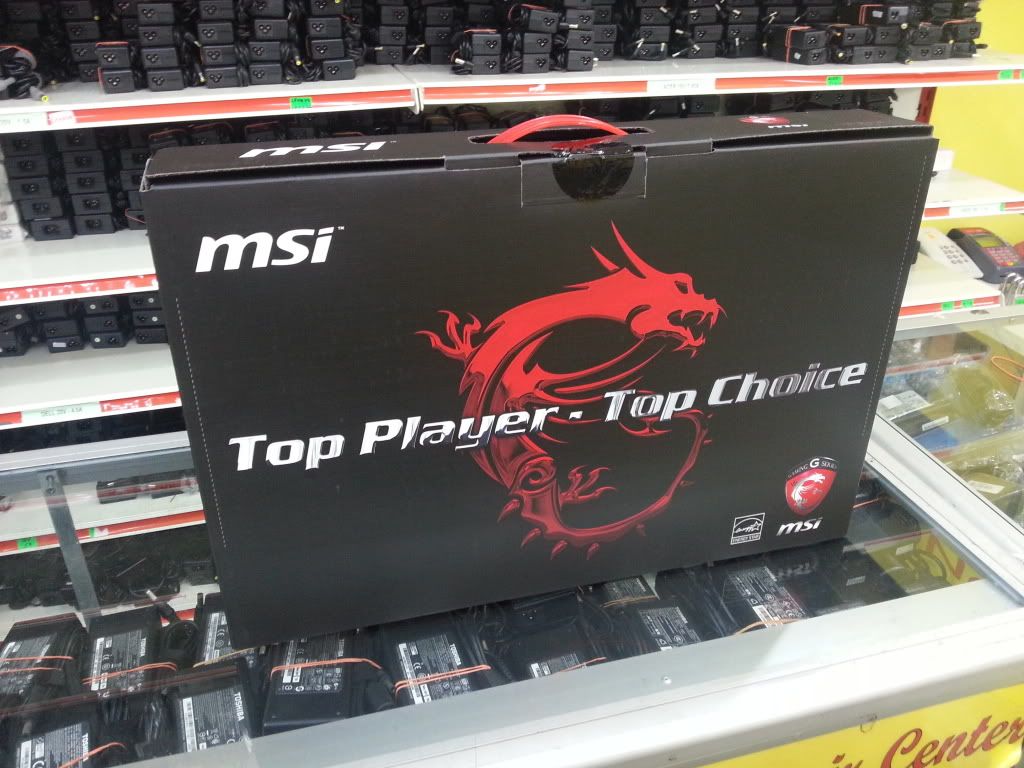
user posted image

Souped up Compaq V3000 or otherwise I don't think I'll get a better specced 14'er for the price lol. So I gave up agonising and finally bought the damn thing.

I mean, it can't be worse than my M1210, right?

This post has been edited by Eiraku: Jul 19 2013, 06:03 PM
Eiraku
post Jul 20 2013, 02:47 AM

Geeking since 1985!
*******
Senior Member
7,037 posts

Joined: Apr 2006


QUOTE(Areas Elysian @ Jul 20 2013, 02:01 AM)
I found the culprit after staring at that for like 10 minutes. LCore.exe. Logitech Gaming drivers.. it occasionally pops back in and out. It has evaded my detection because I have never looked at it for long. Just have a peek, saw nothing running, and started going else where etc.

Closed the Gaming Driver and now my usage is averaging at around 13-14W. Peaking at 15W occasionally, but also dropping at 11W at times too. At least it has went below 15W usage. Will continue to monitor.
*
Also, keep in mind a new battery might not be properly... uhm... seasoned. Takes a few cycles for a battery to start performing 100% IINM.

Anyway, right now I'm having the most peculiar of problems. I got myself a Razer Orochi to game on the GE40 with. For some unknown reason, while using it in BT mode, sometimes waking it up from sleep will cause a "driver power state failure" BSOD - which is effing annoying.

Now trying to solve this. Ugh. Seems that most Bluetooth mice has the same issue with Win 8 too.

Trying to NOT use the blardy piece of always-online shit that is Synergy 2.0 - hopefully that's NOT the solution.

This post has been edited by Eiraku: Jul 20 2013, 02:48 AM
Eiraku
post Jul 20 2013, 10:35 PM

Geeking since 1985!
*******
Senior Member
7,037 posts

Joined: Apr 2006


QUOTE(Areas Elysian @ Jul 20 2013, 06:18 PM)
I wasn't judging the battery usage from how many hours I got, but more like what the discharge rate was at. But yeah, I am familiar about seasoning batteries. Too many phones and gadgets, lol!

Hmm.. my mouse I'm not using BT.. it's using the Logitech G Series Nano Receiver.. that's a mouthful..
*
Problem solved. Seems like Windows have been having BT sleep issues since Vista - solution is to not let it sleep at all (under advanced BT properties). Now everything works fine and dandy.

I had to resort to BT because I need all of my USB ports free.

Now playing Stalker Call of Pripyat. Not the most demanding of games, but running it maxed is a treat. Maybe later I'll play something more... current.

Oh, and another issue. Just about an hour ago, my AC adapter JUST SIMPLY DIED. Not the plug fuse or anything, but the adaptor block itself. Had to run out to Digital Mall and get myself a 90w universal AC adaptor coz I can only go claim warranty next weekend (I work outstation weekdays).

Not sure I should blame MSI for bad QC or my luck being shitty. Oh well.

A good tip: The HuntKey 90w mini universal adapter (HKA09019047-6D/8D) works perfectly even WITHOUT any adapter tip attached. Other universal adapters with similar converter tip designs might also work.

EDIT: Finally managed to try out something more... well... current gen: HAWKEN. At everything HIGH, 900p reso with PhsyX turned off the game stayed smooth around the 60FPS limit I set with NvidiaInspector, and while things felt warm around the WASD and left palmrest area, the heat surely wasn't as bad as I imagined it would be. Granted, I had the GE40 on my Coolermaster U2 all the time + in an air conditioned room.

This post has been edited by Eiraku: Jul 22 2013, 05:28 AM
Eiraku
post Jul 21 2013, 08:33 PM

Geeking since 1985!
*******
Senior Member
7,037 posts

Joined: Apr 2006


EIRAKU'S GE40 ONGOING REVIEW: Day 2.

- On-load temps are warm but bearable, at least with the games I have (Hawken, Call of Pripyat, Strike Suit Infinity, Torchlight 2). Just got an extra CM U-series fan module - so now running the U2 Plus with 3 fans, hopefully it helps when I run it at my aircond-less workplace. I have a tube of Xigmatek freezing point just in case though.

- WIFI is... spotty. It connects fine, but 30% of the time I get network errors. Not sure it's a problem with my home WIFI or otherwise. Will continue to observe if I need to replace the WIFI card to an Intel Advanced-N.

- Keyboard flex isn't THAT noticeable UNLESS you're actively looking for it. At least the entire lappy is feather light compared to my almost 4kg M1210.

- Next game to playtest: Crysis 3. Couldn't install the latest Nvidia beta though, so running the latest that MSI has on their site.

- At full load + charging battery the GE40 stresses a 90w AC adapter REALLY hard. I mean cooking eggs hard. Not sure if a 120w adapter is a better fit for the GE40 under those conditions.

- Getting an average of about 3-4 hours on battery for surfing + other general stuff (image editing, desktop modding). Screen automatically set to 80% + the "balanced" power profile. Haven't done a proper test though.

This post has been edited by Eiraku: Jul 21 2013, 08:51 PM
Eiraku
post Jul 22 2013, 08:54 AM

Geeking since 1985!
*******
Senior Member
7,037 posts

Joined: Apr 2006


QUOTE(BAlm @ Jul 22 2013, 12:17 AM)
Thanks for the review. ive been following it. The power adapter that died is a big concern
*
For me it's really more a of an unfortunate incident the adapter died - unless I can determine for sure the GE40 needs more than 90w under load. So far testing with the HuntKey Mini and Coolermaster NA90 shows that it takes 90w fine - but under certain conditions, i.e. full load + charging empty battery, the 90w is pushed to the absolute limit though (especially the more compact HuntKey mini - it gets really warm).

But if it really does need more than 90w, then MSI is totally at fault for cheaping out on the adapter, like Dell did back in the XPS M1330 days. If not, well, I guess I got real unlucky.

Anyhows, let's see how MSI handles my adapter warranty claim this weekend. It'll be an interesting experience for sure.

This post has been edited by Eiraku: Jul 22 2013, 09:07 AM
Eiraku
post Jul 22 2013, 01:25 PM

Geeking since 1985!
*******
Senior Member
7,037 posts

Joined: Apr 2006


QUOTE(Amal @ Jul 22 2013, 12:23 PM)
If it gets too hot, you may want to try disabling the CPU turbo boost and run it at 2.2GHz instead of 2.9GHz.
See whether that helps.
*
Nah, the lappy only gets warm under load. It's the AC adapter that gets hot. Buuuuuuut, my VAIO W tiny 20w adapter gets ALMOST as hot under use so it's hardly an isolated case.

As far as temps are concerned, I'm already limiting FPS with NvidiaInspector and it's helping a lot actually. But disabling Turbo Boost sounds interesting, have to be done in BIOS I presume? Maybe it'll help tame the power consumption a bit, and lowering temps is always good for longevity.

And about the 113w full load power consumption figure, that's disturbing. Really. Though we can understand using a 90w adapter to keep size down, they could've gone with a thin 120w or a 95w.

In the end, seems the GE40 is really like Russian military hardware. Top notch specs built by the lowest bidder... doh.gif

Well, at least it performs. Still very happy with that.

Later Crysis 3 time! Plus I'm tempted to get the Skyrim pack on STEAM... Uhhh.
Eiraku
post Jul 22 2013, 09:15 PM

Geeking since 1985!
*******
Senior Member
7,037 posts

Joined: Apr 2006


QUOTE(Areas Elysian @ Jul 22 2013, 08:12 PM)
It's ok.. 2200 posts already.. very soon V2.. LOL
*
We're gonna need a new TS lol.

Anyhows, Coolermaster's USNA 120 adapter isn't THAT big, comparatively. Unfortunately it's' RM178 and not really readily available.

About the on-battery throttling, Anandtech seems to report the same exact thing (with Skyrim too). Which is good, at least for me. Better game at half speed with more battery life than game at full speed for only an hour lol.

But it might be EVEN BETTER if we're given the choice to turn the throttling off if we want to.

ANYWAY...

EIRAKU'S GE40 ONGOING REVIEW: Day 3.

Crysis 3 time. Playable (consistent smooth FPS with occasional hiccups) on HIGH everything + 1x anisotropic filtering + no AA + medium motion blur + native reso. On AC power BTW.

It looks GOOD. For someone who's only familiar with the XBox version of the Crysis series, it looks good enough to make me cry tears of joy. Running on native reso seems to lessen the need for AA too, I can't see too much jaggies anyway.

Temps wise... well, now I understand why people use the Crysis series for benchmarking. I haven't installed temp monitors yet (will do so soon) so no exact figures, but what I CAN say is things get mighty TOASTY really quickly. While the WASD area does get warm (not too uncomfortable though), the palmrest quickly goes to a worrying shade of warm. Not hot, mind you, but REALLY, really warm.

I'm starting to wonder if a MAJORITY of the GE40s came out of the factory with shitty, messy therm paste jobs. Thankfully I have my Xigmatek Freezing Point, hopefully it's good enough.

This post has been edited by Eiraku: Jul 22 2013, 09:23 PM
Eiraku
post Jul 23 2013, 12:21 AM

Geeking since 1985!
*******
Senior Member
7,037 posts

Joined: Apr 2006


Just finished the MSI Afterburner + HWinfo64 monitoring setup. So now I can actually give you guys some numbers lol.

Crysis 3 (All settings High, Motion Blur Medium, FXAA, 2x Anisotropic, 900p reso, 4702 Turbo Boost off):

AVG FPS: 36
AVG CPU TEMP: 78c
PEAK CPU TEMP: 82c
AVG GPU TEMP: 76c
PEAK GPU TEMP: 78c

Tests done on my 3x Fan Notepal U2.

Ummm. Heat wise not bad actually, going by the numbers . Yes it gets warm, but at least I'm not breaching 90c lol. I wonder how much better it'll do with a repaste.

This post has been edited by Eiraku: Jul 23 2013, 12:25 AM
Eiraku
post Jul 23 2013, 06:04 AM

Geeking since 1985!
*******
Senior Member
7,037 posts

Joined: Apr 2006


QUOTE(Amal @ Jul 23 2013, 12:51 AM)
That is quite a good temperature actually.

Have you tried comparing it with 4702 Turbo boost enabled?

Btw, a review of the new Alienware 14 with i7-4700MQ and GTX 765M.
http://www.notebookcheck.com/Test-Alienwar...ok.97459.0.html

It shows that even a thick gaming notebook couldn't handle the haswell processor that well.
It automatically disabled the CPU Turbo boost, and downclock the GPU during the stress test.
The CPU also reaches 90c on it, of which it might go much higher if both the GPU and CPU are at the max clock for a long period.

So, again, I'm blaming Haswell.  tongue.gif
*
I set the "balanced" profile for Turbo Boost OFF and "performance" for Turbo Boost ON, so I can run Crysis 3 after work tomorrow with TB and see how things turn out.

As for Haswell, I'm seeing a worrying trend. All the procs in the overheating W230STs are also NOT the lower power 4702MQ. Meaning to say that full power Haswells aren't really temp optimised for mobile use?

Thankfully, I haven't had my GE40 throttle much (if any) under AC power (considering it auto throttles under battery power). Plus I'm seeing CPU temps hovering comfortably around 80c max under gaming loads, which - considering how thin and cheaply built the GE40 is - is not bad.

I wonder if the M14xR3 uses a similar single shared heatpipe configuration like us and the W230ST. Which might explain the GPU throttling.

Also, hopefully somebody comes up with a non shitty TN 900p LCD for us to retrofit later on. The viewing angles on this thing is horrendous.

6 Pages  1 2 3 > » Top
Topic ClosedOptions
 

Change to:
| Lo-Fi Version
0.1942sec    0.47    7 queries    GZIP Disabled
Time is now: 9th December 2025 - 09:25 PM