Welcome Guest ( Log In | Register )

Bump Topic Topic Closed RSS Feed

Outline · [ Standard ] · Linear+

 Nokia N8 - V10 - [The King of Camera Phones], New N8 Owner, please read the FrontPage!

views
     
Andy214
post Nov 3 2010, 12:41 AM

Look at all my stars!!
*******
Senior Member
3,308 posts

Joined: Nov 2004


QUOTE(GothFebrio @ Nov 3 2010, 12:32 AM)
btw, i dont have that tron video anymore on my "new" N8...cant check wether i have that screen problem..
*
Don't have to be TRON, if you have videos with smokes, dark areas, etc. You will see it; but when output to TV, it looks perfectly fine.
Just make sure the video is proper quality.

If you have the video "Salt", then you'll see many of these "problems"...

QUOTE(Leo the Lion @ Nov 3 2010, 12:35 AM)
Please confirm it with your friends who have N8, and try it under lowlight room. If there is still a differences, then confirm the display-chip
*
I will, that's what I'm trying to do, do comparison, get more samples, etc. I think after gather this information, if confirm my unit really has problem, I think let them know first rather than send in straight, see what they say first. No point travel there few times and waiting for the device.
Andy214
post Nov 3 2010, 12:45 AM

Look at all my stars!!
*******
Senior Member
3,308 posts

Joined: Nov 2004


QUOTE(BuFung @ Nov 3 2010, 12:36 AM)
u get it the other way round.. 

ur explain make me feel like ur ambient light sensor sending signal to the system.. and the system do not control the display correctly...

when u go into darker place.. ur display should be dim down.. not brighter...
*
You're right; When i cover the light sensor, it dims down. That's why I'm wondering why it dims down. I got it the other way round already, when it's dark, it should dim down instead of brightens up. I also tried flashing flash light on the sensor, the display brightens up.

But, here's another weird thing. In room lighting, if I cover the light sensor and the display dims down, the problem is less obvious. hmm.gif
Headache... rclxub.gif
Andy214
post Nov 3 2010, 12:55 AM

Look at all my stars!!
*******
Senior Member
3,308 posts

Joined: Nov 2004


QUOTE(BuFung @ Nov 3 2010, 12:51 AM)
That is correct. Outside, u cover the sensor, screen from 100% to 0%, easy to notice. In room, u cover, it from 50% to 0%, less obvious.
*
Outside, you mean outdoor?
I tried outdoor, covering the sensor seems OK also.
When I'm in the car during daytime, I can't see this problem also.
In office also ok, less obvious/acceptable, probably due to better lighting. In room, we only have 1 flourescent light, we will see many of this problem.
Andy214
post Nov 3 2010, 12:57 AM

Look at all my stars!!
*******
Senior Member
3,308 posts

Joined: Nov 2004


QUOTE(GothFebrio @ Nov 3 2010, 12:54 AM)
i just loaded tron from youtube in hd 720p, doesnt have that thing in the picture u showed. maybe its the video.
*
My TRON video comes pre-loaded with the N8. Should be HD quality, as they also demo it with this video to HDTV via HDMI.

Anyway, I've also tried other video, and also output to TV, it looks perfectly fine on TV. I'll test it again tomorrow to confirm.

This post has been edited by Andy214: Nov 3 2010, 12:58 AM
Andy214
post Nov 3 2010, 01:05 AM

Look at all my stars!!
*******
Senior Member
3,308 posts

Joined: Nov 2004


QUOTE(-sLay- @ Nov 3 2010, 01:01 AM)
my god..  blink.gif  so much problem about N8 here...  unsure.gif
make me really scared...  sweat.gif
*
It didn't affect the picture quality, when view in PC, its showing perfectly fine.

Anyway, currently still unsure about this problem, and most people seems doesn't have this problem or not obvious probably. Don't worry about it, when puchase, they let the buyer check the device first anyway.

Andy214
post Nov 4 2010, 11:42 AM

Look at all my stars!!
*******
Senior Member
3,308 posts

Joined: Nov 2004


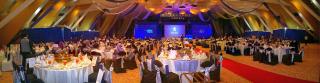
Take with Panorama App:
Attached Image

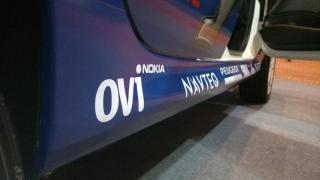
OVI by Nokia!!!
Attached Image

Attached Image

Topic ClosedOptions
 

Change to:
| Lo-Fi Version
0.0450sec    0.78    7 queries    GZIP Disabled
Time is now: 2nd December 2025 - 10:46 PM