

QUOTE(naimadam @ Oct 22 2010, 01:24 PM)
i think, voodoo is the good side not the dark.

ha ha, i like this.......stock firmware IS the dark side....rooted phone with new firmware is the light side

Samsung Galaxy S I9000 Official Thread V6, Please read FAQ at 1st page!! Vroom...
|
|
 Oct 22 2010, 02:02 PM Oct 22 2010, 02:02 PM
Return to original view | Post
#1
|
 
Senior Member
1,279 posts Joined: Dec 2007 
|
QUOTE(naimadam @ Oct 22 2010, 01:24 PM) i think, voodoo is the good side not the dark. ha ha, i like this.......stock firmware IS the dark side....rooted phone with new firmware is the light side |
|
|
|
|
|
Oct 22 2010, 03:02 PM
Return to original view | Post
#2
|
|
Senior Member
1,279 posts Joined: Dec 2007
|
QUOTE(ojp @ Oct 22 2010, 02:23 PM) [attachmentid=1847075] so far, mine is okay. No squeaky sound at all...i guess it depends from unit to unit and how you handle your phone or how many times you open and close the back cover....Here u go |
|
|
Oct 23 2010, 10:09 PM
Return to original view | Post
#3
|
|
Senior Member
1,279 posts Joined: Dec 2007
|
I agree. There is no perfect phone. Instead of asking why the glass is half empty, why not appreciate it as half full? To me, the good thing about the SGS is the open android platform where we can modify n customise our phone to our liking.
There are solutions to lags, so no issue. As for Gps, my SGS on stock Jg4 has no problem locking on within 10 secs. Just have to spend more time setting up the phone. Just my 2 cents worth |
|
|
Oct 25 2010, 01:13 AM
Return to original view | Post
#4
|
|
Senior Member
1,279 posts Joined: Dec 2007
|
I have been using Tw launcher n Launcher pro plus. Today itchy finger go n download ADW launcher.
Adw launcher not bad. Many themes to download, even got iphone 4 n ipad themes. Anyone using adw launcher? Any nice themes to recommend? Thanks |
|
|
Oct 25 2010, 10:11 AM
Return to original view | Post
#5
|
|
Senior Member
1,279 posts Joined: Dec 2007
|
QUOTE(silentser @ Oct 25 2010, 01:58 AM) Read somewhere in androidpolice it got sense theme Yes, i saw it....and many other different themes in the free and paid market...i'm not sure which one to download...haha... |
|
|
Oct 25 2010, 03:39 PM
Return to original view | Post
#6
|
|
Senior Member
1,279 posts Joined: Dec 2007
|
Have been experiencing with ADW Launcher.
I found this free Theme called Buff. the icons look quite cute...check out the Market, Twitter, Messaging, Internet, Setting etc.... Attached thumbnail(s) 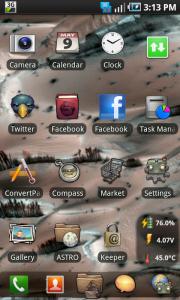
|
|
|
|
|
|
Oct 25 2010, 05:43 PM
Return to original view | Post
#7
|
|
Senior Member
1,279 posts Joined: Dec 2007
|
I used Shootme to do a screen capture. After I have taken a picture, I realised that the sensor is still running at the background.
I checked Battery History under *#*#4636#*#* and it shows that the sensor usage is still running.\ Anyone knows how to stop the sensor after I use Shootme program? Thanks |
|
|
Oct 25 2010, 06:06 PM
Return to original view | Post
#8
|
|
Senior Member
1,279 posts Joined: Dec 2007
|
QUOTE(hihihehe @ Oct 25 2010, 05:49 PM) make sure u exit the apps after using it.. Thanks, I will try itopen back the app and reject it  |
|
|
Oct 25 2010, 11:45 PM
Return to original view | Post
#9
|
|
Senior Member
1,279 posts Joined: Dec 2007
|
Freakfingers12
I'm impressed with your work on the home screen. You are very creative I must say. How much time u spent on it? |
|
|
Oct 26 2010, 01:03 AM
Return to original view | Post
#10
|
|
Senior Member
1,279 posts Joined: Dec 2007
|
QUOTE(freakfingers12 @ Oct 26 2010, 12:09 AM) Thanks. Not creative la cos the idea wasn't original. Haha. I don't know but roughly about the a few hours to edit here and there. How do u hide the Label text after u inserted the Desktop Visualizer widget.Lol I am only a one week old owner. I am not that knowledgeable yet. Please ask xda-forumers about it. Eg, after I inserted the Calender image, another calender label text appear below. Hope u know what I mean. |
|
|
Oct 26 2010, 03:06 PM
Return to original view | Post
#11
|
|
Senior Member
1,279 posts Joined: Dec 2007
|
QUOTE(freakfingers12 @ Oct 26 2010, 01:18 AM) You just have to backspace the label (that will label your app) until it's cleared. That should do. And also, I suggest you insert Touch Effect as None. Got it...thanks |
|
|
Oct 28 2010, 04:15 AM
Return to original view | Post
#12
|
|
Senior Member
1,279 posts Joined: Dec 2007
|
Hi freakfingers12, following your footstep I did my home screen like this.
Still refining it. Not perfect yet. Just sharing with u guys the power of android platform which is so customisable compared to other phone OS. Attached thumbnail(s) 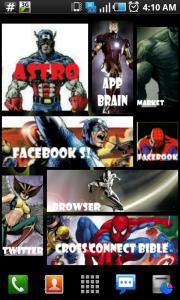

|
|
|
Oct 28 2010, 01:29 PM
Return to original view | Post
#13
|
|
Senior Member
1,279 posts Joined: Dec 2007
|
QUOTE(hihihehe @ Oct 28 2010, 09:55 AM) do i need to set anything in the messaging setting to let me retrieve MMS? I used to have the same problem. I'm with Maxis btw.i received 2nd MMS and yet i cant open or view it..it just say downloading zz I dialled *100#, go to Internet settings, go into Phone Settings, go into Phone Settings again, then confirm your phone is SGS, and then you will have the following settings option: Wap + MMS WAP MMS Internet etc I downloaded them trial and error, not sure which is the correct one....after a while, I realised I can receive MMS already. So I just leave it and don't want to play with the settings again.... |
|
|
|
|
|
Oct 29 2010, 06:59 PM
Return to original view | Post
#14
|
|
Senior Member
1,279 posts Joined: Dec 2007
|
QUOTE(Fornx @ Oct 29 2010, 05:24 PM) use netcounter and 3gwatchdog for more accurate results I have been using 3G Watchdog for the past 2 months. Both months, my maxis bill shows the data usage to be very similar to my 3G watchdog...hence I'm satisfied with 3G Watchdog and do not have to fear of being overcharged. Anyway most people kena from maxis is during the first month purchase because they pro rate your usage limit based on your maxis billing date. From 2 nd month onwards it should be okay... |
|
|
Oct 30 2010, 11:30 AM
Return to original view | Post
#15
|
|
Senior Member
1,279 posts Joined: Dec 2007
|
Hi guys, need some help here. I've been trying to find a tv out cable but unsuccessful so far.
Can someone advise me the actual name or model of the cable? Which shop in Klang Valley area can I buy? Where does the cable connect to our Sgs, 3.5 mm jack or mini usb port? As for the plasma tv, which port to use? Thanks |
|
|
Oct 30 2010, 09:35 PM
Return to original view | Post
#16
|
|
Senior Member
1,279 posts Joined: Dec 2007
|
QUOTE(Bap3 @ Oct 30 2010, 11:34 AM) owh..just buy tv-out for nokia..i'm using xm5800 tv-out..and it's work perfectly...it connect to 3.5mm jack... Thanks so much for your help. I'll go to Nokia shop to look for itbasically tv-out cable consist of 3.5mm male plug in and the audio-video RCA connector at the other end. |
|
|
Oct 30 2010, 09:42 PM
Return to original view | Post
#17
|
|
Senior Member
1,279 posts Joined: Dec 2007
|
QUOTE(presario3839 @ Oct 30 2010, 05:27 PM) hi there, No, it's not normal. in 8 hours battery has gone from full charge to 68% in standby mode..is it normal for my sgs??  any suggestion to extend my battery life?? any suggestion to extend my battery life??3g is on..all the sync is off.. Firmware: 2.1 update 1 kernel version: 2.6.29 [root@SE-S604 #2] Today my phone battery is 55% after 1 day and 10 hours. I'm on Dxjg4, rooted (of course) |
|
|
Nov 1 2010, 12:27 PM
Return to original view | Post
#18
|
|
Senior Member
1,279 posts Joined: Dec 2007
|
Hi,
I believe many of you have moved from Eclair to Froyo (leaked versions), right? I read somewhere that Titanium Backup cannot work in Froyo, so which backup application would you recommend to backup data before flashing to Froyo... My fingers are very itchy to flash to Froyo already...currently still on DXJG4... Thanks |
|
|
Nov 1 2010, 12:47 PM
Return to original view | Post
#19
|
|
Senior Member
1,279 posts Joined: Dec 2007
|
Hi kmrdeva and Chaooz,
Thanks for the advice. I noticed that there is a Titanium Backup folder created in the Internal SD card. Do I need to copy this folder out to my external SD card before I flash. If not, after I flash to new firmware, will this folder be gone together will all the apps including Titanium Backup? Thanks |
|
|
Nov 2 2010, 03:31 PM
Return to original view | Post
#20
|
|
Senior Member
1,279 posts Joined: Dec 2007
|
Hi guys,
I'm have been reading the first page to understand a bit more about Firmware and ROMs. Still learning about Android OS. From what I understand, firmware consists of: a) ROM (pda) b) Modem (phone) c) CSC If we want to flash new firmware, we need the new firmware file consisting the 3 items above, using ODIN and Download mode method, right? Now, recently I have been reading about Darky's ROM, MIUI Rom etc.....does it mean that I can just change the ROM part without changing the firmware? Example, I'm on DXJG4 firmware now. Can I just install MIUI Rom only? Will it work? And the way to install just the ROM is to rename the ROM file as update.zip, put it in Internal SD card and then do the 3 button recovey mode to apply the update.zip? Am I right? Thanks |
|
Topic ClosedOptions
|
| Change to: |  0.0206sec 0.0206sec
 0.55 0.55
 7 queries 7 queries
 GZIP Disabled GZIP Disabled
Time is now: 8th December 2025 - 07:49 AM |
 Quote
Quote