

Any idea what is the dimension of this board? Looks like can fit inside a candy box. Then you gf will wonder why you eat so much sweet recently.
Hi-Fi Mini USB PCM2704 DAC, I am impressed
Hi-Fi Mini USB PCM2704 DAC, I am impressed
|
|
 Sep 29 2010, 12:51 AM Sep 29 2010, 12:51 AM
Return to original view | Post
#1
|
 
Senior Member
920 posts Joined: May 2008 From: Kuala Lumpur   
|
Any idea what is the dimension of this board? Looks like can fit inside a candy box. Then you gf will wonder why you eat so much sweet recently.
|
|
|
|
|
|
Sep 30 2010, 05:59 PM
Return to original view | Post
#2
|
|
Senior Member
920 posts Joined: May 2008 From: Kuala Lumpur
|
Haha cheap poison, means you not only can die one time. But can enjoy dying many many times.
|
|
|
Oct 22 2010, 12:06 AM
Return to original view | Post
#3
|
|
Senior Member
920 posts Joined: May 2008 From: Kuala Lumpur
|
QUOTE(riddy @ Oct 5 2010, 09:29 AM) huhuhu..already poison with it.. Review saying this thing better than asus xonar U2, xonar U2 better than Creative X-Fi go. What do you think?Added on October 5, 2010, 10:50 amif compare with Creative X-Fi go (RM180)...which 1 better?..  |
|
|
Nov 8 2010, 09:49 AM
Return to original view | Post
#4
|
|
Senior Member
920 posts Joined: May 2008 From: Kuala Lumpur
|
QUOTE(capiche @ Nov 7 2010, 10:35 PM) chchyong89 & saturn85 Wah, I am looking for this solution for some of my bare board. Great job over there.yea.. i saw it myself then smoothen the edges out with a metal flier and sandpaper.. the acrylic i bought from a forum member here and the copper spacer from a local electronic shop.. 10mm height will do  |
|
|
Nov 24 2010, 05:57 PM
Return to original view | Post
#5
|
|
Senior Member
920 posts Joined: May 2008 From: Kuala Lumpur
|
QUOTE(boomber @ Nov 24 2010, 04:48 PM) Just got my pcm2704 from chchyong89, I would say this little DAC really shine for its price. I bet you can get anything closer with the price of below RM100. This is because it's unamped, get a cheap fiio will make it shine even more.Basically, the sound is much much cleaner and detailed compared to onboard soundcard. I never test it with my DDM, but my aged sony MDR-EX85 is enough to tell the difference. Vocal is clean with fuller body though sometime might sound a bit dry. (Maybe used to my prodigy HD2) Staging is okay, bass is deep but roll off slightly too early for my taste. Overall this card really good for replacing onboard soundcard, or even some entry level Cxxxxx soundcard. Excel in vocal and jazz. |
|
|
Nov 25 2010, 09:43 AM
Return to original view | Post
#6
|
|
Senior Member
920 posts Joined: May 2008 From: Kuala Lumpur
|
QUOTE(boomber @ Nov 24 2010, 11:11 PM) Tested this USB with Fireye I amp, surprisingly good and out of my expectation. I am using FA-003 headphone for testing, vocal is full of emotion, wet and details, bass adequate. Emm looks like the dac not fast enough, but wet is good. I am getting this as second hand from forumer here, should reach today hehe.Anyhow, this DAC not so good with fast tempo type of music, for jazz and acoustic its good.. |
|
|
|
|
|
Nov 25 2010, 12:04 PM
Return to original view | Post
#7
|
|
Senior Member
920 posts Joined: May 2008 From: Kuala Lumpur
|
QUOTE(boomber @ Nov 25 2010, 10:56 AM) It's when I pair it with Fireye amp, but not bad when use it alone. Seriously its not that slow and it won't be notice normally. I only can sense it when I use it with my ddm where it might smear the detail a bit, not serious though. People who didn't amp this little stuff please do not complain, I am now using this with only Fiio E3 and px100, and its already a very good combination. For the price, very acceptable and since its a mini card, the signature of burr brown is quite clear, good for those that wish to try it. Yes i upgraded from Asus Xonar U1 as well, but now only complain will be the user friendliness. I have to go to foobar to adjust volume, the asus does has it's own volume control. Generally, sound more naturally, most importantly bass now is very clear and not overkill. Most computer sound card has the issue of giving fake bass to thump the gamer, and all this is killing the music. This card is dedicated for music, and the sound stage is also more comfortable that you could enjoy listening without feeling music drowning on you. |
|
|
Nov 25 2010, 01:53 PM
Return to original view | Post
#8
|
|
Senior Member
920 posts Joined: May 2008 From: Kuala Lumpur
|
QUOTE(chchyong89 @ Nov 25 2010, 12:43 PM) If possible, don't reduce the volume from the windows, let it be max( 0dB) and WARNING: Other sound effect other than the foobar will be very loud if you do as following:control the volume over your amplifier. The volume control in windows is software based, every 6dB of decrement will make you lost 1bit of resolutions.  For people using foobar, I have a solution for this to get back the lost resolution Go to preference-> Playback -> ReplayGain->Preamp Set the both with rg info and without rg info to -20.0db (Left most position) Then go to your windows volume and set it to max. Now you will control the volume through the foobar and not from windows. Another info is ASIO driver support this DAC very nicely, you get even cleaner sound from ASIO. For ASIO installation please ask uncle google. Thanks chchyong89 to point this out, now it's there is really fine sound flowing into my ears. This post has been edited by ssyycc: Nov 25 2010, 02:12 PM |
|
|
Nov 25 2010, 03:48 PM
Return to original view | Post
#9
|
|
Senior Member
920 posts Joined: May 2008 From: Kuala Lumpur
|
QUOTE(LittleGhost @ Nov 25 2010, 03:25 PM) it does not matter. You should not control your volume using software attenuation because you'll lose bit resolution no matter what. I tried out the software attenuation through foobar and ASIO is way better than the master volume. My assumption is that ASIO might have solve this issue because ASIO could bypass windows audio driver and interact directly with the DAC.The best way is still to use an amplifier and control the volume using that device. As for clipping prevention, all you have to do is to replaygain all your songs (prevent clipping mode) and they'll be fine. This is still a better solution who has no other option. That's why I put my experiment result and not just theory. Please try this and let me know the result. You shouold change your widnows sound scheme to "no sounds" so you wont get surprises sound effect other than nice music. This post has been edited by ssyycc: Nov 25 2010, 04:04 PM |
|
|
Nov 25 2010, 05:02 PM
Return to original view | Post
#10
|
|
Senior Member
920 posts Joined: May 2008 From: Kuala Lumpur
|
QUOTE(saturn85 @ Nov 25 2010, 04:45 PM) so this is the best way for people who don't own an amp? Just try it yourself if you can hear difference, if got improvement then you shall live with it for a while. If you hear no difference then can always use back the master volume. This post has been edited by ssyycc: Nov 25 2010, 05:02 PM |
|
|
Nov 26 2010, 09:36 AM
Return to original view | Post
#11
|
|
Senior Member
920 posts Joined: May 2008 From: Kuala Lumpur
|
QUOTE(boomber @ Nov 26 2010, 12:38 AM) Just curious, is burr brown DAC features "detail and clean" presentation? I am not used to the sound signature with burr brown chip but I can sense that AKM4396 in prodigy HD2 is smoother but not as detail as this USB DAC (BB chip) I have pcm1793 which is burr brown chip as well, what I can say when compare to this pcm2704, their sound signature is similar but the higher end pcm1793 is very very detail and when resolving 24bit then you start thinking about analog vs digital sound.How should I say, when I listen through this USB DAC, I will focus on details presented but I never do that on Prodigy HD2. For me it's kinda analytical while HD2 really present the song with emotion. I know it's kinda unfair to compare it with HD2, just curious whether it's the sound signature of BB chip. I listened to my friend's STX, also very very detail and impressive, but cold sounding. Any pro can enlighten me on this? pcm2704 has good detail, very neutral but still sound digital (cold) to me. Yes it takes me lot of time to get used to this sound signature, but once you brain accept it, you will start enjoying all the music with emotion. When testing dac, must allow time for yourself to get use to the new sound, if after few days you still don like it then you need another dac. Don just listen to few songs and decide which is better. |
|
|
Nov 28 2010, 09:59 AM
Return to original view | Post
#12
|
|
Senior Member
920 posts Joined: May 2008 From: Kuala Lumpur
|
QUOTE(zombie24 @ Nov 28 2010, 05:16 AM) i installed asio4allv2 on my xp pc but it does not show up under playback out.whts wrong? You have to install the foobar component for foobar and then configure the asio driver under the preference then it will appear.THe DAC is very good, but some Cons here that is it lose resolution when the volume is decreased. I have build a attenuation box and it works perfectly now, will share the picture later. This post has been edited by ssyycc: Nov 28 2010, 10:02 AM |
|
|
Nov 29 2010, 10:59 PM
Return to original view | Post
#13
|
|
Senior Member
920 posts Joined: May 2008 From: Kuala Lumpur
|
QUOTE(zombie24 @ Nov 29 2010, 08:58 PM) yeah the level was not that happein before i installed the asio4all with my C3 edifier.now its THE BOMB.clear as SHIT.the low end on my subs r kicking clean. Sorry to to hear that, this dac is more suitable when drive with headphone amp and headphone. For C3 may be you need a pre amp before pump it to C3.I think now I am getting best of it, from all the DIY stuff I use. PCM2704-> Cable-> Passive Attenuation Box (Volume Control) -> Cable -> Fiio E3 -> SHP2700/PX100. All volume set to max 100%, no need to touch anything in foobar just install ASIO. This post has been edited by ssyycc: Nov 29 2010, 11:01 PM |
|
|
|
|
|
Nov 29 2010, 11:11 PM
Return to original view | Post
#14
|
|
Senior Member
920 posts Joined: May 2008 From: Kuala Lumpur
|
QUOTE(rifasha @ Nov 29 2010, 11:08 PM) how to find the pre amp? Something like this??? 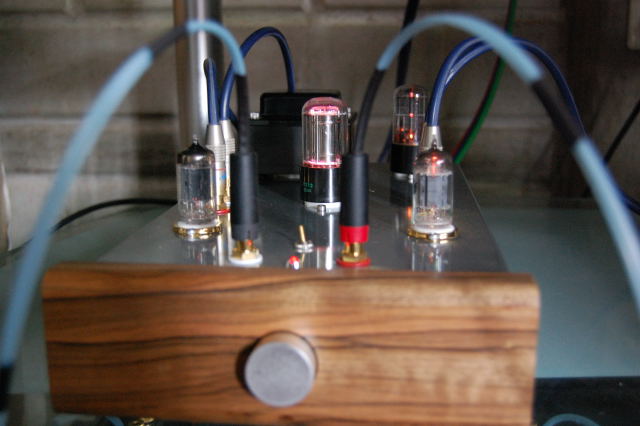 Hehe.. actually can try something like Fiio E3, cheap but need to feed battery. Fiio E5 got rechargeable one.  This post has been edited by ssyycc: Nov 29 2010, 11:14 PM |
|
|
Nov 29 2010, 11:23 PM
Return to original view | Post
#15
|
|
Senior Member
920 posts Joined: May 2008 From: Kuala Lumpur
|
QUOTE(rifasha @ Nov 29 2010, 11:20 PM) dang. is that yours? wow this 'rabbit hole' is really is deep..but that FiiO will do good to my C3? Not mine, just pirate the pic from google. I think it will help a lot, it bring the bass back a lot. Ask around you will know.I own E3. E3 around RM30 and E5 around RM80, lot of people selling here or jaben. This post has been edited by ssyycc: Nov 29 2010, 11:23 PM |
|
|
Nov 30 2010, 12:37 AM
Return to original view | Post
#16
|
|
Senior Member
920 posts Joined: May 2008 From: Kuala Lumpur
|
QUOTE(power911 @ Nov 30 2010, 12:19 AM) E3?again? lol I think you meant C3 I think the amp wont poof... the pcm2704 is really really weak, adding little power by E3 still not as loud as those RCA input.but then you got the pcm2704. direct connect to c3 is more than enough having e3 along the way is bad for your c3 amp. e3 is an amp already, no need extra amp or not later you'll overworked your amp then poof* XD |
|
|
Nov 30 2010, 01:01 AM
Return to original view | Post
#17
|
|
Senior Member
920 posts Joined: May 2008 From: Kuala Lumpur
|
QUOTE(boomber @ Nov 30 2010, 12:52 AM) Double amplification will only make the scenario even worst. Didn't see much problem if connect your C3 with the USB soundcard since your C3 with built in amplifier unless the amp inside is very low power. Yup understand what is double amplification, but what option does he had? Aego is way more expensive than C3 and has very good pre amp. I tried connect it with Aego, the sound is good and only 40% of the volume is needed to sound loud and clear. Fiio distortion is not too bad actually. |
|
|
Nov 30 2010, 01:48 AM
Return to original view | Post
#18
|
|
Senior Member
920 posts Joined: May 2008 From: Kuala Lumpur
|
QUOTE(chchyong89 @ Nov 30 2010, 01:15 AM) skip the E3 if possible, it is just, not really good Emmm, sorry to everyone here, shouldn't advice this. It has some risk. Added on November 30, 2010, 2:25 amI am really sorry just now, let me give something constructive instead I use a eclipse mint case to hold the pcm2704, it does sound differently, sound is more concentrate and cleaner. But make sure you don let the board contact with the case directly. Use those threaded standoffs to mount the board. Yes you need some tool to drill the metal case. This post has been edited by ssyycc: Nov 30 2010, 02:26 AM |
| Change to: |  0.0291sec 0.0291sec
 0.50 0.50
 7 queries 7 queries
 GZIP Disabled GZIP Disabled
Time is now: 2nd December 2025 - 05:56 PM |
 Quote
Quote