QUOTE(khalpowers @ Nov 14 2010, 07:44 PM)
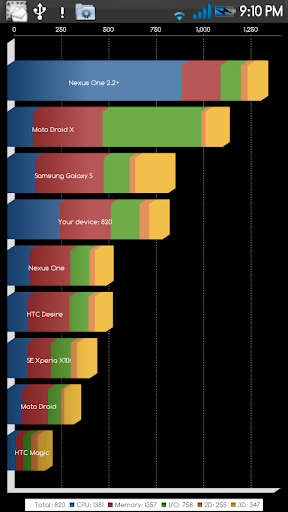
confirm liaoo...hehe...1.2 ghz also can meh...this cortex quite powerfull..
bcoz i think this phone is old stock..so their software also came with the package...hehe

Added on November 14, 2010, 7:48 pmyaaa....with gmail contact is simple for us to retrieve back the contact list if we got problem need to reflash..hehe

wa

1.2ghz.....

bro i do manual setting to my internet and mms.now my internet can use...but my mms cant receive and sent...i dont no why...any trick or setting i forgot to do?
1. Press the "Menu" button.
2. Press "Settings" and select "Wireless & networks".
3. Scroll to and select "Mobile networks" and select "Access Point Names".
4. Press the "Menu" button and select "New APN".
5. Select "Name" and enter DiGi MMS.
6. Press "OK".
7. Scroll to and select "APN" and enter digimms.
8. Press "OK".
9. Scroll to and select "MMSC" and enter
http://mms.digi.com.my/servlets/mms.
10. Press "OK".
11. Scroll to and select "MMS proxy". and enter 203.092.128.160.
12. Press "OK".
13. Scroll to and select "MMS port" and enter 80.
14. Press "OK".
15. Scroll to and select "Username" and enter mms.
16. Press "OK".
17. Scroll to and select "Password" and enter mms.
18. Press "OK".
19. Scroll to and select "APN type" and enter "mms".
20. Press the "Menu" button and press "Save".
21. Make sure the new profile is selected.
22. Press the "Home" button to return to the main screen.
23. Your phone has been configured.



 Nov 9 2010, 11:40 PM


 Quote
Quote



 0.0597sec
 1.72
1.72
 7 queries
 GZIP Disabled