Welcome Guest ( Log In | Register )

Bump Topic Topic Closed RSS Feed
9 Pages < 1 2 3 4 5 > » Bottom

Outline · [ Standard ] · Linear+

 Motorola DEFY Official Thread, A tough phone for Android

views
     
blackwhitechipsKL
post Feb 7 2011, 11:26 AM

Casual
***
Junior Member
330 posts

Joined: May 2010


QUOTE(TAGreptiles @ Feb 7 2011, 12:03 AM)
i ordered 3 pcs of the Motorola Defy screen protector. Anyone interested in the extra 2 please PM me. smile.gif
*
bro, if it's the anti-glare one, please let me know, i'll take one.

my DEFY still running stock. hmm...maybe should at least root it. not sure which is the latest root method? superoneclick or z4root? anyone has proper links to the correct one?? scared go to all those sites, and suddenly give me 'extra' installations one.
blackwhitechipsKL
post Feb 8 2011, 01:26 PM

Casual
***
Junior Member
330 posts

Joined: May 2010


QUOTE(DoubleU @ Feb 8 2011, 01:20 AM)
btw is it worth spending
1) on a class 8 memory card?? is that is highest class? or which class is enough?
2) the zagg shield? is the screen very scratch resistant?
*
for microSD, highest is Class4 only
blackwhitechipsKL
post Feb 8 2011, 02:26 PM

Casual
***
Junior Member
330 posts

Joined: May 2010


i've search the whole of lowyat and no one sells higher than class4, and no one keeps 32gb as well. i checked online and did see some class10, so i could be wrong. buying online is risky cos many story about ppl selling 2gb cards but did something to it to show 32gb.
blackwhitechipsKL
post Feb 9 2011, 01:30 PM

Casual
***
Junior Member
330 posts

Joined: May 2010


haha, yea, so many apps to install meh? 1GB wor
blackwhitechipsKL
post Feb 10 2011, 11:53 PM

Casual
***
Junior Member
330 posts

Joined: May 2010


thank lingch for the updates. really good job on your part. gonna root mine at least, but looks like will still use stock ROM and eclair, until an official froyo is out
blackwhitechipsKL
post Feb 12 2011, 11:19 AM

Casual
***
Junior Member
330 posts

Joined: May 2010


planning to go take pics of fishes in Redang??
blackwhitechipsKL
post Feb 20 2011, 09:41 PM

Casual
***
Junior Member
330 posts

Joined: May 2010


i'm using MiXZing for my songs. pretty decent i would say
blackwhitechipsKL
post Feb 21 2011, 10:45 AM

Casual
***
Junior Member
330 posts

Joined: May 2010


lol....in the shower....fully utilising it eh?
blackwhitechipsKL
post Feb 21 2011, 06:04 PM

Casual
***
Junior Member
330 posts

Joined: May 2010


which shop is that? not many shops holding DEFY, and so far, no shops having the screen protector.
blackwhitechipsKL
post Feb 21 2011, 06:27 PM

Casual
***
Junior Member
330 posts

Joined: May 2010


yalor, official 2.2 pun not out yet, and so far, not many phones with 2.3 even. unlikely DEFY is with 2.3 unless that fella came out with his own!! tongue.gif
blackwhitechipsKL
post Feb 21 2011, 09:33 PM

Casual
***
Junior Member
330 posts

Joined: May 2010


any idea if without rooting, can the battery indicator show 1% increments?
blackwhitechipsKL
post Feb 22 2011, 02:20 AM

Casual
***
Junior Member
330 posts

Joined: May 2010


QUOTE(Nightstalker1993 @ Feb 22 2011, 12:07 AM)
not until you get it scratched like me doh.gif

now after applying the sp, my screen the scratch cannot see at ALL! laugh.gif thumbup.gif
Wow, mine's pretty damn messy compared to yours!

I've only got 3 homescreen and its all full of mess laugh.gif

warning: large images tongue.gif
» Click to show Spoiler - click again to hide... «

*
can't be worse than mine. my phone is like an Iphone, just widgets widgets, shortcuts. only looks nice on the home screen.

btw, you're using GO launcher right? i'm using the same as well, along with GO SMS, GO Weather. everything GO GO GO!!


Added on February 22, 2011, 2:27 am
QUOTE(kysham @ Feb 21 2011, 11:43 PM)
the widget called "circle battery" as suggested by tyenfei will be able to display the battery level in 1% increment. Download it and try. It is free. Find it in your Market....
*
i think stil need root to see the 1% increments lah. still showing 10%


Added on February 22, 2011, 2:33 amwait, it does show 1%....thanks buddy! installed it when my battery was at 40%, and it showed 40% after the installation. thought wont be ngam at 40, but now showing 39! woot!

This post has been edited by blackwhitechipsKL: Feb 22 2011, 02:33 AM

blackwhitechipsKL
post Feb 22 2011, 01:01 PM

Casual
***
Junior Member
330 posts

Joined: May 2010


took the plunge and rooted my phone! used this method, and pretty straight-forward.

Requirements:

Motorola USB Drivers: Download for 32 bit Windows | Download for 64 bit Windows
SuperOneClick 1.6.5 (Requires Microsoft .NET Framework 2.0 or later).
USB cable.

Procedure:

Install the USB drivers on your computer and restart the computer.
Shut down the phone and restart it while keeping the volume-up button pressed. This will get your phone into bootloader mode.
Connect your phone to your computer via USB. Its bootloader drivers will get automatically installed.
Restart the computer again and also restart your phone normally into Android this time.
Connect your phone to your computer and let its normal drivers get automatically installed.
Make sure USB debugging is DISABLED on your phone in Settings > Applications > Development.
Launch SuperOneClick on your computer by right-clicking on it and selecting ‘Run as Administrator’.
Click ‘Root’. It will say ‘Waiting for device…’
Now ENABLE USB debugging on your phone in Settings > Applications > Development.
Wait patiently till you see a prompt on your computer saying ‘Device is rooted’.
Reboot your phone and you’re done!

method from: http://www.addictivetips.com/mobile/how-to...-superoneclick/
blackwhitechipsKL
post Feb 22 2011, 01:32 PM

Casual
***
Junior Member
330 posts

Joined: May 2010


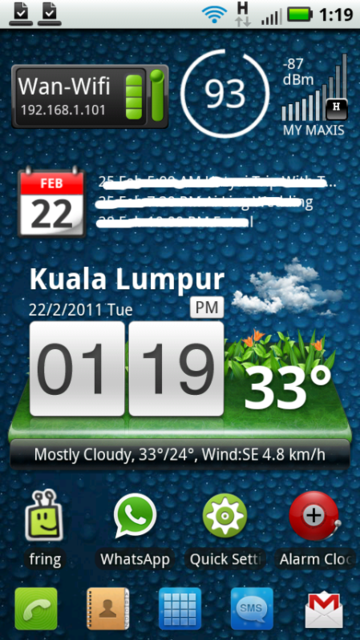
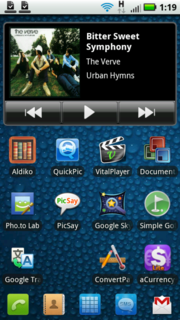
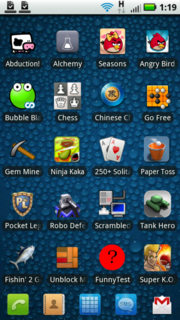
my screen shot. got more screens but mostly just widget like iphone, so no need see la.

user posted image
user posted imageuser posted image

This post has been edited by blackwhitechipsKL: Feb 22 2011, 01:37 PM
blackwhitechipsKL
post Feb 22 2011, 08:30 PM

Casual
***
Junior Member
330 posts

Joined: May 2010


i play Pocket Legends sometimes, and pretty smooth. using Wifi in my house to play
blackwhitechipsKL
post Feb 23 2011, 03:03 PM

Casual
***
Junior Member
330 posts

Joined: May 2010


anyone done this? running 1ghz and battery lasting 2 days? wow

http://forum.xda-developers.com/showthread.php?t=893291
blackwhitechipsKL
post Feb 23 2011, 04:37 PM

Casual
***
Junior Member
330 posts

Joined: May 2010


got the setvsel but aint too sure about it, so uninstalled it, cos not very sure what settings to use exactly. got juice defender installed though. see how much more battery saved, but so far, i doubt it helps a lot.

1ghz and 2 days...still not sure i understand how to do everything mentioned on the article.
blackwhitechipsKL
post Feb 23 2011, 11:58 PM

Casual
***
Junior Member
330 posts

Joined: May 2010


can let me know what setting as to when to use 300, when to use 600 and when 1000?
blackwhitechipsKL
post Feb 24 2011, 12:54 AM

Casual
***
Junior Member
330 posts

Joined: May 2010


sms, phone calls no problem? no slow startup if sms/phone call comes in?
blackwhitechipsKL
post Feb 24 2011, 01:05 AM

Casual
***
Junior Member
330 posts

Joined: May 2010


use google maps or papago lah. not using 'navigation'

9 Pages < 1 2 3 4 5 > » Top
Topic ClosedOptions
 

Change to:
| Lo-Fi Version
0.0407sec    0.32    7 queries    GZIP Disabled
Time is now: 8th December 2025 - 06:06 AM