Welcome Guest ( Log In | Register )

56 Pages « < 3 4 5 6 7 > » Bottom

Outline · [ Standard ] · Linear+

 Intel Core i7 LGA1366 & X58 Overclocking V2, Discussion, Benchmarks, Stabilty, Guides

views
     
TSowikh84
post Oct 1 2010, 06:39 AM

i7 Clan
Group Icon
Elite
8,711 posts

Joined: Nov 2007
From: Butterworth, PG / Machang, Kelantan


QUOTE(??? @ Oct 1 2010, 12:01 AM)
Thanks for the input.
So those temp are normal. I have ran prime95 blend test for 10 minutes and the temp were WOW  shocking.gif

realtemp w/ HT (full load)

72
70
70
69

I think 75C is the CPU threshold right?  sweat.gif
Just want to know is it save for me to OC to 3.2 first on this weekend ? due to the heat  sweat.gif
*
Max is 100C and don't worry ur PC will auto shutdown at 100C (overtemp protection set by bios)
U're safe with 3.2Ghz HT on @ vcore < 1.2X v depending on ur chip strength.
I can do 4.4Ghz HT off @ 1.3v on air cooling when max temp hit 82C nod.gif

LinX
» Click to show Spoiler - click again to hide... «


Pime95
» Click to show Spoiler - click again to hide... «


http://hardforum.com/showthread.php?t=1502931

This post has been edited by owikh84: Oct 1 2010, 06:46 AM
gengstapo
post Oct 1 2010, 08:21 AM

Retired enthusiast
********
All Stars
10,688 posts

Joined: Jan 2005
QUOTE(??? @ Oct 1 2010, 12:01 AM)
Thanks for the input.
So those temp are normal. I have ran prime95 blend test for 10 minutes and the temp were WOW  shocking.gif

realtemp w/ HT (full load)

72
70
70
69

I think 75C is the CPU threshold right?  sweat.gif
Just want to know is it save for me to OC to 3.2 first on this weekend ? due to the heat  sweat.gif
*
If my temp. as such, it would be very very nice. I would be grateful, too bad my setup cannot hold such temperature.. Zzz

You can check my temp. during priming Here. It shows by RealTemp under the Maximum box laugh.gif laugh.gif

This post has been edited by gengstapo: Oct 1 2010, 08:22 AM
???
post Oct 2 2010, 03:53 PM

New Member
*
Junior Member
14 posts

Joined: Nov 2004
QUOTE(gengstapo @ Oct 1 2010, 08:21 AM)
If my temp. as such, it would be very very nice. I would be grateful, too bad my setup cannot hold such temperature.. Zzz

You can check my temp. during priming Here. It shows by RealTemp under the Maximum box  laugh.gif   laugh.gif
*
shocking.gif so I guess we cannot use the temp provided by those people inside Overclocker.net as reference.

I am on 3.2Ghz w/o HT while typing this rclxms.gif rclxms.gif finally I've done it.

realtemp (prime95 blend test -- 10 mins)

Min Max
41 57
36 55
40 56
38 55

I wonder why the temp dropped so much? Below are my setting in BIOS

My BIOS setting:
CPU ratio 21x
BCLK 153
PCIE 100
DRAM DDR3-920MHz
UCLK 1841
CPU Voltage 1.15
PLL Voltage 1.80
QPI/DRAM 1.21250


Thanks for owikh84 and gengstapo for the input thumbup.gif thumbup.gif

This post has been edited by ???: Oct 2 2010, 03:57 PM
TSowikh84
post Oct 2 2010, 07:43 PM

i7 Clan
Group Icon
Elite
8,711 posts

Joined: Nov 2007
From: Butterworth, PG / Machang, Kelantan


Temps lower bcos HT is turned off now
ur temp is still quite good for higher OC
i7 is built to clock at least 4Ghz to show its full potential
???
post Oct 2 2010, 09:37 PM

New Member
*
Junior Member
14 posts

Joined: Nov 2004
I have done an hour of prime95 (small fft) on 3.2Ghz and no error found, so I have decide to OC it to 3.8Ghz brows.gif
Currently on 3.8Ghz w/o HT and doing the prime95 now. The temp is actually almost same as 3.2Ghz. Hope it is stable on 3.8Ghz smile.gif
Will update once it past at least an hour of prime95.
TSowikh84
post Oct 2 2010, 09:55 PM

i7 Clan
Group Icon
Elite
8,711 posts

Joined: Nov 2007
From: Butterworth, PG / Machang, Kelantan


QUOTE(??? @ Oct 2 2010, 09:37 PM)
I have done an hour of prime95 (small fft) on 3.2Ghz and no error found, so I have decide to OC it to 3.8Ghz  brows.gif
Currently on 3.8Ghz w/o HT and doing the prime95 now. The temp is actually almost same as 3.2Ghz. Hope it is stable on 3.8Ghz  smile.gif
Will update once it past at least an hour of prime95.
*
Well done. Don't forget to post up some screenshots too. thumbup.gif
p_cock01
post Oct 2 2010, 10:42 PM

Getting Started
**
Junior Member
118 posts

Joined: Mar 2009
From: kepong,KL


tailo kevin i wanna ask somethin.
why my 930 idle temperature are about 56c?
im just use stock cooler and using tx2.
edi turn off ht
fyi when i assemble my rig i ter drop my proc about 15 cm high and back of the proc kene lantai
is that cause this prob?
using giga x58aud3r mobo and pls recommend me bios setting for this mobo for 4.0ghz speed.

gengstapo
post Oct 2 2010, 11:58 PM

Retired enthusiast
********
All Stars
10,688 posts

Joined: Jan 2005
QUOTE(p_cock01 @ Oct 2 2010, 10:42 PM)
tailo kevin i wanna ask somethin.
why my 930 idle temperature are about 56c?
im just use stock cooler and using tx2.
edi turn off ht
fyi when i assemble my rig i ter drop my proc about 15 cm high and back of the proc kene lantai
is that cause this prob?
using giga x58aud3r mobo and pls recommend me bios setting for this mobo for 4.0ghz speed.
*
I believe its normal..
TSowikh84
post Oct 3 2010, 09:57 AM

i7 Clan
Group Icon
Elite
8,711 posts

Joined: Nov 2007
From: Butterworth, PG / Machang, Kelantan


QUOTE(p_cock01 @ Oct 2 2010, 10:42 PM)
tailo kevin i wanna ask somethin.
why my 930 idle temperature are about 56c?
im just use stock cooler and using tx2.
edi turn off ht
fyi when i assemble my rig i ter drop my proc about 15 cm high and back of the proc kene lantai
is that cause this prob?
using giga x58aud3r mobo and pls recommend me bios setting for this mobo for 4.0ghz speed.
*
Ur temp is normal. Ambient & casing airflow affects the temp too.
Hmm don't think u can do 4.0Ghz with stock cooler unless in non air cond room.
U might google for "x58aud3r 4ghz bios", just make sure that HT is turned off 1st.
anyway to OC I highly recommend grabbing a good 3rd party cooler ie. Corsair H7O/H5O, Thermalright Venomous-X, etc..
with these coolers, OC is easier & more fun biggrin.gif
???
post Oct 3 2010, 12:24 PM

New Member
*
Junior Member
14 posts

Joined: Nov 2004
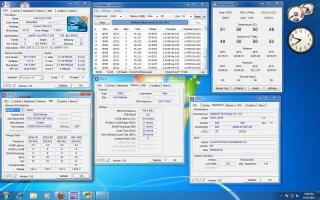
I did prime95 w/o Aircond for 3.8Ghz. Below are the pic

Attached Image

BIOS setting

CPU ratio 19x
BCLK 200
PCIE 100
DRAM 1603
UCLK 3208
CPU Voltage 1.2v
PLL Voltage 1.8v
QPI/DRAM Voltage 1.21250

I wonder can I lower down the cpu voltage hmm.gif is it fine to lower it down? try to get the optimum voltage/heat for 3.8 first before I move to 4.0 wub.gif
Need some advise here.

Another details screenshot

Attached Image


This post has been edited by ???: Oct 3 2010, 04:17 PM
TSowikh84
post Oct 4 2010, 07:08 AM

i7 Clan
Group Icon
Elite
8,711 posts

Joined: Nov 2007
From: Butterworth, PG / Machang, Kelantan


Suggest to go straight to 4Ghz.
Prime at least 4 hours or LinX for 20 runs.
p_cock01
post Oct 4 2010, 07:50 PM

Getting Started
**
Junior Member
118 posts

Joined: Mar 2009
From: kepong,KL


new user reporting.
Attached Image
thanks kevin for ur help

This post has been edited by p_cock01: Oct 4 2010, 07:51 PM
TSowikh84
post Oct 4 2010, 08:52 PM

i7 Clan
Group Icon
Elite
8,711 posts

Joined: Nov 2007
From: Butterworth, PG / Machang, Kelantan


QUOTE(p_cock01 @ Oct 4 2010, 07:50 PM)
new user reporting.
thanks kevin for ur help
*
ur dram timing should be 9-9-9-24-88-1T
and run LinX to the max memory in normal mode or full amount in diagnostic mode
max memory settings, click "All" button or pick the last memory size option from the drop down menu, the "All" option is highly recommended
20 runs should last about 1 hour
for diagnostic mode, go to START menu > Run (or hotkey win logo + R) > type msconfig > diagnostic startup
gengstapo
post Oct 5 2010, 05:31 PM

Retired enthusiast
********
All Stars
10,688 posts

Joined: Jan 2005
QUOTE(owikh84 @ Oct 4 2010, 08:52 PM)
ur dram timing should be 9-9-9-24-88-1T
and run LinX to the max memory in normal mode or full amount in diagnostic mode
max memory settings, click "All" button or pick the last memory size option from the drop down menu, the "All" option is highly recommended
20 runs should last about 1 hour
for diagnostic mode, go to START menu > Run (or hotkey win logo + R) > type msconfig > diagnostic startup
*
Ehh, I wonder bout QPI Link thingy
Is there any different between higher & lower value in performance?
In stability, which is recommended?

Thanks~
TSowikh84
post Oct 5 2010, 07:03 PM

i7 Clan
Group Icon
Elite
8,711 posts

Joined: Nov 2007
From: Butterworth, PG / Machang, Kelantan


QUOTE(gengstapo @ Oct 5 2010, 05:31 PM)
Ehh, I wonder bout QPI Link thingy
Is there any different between higher & lower value in performance?
In stability, which is recommended?

Thanks~
*
There are no performance effects of a higher QPI speed on any single socket system I've ever heard of.

QPI has nothing to do with memory performance, CPU performance, or any thing else besides connecting the CPU to the chipset, or to another CPU (in the case of high-end Xeons).

It is possible to take advantage of DDR3-2000+, but you need an extremely high uncore clock. Again, QPI doesn't matter for this.

Slower QPI mode could help in achieving higher BCLK, easier.
gengstapo
post Oct 5 2010, 08:24 PM

Retired enthusiast
********
All Stars
10,688 posts

Joined: Jan 2005
QUOTE(owikh84 @ Oct 5 2010, 07:03 PM)
Slower QPI mode could help in achieving higher BCLK, easier.
*
What the recommended speed? I dont find any menus in BIOS which allow me to lowered my QPI..
TSowikh84
post Oct 5 2010, 09:20 PM

i7 Clan
Group Icon
Elite
8,711 posts

Joined: Nov 2007
From: Butterworth, PG / Machang, Kelantan


QUOTE(gengstapo @ Oct 5 2010, 08:24 PM)
What the recommended speed? I dont find any menus in BIOS which allow me to lowered my QPI..
*
Some high end mobos only. FYI ur cheapo P6T doesn't hv this option.
???
post Oct 5 2010, 10:14 PM

New Member
*
Junior Member
14 posts

Joined: Nov 2004
I tried 4.0Ghz but haven't found the correct BIOS setting yet. Ran prime95(small fft) for 20mins before BSOD and prime95(large fft) for 6mins and 1 worker failed.
BSOD code : 3b --- from what I have found some said it is Uncore/DRAM issue and some said is QPI/DRAM voltage.

My 4.0 BIOS setting:
CPU ratio 21x
BCLK 191
PCIE 100
DRAM 1531
UCLK 3063
CPU voltage 1.2250v
PLL voltage 1.8v
QPI/DRAM voltage 1.2125v

Currently reverted back to 3.8Ghz. Need help here icon_question.gif icon_question.gif
TSowikh84
post Oct 5 2010, 10:35 PM

i7 Clan
Group Icon
Elite
8,711 posts

Joined: Nov 2007
From: Butterworth, PG / Machang, Kelantan


Ur vcore also might be insufficient.
gengstapo
post Oct 5 2010, 10:43 PM

Retired enthusiast
********
All Stars
10,688 posts

Joined: Jan 2005
QUOTE(owikh84 @ Oct 5 2010, 09:20 PM)
Some high end mobos only. FYI ur cheapo P6T doesn't hv this option.
*
Ahhaaa, no wonder la I cant find em'.. doh.gif doh.gif sweat.gif

56 Pages « < 3 4 5 6 7 > » Top
 

Change to:
| Lo-Fi Version
0.0190sec    0.59    6 queries    GZIP Disabled
Time is now: 8th December 2025 - 01:14 AM