Outline ·
[ Standard ] ·
Linear+
Play Blu-ray/DVD on laptop with LCD TV, connected to laptop by using VGA cable
|
TStanhks
|
 Aug 10 2010, 02:03 AM, updated 16y ago Aug 10 2010, 02:03 AM, updated 16y ago
|

|
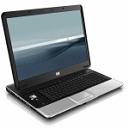
I find that Blu-ray/DVD play through a laptop can produce better picture quality compare to a standalone Blu-ray/DVD player. Note: 1) the laptop is connected to LCD TV by using a VGA cable.The LCD TV act like a big external monitor for the laptop. Don't use the s-video or composite video. 2) the laptop is able to display full HD 1920x1080 image resolution 3) Blu-ray playback using software player example PowerDVD player version 8 and above. (The above is what i believe, other people might not agree with me) Cable for connecting laptop to an external monitor - VGA to VGA cable   This post has been edited by tanhks: Aug 10 2010, 04:31 AM This post has been edited by tanhks: Aug 10 2010, 04:31 AM |
|
|
|
|
|
maskedchan
|
Aug 10 2010, 03:15 AM
|
|
|
that depend on which laptop u have..
and connect using VGA cable..not really..unless u using HDMI cable to tv..maybe can get same quality with standalone BD player
|
|
|
|
|
|
chewkl
|
Aug 10 2010, 03:16 AM
|
Peasant

|
|
|
|
|
|
|
piscesguy
|
Aug 10 2010, 07:08 AM
|
|
|
|
|
|
|
|
|
low98944
|
Aug 10 2010, 08:44 AM
|
|
|
This thread is not sucks. Instead I think it is bullshit.  |
|
|
|
|
|
StupidGuyPlayComp
|
Aug 10 2010, 09:31 AM
|
|
|
 Its possible if using latest soft decoder + awesome spec PC + HDMI + ATI VGA |
|
|
|
|
|
piscesguy
|
Aug 10 2010, 10:32 AM
|
|
|
QUOTE(StupidGuyPlayComp @ Aug 10 2010, 09:31 AM) Its possible if using latest soft decoder + awesome spec PC + HDMI + ATI VGAI suppose it's ATI GPU.  I thought we have HTPC topic to discuss this...  |
|
|
|
|
|
chewkl
|
Aug 10 2010, 11:07 AM
|
Peasant
|
VGA cable is analog. And heck I'm not even sure if it can send 1920*1080. So yea...  |
|
|
|
|
|
StupidGuyPlayComp
|
Aug 10 2010, 11:31 AM
|
|
|
QUOTE(chewkl @ Aug 10 2010, 11:07 AM) VGA cable is analog. And heck I'm not even sure if it can send 1920*1080. So yea...  Even those higher resolution, VGA still can manage......... |
|
|
|
|
|
chewkl
|
Aug 10 2010, 11:59 AM
|
Peasant
|
QUOTE(StupidGuyPlayComp @ Aug 10 2010, 11:31 AM) Even those higher resolution, VGA still can manage......... OK let me rephrase, never come across any TV that can accept 1920*1080p via PC input with VGA cable. |
|
|
|
|
|
StupidGuyPlayComp
|
Aug 10 2010, 12:16 PM
|
|
|
QUOTE(chewkl @ Aug 10 2010, 11:59 AM) OK let me rephrase, never come across any TV that can accept 1920*1080p via PC input with VGA cable. Deleted, now I understand your statement This post has been edited by StupidGuyPlayComp: Aug 10 2010, 12:21 PM |
|
|
|
|
|
silbii
|
Aug 10 2010, 01:51 PM
|
|
|
i could play 720p mkv with a hd-ready (720p) lcd tv via VGA from my Acer HDMI lapper...
but using HDMI from that lappie, the LCD always show 'mode not supported'...if i change the resolution, i can't get full screen...
but if i connect the laptop to my Optoma 720p projector via HDMI...no problem whatsoever
a bit confused now
any ideas?
|
|
|
|
|
|
StupidGuyPlayComp
|
Aug 10 2010, 05:26 PM
|
|
|
QUOTE(silbii @ Aug 10 2010, 01:51 PM) i could play 720p mkv with a hd-ready (720p) lcd tv via VGA from my Acer HDMI lapper... but using HDMI from that lappie, the LCD always show 'mode not supported'...if i change the resolution, i can't get full screen... but if i connect the laptop to my Optoma 720p projector via HDMI...no problem whatsoever a bit confused now any ideas? you use what resolution during "mode not supported"? just for your info, LCD and HDMI only support standard mode like 1280*768, 1920*1080 But the laptop can support non standard mode This post has been edited by StupidGuyPlayComp: Aug 10 2010, 05:26 PM |
|
|
|
|
|
maskedchan
|
Aug 10 2010, 07:42 PM
|
|
|
how come my LCD can accept 1600x900 signal via HDMI?  |
|
|
|
|
|
chewkl
|
Aug 10 2010, 11:07 PM
|
Peasant
|
QUOTE(maskedchan @ Aug 10 2010, 07:42 PM) how come my LCD can accept 1600x900 signal via HDMI? What's the big deal about 1600*900 via HDMI? Full HD is 1920*1080p. |
|
|
|
|
|
willkso
|
Aug 11 2010, 01:09 AM
|
|
|
QUOTE(chewkl @ Aug 10 2010, 12:59 PM) OK let me rephrase, never come across any TV that can accept 1920*1080p via PC input with VGA cable. I tried before using my Aspire L3600 with build in graphic, connected to my Sony KLV-S550. It's able to send over the full HD signal. At least my Aspire L3600 detected the Sony KLV-S550 'monitor' resolution at 1920*1080. |
|
|
|
|
|
maskedchan
|
Aug 11 2010, 03:30 AM
|
|
|
QUOTE(chewkl @ Aug 10 2010, 11:07 PM) What's the big deal about 1600*900 via HDMI? Full HD is 1920*1080p. because he say LCD only accept standard resolution... e.g. 1280x768, 1920x1080 |
|
|
|
|
|
chewkl
|
Aug 11 2010, 03:33 AM
|
Peasant
|
QUOTE(maskedchan @ Aug 11 2010, 03:30 AM) because he say LCD only accept standard resolution... e.g. 1280x768, 1920x1080 Oh ok now I get it.  |
|
|
|
|
|
krayden
|
Aug 11 2010, 03:38 AM
|
|
|
maybe you comparing with crap standalone BD player?
|
|
|
|
|
|
maskedchan
|
Aug 11 2010, 03:44 AM
|
|
|
QUOTE(krayden @ Aug 11 2010, 03:38 AM) maybe you comparing with crap standalone BD player? maybe sharp 1st generation BD |
|
|
|
|



 Quote
Quote







 0.0175sec
 0.85
0.85
 5 queries
 GZIP Disabled