Welcome Guest ( Log In | Register )

6 Pages « < 2 3 4 5 6 >Bottom

Outline · [ Standard ] · Linear+

PC Audio Edifier Speaker/Headphone Fan Club V5, The Passion of Sound

views
     
nismo91
post Mar 11 2011, 12:37 AM

foobar2000
*******
Senior Member
2,193 posts

Joined: Jan 2007


QUOTE(bulibulizaimon @ Mar 10 2011, 10:51 PM)
Any tool or device that help to tune up certain frequency for PC speaker?

Foobar2k limited to 55Hz rite? and only work when playing its playlist. I need to raise up 20Hz-40Hz for overall application (music, movie & games)
*
get a x-fi soundcard. there will be bass boost up to +10dB from 10hz i think. there is also SRS Audio Sandbox but i find it to be trash, no match to foobar's supereq.
nismo91
post Mar 11 2011, 12:56 AM

foobar2000
*******
Senior Member
2,193 posts

Joined: Jan 2007


yeah in the x-fi control panel there is bass boost option. but in the latest driver there is filter which will prevent clipping and also give those filter sound effect like ReplayGain. terrible.

i never tried SRS Premium, only tried SRS Audio Sandbox and SRS TruSurround HD (that comes with Logitech Z Cinema). i prefer foobar2000 than them because when i turn SRS Audio Sandbox on, even with everything in 0 there is some changes in dynamics. and when you push the bass to the max the filter sound comes again, or sometimes clipping. bringing down foobar2000 supereqs is my current favorite so far, if you
like bass you should try it sometime.
nismo91
post Mar 11 2011, 01:15 AM

foobar2000
*******
Senior Member
2,193 posts

Joined: Jan 2007


well for me just keep the 55hz at 0 and let everything below it, say -9. that way nothing is boosted, so no clipping. but then need to increase the speaker volume. yeah using earphones can hear to 10hz, but at 30hz, my speakers compared to in-ear, still prefer speakers. anything below that none of my speakers can do lol
nismo91
post Mar 11 2011, 04:38 PM

foobar2000
*******
Senior Member
2,193 posts

Joined: Jan 2007


QUOTE(bulibulizaimon @ Mar 11 2011, 03:03 AM)
Dayum~  sweat.gif
Alredy using X-Fi since few years back, +12db @ 10hz, 20Hz, 30Hz, 40Hz Cutoff, will raise it but not satisfying enuf  sad.gif  hmm.gif
*
well that one is your speaker limit... you must know what's your subwoofer frequency limit. i suggest you try to move to better location for deep bass. and for sub as big as S730, make sure your room is not small.
nismo91
post Mar 11 2011, 10:54 PM

foobar2000
*******
Senior Member
2,193 posts

Joined: Jan 2007


yeah then i think it's the limit of S730. have you tried using frequency generator to check which frequency it drops the most?

around 30-40hz is okay. dont expect computer speakers to go down to 20hz.
nismo91
post Mar 12 2011, 04:31 AM

foobar2000
*******
Senior Member
2,193 posts

Joined: Jan 2007


QUOTE(bulibulizaimon @ Mar 11 2011, 11:33 PM)
This is really weird... its silence on 20Hz

Mr Edifier, help me!
*
i think expecting S730 to go 20hz is asking alot. seriously. let's take an example of the famous Creative S750 (triple voice-coil sub) and Klipsch Promedia Ultra 5.1 (dual active sub). Both of them only goes to around 27hz and that's it. the cheaper Creative G500 can go near to 30hz with the help of specially tuned twin ports, but the distortion values are also higher on that range.

Techlabs did testing on both S730 and G500. whether the tests are accurate or not it is subjective, but you can see yourself that S730 starts quitting near 50hz. that's pretty high. also, if your subwoofer cone moves at 10hz, it doesn't mean it is properly producing 10hz. no PC speakers at the moment are capable of doing so.

» Click to show Spoiler - click again to hide... «


-edit added z2300

This post has been edited by nismo91: Mar 12 2011, 04:55 AM
nismo91
post Mar 12 2011, 04:59 AM

foobar2000
*******
Senior Member
2,193 posts

Joined: Jan 2007


QUOTE(bulibulizaimon @ Mar 12 2011, 04:50 AM)
I hve never ever ask for 10hz on my sub. I only want it to be able to produce low frequency bass just like my previous Z-2300  smile.gif
*
i think that's gonna be difficult since S730 is using passive radiator which i believe is tuned much higher than the port that Z2300 uses. added graph of Z2300 above. if you want the S730 to sounds much lower, you have to replace the passive radiator with the one that is tuned much lower. cool.gif
nismo91
post Mar 12 2011, 05:39 AM

foobar2000
*******
Senior Member
2,193 posts

Joined: Jan 2007


at 20-40hz both system already lose more than 10dB, so it's more or less the same. but since Techlabs did not provide us with S730 and Z2300 bass settings, the graph only tells us "estimation" of the subwoofer performance. hence in the real-life the result will vary.

also i noticed that both of them are playing at different level of loudness, one is at 60dB another is at 85dB

This post has been edited by nismo91: Mar 12 2011, 05:45 AM
nismo91
post Mar 15 2011, 06:19 PM

foobar2000
*******
Senior Member
2,193 posts

Joined: Jan 2007


QUOTE(apecorp @ Mar 15 2011, 05:14 PM)
After ur guys feedback between the Edifier s330d vs Logitech z2300, i decided on z2300.
So i went to lyp yesterday ...i did testing compare both and stil concluded i wanted the z2300...BUT mad.gif
it seems the z2300 no more stock and no more in production anymore!! I go viewnet@The HUb, Allit and Sri com all same! mad.gif
So i go test again the s330d, stil i donno why the sound just doesnt syok me sad.gif ..could it be dat the display speakers are faulty??
I relly wanted to LIKE the speakers But it jst doesnt have the oommphh. But i did test another model - edifier m3300 and to my suprise
dis speaker can perform better than the s330D...And cheaper some more  doh.gif
*
Logitech Z2300 have been replaced with Z623.

QUOTE(Cosef @ Mar 15 2011, 05:35 PM)
S330D should wins in sound quality to z2300 and m3300.

Maybe you like bold or fat soundings?  hmm.gif
*
may have been abused. i tried listen in one shop it was horrible, very dry.


Added on March 15, 2011, 6:25 pmFujitsu chose Edifier for two of their 2.1 speaker systems.

user posted image
Fujitsu DS S2100 / Edifier E3350

user posted image
Fujitsu DS P2100 Tube / Edifier MP300+


This post has been edited by nismo91: Mar 15 2011, 06:25 PM
nismo91
post Mar 20 2011, 09:05 PM

foobar2000
*******
Senior Member
2,193 posts

Joined: Jan 2007


sealed with passive radiator.
nismo91
post Mar 20 2011, 09:17 PM

foobar2000
*******
Senior Member
2,193 posts

Joined: Jan 2007


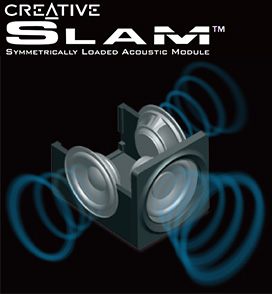
1 active driver, 2 passive radiator at sides opposing each other to be in phase with each other if not wrong. quite good, but i prefer klipsch gmx for 6.5" sub.
nismo91
post Mar 20 2011, 09:34 PM

foobar2000
*******
Senior Member
2,193 posts

Joined: Jan 2007


creative always ex one. but if promo the price is very cheap. this last 2-3 weeks the price of Creative T3 in Singapore only $200 (RM480) due to the IT Show and Creative Warehouse sale. usual price is $280 (RM670) - $300 (RM720)

3 drivers. but only 1 active, the 2 are just dummies, following the active one.
nismo91
post Mar 20 2011, 09:44 PM

foobar2000
*******
Senior Member
2,193 posts

Joined: Jan 2007


QUOTE(Cosef @ Mar 20 2011, 09:41 PM)
user posted image


Added on March 20, 2011, 9:42 pm
Class D amplifier....thats why.
*
lol why class D amp ex? i always thought the other type amp is ex.
nismo91
post Mar 21 2011, 08:39 AM

foobar2000
*******
Senior Member
2,193 posts

Joined: Jan 2007


QUOTE(Cosef @ Mar 20 2011, 10:05 PM)
Because it used different method to amplify the signal, you can google it out for more info.
Look like those are aluminium cones, but the driver seems to be too small for mid range frequency. sweat.gif
*
thanks for the insight. now i know that most of the multimedia speakers uses class A/B and some uses class D.
nismo91
post Mar 21 2011, 09:41 AM

foobar2000
*******
Senior Member
2,193 posts

Joined: Jan 2007


can check your speakers spec or the op-amp spec. some speakers they mention it in the specification, what type of op-amp it is using. most common used is the class AB.

based on what i've been reading, the class D amps cost less the manufacture, but usually more on research and design. also, class D, since in favor of power efficiency, usually ideal for subwoofer application.
nismo91
post Mar 21 2011, 12:30 PM

foobar2000
*******
Senior Member
2,193 posts

Joined: Jan 2007


most probably class AB.
nismo91
post Mar 22 2011, 12:01 PM

foobar2000
*******
Senior Member
2,193 posts

Joined: Jan 2007


X-Fi Crystallizer
user posted image

basically just boost up the low and high leaving the mids behind. was never a fan of CMSS or Crystallizer. the bass boost is not bad though, although it starts to distort or normalized above +8dB. but still, C3 will definitely profit from the bass boost.
nismo91
post Mar 22 2011, 04:19 PM

foobar2000
*******
Senior Member
2,193 posts

Joined: Jan 2007


XtremeMusic uses PCI while Titanium uses PCIe. rest of the spec seems to be more or less identical, with Titanium have DDL out-of-the-box, and more X-RAM which is pretty much useless these days.

edit: different chip as well. XtremeMusic using CA20K1 while Titanium uses CA20K2. but i wouldn't worry about that if i were you.

This post has been edited by nismo91: Mar 22 2011, 04:21 PM
nismo91
post Mar 22 2011, 04:46 PM

foobar2000
*******
Senior Member
2,193 posts

Joined: Jan 2007


QUOTE(bulibulizaimon @ Mar 22 2011, 04:36 PM)
Can you explain more about this?  hmm.gif
*
there are 2 types of signal, analog and digital. just assume that digital is 'raw' one and analog is the 'ready to use'. most PC / multimedia speakers are using analog connection, just like earphone / headphone.

soundcard / dac or whatever it is, convert the digital (raw) to analog (ready to eat) so the speaker is ready to produce the sound. there is also speakers with digital input (i.e. Edifier S730) so it can accept both analog and digital data. if it is given analog, it will produce sound immediately, if it is given digital, the built in decoder will convert (cook) the digital data into analog data.

controversies will arise when people ask, which one is better. there is no right or wrong answer, everything depends on your taste. what power911 is saying is that, use the one which u have the best. if you have a good soundcard, let it (cook) for you, if you have a lousy soundcard, let the built-in converter (cook) for you.

as to the difference between those X-Fi, X-Fi Titanium uses CA20K2 chip, XtremeMusic uses CA20K1. not sure how different these 2 are but i doubt they differ much. X-RAM, no need to care about it as it's only used in older Battlefield games. DDL is Dolby Digital Live, Titanium have it ready, for XtremeMusic must unlock it first then can use.

nismo91
post Mar 22 2011, 05:56 PM

foobar2000
*******
Senior Member
2,193 posts

Joined: Jan 2007


QUOTE(bulibulizaimon @ Mar 22 2011, 05:50 PM)
Only understand a bit  sweat.gif

So, if i'm with XtremeMusic and S730, what connection i will get the best. And, any other suggestion to maximize it?
*
you must try before knowing which one better than the other. there are 2 options now, going digital (with optical cable or coaxial cable) or normal analog. then check the sound difference.

but one thing for sure, turn off all CMSS and Crystallizer and EAX effects. if you want more bass can try the bass boost, but if you add too much it will distort or clip or compressed.

6 Pages « < 2 3 4 5 6 >Top
 

Change to:
| Lo-Fi Version
0.0234sec    0.30    7 queries    GZIP Disabled
Time is now: 8th December 2025 - 02:18 AM