

 May 4 2010, 07:03 PM


QUOTE(rizvanrp @ May 2 2010, 06:57 PM)
No, don't flash to DD-WRT if you want to keep your IPTV. Currently for the G1 hardware using dd-wrt D1/D2 firmware there's no way to separate the back ports into individual ones to bridge with the IPTV vlan using dd-wrt alone (that I know of).. hence no IPTV support. Everything works fine except for IPTV though.
1. USB port on Fiberhome unit is for external battery power supply, don't wire a USB device into it. Console port is for Fiberhome firmware administration, use a Cisco console cable or any other rj45-r232 converter with yost wiring standard @ 9600baud with no hardware flow control to access it. Nothing much you can do there though, all data communication is performed over the fiber optic cabling. As for the LAN ports, you can only use 1 at a time. It carries 2 VLAN tags (500 & 600) meant for your DIR-615 router to separate for internet & iptv connectivity. You can only use one of these ports at a time and it can only be wired into the WAN port on the DIR-615 router. You can't plug a PC in there and another into the DIR-615 LAN ports and expect them to communicate -- will not happen.
2. STB has two USB ports, one at the rear and one under a rubber connector on the side. Can't use them for anything that I know of at the moment.
3. USB port that's usable is on the DIR-615 modem.. use it + Dlink shareport software to share a USB device over your network.

there are 3 VLAN 1. USB port on Fiberhome unit is for external battery power supply, don't wire a USB device into it. Console port is for Fiberhome firmware administration, use a Cisco console cable or any other rj45-r232 converter with yost wiring standard @ 9600baud with no hardware flow control to access it. Nothing much you can do there though, all data communication is performed over the fiber optic cabling. As for the LAN ports, you can only use 1 at a time. It carries 2 VLAN tags (500 & 600) meant for your DIR-615 router to separate for internet & iptv connectivity. You can only use one of these ports at a time and it can only be wired into the WAN port on the DIR-615 router. You can't plug a PC in there and another into the DIR-615 LAN ports and expect them to communicate -- will not happen.
2. STB has two USB ports, one at the rear and one under a rubber connector on the side. Can't use them for anything that I know of at the moment.
3. USB port that's usable is on the DIR-615 modem.. use it + Dlink shareport software to share a USB device over your network.
DATA / VOIP / IPTV.
 Quote
Quote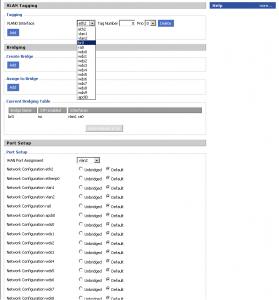


 0.0437sec
 0.39
0.39
 8 queries
 GZIP Disabled