

some will charge you extra for the bank fee... usually around 2%-3%
VAIO Club V2.5, make.believe
VAIO Club V2.5, make.believe
|
|
 Jun 4 2010, 09:41 PM Jun 4 2010, 09:41 PM
|
 
Senior Member
2,141 posts Joined: Sep 2008 From: Muddy Banks  
|
some will charge you extra for the bank fee... usually around 2%-3%
|
|
|
|
|
|
Jun 4 2010, 09:42 PM
|

Senior Member
6,022 posts Joined: Oct 2004
|
QUOTE(V12Kompressor @ Jun 4 2010, 09:41 PM) some will charge you extra for the bank fee... usually around 2%-3% know where no charge the bank fees? |
|
|
Jun 4 2010, 10:33 PM
|

Junior Member
56 posts Joined: Apr 2005 
|
hi there ,i would like to know vaio extended warranty is it covered dead pixel on vaio LCD as well???
|
|
|
Jun 4 2010, 10:52 PM
|
|
Senior Member
2,141 posts Joined: Sep 2008 From: Muddy Banks
|
QUOTE(maskedchan @ Jun 4 2010, 09:42 PM) know where no charge the bank fees? Easy. Sony Style.  QUOTE(kkj @ Jun 4 2010, 10:33 PM) hi there ,i would like to know vaio extended warranty is it covered dead pixel on vaio LCD as well??? Yes. Even one.You paid a premium price for it and therefore you deserve a premium quality product. |
|
|
Jun 4 2010, 10:59 PM
|
|
Senior Member
6,022 posts Joined: Oct 2004
|
QUOTE(V12Kompressor @ Jun 4 2010, 10:52 PM) Easy. Sony Style. ok, thanks.. Yes. Even one. You paid a premium price for it and therefore you deserve a premium quality product. heading there tomolo |
|
|
Jun 4 2010, 11:19 PM
|
|
Senior Member
2,141 posts Joined: Sep 2008 From: Muddy Banks
|
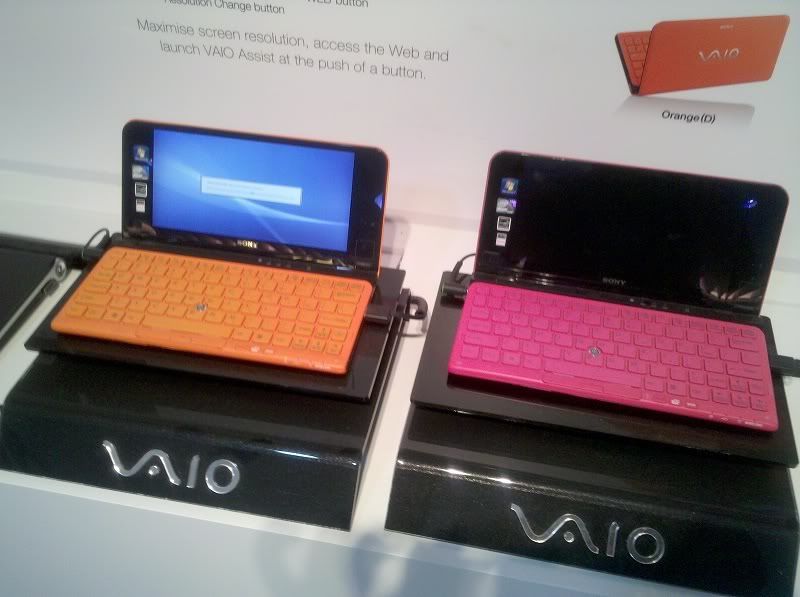 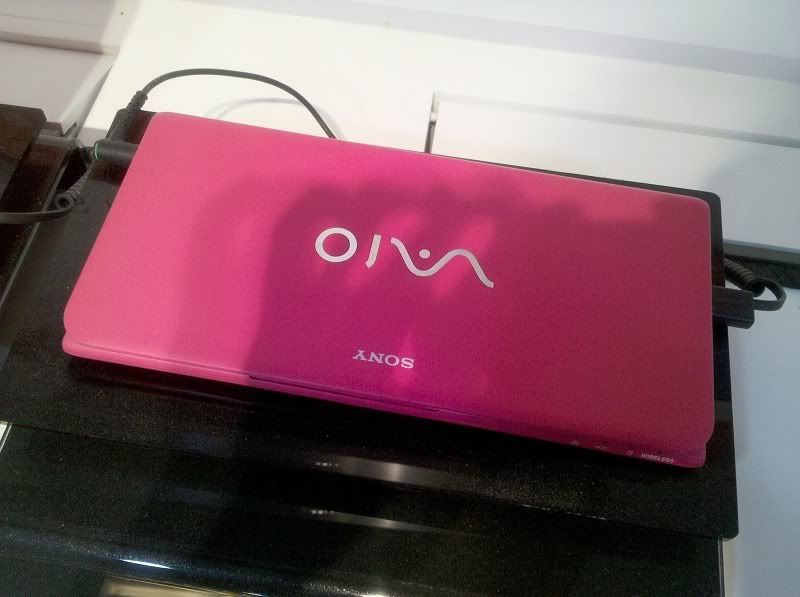 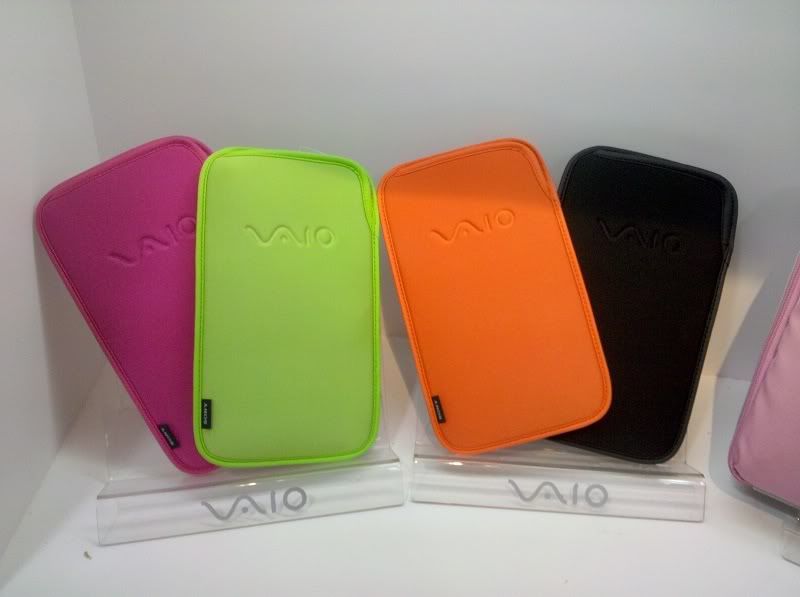 |
|
|
|
|
|
Jun 4 2010, 11:27 PM
|
|
Junior Member
56 posts Joined: Apr 2005
|
anyone working in sony here can confirm about extended warranty is it cover lcd dead pixel on vaio too?
|
|
|
Jun 7 2010, 10:00 AM
|

Junior Member
77 posts Joined: Dec 2004
|
Dead pixels have to be >3. Dunno whether it applies under extended warranty though; you should call up a Sony Style centre and ask (refer sony.com.my)
|
|
|
Jun 8 2010, 08:01 AM
|

Senior Member
1,592 posts Joined: Jul 2005 From: Poland
|
QUOTE(kkj @ Jun 4 2010, 11:27 PM) anyone working in sony here can confirm about extended warranty is it cover lcd dead pixel on vaio too? in US, at least 3 dead pixels and above.as for Malaysia, you better call for enquiry at Sony Malaysia. http://www.sony.com.my/section/servicecenters V12Kompressor: nice color of those refresh P series, gotta love the pink color |
|
|
Jun 8 2010, 09:00 PM
|
|
Senior Member
6,022 posts Joined: Oct 2004
|
one question for the ea16 user...
the speaker volume seem very low.. i put max but the movie volume still like whispering.. is that the way or only me? anyway to turn up the volume? |
|
|
Jun 10 2010, 07:41 PM
|

Junior Member
8 posts Joined: Dec 2009
|
QUOTE(maskedchan @ Jun 8 2010, 09:00 PM) one question for the ea16 user... Must be ur settings. Mines ok. just bought it.the speaker volume seem very low.. i put max but the movie volume still like whispering.. is that the way or only me? anyway to turn up the volume? |
|
|
Jun 10 2010, 08:07 PM
|

Junior Member
172 posts Joined: May 2010
|
just own a EA 16
 hope it can ply games well hope it can ply games well  |
|
|
Jun 10 2010, 08:24 PM
|
|
Senior Member
6,022 posts Joined: Oct 2004
|
QUOTE(teynN @ Jun 10 2010, 07:41 PM) Must be ur settings. Mines ok. just bought it. yea..trying to adjust itmanage to increase the volume.. but when playback bluray..damn soft |
|
|
|
|
|
Jun 10 2010, 08:50 PM
|
|
Senior Member
2,141 posts Joined: Sep 2008 From: Muddy Banks
|
coz BluRay is in 5.1 channel audio set up. There's only 2 speakers in the laptop.
Windows will automatically make the 5.1 into 2 channel, but the result is, it will be low (the volume). Nothing wrong with your set. |
|
|
Jun 10 2010, 09:03 PM
|
|
Senior Member
6,022 posts Joined: Oct 2004
|
QUOTE(V12Kompressor @ Jun 10 2010, 08:50 PM) coz BluRay is in 5.1 channel audio set up. There's only 2 speakers in the laptop. anything i can do to increase the volume?Windows will automatically make the 5.1 into 2 channel, but the result is, it will be low (the volume). Nothing wrong with your set. the windvd cant adjust the volume of each channel at all.. i believe it come with 3channel, LR and Center.. i can adjust in the klmcodec..but during BD playback, it not using the codec... |
|
|
Jun 10 2010, 09:10 PM
|
|
Senior Member
2,141 posts Joined: Sep 2008 From: Muddy Banks
|
connect to home theatre, thats the best choice...
or use a headphones |
|
|
Jun 11 2010, 10:55 PM
|

Junior Member
80 posts Joined: Feb 2009
|
QUOTE(V12Kompressor @ Jun 4 2010, 11:19 PM)  how much bro?  |
|
|
Jun 12 2010, 12:31 AM
|
|
Senior Member
6,022 posts Joined: Oct 2004
|
QUOTE(V12Kompressor @ Jun 10 2010, 09:10 PM) connect to home theatre, thats the best choice... while i am on mobile..or use a headphones where can plug into home theater? |
|
|
Jun 12 2010, 10:09 PM
|
|
Senior Member
2,141 posts Joined: Sep 2008 From: Muddy Banks
|
QUOTE(renxu @ Jun 11 2010, 10:55 PM) diz is a new p series rite? RM 3,299 how much bro? QUOTE(maskedchan @ Jun 12 2010, 12:31 AM) while i am on mobile.. HDMI out from your laptop into HDMI in of Home Theatre and from HT, HDMI out to HDMI IN of your TV. where can plug into home theater? --- BTW, those who is anticipating black for the X series, it is now available. Very glossy in fact. Just viewed it at Sony Style  |
|
|
Jun 14 2010, 12:48 PM
|
|
Senior Member
892 posts Joined: Jan 2007
|
Hi all!
I'm having a problem with my F/W here. The part where we insert the a/c plug on my laptop is loosen up. I'm so afraidthat the whole part will break apart from my laptop. And its no longer being covered under warranty. Anyone know how much is the fee to repair my F/W ? and how long it takes? This post has been edited by blackmarket: Jun 14 2010, 12:48 PM Attached thumbnail(s) 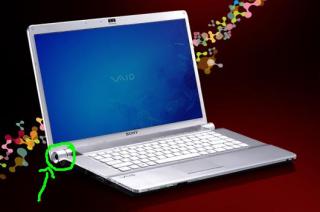
|
| Change to: |  0.0237sec 0.0237sec
 0.57 0.57
 6 queries 6 queries
 GZIP Disabled GZIP Disabled
Time is now: 8th December 2025 - 05:07 AM |
 Quote
Quote