QUOTE(shawnlut @ Jan 18 2011, 11:52 AM)
Update BIOS using the EZ Flash Utility under BIOS with USB pendrive...
Download the BIOS from Asus website...
Multiplier = CPU ratio
Thanks for the guide. Yeah, download from asus website is better. The ASUS auto update tool is just not useful. Cannot find the file when connecting to its FTP server. Gonna uninstall it later today when I get back home.
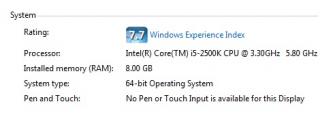
I do notice CPU ratio in the bios. However, when I try to tweak it under Advanced\CPU configuration - I can only max out the CPU ratio up to 33. How to push it to 45?
This is the online guide I got:
Overclock a Core i5-2500K to 4.5GHz
1. Enter the BIOS by pressing Delete as the PC starts
2. Enter the Advanced menu by clicking the button in the top-right corner
3. Set the CPU multiplier to 45x
4. Enable Load-Line Calibration
5. Set the CPU voltage to 1.3-1.35V
6. Set the CPU PLL to 1.9V
7. Set the VCCSA to 1.1V
8. Set the VCCIO to 1.106V
9. Hit F10 to save and restart
Basically I can achieve item 4-8. Only item 3. Set the CPU to multiplier to 45x cannot be done. Is it because I was still on the old bios yesterday? Hopefully today when i go back and update bios, i can manually set it to 45x.


 Jan 13 2011, 01:53 PM


 Quote
Quote



 0.0396sec
 0.94
0.94
 7 queries
 GZIP Disabled