Outline ·
[ Standard ] ·
Linear+
Intel LGA1155 P67/Z68/Z77, Sandy/Ivy Bridge Architecture
|
Kizarh
|
 Jan 12 2011, 06:32 AM Jan 12 2011, 06:32 AM
|

|
Problem is, it still isn't gonna work with P67 after all is hardware level, that software is only doing KVM switch work but at least you won't need to change input for monitor and you won't need to boot to BIOS to change your display output. If you ever want these features either go H67 or wait Z68 chipset.
Added on January 12, 2011, 6:35 amFor P67 user, since Nvidia have much access of Intel's patents, I guess you better wait and see if Nvidia include these features to their GPU, which isn't hard.
This post has been edited by Kizarh: Jan 12 2011, 06:38 AM
|
|
|
|
|
|
zzzz52
|
Jan 12 2011, 08:19 AM
|
|
|
Now waiting for my i5-2500K to arrive
|
|
|
|
|
|
jeopardise
|
Jan 12 2011, 08:57 PM
|
|
|
Perhaps will wait 5-6 month for the motherboard to mature (with better BIOS) etc, then pick the best one at best price possible.
|
|
|
|
|
|
bulibulizaimon
|
Jan 13 2011, 11:22 AM
|
|
|
QUOTE(k!nex @ Jan 9 2011, 07:12 PM) i already checked their website. If you compare ud3p and ud3, it only stated that ud3p has 12 phase power design but did not mention anything about ud3 Dont take the Asus LE version, not worth it, non LE only RM599 but 12 phase power vs LE is 4 phase power design. The Asus you listed there should be same cfx speed as gigabyte since the more expensive non LE version also 16x/4x What does that phase power do? issit important to have big number of phase power? |
|
|
|
|
|
jeopardise
|
Jan 13 2011, 12:08 PM
|
|
|
the more phase power, the more is the stability. Phase power reduces ripples, hence better overclocking.
|
|
|
|
|
|
billytong
|
Jan 13 2011, 12:38 PM
|
|
|
QUOTE(jeopardise @ Jan 13 2011, 12:08 PM) the more phase power, the more is the stability. Phase power reduces ripples, hence better overclocking. how about those in sabertooth? its only 8+2 phase vs the lower version p8p67 Pro. |
|
|
|
|
|
lck
|
Jan 13 2011, 12:47 PM
|
|
|
actually can anyone tell me the speed or any difference in using the core-i7 and the sandybridge core-i7 speed.
|
|
|
|
|
|
lchee
|
Jan 13 2011, 01:53 PM
|
|
|
Wanna ask if I were to buy kinsgston value ram DDR3 1333MHz 4GB module x2 (which would give me 8GB), is it possible to OC the i5 2500K to say 4.5GHz? Or should I get DDR3 1600MHz ram instead? I ask cause the price difference between 1333 and 1600 is about double.
|
|
|
|
|
|
billytong
|
Jan 13 2011, 08:27 PM
|
|
|
you have a unlock CPU, it is pointless to buy a faster memory as you can OC by using multiplier. Sandy bridge have pretty limited memory OC as compared to nehelem.
|
|
|
|
|
|
jeopardise
|
Jan 14 2011, 11:17 AM
|
|
|
I think Kingston Value Ram 1333MHz 4GB module is harder to overclock than 2GB module.... say you wanna push it to 1600MHz. KVR 2GB 1333 will easily go to 1600MHz with safe voltage. I am using 4GBx2 pieces and only running stable on 1066MHz even if I increase the dimm voltage. Having tried a single piece also no success. However, 1333MHz and 1600MHz is not very much different in performance despite the high price. Perhaps it's my motherboard that uneasy with the 4GB sticks and I'd always research for any problem before making the purchase. Well I am still happy with the huge memory upgrade for my multimedia works  |
|
|
|
|
|
SSJBen
|
Jan 14 2011, 04:25 PM
|
|
|
QUOTE(lchee @ Jan 13 2011, 01:53 PM) Wanna ask if I were to buy kinsgston value ram DDR3 1333MHz 4GB module x2 (which would give me 8GB), is it possible to OC the i5 2500K to say 4.5GHz? Or should I get DDR3 1600MHz ram instead? I ask cause the price difference between 1333 and 1600 is about double. Doesn't work that way anymore. You don't overclock by the bus anymore with Sandy Bridge. Regardless of what speed your RAM is, you simply just have to turn up the multiplier on the CPU ("K" labeled only as you know) and it'll overclock. Your RAM will be left untouched. |
|
|
|
|
|
lchee
|
Jan 14 2011, 05:13 PM
|
|
|
No way to overclock ram alone? I mean besides overclocking the CPU, can I also overclock the ram as well? Say supply more voltage to the ram etc....
|
|
|
|
|
|
areszues92
|
Jan 14 2011, 06:28 PM
|
Getting Started

|
So what now?Buying a ddr3 1600 hyperx is not worth it?
|
|
|
|
|
|
Racerx
|
Jan 14 2011, 08:08 PM
|
|
|
QUOTE(lchee @ Jan 14 2011, 04:13 PM) No way to overclock ram alone? I mean besides overclocking the CPU, can I also overclock the ram as well? Say supply more voltage to the ram etc.... you can oc the ram alone on a P67 baord since the RAM multiplier is unlocked as well,though i can't see the point of doing so. QUOTE(areszues92 @ Jan 14 2011, 05:28 PM) So what now?Buying a ddr3 1600 hyperx is not worth it? imo it has never been worth it. bit-tech.net did an article about this last week iinm,the difference between DDR3 1333MHz CL9 vs DDR3 2133MHz CL9 is 5% only,but the 2133MHz modules cost a hell lot more than a 1333MHz module. |
|
|
|
|
|
zerorating
|
Jan 15 2011, 12:23 AM
|
|
|
guys, there are some case of dying sandy bridge due to oc which can last for few days , overclocker.co.uk has put on these oc guidance  QUOTE Sandybridge maximum safe voltages
Core Voltage - Not recommended too exceed 1.38v, doing so could kill the CPU, we therefor recommend a range of 1.325-1.350v if overclocking.
Memory Voltage - Intel recommend 1.50v plus/minus 5% which means upto 1.58v is the safe recommended limit. In our testing we have found 1.65v has caused no issues.
BCLK Base Clock - This is strictly a NO, anyone using base clock overclocking could/will cause damange to CPU/Mainboard. (Set manually to 100)
PLL Voltage - Do not exceed 1.9v!!
Processor - Basically we recommend customers not to exceed 1.35v to play it safe, all our bundles are set at 1.3250v or lower, any competitors offering bundles above 4.6GHz you should be enquiring as to what voltage they are using as we believe anything over 1.38v will limit CPU lifespan and anything over 1.42v will likely kill the CPU or severely limit its lifespan.
Memory - Intel recommend 1.50v plus/minus 5% which means 1.60v is the ideal safe maximum, but we have found in our testing all 1.65v memory is fine. We have also found most new 1.65v like Corsair XMS3 will run at its rated timings with just 1.50-1.55v which is well within Intel specifications. So people upgrading to Sandybridge you can still use your old DDR3, but we do recommend you run it at 1.60v or less. We are shipping most of our bundles which feature Corsair XMS at 1.50v-1.55v at rated timings. We've also discussed with Asus and MSI regarding voltages for memory and they also confirm in their testing 1.65v caused no issues with reliability.
Base Clock - To put it simple if you value the life of your components, do not overclock using base clock!
PLL Voltage - Again do not exceed 1.9v! http://forums.overclockers.co.uk/showthrea...18227516&page=4This post has been edited by zerorating: Jan 15 2011, 12:28 AM |
|
|
|
|
|
Racerx
|
Jan 15 2011, 12:48 AM
|
|
|
QUOTE(zerorating @ Jan 14 2011, 11:23 PM) guys, there are some case of dying sandy bridge due to oc which can last for few days , overclocker.co.uk has put on these oc guidance http://forums.overclockers.co.uk/showthrea...18227516&page=4nice link there.  seems like the smaller the process is,the more sensitive it is to overvoltage  |
|
|
|
|
|
SSJBen
|
Jan 15 2011, 01:16 AM
|
|
|
QUOTE(areszues92 @ Jan 14 2011, 06:28 PM) So what now?Buying a ddr3 1600 hyperx is not worth it? Nope. Unless you're a hardcore benchmarker... really, 1333mhz modules are more than fast enough. Theres a really nice deal on Viewnet now where Mushkin Silverline 8GB (2x4GB) 1333mhz CL9 for only RM390+. |
|
|
|
|
|
yinchet
|
Jan 15 2011, 04:56 AM
|
If you wish for peace, prepare for war

|
QUOTE(lck @ Jan 13 2011, 12:47 PM) actually can anyone tell me the speed or any difference in using the core-i7 and the sandybridge core-i7 speed. here is some comparison... QUOTE(jeopardise @ Jan 14 2011, 11:01 AM) I think the result is based on highly multithreading test such as video encoding. I yearn to see performance on gaming. BUT! That's comparing to i7-950 or 980x if sandybridge 2600K eats 980x and 950 snack for lunch, I can only pray for Bulldozer if there is any miracle. 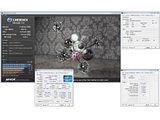 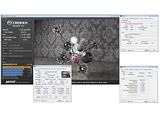 http://www.xtremesystems.org/forums/showthread.php?t=264693 http://www.xtremesystems.org/forums/showthread.php?t=264693QUOTE(SSJBen @ Jan 15 2011, 01:16 AM) Nope. Unless you're a hardcore benchmarker... really, 1333mhz modules are more than fast enough. Theres a really nice deal on Viewnet now where Mushkin Silverline 8GB (2x4GB) 1333mhz CL9 for only RM390+. yup there is no need to go for expensive ram... the performance is hardly visible... This post has been edited by yinchet: Jan 15 2011, 05:00 AM |
|
|
|
|
|
areszues92
|
Jan 15 2011, 02:45 PM
|
Getting Started
|
Is there any 1333mhz hyperx in LYP?
|
|
|
|
|



 Quote
Quote








 0.1147sec
 0.30
0.30
 6 queries
 GZIP Disabled